Most VPNs eventually ask you to pay. Bright VPN takes a different route. The service is free to use, but there's a reason for that: Bright Data, the company behind it, pays for the service while allowing companies to use participating users' internet connections.
That makes Bright VPN a little different from the usual free VPN model. You don't need to enter an email address or credit card to get started, and the service doesn't show ads. Instead, the company says it collects public web information for businesses, universities, banks, and other organizations, and that Bright VPN users help provide the internet connections used for that work.
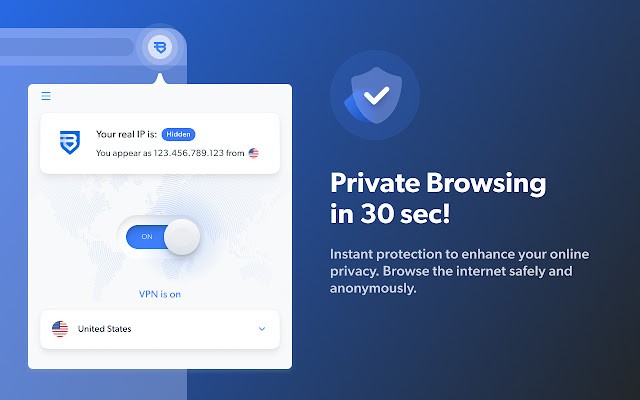
From a day-to-day perspective, Bright VPN works much like you'd expect. It encrypts your internet traffic, hides your real IP address, and lets you connect through servers in different countries. That can be useful when you're using public Wi-Fi, want to keep your IP address private, or need to access websites that aren't available on your usual connection.
It's also fairly straightforward to use. You install the app, choose a connection, and browse normally. There's no complicated setup process to work through. The unusual part is the trade-off behind the free service. Bright VPN says it doesn't collect browsing history, traffic destinations, data content, or DNS queries, but users are allowing Bright Data to use their internet connection. That's something worth understanding before installing it.
Why Should I Download Bright VPN?
The main reason to use Bright VPN is pretty obvious: you get a VPN without paying for a subscription.
Once connected, the service encrypts your internet traffic and hides your real IP address. That can be useful when you're browsing on an unfamiliar Wi-Fi network, for example, or when you simply don't want every website you visit to see your normal IP address.
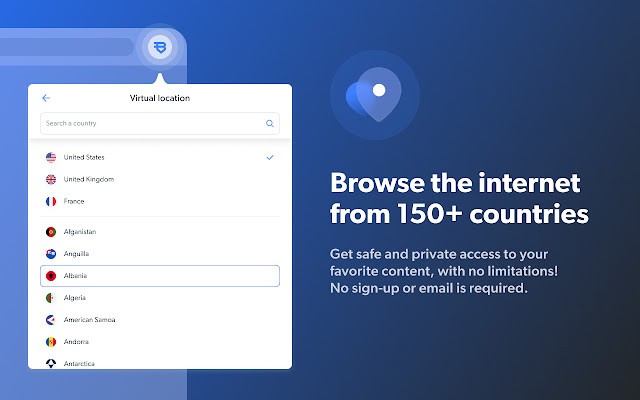
Bright VPN also offers access to servers in more than 150 countries. That gives you some flexibility over where your connection appears to come from and can help with websites or online content that are restricted by location. It isn't a magic solution for every geographic restriction, but that's one of the more common reasons people use a VPN in the first place.
The setup is deliberately simple. You don't need to create an account or hand over an email address before using the service. Download it, install it, connect, and you're ready to browse.
There are a few security features behind that simple interface, too. Bright VPN uses the IKEv2 VPN protocol for its connections, while its service says it doesn't track or store browsing history, traffic destinations, the content of data, or DNS queries.
The bigger question is how you're comfortable with the service being funded. Bright Data owns Bright VPN and pays for users' free VPN access in exchange for permission to use their internet connections. That's the model that makes the service free.
So Bright VPN isn't really "free" in the sense that nothing is exchanged. You're not paying money, but you are participating in the network. For some users, that's a reasonable trade-off. Others may prefer a VPN with a more conventional subscription model.
Is Bright VPN Free?
Yes, Bright VPN is free to use. There is no subscription required for the free service, and you don't need to provide an email address or credit card when you sign up. Bright VPN says the free version provides the same basic VPN features without showing advertisements.
The service is funded by Bright Data. In exchange for free VPN access, users allow Bright Data to use their internet connection as part of its network.
What Operating Systems Are Compatible with Bright VPN?
Bright VPN is available on Windows, Android (APK only), and Mac. There is also a Chrome extension, as well as a version for LG smart TVs.
The desktop and mobile versions provide the main VPN experience, while the Chrome extension is designed for browsing through Google's browser. The service can therefore fit into a few different setups rather than being limited to one type of device. Bright VPN also advertises support for unlimited devices on its free service, which is useful if you want to use the VPN across several pieces of hardware.
What Are the Alternatives to Bright VPN?
VPN Unlimited is a more conventional VPN service that offers encrypted connections, multiple server locations, and support across different devices. Unlike Bright VPN's connection-sharing model, VPN Unlimited uses a paid subscription approach for its main service. It's a better fit if you'd rather pay for a VPN instead of participating in the network that funds Bright VPN.
JumpJumpVPN is another option for users looking for a straightforward VPN service. Its main purpose is still to provide a private connection and route traffic through different servers, so it fills a similar basic role. Bright VPN stands out more for its unusual free model, while JumpJumpVPN is closer to what you'd expect from a dedicated VPN provider.
Proton VPN takes privacy in a different direction and has a strong focus on security and open-source software. It also offers a free plan, although the free service has fewer options than its paid plans. Compared with Bright VPN, Proton VPN is a more traditional choice for users who don't want their internet connection used as part of another company's network. Bright VPN, meanwhile, is particularly appealing if avoiding a subscription is your main concern.