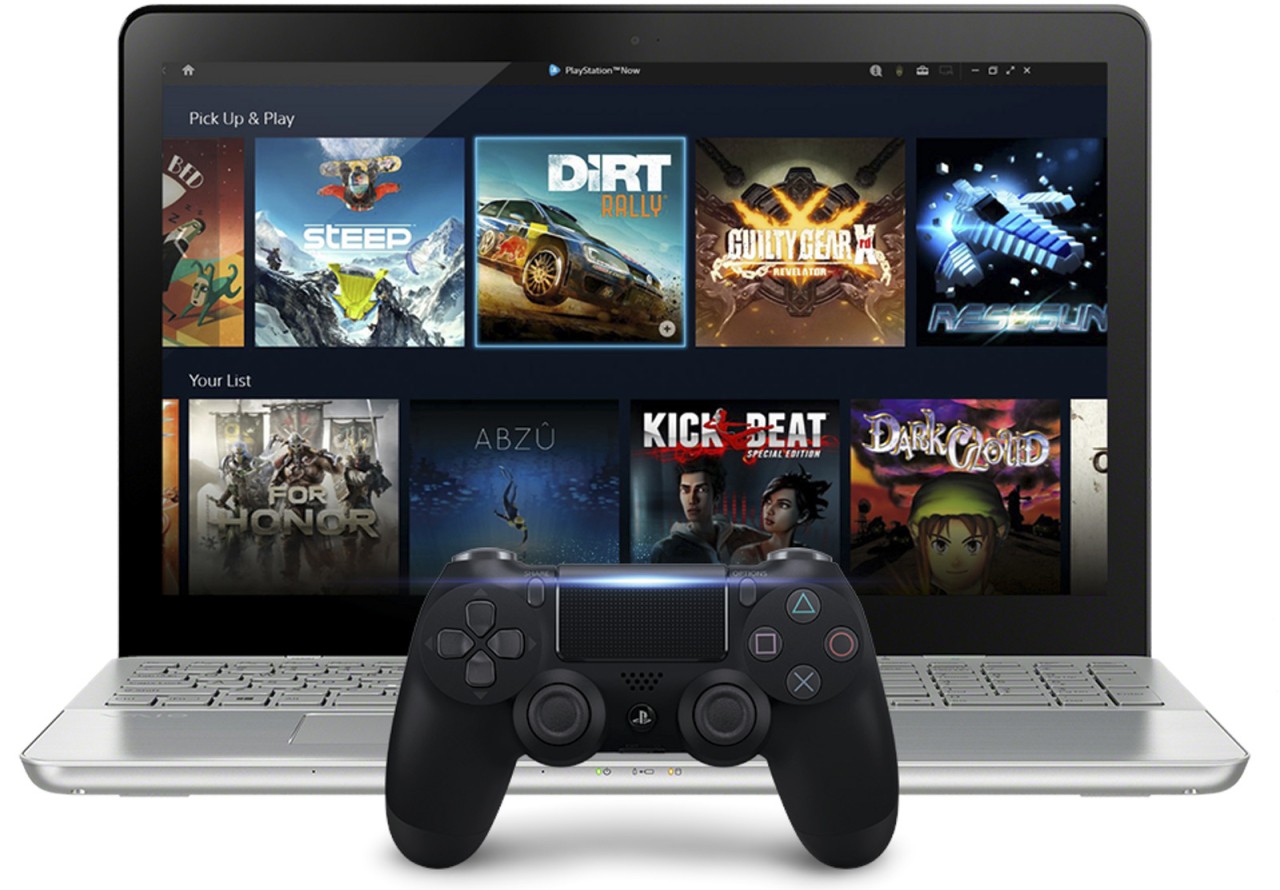
The PlayStation Plus PC by Sony enables its users to play PlayStation games on Windows PCs. It was formerly known as PlayStation Now, but the name changed over time. It concentrates on the streaming of games, and thus the majority of titles do not need to be downloaded, although some can be saved to be played offline. The PlayStation Plus for PC application has a proper user interface to navigate, open, and control games. The library combines first-party PlayStation titles with a few third-party games to provide the player with a console-style atmosphere on the PC.
You require a PlayStation Network account and a compatible controller to use the service, e.g., a DualShock 4 or any Xinput controller. PlayStation Plus PC allows transferring and saving progress on the PC and PlayStation consoles. It supports voice chat, limited local multiplayer, and its primary feature is streaming. The idea is to ensure that PC users can have the PlayStation ecosystem without having to purchase a console.
Why Should I Download PlayStation Plus PC?
There are many reasons that may make you consider downloading PlayStation Plus PC. First, it offers you a huge collection of PlayStation games on your PC that does not require a console. It suits gamers who do not have a console but want exclusive titles. The application allows you to browse, choose, and stream games on the spot and therefore does not require storage of all titles unless they are downloaded locally.
It supports any type of game, such as action and adventure, puzzles, and indie games, which is why there is something for everybody. Online multiplayer is similar to the consoles, with local multiplayer having a limited number of players. The service is compatible with certain controllers that provide you with the feel of a console on the PC.
PlayStation Plus PC is entirely a matter of convenience. You are streaming to your PC via a reliable internet connection, and therefore, you do not have to install a console to be able to jump into a game. Progress in the console and PC can be saved and transferred to continue your experience. It does not have all the features of the consoles, but it is a good choice in case the player needs to have a wider range of PlayStation games or needs to test before purchasing a console.
Is PlayStation Plus PC Free?
The PlayStation Plus PC app is free to download, but streaming games still requires an active paid PlayStation Plus membership. The PlayStation Network can be created at no cost, and titles can be streamed and downloaded using the PC app, only with a membership. There is no free tier, but the service occasionally provides a trial or promotion allowing you to test games before subscribing.
What Operating Systems Are Compatible with PlayStation Plus PC?
PlayStation Plus PC is compatible with Windows PCs. Sony does not list specific Windows versions, but the service is intended for modern Windows systems that meet the streaming requirements. A minimum of 5 Mbps of broadband connection is required to stream easily. A wire connection is preferable, but decent Wi-Fi will also do.
A compatible controller is also required to use the service. The most common one is the DualShock 4 wireless controller, although other controllers that are compatible with XInput will work. Install the application on the official PlayStation Plus PC site, and install any drivers needed by your controller.
The application is compatible with conventional PC peripherals, such as a mouse and keyboard, but most games require a game controller. In brief, PlayStation Plus PC is supposed to provide Windows users with console-like gaming.
What Are the Alternatives to PlayStation Plus PC?
GeForce Now is a cloud-based streaming of games by Nvidia to a PC, Mac, or mobile device. In contrast to PlayStation Plus PC, it works with a significant number of PC titles in stores like Steam, Epic Games Store, and Ubisoft Connect. You can play games in your library without having to buy them, although certain titles might require you to download them to play them offline. GeForce Now is the best choice when someone desires cross-platform cloud gaming and a wide range of libraries without a heavy load of hardware. You can also download the GeForce Now app to manage and access your games easily.
Amazon Luna is a streaming service that is based on the cloud and competes with PlayStation Plus PC. Luna delivers a game to Windows PCs, Macs, Fire TV, and mobile devices without having to download the game fully. The channels are subscriptions that users subscribe to and get access to particular game libraries. Luna is not as exclusive as PlayStation, but it can stream flexibly, has cross-platform access, and does not require one to remain within one console ecosystem. Select games can also be downloaded from Luna for offline play when needed.
Epic Games Store is not a streaming platform but a digital store. It allows you to browse, purchase, and download games directly to your computer. Epic has free weekly titles and regular discounts, which appeal to players preferring to play games instead of streaming them. The lack of a PS library makes the store much more sympathetic to individuals who enjoy offline gaming and control the installs and performance. Games can be quickly downloaded from the Epic Games Store to play anytime offline.