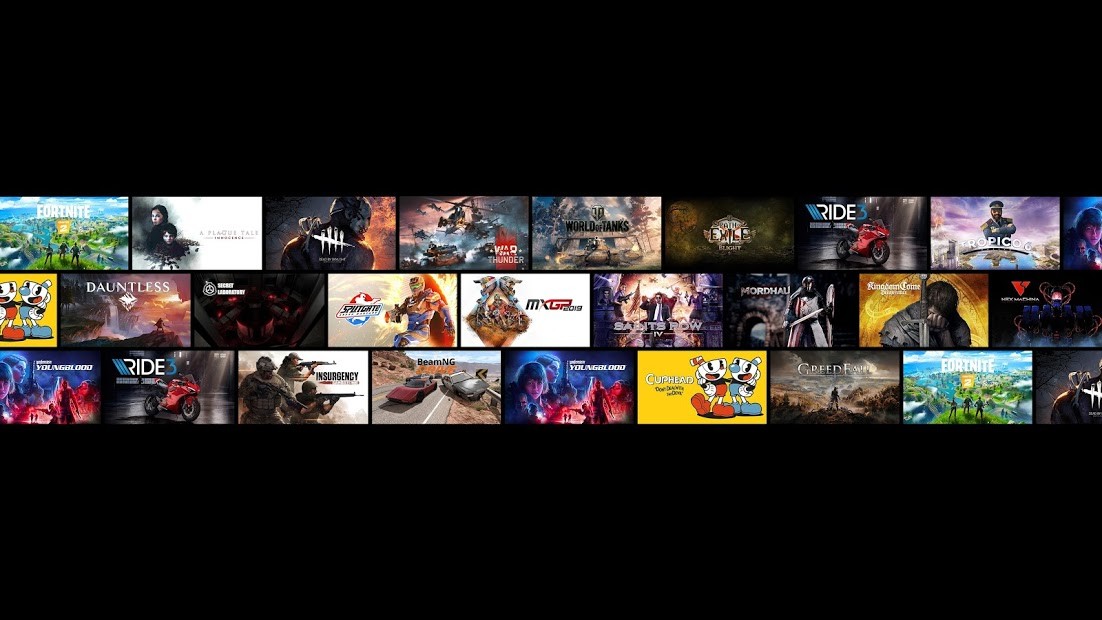
With GeForce Now, you can play different games using NVIDIA remote servers that stream the game to your device instead of running it locally on your machine. Depending on your subscription level, you can access and launch even high-end games in large resolutions. The service now also lets you link your Steam, Epic Games Store, Xbox PC, GOG, Ubisoft Connect, or EA App libraries.
You need to be connected to the internet to use GeForce Now, and you don't have to repurchase titles to use the service. GeForce Now also offers low-latency and high frame rates and can sync your saved games across devices like PCs, Macs, smartphones, or smart TVs.
While you are usually blocked if your machine doesn't have powerful hardware, with GeForce Now, you can have instant access to all supported titles, whether indie games or AAA releases. It delivers high-performance gaming to everyone, and you can choose between a free plan or various paid tiers.
Why should I download GeForce Now?
Since GeForce Now is the most powerful and accessible platform for streaming cloud games, it's the perfect option for anyone without a powerful machine that wants to launch modern and high-performance games. While the service comes from NVIDIA, you can easily link your game libraries from Steam, Epic Games Store, GOG, and Ubisoft Connect and avoid rebuying new game versions to play them on different devices.
While GeForce Now offers very resource-intensive games, you can still play them with minimal latency because the platform uses a global network of connected servers to deliver your game. The main limitation is the membership option you choose to buy, but you can even get 4K resolution at 120 FPS, with ray tracing for titles with RTX. Whether you're using an older device or a more lightweight option like a Chromebook, GeForce Now will work like a charm.
You don't need to download the games in order to play them, and they launch extremely quickly from the GeForce Now app. All you have to do is log into your account from the store you want to access (Steam, GOG, etc.) and launch your game through the high-end virtual machine. Because of that, you can also sync your progress across different platforms, like PCs, smartphones, or tablets, as the games are not installed on a single device.
When it comes to controls, GeForce Now supports both classic keyboard and mouse operations, as well as game controllers connected by Bluetooth or cable, or touchscreen controls for selected titles. If you play a lot of online multiplayer games, with GeForce Now, you also get NVIDIA Reflex technology that minimizes lag and gives you a smoother overall experience.
GeForce Now gets weekly updates to the library, and you can choose your favorite games you'd like to try. Depending on your membership level, you can play for up to 8 hours in a single session. If your game supports it, GeForce Now can also autosave games to the cloud for you, and you can optimize the quality of your game stream depending on your internet connection. You can monitor your ping and other statistics of the streaming session and even manually configure settings if you'd rather always play using the same options every time.
You can use GeForce Now for free, but this option limits your gaming sessions to one hour, shows ads, and offers the longest queue times. There are also 2 other membership levels, and you can download GeForce Now on Windows, Macs, Chromebooks, or launch it on the web. There are also dedicated apps for Android, iOS, and various handheld devices, as well as Smart TVs.
Is GeForce Now free?
You can start using GeForce Now for free, but this option contains ads, includes the longest waiting times in queues, and can only play for 1 hour in a single session.
If you want more, there are two other membership options: Performance shortens the queue times, offers 6-hour-long gaming sessions, supports 1440p QHD quality and RTX, and works on 8 interconnected virtual machines.
Advanced players can choose the Ultimate plan, where they have the shortest possible queues and can play up to 6 hours in a single session; the game runs on 16 virtual machines and works in 4K HDR with up to 240 frames.
What operating systems are compatible with GeForce Now?
You can download GeForce Now on a variety of platforms and devices. For Windows, you need version 10 or 11, at least a dual-core CPU, and 4 GB of system memory. However, you also need to check your internet connection, as, for example, to play at 120 frames per second, you need at least 35 Mbps speed. GeForce Now also works on Macs (10.15 or higher), Chromebooks, and any supported browsers (Chrome, Edge, Opera, Safari).
On mobile devices, you need either Android 7.0 or later or iOS 15.4 or newer. You can also use GeForce Now on Steam Deck, ASUS ROG Ally, Lenovo Legion Go, MSI Claw, Razer Edge, and Logitech G Cloud.
Apart from that, GeForce Now also supports VR headsets, smart TVs like LG or Samsung, and streaming devices, including Chromecast, Android TV, or Shield TV.
What are the alternatives to GeForce Now?
Battle.net comes from Blizzard Entertainment, and while it's not a streaming platform, it allows you to launch games distributed by this game developer, like World of Warcraft, Diablo IV, Overwatch 2, and StarCraft II. The service is free on Windows and macOS, but you need to pay for the games you want to play.
PlayStation Now is part of PlayStation premium subscription services where you can stream classic PlayStation games or download them to your Windows PC and PlayStation 4 and 5. It offers hundreds of games from all versions of PlayStation, including PlayStation 1, and you can save your progress to the cloud or play remotely.
Steam is the world's most popular and biggest distribution platform for games. It works on Windows, macOS, Linux, iOS, Android, and Steam Deck, though specific games might have their own system requirements. You can buy and save games to your library, join player communities, and even mod your games through Steam.