GameHub is not just another Android emulator. It is a unified launcher that pulls together three different ways to play PC games on your phone: local Windows emulation, Steam library access, and cloud gaming through services like Xbox Cloud Gaming. Instead of installing separate apps for each approach and configuring them independently, GameHub puts everything behind one interface and lets you pick whichever method works best for the game you want to play.
The idea is that not everyone has the same setup. If you have a gaming PC at home, you can stream your existing library to your phone. If you do not have a PC but own games on Steam, you can download them directly and emulate them locally. If you would rather skip both and rely on a fast internet connection, cloud gaming is baked in too. Each pathway lives in the same app, and switching between them does not require any special configuration.
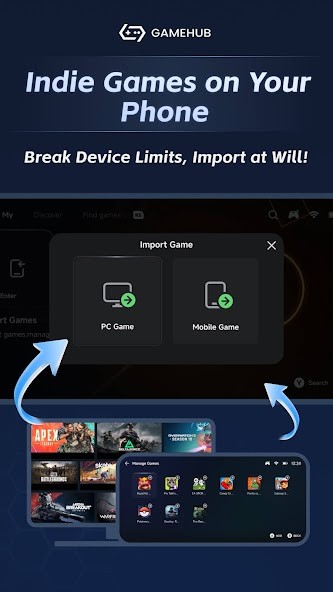
The interface is closer to a game launcher than a traditional emulator, which is a deliberate choice. You can drag and drop DRM-free games, sign into Steam and access your cloud saves, and adjust performance with sliders and presets rather than editing config files. Not every game runs perfectly out of the box, especially demanding 3D titles, but the experience is far more approachable than setting up Wine or Winlator from scratch.
Why Should I Download GameHub?
The biggest sell is consolidation. Before GameHub, playing PC games on Android meant using one app for streaming, another for emulation, and maybe a third for cloud gaming. GameHub wraps all three into a single application, which means less switching, less setup, and less confusion about which tool does what.
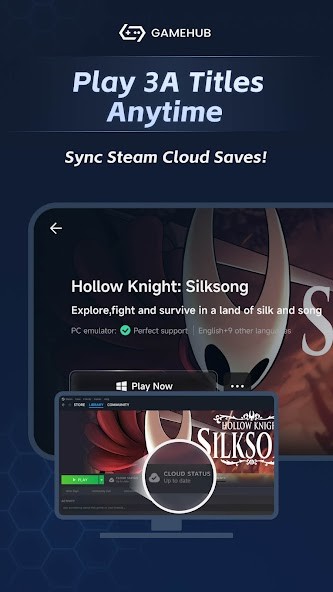
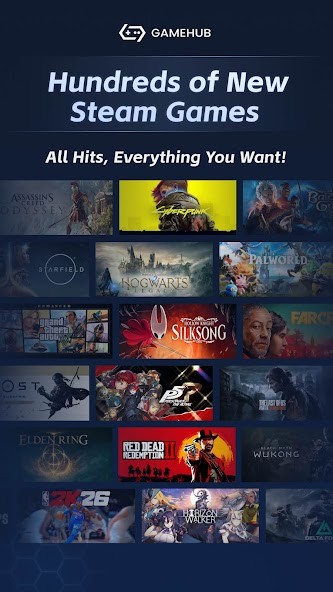
Steam integration is a highlight. You sign in with your Steam account, your library shows up, you can download games, and your Steam Cloud saves sync automatically. Your progress follows you between your PC and your phone without any manual file copying. Performance obviously varies by device, but the flexibility is real. You can drop the resolution, switch graphics drivers, tweak translation layers, or just pick a preset labeled "Extreme," "Compatible," or "Intermediate" and see what happens. Those presets make it approachable for people who do not want to spend their evenings reading emulation forums.
GameHub also works as a stepping stone. You can start by streaming from your PC, move to emulating DRM-free files locally, and eventually start downloading from Steam. The app does not push you toward any single approach; you move at your own speed and pick what works for the hardware you have.
Is GameHub Free?
Yes. There is no cost to download or use GameHub, and there are no hidden fees for accessing Steam, loading games, or running the emulator. The games themselves may be paid titles, and cloud gaming subscriptions are handled separately, but the GameHub app is free.
What Operating Systems Are Compatible with GameHub?
GameHub was first built for Android, but evolved with time. You can download it from the Google Play Store, and it is available for iOS devices from the Apple App Store. For Android users, GameSir also provides an APK file in case you don't want to use the Google Play Store.
Devices with modern processors handle 3D games best, but lighter titles run on mid-range hardware without issues. External controllers are supported, including GameSir devices and Bluetooth gamepads, and touch controls work for games that do not demand precise input.
Finally, GameHub is also available for macOS. It is a public beta for now, and anyone interested can test the app. This allows you to play Windows-only games on your MacBook, iMac, Mac Studio, Mac Mini, etc.
For streaming, your internet connection matters more than your device's processor. For local emulation, raw hardware power is what counts. Both modes are managed from the same interface.
What Are the Alternatives to GameHub?
Steam Link is pure streaming: it mirrors your PC's display on your Android device and lets you play whatever is installed on your computer. Performance depends almost entirely on your home network rather than your phone's hardware, and a solid Wi-Fi or LAN connection will give you a smooth experience. There is no emulation layer, no file transfer, and no configuration to deal with. Open the app, connect to your PC, and start playing. If you already have a gaming rig and just want remote access, Steam Link is the simplest path, and many users download it specifically for that purpose.
Winlator is an emulator at heart, and a more demanding one at that. It uses Android translation layers to run Windows games, but setup is hands-on. You manage game profiles, choose graphics drivers, configure translation layers, and tune performance settings yourself. There is no built-in Steam downloader or cloud gaming option; you load game files manually. The trade-off is full control. Open-source and highly configurable, Winlator appeals to technical users who enjoy the process of getting things running and want to fine-tune every setting. Users tend to download Winlator when they want raw emulation control without any shortcuts or hand-holding.
GameNative takes the open-source approach but prioritizes transparency and community over polish. It aims to translate Windows gaming into Android without relying on closed-source code or commercial partnerships. Features develop more slowly since the project is community-driven, but users who care about software freedom and privacy appreciate the trade-off. It lacks Steam integration and the kind of slick multi-service launcher that GameHub provides. Privacy-conscious gamers often download GameNative when they value knowing exactly what the software does over having the smoothest possible experience.