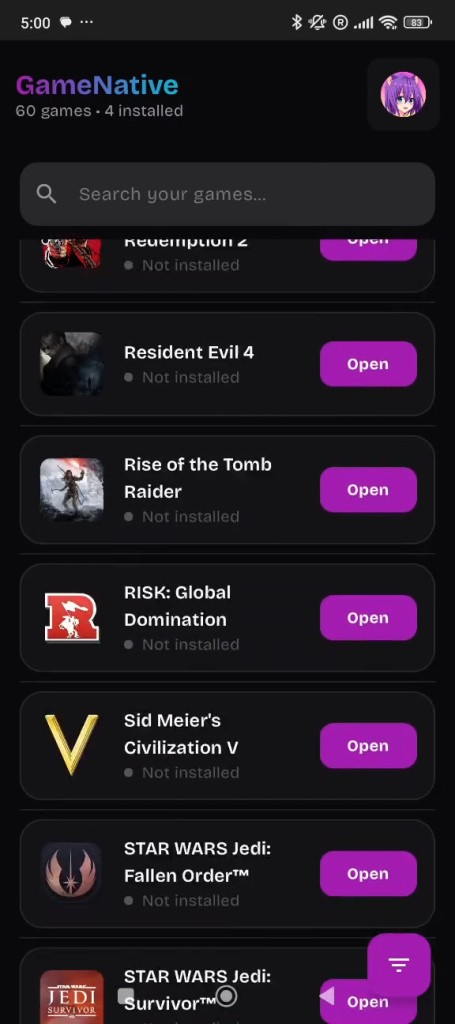
GameNative is an unofficial Steam Android client. It allows users to play the games in their Steam accounts right on their phones or tablets. GameNative is also local-only and does not stream, unlike other games; instead, it utilizes compatibility and performance to operate the game locally.
The software is based on a previous Android Steam client project that is in active development. It is due to this that not every game can be run smoothly, and some titles will require a manual tweak to be able to run. GameNative is primarily aimed at those users who are not afraid of experimenting and trying various setups.
GameNative requires you to download the APK, install it on your Android device, then log into your Steam account, install a supported game, and launch it. The app contains basic input functionalities, such as the compatibility of mouse and keyboard, and is helpful when playing games, developed considering the desktop systems.
GameNative is not an official Valve product and is not associated with the company in any way. It has a clear warning that it can only be used to play games that one legitimately owns. The project is open-source and is distributed under the GPL 3.0 license, which implies that anybody can view or add to the code.
On the whole, GameNative is targeted at users who are sophisticated enough to be interested in experimenting with playing PC games in-house on the Android machine rather than streaming games through a different machine.
Why Should I Download GameNative?
GameNative allows you to play your Steam games without using a PC to stream them to an Android device, which may be worth downloading. Compared to cloud or remote play configurations, GameNative tries to execute games on-the-fly, which will be helpful when the internet is poor or unstable.
GameNative can be of significant use to users who like to test open-source projects and are not afraid of some sinusously occurring problems. Since the application is in its early stage of development, performance may change according to the game and device. Certain games can be performed well, some can be tweaked, and some might not even perform.
Flexibility is another reason to download GameNative. It allows you to take your owned Steam games with you in a mobile format without being restricted to the desktop or laptop. Existing peripherals such as keyboards and mice are also compatible with the application and can enhance the gaming experience of some titles.
Due to the open-source nature of GameNative, it can be of interest to users who give priority to transparency or community-driven development. The updates are provided regularly, and the problems are openly discussed within the community channels of the project.
GameNative does not best suit those who simply want to have an opportunity to use a plug-and-play setup. It is more appropriate for users who are technically sure that they will not be compatible with it. In case you are adventurous and do not mind trying a local execution of PC games on Android, GameNative provides an alternative solution in comparison with streaming-based products.
Is GameNative Free?
GameNative is open-source. It is an open-source initiative that is free under the GPL 3.0 license. The app does not involve any subscription fee or compulsory fee to install or operate the application.
Paid functionality is not present; users can make optional contributions to the developer via donation platforms, but it is not a requirement to be usable. GameNative does not offer sales of games and only operates with the already owned games on Steam. The software is also free to every user.
What Operating Systems Are Compatible with GameNative?
GameNative is an Android-specific product. It is compatible with Android-based phones and tablets and is distributed in the form of an apk file, which must be sideloaded onto the device. Windows, macOS, Linux, and iOS versions are not available as the official versions.
Since it is an Android-based app, it can be seen that its compatibility relies on hardware, the version of Android, and game specifications. Premier devices tend to have enhanced performance.
GameNative makes users log in using a Steam account and download the games via the app. As it is still in the process of development, users need to pay attention to the differences in performance among the devices and game titles.
What Are the Alternatives to GameNative?
GameHub is a gaming platform that competes with streaming games through various devices without a personal computer. It offers the availability of the selected titles via an online service that can change depending on the location and availability. GameHub is a service managed more like a local launcher instead of a gaming service. It does not attempt to execute games on the device, unlike GameNative. It may be simpler to use for users who are inclined to a simple approach based on the cloud and who do not require controlling installations and a lack of compatibility. Some users download GameHub when they want an easy cloud-based way to access games without managing local setups.
Winlator is an Android software that has the ability to emulate Windows programs and games. It prioritizes compatibility, rather than storefront integration, and is not reliant on Steam services. Winlator is used to experiment with the execution of desktop software on Android devices. Installation may be tedious, and the performance of different devices is not comparable. Winlator has wider program support than GameNative but is more technical in terms of necessitating understanding and patience, as well as constant adjustments, before the program can be made to stabilize the results. Most advanced users tend to choose it when they want to test compatibility layers and have to troubleshoot problems over time on various hardware configurations, with varying success rates overall. Advanced users often download Winlator when they want to experiment with running Windows games locally on Android.
Steam Link is official remote streamer software, which allows users to play their Steam library using different devices as games are hosted on a host PC. It is dependent on the quality of the network instead of the local processing power. Steam Link is simple to install and plays on various platforms, such as mobile and TV devices. It also cannot run games locally on Android, unlike GameNative. It is most appropriate to enjoy a user who already has a gaming PC and desires to stream without any complications at home or abroad. Many gamers download Steam Link to stream their existing PC games across different screens without moving their setup.