Speedify is a tool for channel bonding, which means it uses every internet source your device has access to simultaneously to get a better connection. Instead of switching between Wi-Fi and mobile data when one fails, you can use Speedify to merge them, effectively splitting your traffic across available networks to maximize speed and ensure stability. This makes the utility especially useful for video conferencing, streaming, and online gaming, where connection issues could be problematic.
You can also use Speedify as a VPN and encrypt all your traffic with modern protocols, so you remain anonymous and are protected when connected to unsecured networks. Unlike older VPN models that often cause slowdowns, Speedify is designed not to influence your connection speed while encrypting it. Once you launch the app, it identifies your networks and begins bonding them together automatically. Depending on your use case, you can choose whether to prioritize speed, redundancy, or data efficiency.
If you need a consistent and reliable connection, you should download Speedify, especially if you’re working remotely, gaming online, or traveling. If you’re into live streaming, the tool keeps streams stable by routing traffic through multiple channels, reducing buffering. With a paid license, you can use Speedify on Windows, macOS, Linux, iOS, and Android.
Why Should I Download Speedify?
Speedify offers a unique connection bonding technology. While most VPNs and network optimizers only use one connection at a time, Speedify blends all networks currently available on your device. If your Wi-Fi signal weakens, it instantly shifts traffic to mobile data so you stay online. When Wi-Fi recovers, it merges the traffic again without interruption, so you don’t get disconnected from meetings or gaming sessions.
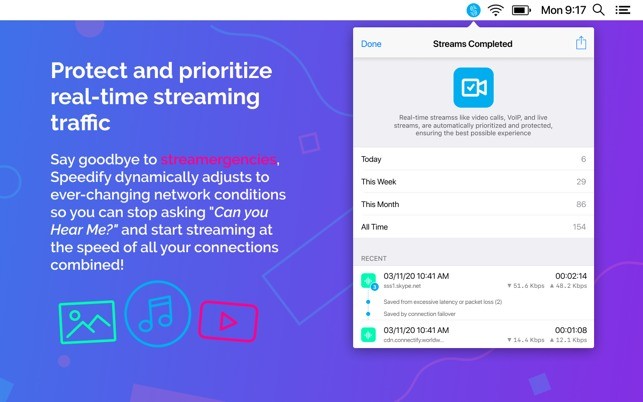
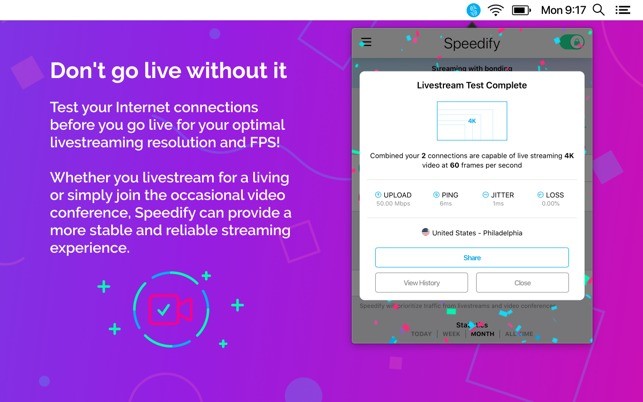
If you spend a lot of time streaming and/or on video calls, you need a steady bandwidth to use apps like Zoom, Teams, and Google Meet. With Speedify, you get better video and audio streams and have no interruptions during live broadcasts. If you’re a gamer, the tool also gives you smoother online play, with lower latency and reduced lag spikes thanks to smarter packet distribution.
You can use Speedify as a VPN that prioritizes performance and to make sure that all data is encrypted, which keeps your browsing private and shields you from surveillance on public Wi-Fi. Unlike some VPNs that sacrifice speed for security, Speedify distributes traffic efficiently to ensure it’s not slowing down your connection. You can also set limits on mobile data to avoid going over your quota, create profiles for different network behaviors, and even prioritize reliability over speed when you’re doing something critical. For example, you can configure Speedify to guarantee redundancy during important calls or to maximize speed when downloading large files.
Another great Speedify feature is its failover protection, so if your primary connection drops entirely, your traffic instantly shifts to another available source. This seamless handoff means you won’t have any dropped calls, streams, or downloads. It’s particularly helpful if you travel frequently or rely on unstable networks. Speedify runs mainly in the background, automating connection management so you don’t need to adjust its settings often. If you’re an advanced user, the customization options allow you to fine-tune how networks are bonded and prioritized.
Speedify is a cross-platform solution, so it works across computers and smartphones. It syncs your account and preferences so you get the same protection and performance regardless of your device.
Is Speedify Free?
No, Speedify is not a free tool, so even if you can download it without paying on mobile devices, you still need to get a paid subscription plan to use it. There are different tiers created for individuals, families, teams, and businesses, and you can define how many devices you want to install Speedify on and choose a monthly, annual, or 3-year plan.
What Operating Systems Are Compatible with Speedify?
You can download Speedify and run it on Windows 10 and 11, macOS 11.5 or newer, and Linux distributions such as Debian, Ubuntu, or Raspberry Pi. On mobile, it works on iOS 17.0 or later and Android 9.0 or higher.
Speedify works at the system level, so it improves connectivity for all applications, from browsers and games to video conferencing and streaming software, and you don’t need to adjust its configuration per app.
What Are the Alternatives to Speedify?
OpenMPTCProuter is an open-source solution that provides network bonding at the router level rather than on individual devices. By merging multiple internet lines into a single output, you can be sure that every device on the network benefits from the combined speed. It’s a much more technical tool with a complex configuration, works only on Linux-based systems, but is available for free.
TripMode is an app for macOS that lets you control which apps can use the internet when you’re on limited or mobile data. It blocks background traffic, reduces data usage, and gives you clear stats on how much each app consumes. You can also block updates to make the most of your internet connection. TripMode is a paid tool, but you can test it for free during its trial period.
NetOptimizer focuses on optimizing a single network by adjusting hidden Windows parameters like TCP settings and DNS resolution. Fine-tuning your system's network stack helps reduce latency and increase throughput. NetOptimizer is a paid tool, though you can test it during a trial period, and it is a great option for Windows users.