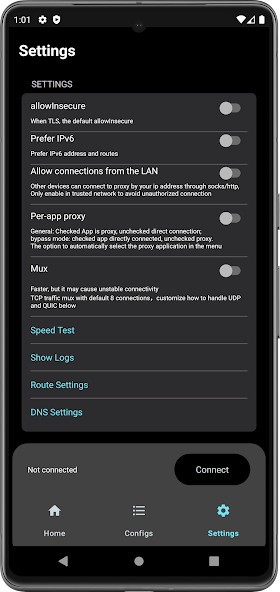
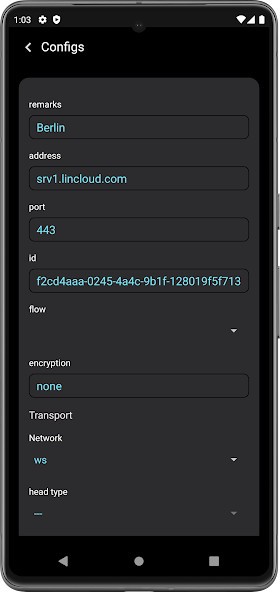
If you already work with proxy protocols like V2Ray, Trojan, or VMess, V2Box brings them all together in one application. You do not need multiple clients running at the same time, since V2Box manages several protocols through a single interface.
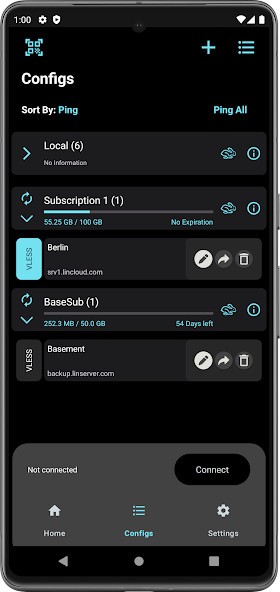
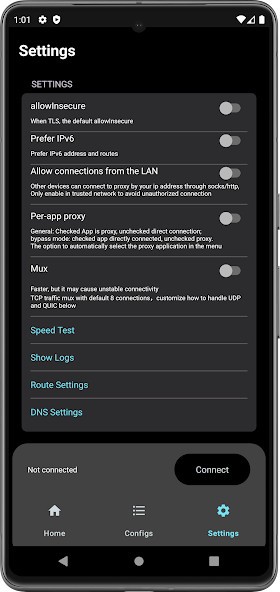
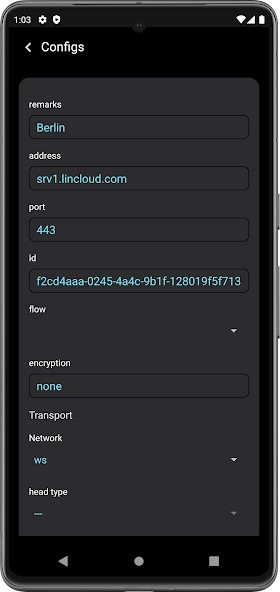
One of the main reasons to use V2Box is its flexibility. You can add your own servers, load subscription links, scan QR codes, or import JSON configurations. This makes the app practical if you switch servers or providers often. Advanced DNS options are also supported, including DNS over HTTPS, DNS over TLS, and DNS over UDP, which users value for both privacy and performance reasons.
Cross-platform availability is another benefit. While many proxy clients only support a single operating system, V2Box works on iOS, iPadOS, macOS, and Android. That consistency matters if you use more than one device and want the same setup everywhere.
V2Box has earned a following because it supports recent encryption standards and Xray functionality, including Reality and VLESS Vision. These options help users on restricted networks maintain more stable connections.
That said, the app has some rough edges. Users have reported bugs, crashes, and performance issues, particularly when managing a large number of servers or subscriptions. Ping results can be inaccurate or require manual refresh, and some users mention that the app can become unresponsive after extended use and need a restart.
Advertisements are another common complaint, especially on Android. Even users who pay for configurations may encounter ads. The developer has indicated that ads have been reduced in recent updates, though they remain part of the experience.
V2Box makes the most sense for technically inclined users who want granular control over their proxy setup. If you are looking for a simple one-button VPN that requires no configuration, this is not the right tool.
Is V2Box Free?
V2Box is free to download and install from both the Apple App Store and the Google Play Store. You can set it up at no cost and start working with your personal server configurations.
The free version does include advertisements, typically video ads that appear every few connections. On Android, you can pay for an in-app subscription to suppress ads. On iOS, this subscription option is not available, so ads remain part of the experience.
An important distinction: V2Box does not provide free VPN servers. Although the app itself is free, you need your own proxy or VPN server settings, which typically come from a paid service. So while the app costs nothing, using it effectively may still involve costs for external server access.
What Operating Systems Are Compatible with V2Box?
V2Box works across mobile and desktop platforms. You can download the iOS version from the App Store, where it is compatible with iPhone, iPad, and Mac. The Android version is available on the Google Play Store.
There are some differences between platforms. The Android version supports Hysteria and Ping Tunnel, for example, which are not available on iOS. However, the core functionality of managing proxy connections through advanced protocols remains consistent across both platforms.
Since V2Box runs on multiple operating systems, many users prefer it when they want a uniform configuration across their phone, tablet, and computer.
What Are the Alternatives to V2Box?
JumpJumpVPN focuses on speed and simplicity, functioning more like a traditional VPN app. It is easier to set up, but provides less control over technical protocol settings compared to V2Box. Users often download JumpJumpVPN when they want something quick to install and simple to understand, without dealing with complex configurations.
NordVPN takes a fundamentally different approach. It is a commercial VPN that runs its own server network and requires no manual configuration. You subscribe, download the app, and connect. NordVPN suits users who need privacy with minimal setup, but it does not offer the protocol-level flexibility that V2Box provides. People often download NordVPN because it removes the need to manage servers and works right after installation.
1.1.1.1 with WARP enhances privacy and DNS security, but is not a full proxy manager. It is very user-friendly and handles general browsing well, though it cannot match more advanced proxy tools like V2Box when it comes to custom routing or protocol selection. Users may download 1.1.1.1 with WARP for everyday browsing when they want basic privacy without the overhead of advanced proxy controls.