Pour one out for Amazon’s dirt-cheap Fire tablets. As part of a tablet reset, the e-commerce giant is replacing its Fire-branded tablet, which—up until today—started at $59.99 and topped out at $279.99, with new Alexa Tablets that start at a pricier $229.99 and go up to $549.99.
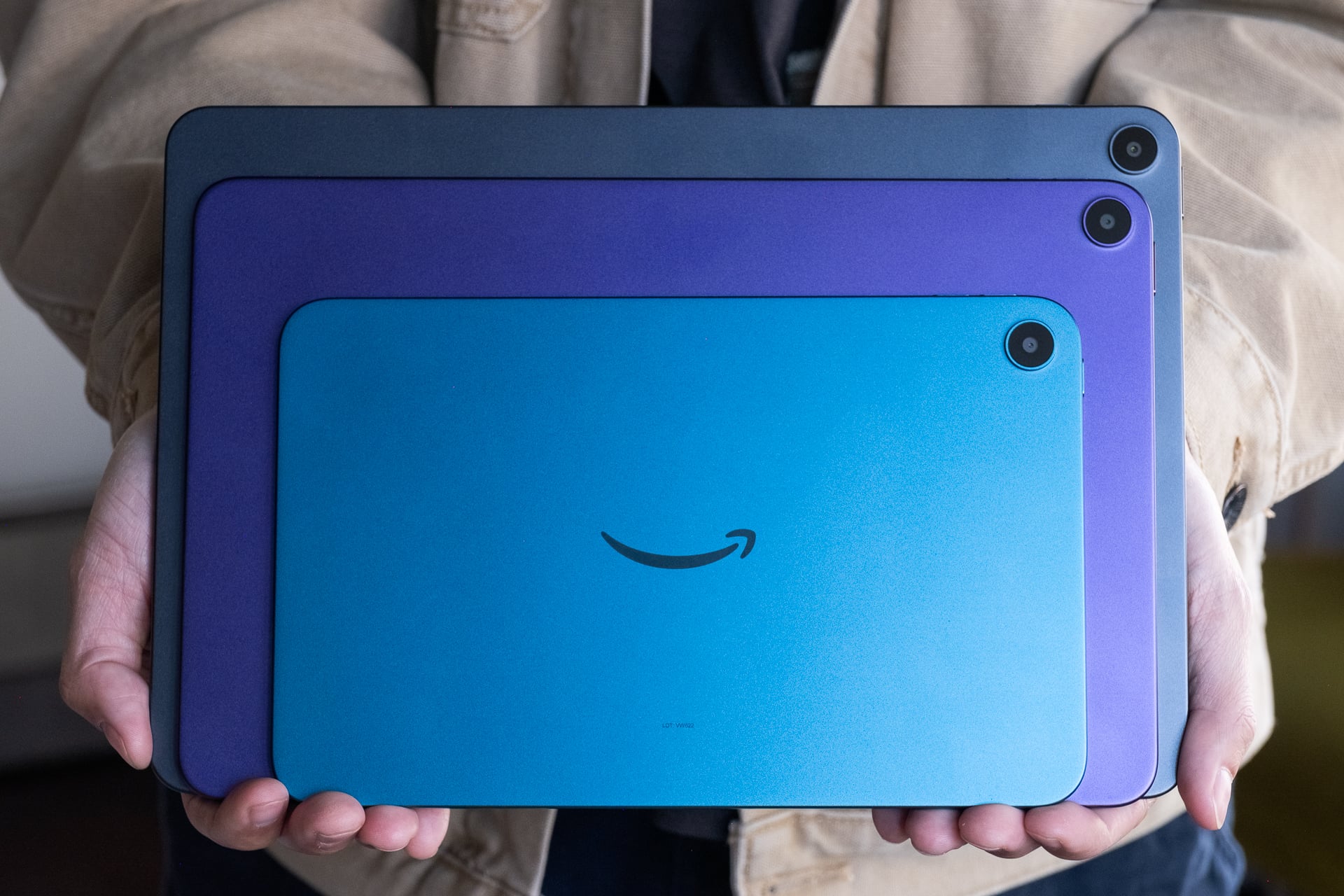
Available in three display sizes (8 inches, 11 inches, and a 12-inch “Pro”) and available starting on Oct. 14, the Alexa Tablets are a marked shift for Amazon. Whereas almost every Fire tablet was made of the cheapest plastics and materials to keep MSRPs as low as possible, the Alexa Tablets have more premium stamped aluminum bodies, faster processors, and better screens.
Got to check out the new Amazon Alexa Tablet 12 Pro with "Nanomatte" display
Compared to the standard glossy version, it really cuts down on reflections/glare
The Alexa Tablet 12 Pro also has 3 Kindle mode display profiles: standard (regular), Color Paper (softer color tones… pic.twitter.com/WGe9fAyDI4
— Ray Wong (@raywongy) October 8, 2026
But it’s not just a nicer design. The Alexa Tablets solve the biggest problem that Fire tablets have had since the original Kindle Fire launched over 15 years ago: apps. Although the underlying Fire OS that powered Fire tablets was based on Android, Amazon stubbornly refused to allow Google Play services, which seriously limited the apps that could run on them. That hell is now over. With Google Play services, the Alexa Tablets have access to not only every Google-made app, including YouTube, Gmail, and Maps, but also other popular third-party apps such as Snapchat, Reddit, Slack, and more. Finally.
And, as implied in the name, Alexa, Amazon’s AI assistant, is core to software experience. On the home screen, Alexa+ powers the Dynamic Tab widget in the top left corner, displaying all the movies, TV shows, e-books, and games that you might want to resume. Swiping in from the lower right also brings up the Alexa+ chat interface, where you can ask it questions or make requests based on information that’s on the screen. Tapping the “A” button brings up a page for Alexa-powered smart home controls.
“The team literally took two years to redesign our entire tablet lineup,” Panay told Gizmodo. “We’ve shipped millions of tablets at Amazon over the years. We’ve shipped nothing like this.”
Alexa Tablet 12 Pro
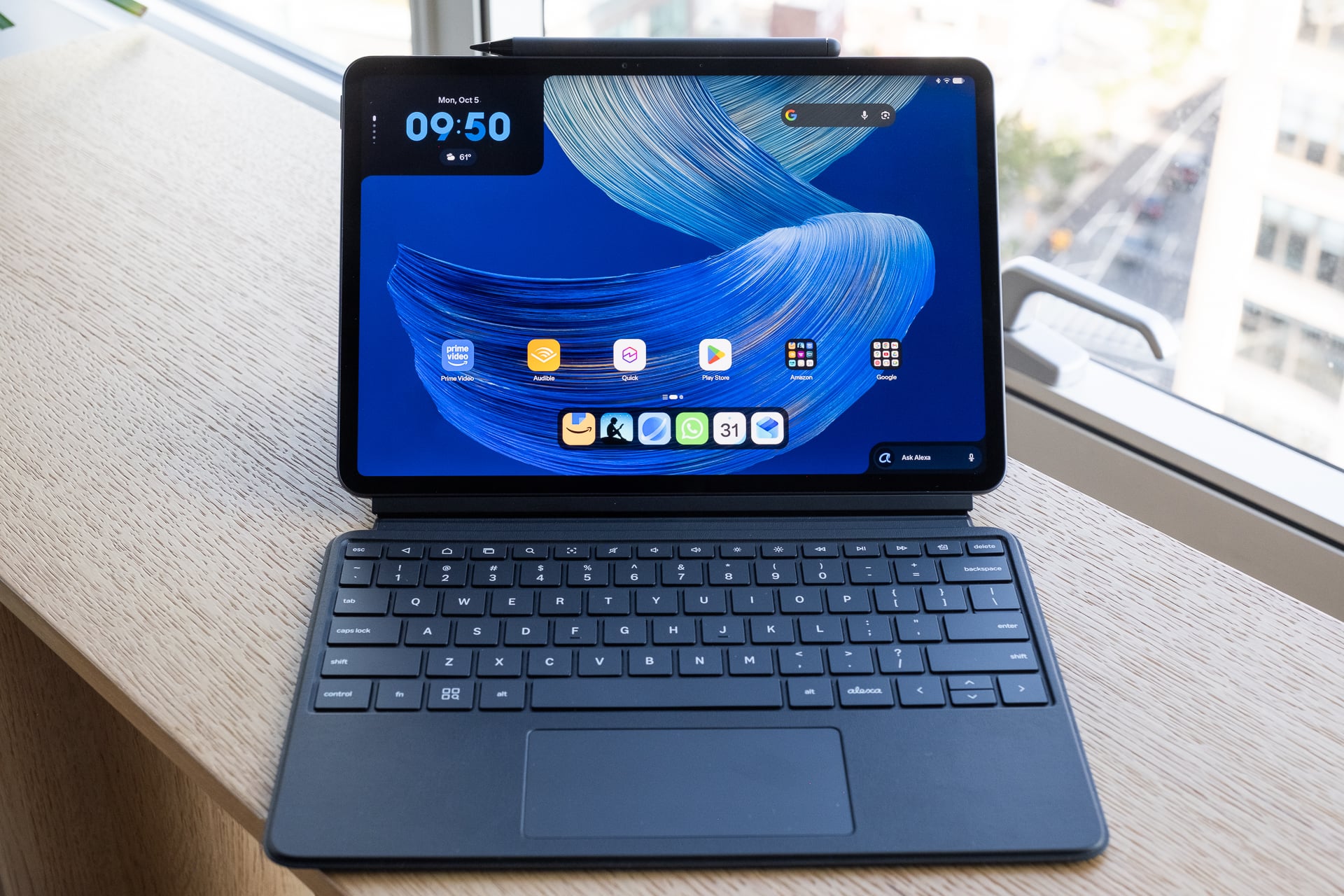
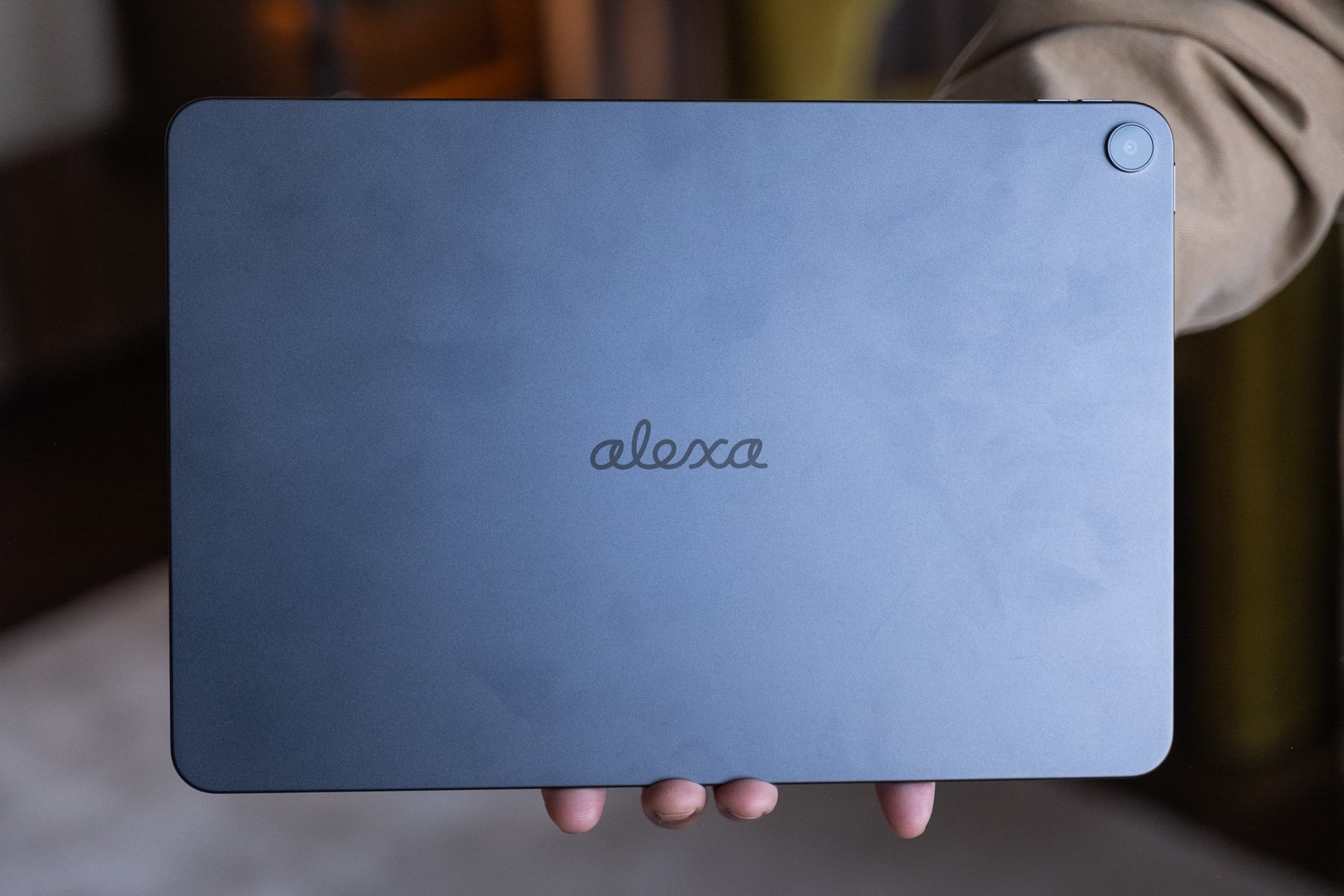
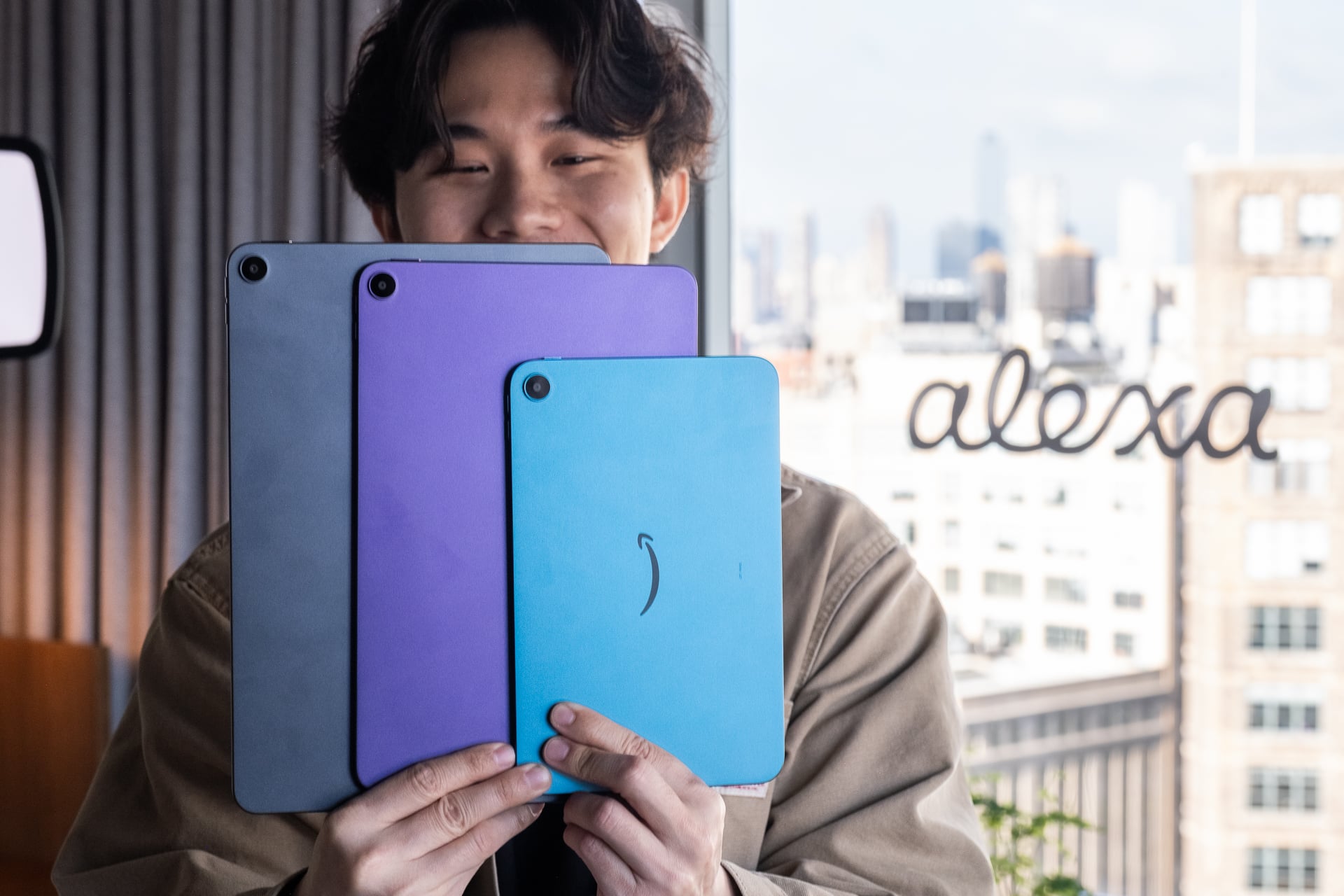
The flagship is the Alexa Tablet 12 Pro. It’s the largest of the three new tablets, with a 12-inch 3:2 aspect ratio display (2,800 x 1,840) and 120Hz refresh rate. It’s super thin at 6.5mm and feels like other premium tablets like an iPad Pro and Samsung Galaxy Tab. It’s the only one of the trio with a cursive “Alexa” etched on the back. All of the 8-inch and the two colored ones for the 11-inch models have Amazon’s signature smile logo for some reason. The only other non-Pro Alexa Tablet with “Alexa” on the back is the graphite Alexa Tablet 11.
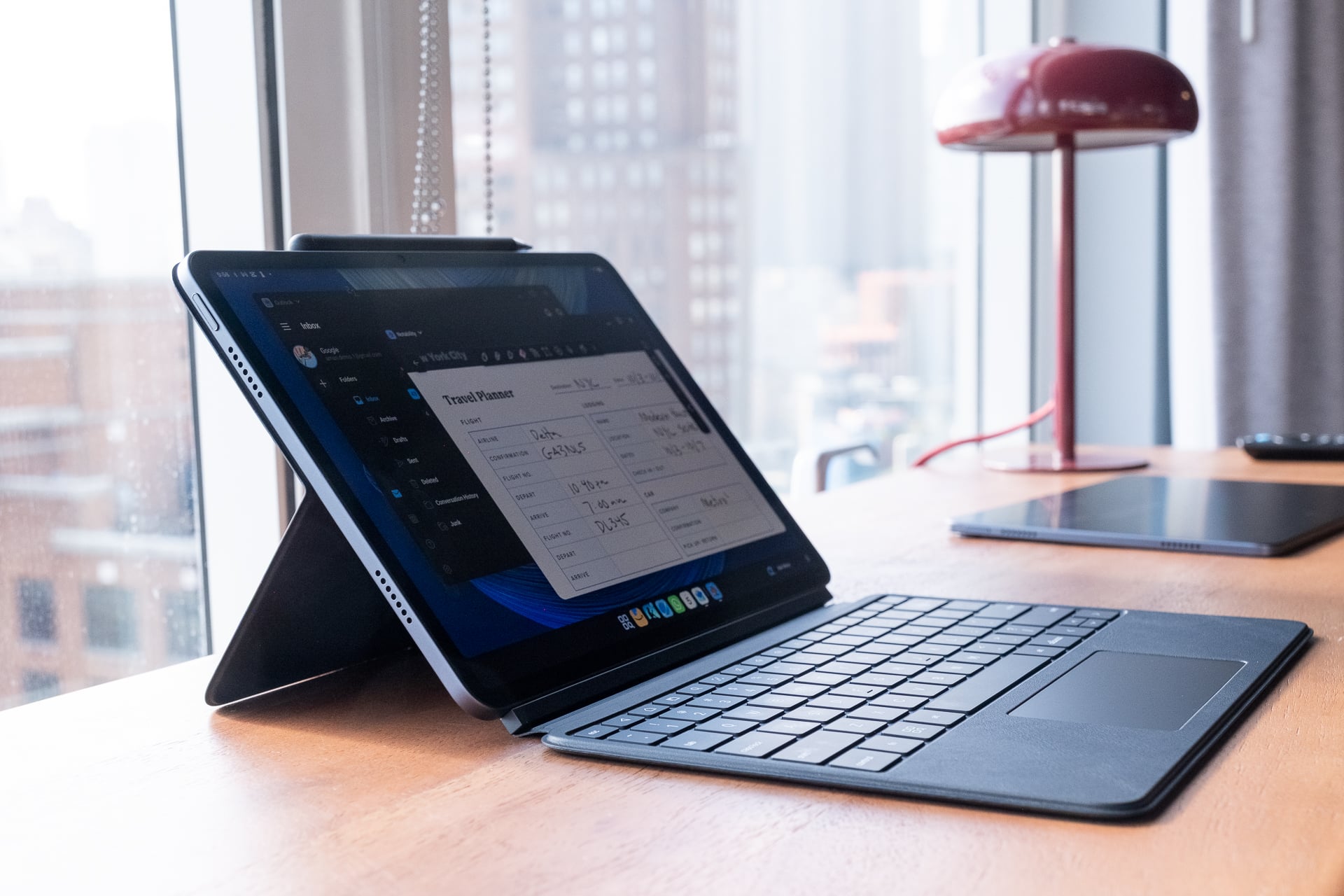
I could tell Panay was most proud of the Alexa Tablet 12 Pro. With a Pro Keyboard ($149.99) and a Pro Pen ($89.99), the device resembles a Surface Pro, only powered by Android 16 instead of Windows. Panay pitched it as a great device not just for entertainment but also productivity. Compared to the smaller Alexa Tablets, the 12-inch display is large enough to run two apps side by side without text becoming too small to comfortably read.
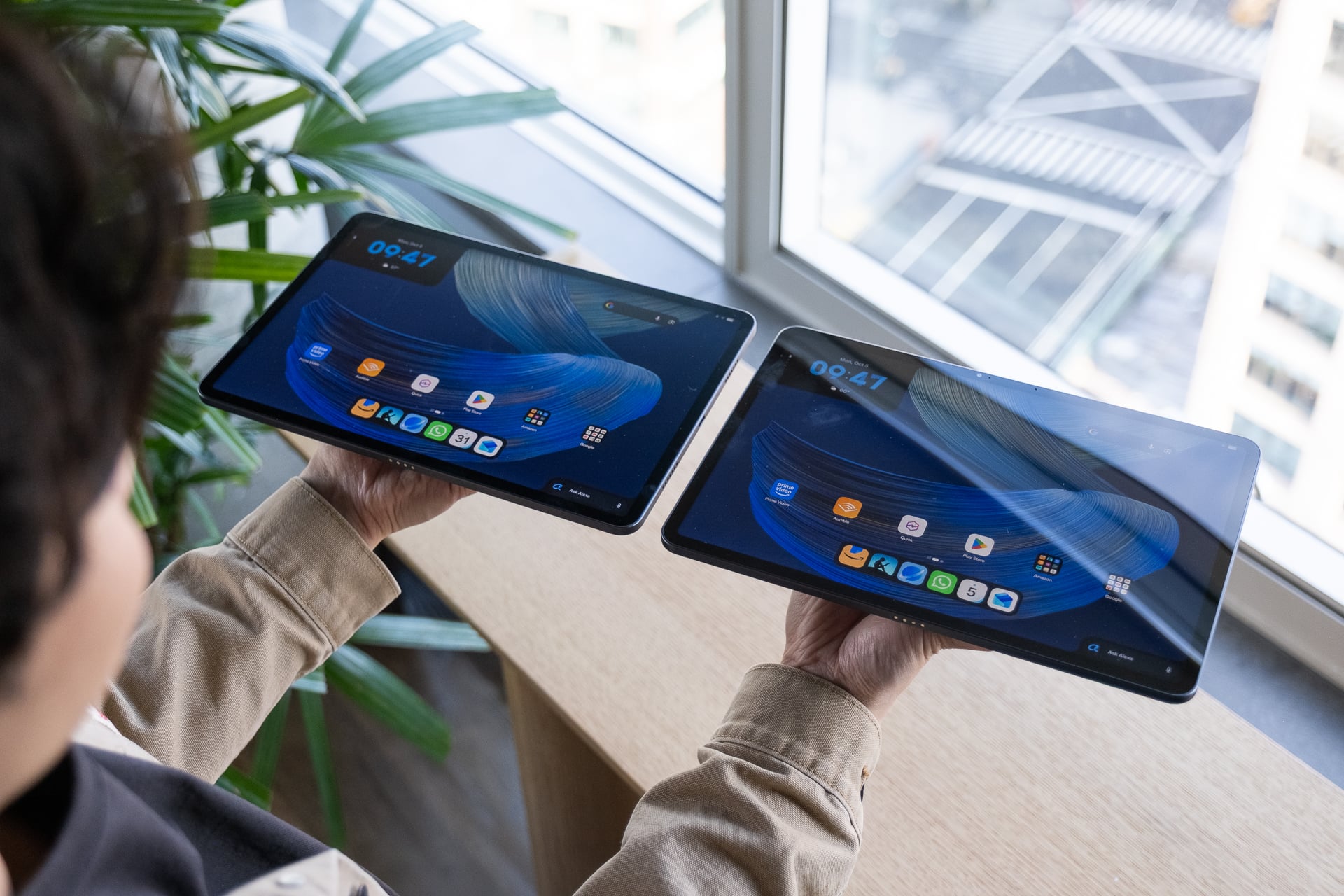
The tablet comes in two display types: a standard glossy, which starts at $499.99, and a matte “nanomatte,” which reduces reflections and starts at $549.99. The nanomatte display is paper-like, with content almost appearing as if it were floating above the pixels, by Panay’s description. That is a bit hyperbolic if you ask me, but I can confirm that the matte screen was still very visible even with sunlight beaming directly onto it through a hotel window. Colors and contrast, while not as vibrant as the glossy screen version, still looked decent. The display quality is not at all as muted and desaturated as on a color e-reader like the Kindle Colorsoft.
Specs-wise, the Alexa Tablet 12 Pro uses an 8-core processor, paired with 8GB (standard display) or 16GB (nanomatte) of RAM, that Amazon says has “nearly three times faster” CPU performance and “nine times faster graphics” than any tablet the company has ever shipped. For those who care, it’s a 4nm MediaTek 8400 chip. Android felt responsive in my demo, but I’ll have to wait until I can benchmark it with Geekbench 7 to see how performance compares to an iPad or Galaxy Tab. I wouldn’t hold my breath for anywhere close to best-in-class performance. Both Alexa Tablet 12 Pro models come with a minimum of 128GB of storage. The nanomatte version also has a 256GB option.
According to Amazon, the tablet lasts up to 16 hours for continuous video playback and supports Wi-Fi 6E. It also has quad Dolby Atmos speakers for a 3D surround sound-like experience and a fingerprint reader in the power button.
On the back, there’s a single 13-megapixel camera, and on the front, there’s an 8-megapixel webcam on the long side. Amazon hasn’t shared resolutions for them. They’re serviceable based on my demo. Just don’t hold it up at a concert.
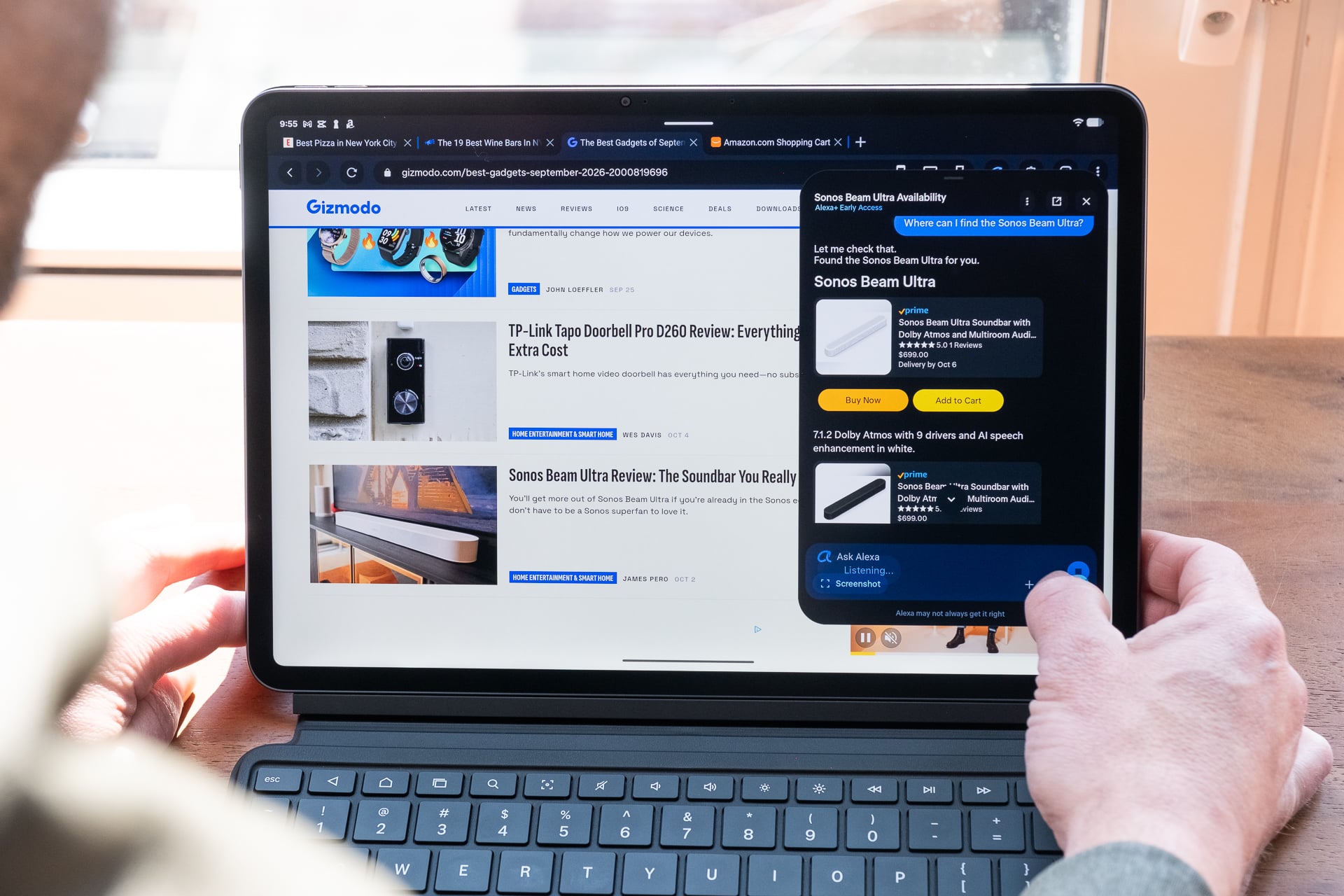
The software experience is not bad—far better than Fire OS, I can tell you that. The customized Android software, which doesn’t have an official name, works like any stock Android device, and that’s by design, according to Panay. He says Amazon didn’t want to reinvent the user experience, and the software should immediately be familiar. That means everything works how you expect it to on Android: swipe down from the top to see notifications and quick settings; swipe up from the bottom bar to close an app or view recently opened apps; swipe up from the home screen to see your app drawer.
“When I pick up my new tablet that I’ve never used before, the Amazon Alexa Tablet, I don’t want to learn how to use it,” Panay said. “It should just feel intuitive.”
There’s one standout feature that I want to point out before talking about Alexa, and that’s the Kindle mode. This mode turns the Amazon Tablet 12 Pro into an e-reader, especially if you have the nanomatte display. In addition to muting notifications, reducing blue light, and extending battery life up to 20 hours, you can select between three different picture modes within the settings app. “Standard” displays an ebook normally “with warmth while keeping colors vibrant.” “Color Paper” softens tones for a printed-paper feel.” And “Ink Paper” “shifts to grayscale for focused reading,” which reproduces a black and white e-reader experience. Color Paper is the most interesting—it mutes colors and makes them resemble what you get on the Kindle Colorsoft.
Okay, now for the Alexa+ integration. It’s actually thoughtfully integrated and doesn’t get in the way of Android if you don’t want to access it. I already mentioned earlier where you can find Alexa+. To preface, my hands-on may not be reflective of how Alexa+ works in real life because the Wi-Fi was awfully slow in the hotel I was briefed in, so I can’t say for sure if Alexa+ was just slow there and would be faster at home. What I can say is that, in the few things that I tried, it seemed to return helpful results. Alexa+ told me the weather, played music, set alarms, and provided summaries for websites I was reading. I also got it to help me with shopping. I pulled up our Best Gadgets of September 2026 roundup and asked Alexa+ to add all the products to the cart. After I scrolled through the article, the AI added most of them, totaling a few thousand dollars in gear. It only missed a few items because they weren’t available on Amazon. Still, that was kind of cool that it didn’t fumble completely. I’m not saying Alexa+ will nail a task perfectly every time, but that will require more thorough testing. I could see Alexa+ being useful for finding a product that you see in a video.
Worth noting is that Alexa+’s “on-screen intelligence” is opt-in. If you don’t want Alexa+ to read your screen to provide “useful” context, you can turn it off. And there’s a visual indicator whenever Alexa+ is actively “listening” or “seeing.”
“I have a lot of passion for tablets for a long list of reasons, and because of my history, but fundamentally, I never thought I could create such a powerful device that is in the $400 to $500 range,” Panay said. (Panay, for those who don’t know, previously worked at Microsoft and spearheaded the Surface 2-in-1 tablet/laptop hybrid design.)
Alexa Tablet 11
Stepping down an inch is the $329.99 Alexa Tablet 11. It only comes with a glossy screen, the resolution is a lower 2.5K resolution, and the refresh rate is 90Hz instead of 120Hz compared to the Alexa Tablet 12 Pro. Amazon isn’t selling a keyboard or pen for this model, which tells you it’s not designed for productivity. Panay said it’s the one you should get if you’ll primarily use it to consume content.
Here's a look at the Amazon Alexa Tablet 11!
It's smaller than the Alexa Tablet 12 Pro and starts at a lower $329
Glossy screen only tho. There's no nanomatte option
However, it does come in two fun colors: amethyst (purple) and matcha (green)
It has an 8-core MediaTek 8189… pic.twitter.com/DYJnI2WPr9
— Ray Wong (@raywongy) October 8, 2026
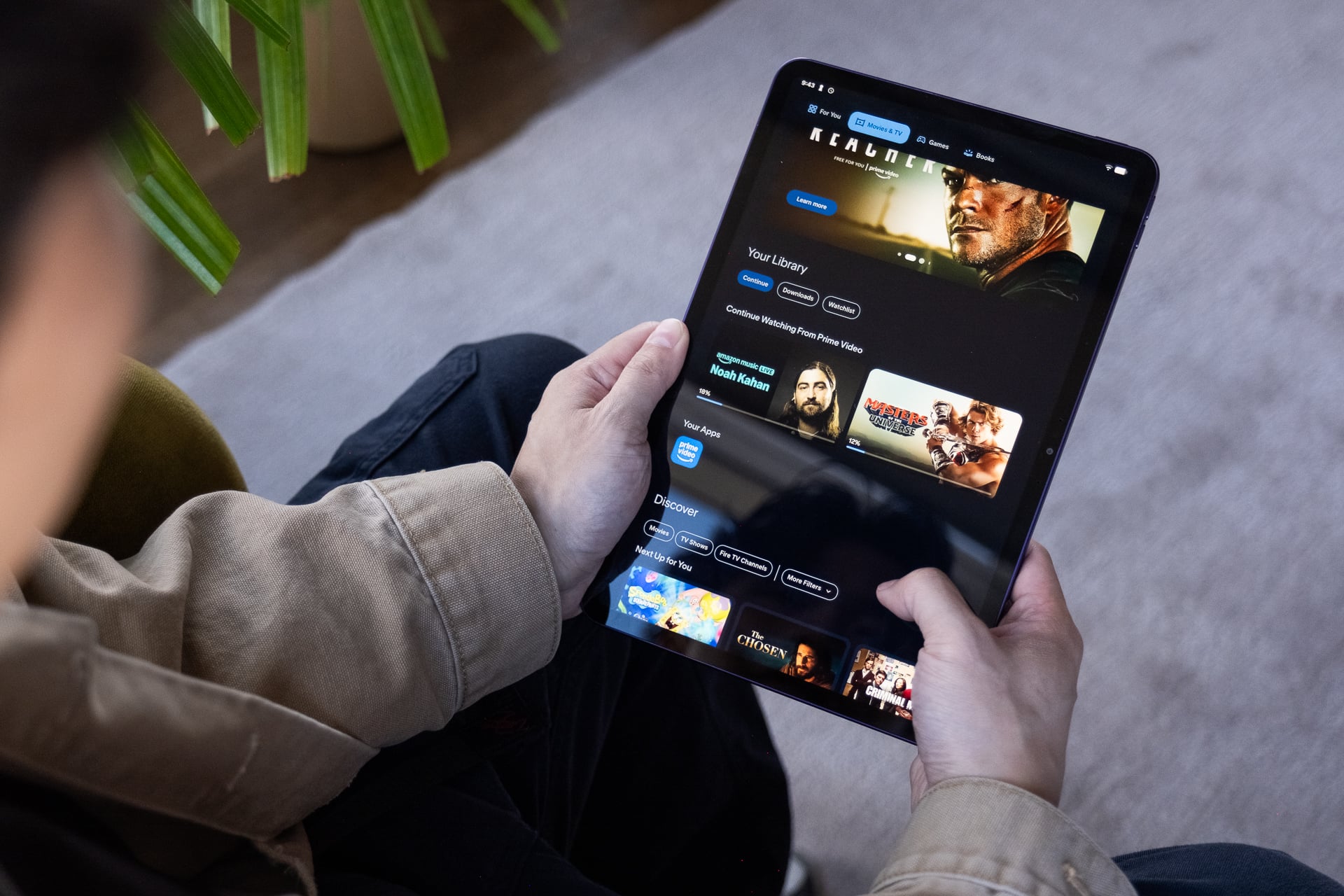
It still has an 8-core processor (MediaTek 8189) and 8GB of RAM, but storage is half that of the Alexa Tablet 12 Pro at 64GB on the base model; a pricier version has 128GB storage. The tablet also has two Dolby Atmos speakers instead of four and 15 hours of video playback versus 16 hours. It also has a fingerprint reader in the power button, too.
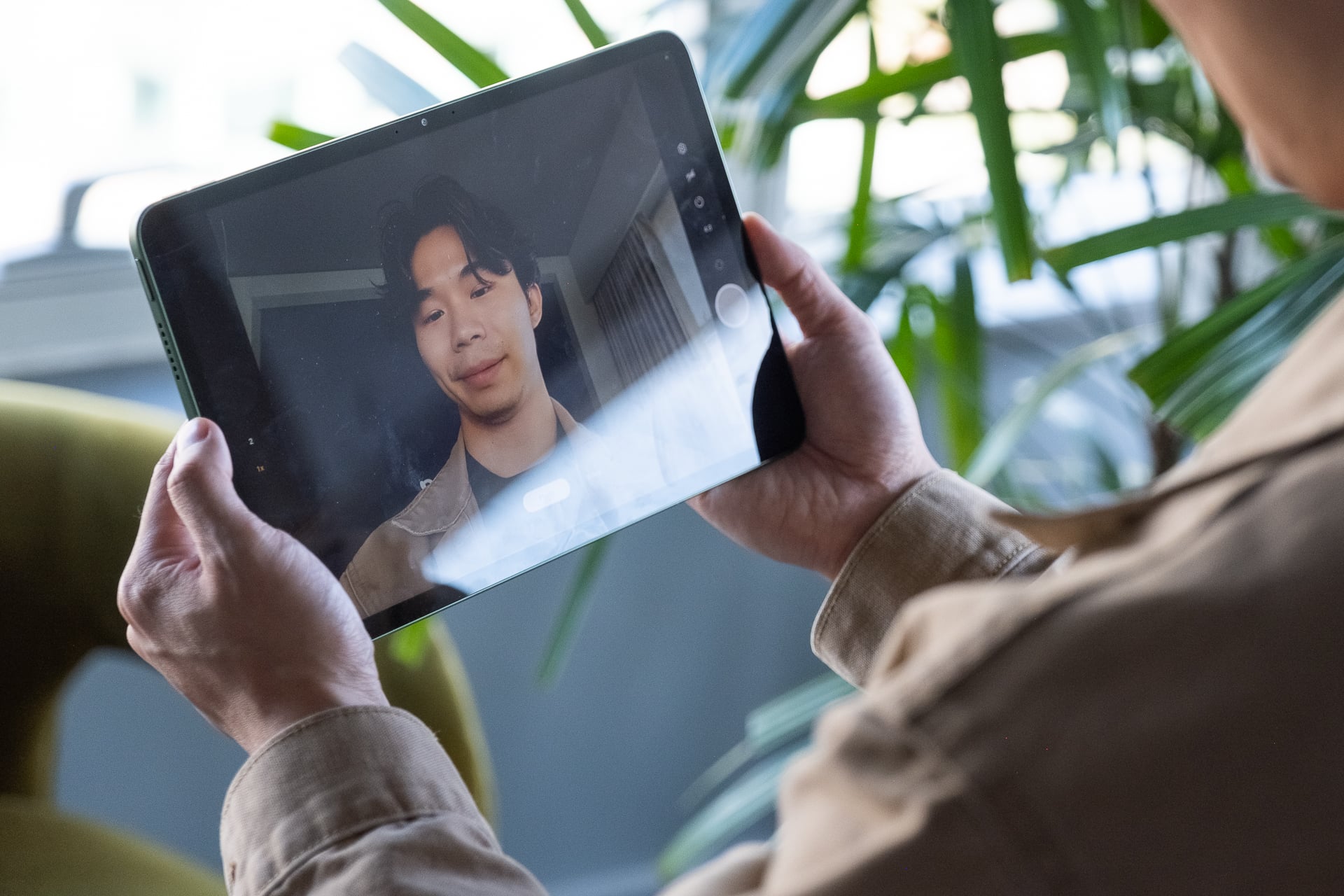
There’s a single 8-megapixel camera on the front and another 8-megapixel shooter on the rear.
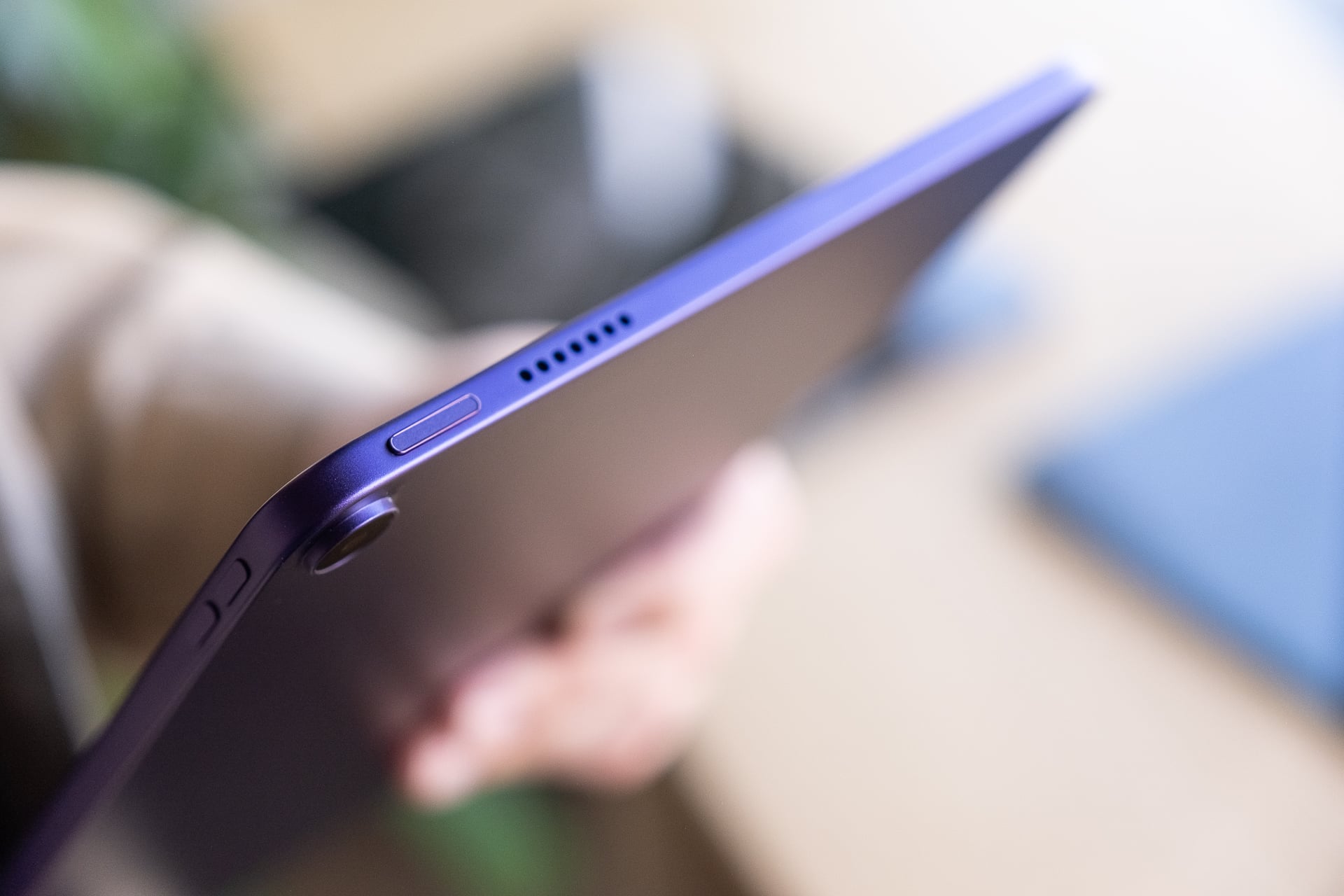
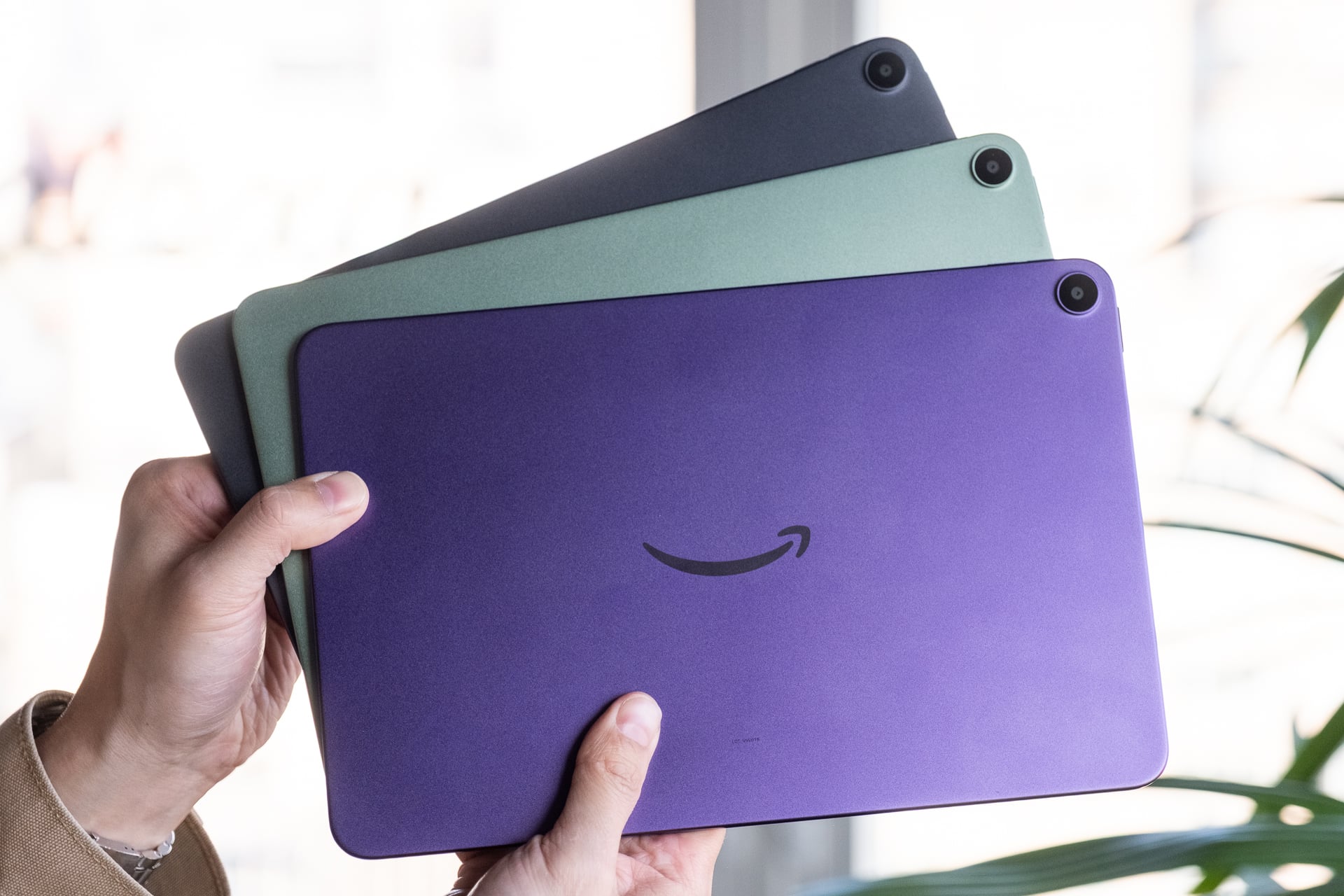
The Alexa Tablet 11 does come in two colors in addition to graphite for its aluminum case: amethyst and matcha. Both colors look great; they’re vibrant and fun.
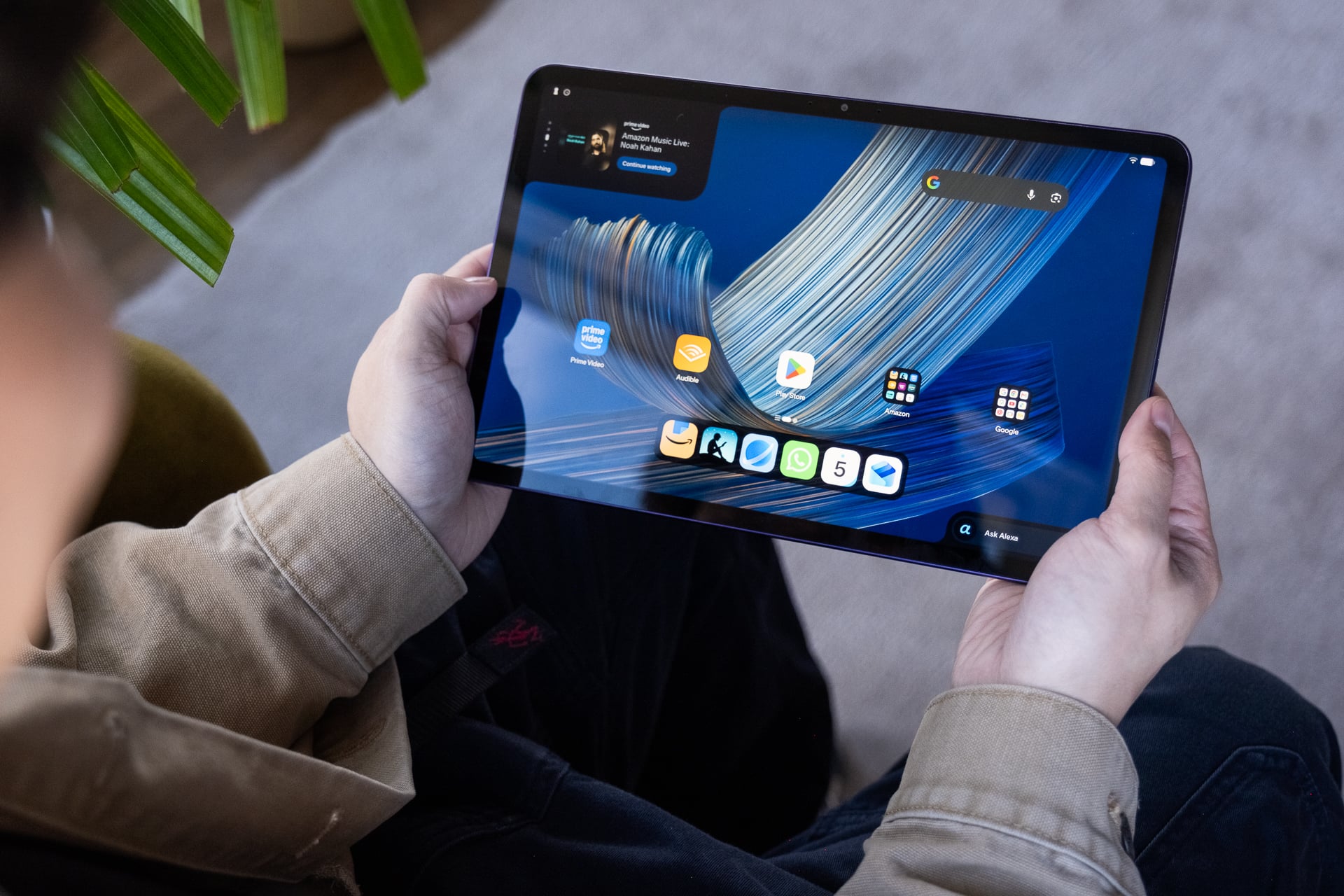
The 8-core chip in the Alexa Tablet 11 is a slower 2GHz chip than the one in the Alexa Tablet 12 Pro, which can reach up to 3.25GHz. That explains why the Android software felt just a bit more sluggish to me when I swiped around. Performance aside, the software experience is identical to what you get on the Alexa Tablet 12 Pro. Same Alexa-powered Dynamic Tab in the top left and same Alexa shortcut in the bottom right.
Alexa Tablet 8
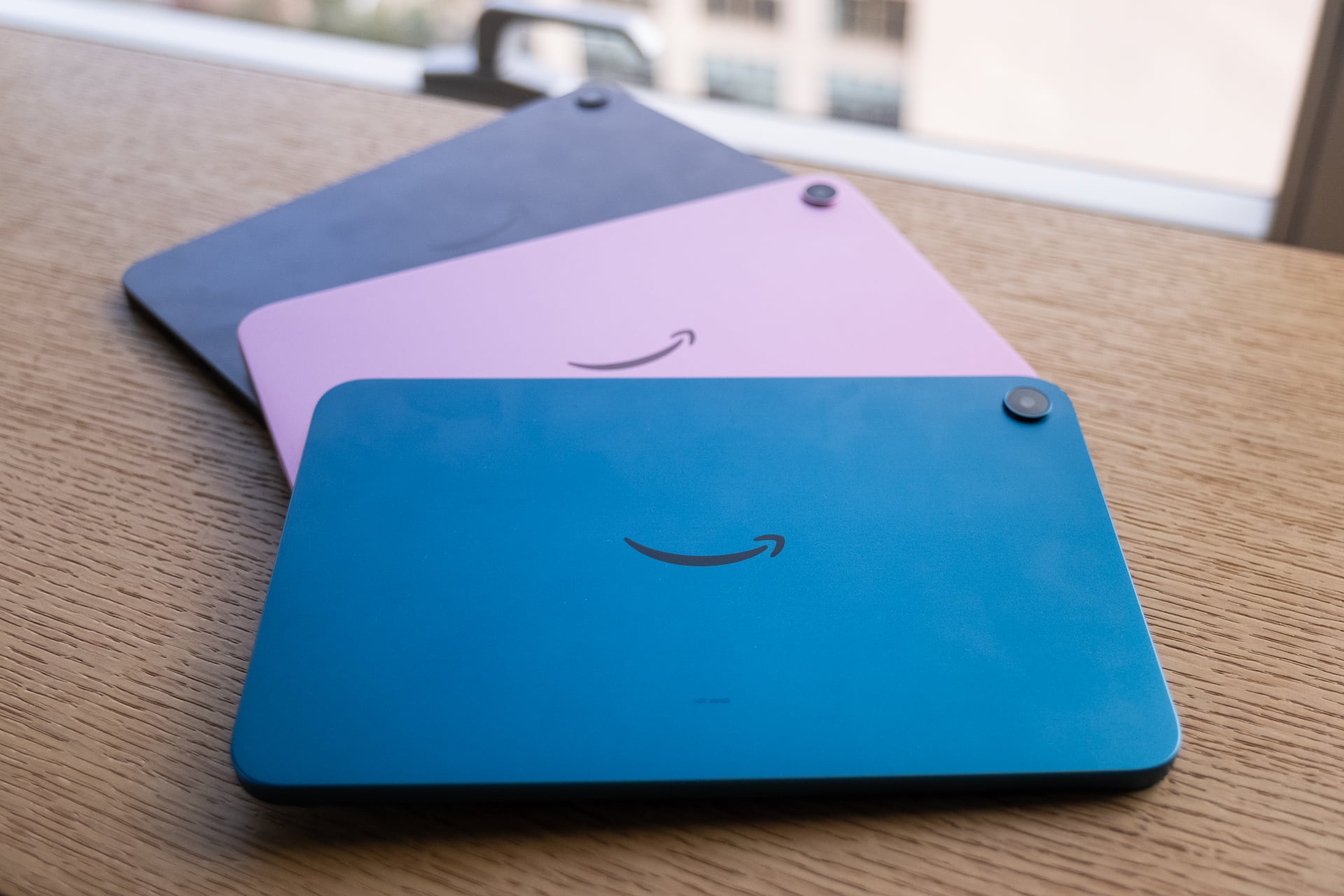
The least expensive of the new Amazon tablets is the Alexa Tablet 8. Panay says this is the one to get if you want the most affordable model and want portability. It’s the lightest of the three and comes, but also the least powerful. For $229.99, you get an 8.7-inch screen, an 8-core chip (also MediaTek 8189), 4GB of RAM, 64GB of storage, and 14 hours of video playback.
The Alexa Tablet 8 is Amazon's iPad mini competitor for less than half the price. Starts at $229 and comes in 3 colors: graphite, rosette, and teal. Really like the teal!
Same 8-core chip as the Alexa Tablet 8, but less RAM for the base (4GB) + 64GB of storage or 8GB RAM + 128GB… pic.twitter.com/Ld8IM6KgJE
— Ray Wong (@raywongy) October 9, 2026
Like the other Alexa Tablets, the Alexa Tablet 8 also has an aluminum case and a 5-megapixel camera on the front and 8-megapixel shooter on the back.
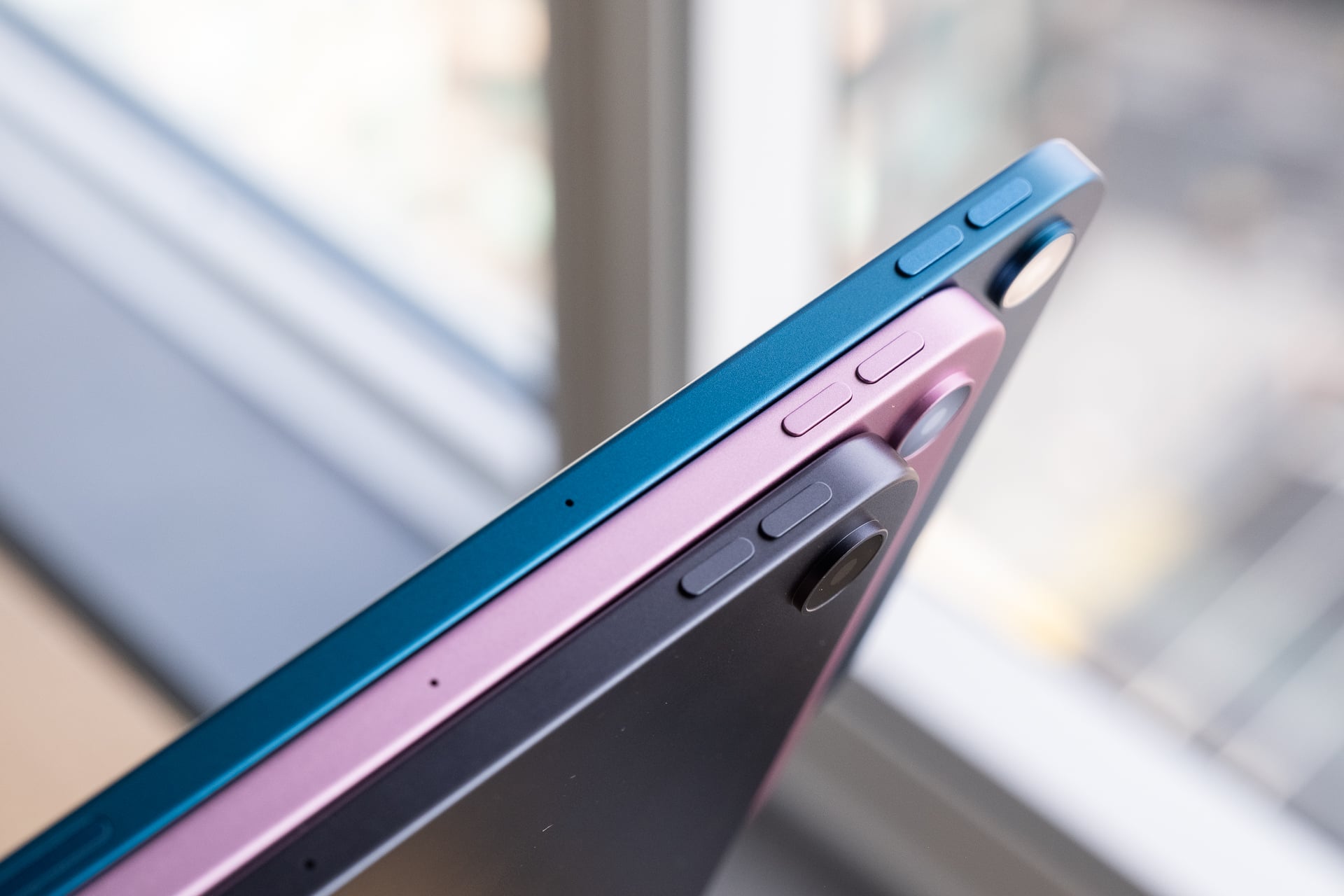
It also comes in standard graphite and two fun colors, rosette and teal.
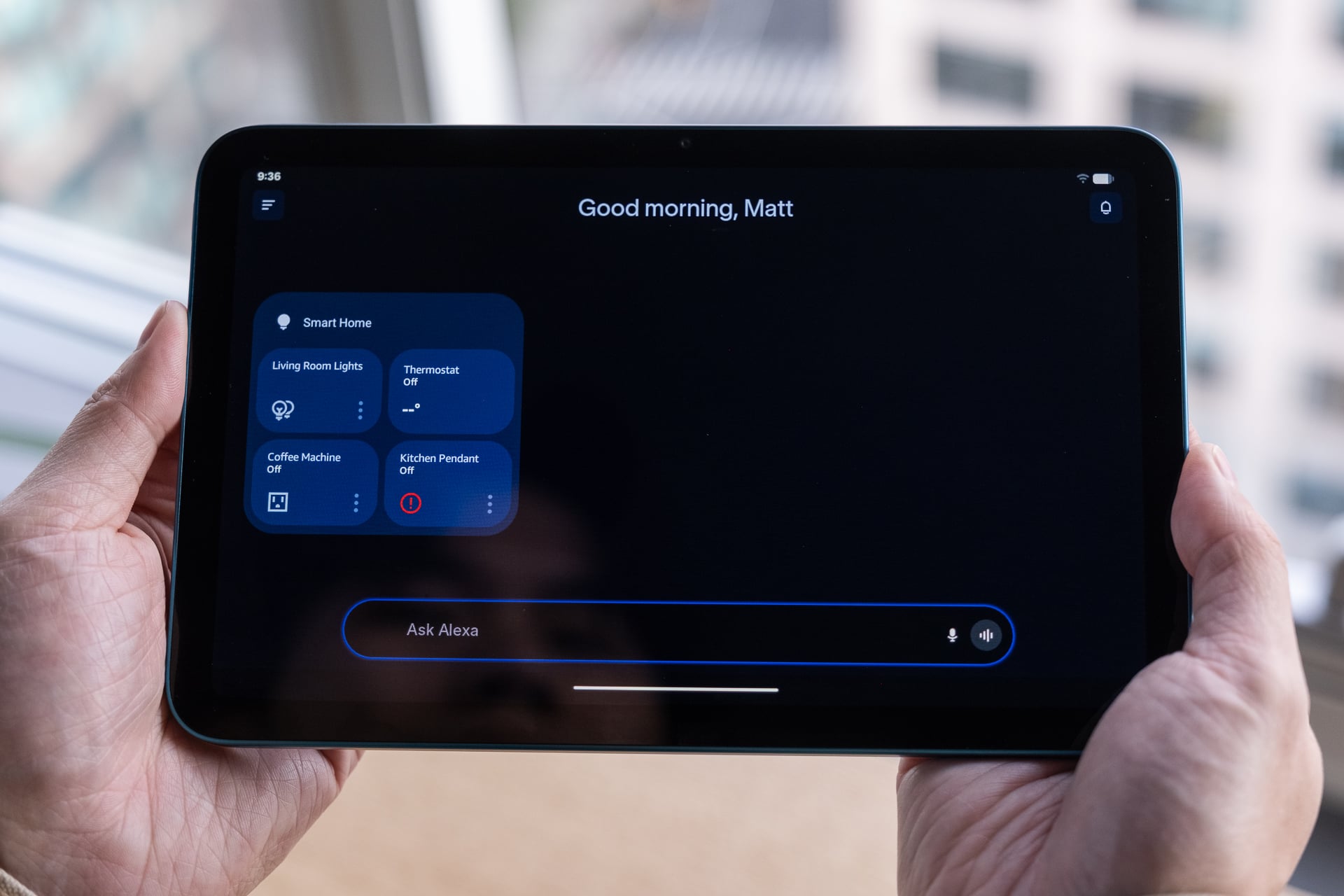
Of the three tablets, the 8-inch model was the slowest even though it has the same chip as the Alexa Tablet 11. I could see swipes on the home screen lag. It’s possible that the demo units were on pre-release software, and final shipping devices will be much faster. But what I saw was laggy. There are two variants of the Alexa Tablet 8: one with 4GB of RAM and 64GB of storage and one with 8GB of RAM and 128GB of storage. I have no idea which model I demoed.
Amazon Kids Tablets
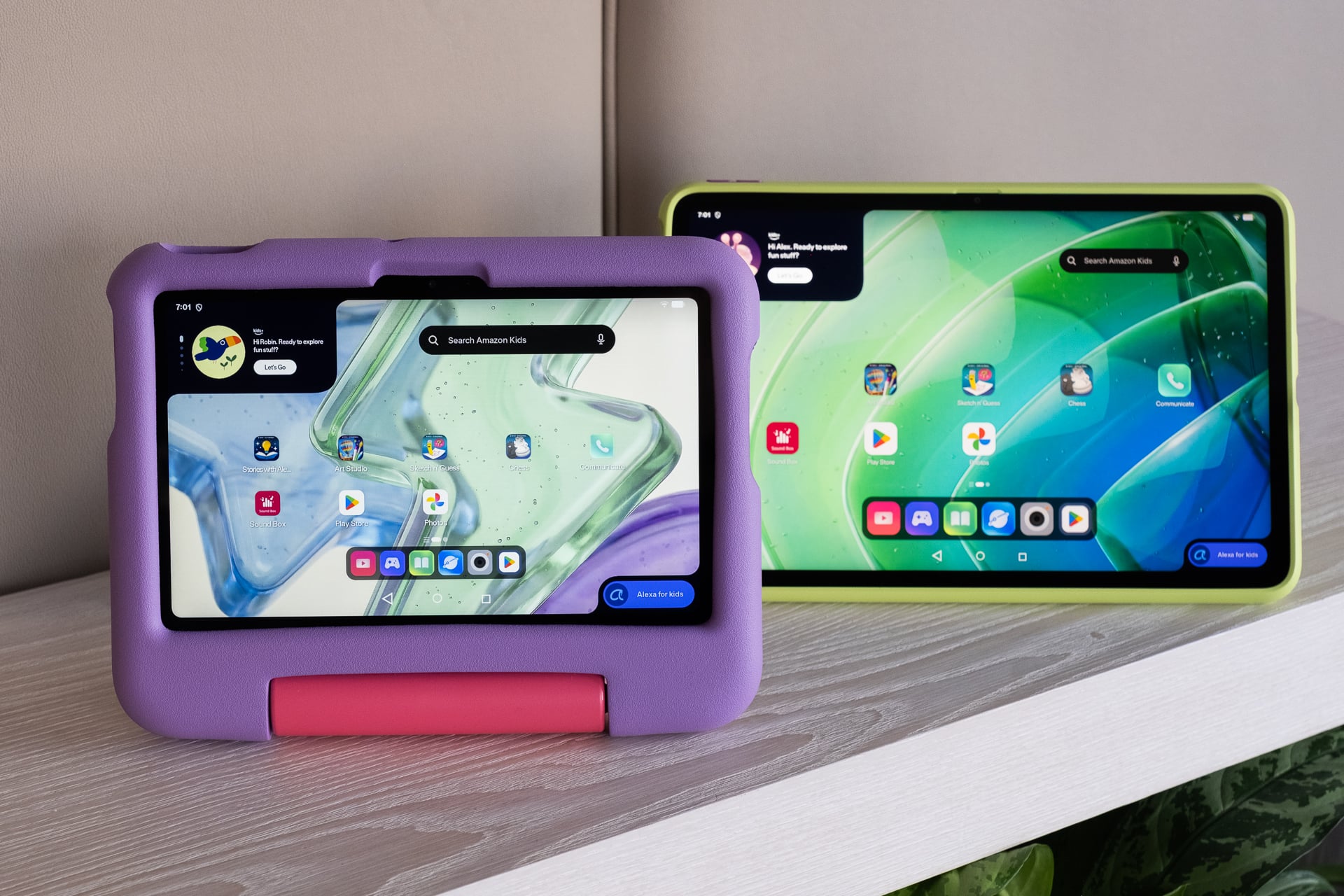
For the tots, Amazon has “kids” versions of the Alexa Tablet 8 and 11. The specs are all the same as regular versions, but you can choose to get a soft bumper case or a slim hard case with a kickstand on the back. If you’re familiar with kids versions of Amazon’s previous Fire tablets, these will be pretty familiar with software designed for them.
The Kids Tablet 8 and the Kids Tablet 11 start at the same $229.99 and $329.99, respectively, as the Alexa Tablet 8 and Alexa Tablet 11.
What happens to the Fire tablets?
While Amazon is discontinuing the Fire tablets, the company says it will continue to support them with security updates. For how long? Amazon wouldn’t say, but at the very least if there’s a major vulnerability in the near future, it will likely get patched.
“All customers will be supported, “Panay said. “There are people who love their Fire tablets and we’ll make sure they continue to do so,.”
If you have a Fire tablet and it still works fine? Great. Keep it or hand it down to somebody else. If you don’t want to keep it, recycle it or donate it. The new Alexa Tablets are better in every way—design, software, and app support—but there’s no reason to trash a perfectly working device. Find a way to give it another life until it truly is no longer supported.
Correction: A previous version of this article said the Alexa Tablets would be available on Oct. 19, which was incorrect. They’ll be available on Oct. 14.