This Icedrive vs pCloud comparison should ease your decision-making process. After examining them for weeks, we ended up liking pCloud more. However, we’d be lying if we said that Icedrive doesn’t have redeeming factors. In fact, both are some of the safest options.
They offer robust encryption, larger-than-life storage, and applications for all devices. Yet, during our pCloud vs Icedrive comparison, we noticed a few differences that tipped the scales to the former’s side. Interested in finding out more? Sit tight and stay along for an exciting ride.
pCloud vs Icedrive: A Quick Comparison
| 🏆 pCloud | Icedrive | |
| 🖥️ Supported Systems | Windows, macOS, Linux, iOS, Android | Windows, macOS, Linux, iOS, Android |
| ⚙️ WebDAV Support | Yes | Yes |
| 💾 Storage Sizes | 500 GB, 2 TB, 10 TB | 512 GB, 2 TB, 5 TB |
| 💸 Starting Price | $199 (Lifetime 500 GB) | $299 (Life 500) |
| ♾️ Unlimited Storage | No | No |
| 📁 File Versioning | 15, 30, or 365 days | 15 days + 3 file versions (free) or 180 days + 10 file versions (paid) |
| 🌐 Block-Level Sync | Yes | No |
| 🔐 Zero-Knowledge Encryption | Yes, paid additionally | Yes, included in all plans |
| 🌟 Standout Characteristics | Client-side encryption, Music Player, fast transfer speeds, and Lifetime plans | NAS backups, client-side encryption, and comprehensive file sharing options |
| 🆓 Free Plan Storage | 10 GB | 10 GB |
| ✅ Money-Back Guarantee | 14 days | 14 days |
Applications and User Interface
pCloud and Icedrive offer applications for all devices, which makes them highly versatile. Compare this to iCloud, which primarily serves Apple ecosystem users, and you’ll notice a stark difference.
By “all devices”, we refer to major mobile and desktop platforms, such as:
- Windows, macOS, and Linux laptops and computers
- iOS and Android tablets and phones
Their paid plans also support webDAV, ensuring superior ease of use through access to the remote server from any device. Overall, Icedrive and pCloud’s compatibility is top-notch, but let’s examine their ease of use.
pCloud Applications
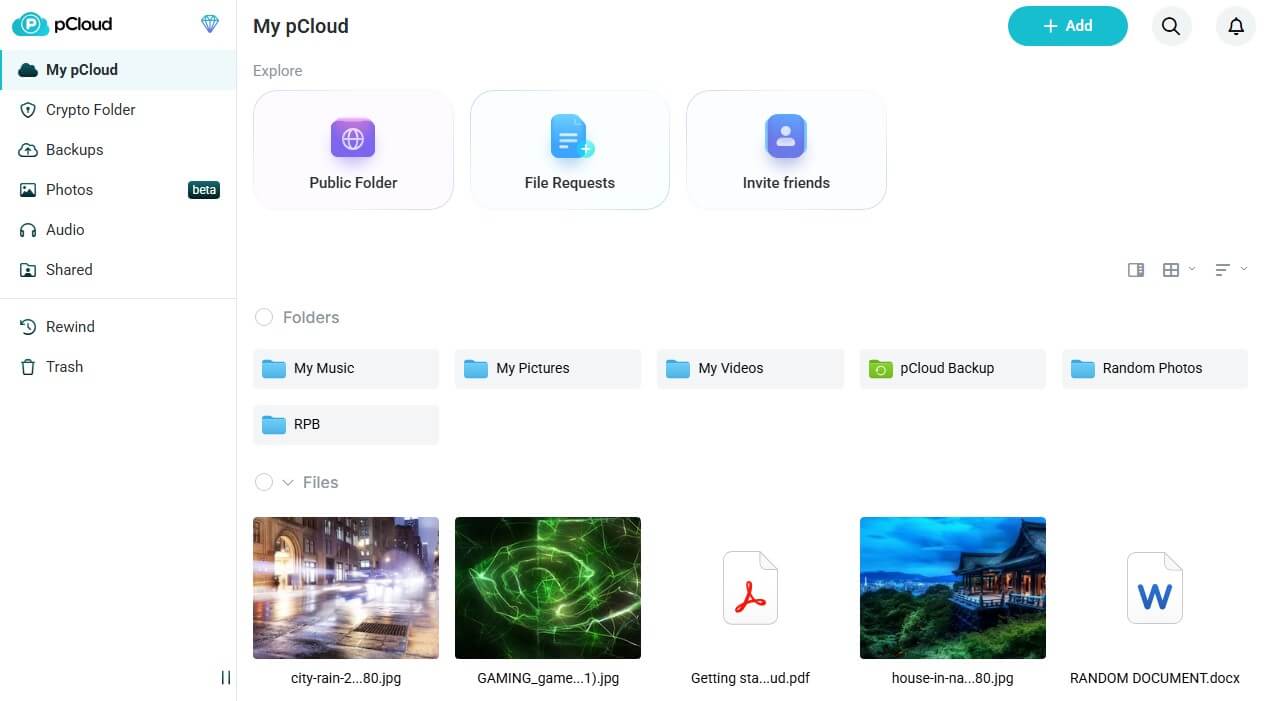
pCloud has one of the best web-based apps. It’s clean, simple to navigate, and welcoming. The left-hand side menu offers access to your backups, shared files, music, and trash. The rest of the screen lets you manipulate your files, make new folders, and preview music, videos, and documents.
pCloud’s drag-and-drop function allows for swift uploading and downloading. Meanwhile, when on Windows, macOS, or Linux, you can enjoy a pCloud Drive, which acts as a physical drive on your computer. This, again, makes uploading and downloading a matter of a few drags and drops.

pCloud’s web and desktop apps offer hassle-free syncing, customizable backups, and a crypto folder for client-side encryption. We’ll address this part later in our pCloud vs Icedrive comparison.
Let’s swiftly address its mobile apps, which we believe are some of the best.

pCloud works on iOS and Android, so it can be a great iCloud alternative or a replacement for your old, rusty cloud storage on Android. Its apps contain nifty tools like a document scanner and camera auto-uploads, letting you upload your snapshots and videos to the cloud and save your phone’s storage.
We have been using pCloud for years without a single issue, which speaks volumes about it.
Icedrive Applications
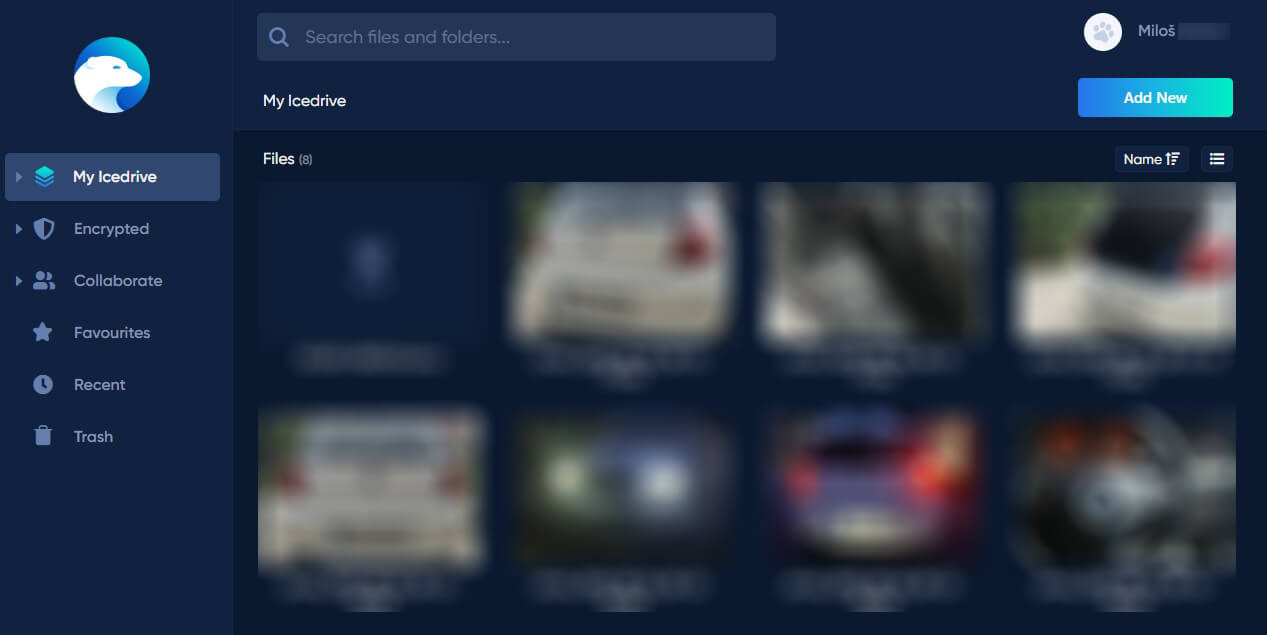
Icedrive’s web application is equally stunning, allowing for video, photo, and document previews and easy file manipulation. We’d say the interface is sleek and modern, with all relevant settings on the left. The right side is, again, reserved for your files, resembling the File Explorer feeling.
Icedrive included a few buttons at the top, letting you delete, share, rename, or move files without searching too much. Then, we have the desktop app, which resembles pCloud. Install it, and Icedrive will appear as another drive in the File Explorer. However, like pCloud, it’s a virtual drive.

You can open the app window and tweak settings, behavior, a deletion policy, and more. Users can also customize syncing and examine their transfers for more information.
During our Icedrive vs pCloud review, we also examined Icedrive’s mobile apps and found them incredibly intuitive. They share the web app’s aesthetics and functionality, allowing seamless file backups, sharing, and previews. We love the option to set different colors for folders, making management far simpler.

Like pCloud, Icedrive supports auto-uploads on iOS and Android, ensuring incoming files are safely deposited to the cloud, encrypted, and kept intact.
Winner: Tie
pCloud and Icedrive performed gracefully and earned a point. If you need straightforward cloud storage for all devices, both as a beginner and an intermediate, we’re sure their fantastic interfaces and compatibility will catch your attention and keep you coming for more.
Features Comparison
With the first round ending on equal terms, it’s time to discuss their features. After all, getting used to an app is simpler than mourning the lack of specific features and tools. Luckily, pCloud and Icedrive don’t lack much, although we can’t say they’re remarkably similar.
Their differences are below, so let us review them and see which provider comes on top.
File Versioning: pCloud
Let us stop you before you say that every online storage has file versioning. You may want to check out NordLocker review, and you’ll change your mind. But NordLocker isn’t today’s topic. What do pCloud and Icedrive bring? Do they offer file versioning? Fortunately, they do!
Let’s discuss pCloud first.
The provider offers three types of file versioning:
- Free (15 days)
- Premium (30 days)
- Extended (365 days)
Free users get 15 days, while all premium users get 30 days. Meanwhile, pCloud keeps EFH or Extended File History for its Business plan users. Its file history isn’t limited to the number of file versions. You can have millions. Only the time variable plays a role. We appreciate that.
Conversely, Icedrive’s file versioning functions like this:
- 15-day file history for three file versions in the free plan
- 180-day file history for ten file versions in the paid plan
Unlike pCloud, Icedrive introduces two variables: the number of file versions and the time.
It’s far more restrictive because you must watch out for how many file versions you have and realize they’ll be deleted within 15 or 180 days, depending on the plan.
pCloud’s file versioning is backed by the Rewind tool, which lets you take a snapshot of your account and rewind to it. For instance, if you take a snapshot of the files you have today, you can go back to this day in the next 15, 30, or 365 days, depending on the chosen plan
File Sharing: Tie
The definition of cloud storage isn’t only file storage. Industry leaders are famous for many file-sharing options, which allow people to share numerous files safely and securely. pCloud and Icedrive are eerily similar here.
Sharing files can be performed in multiple ways.
First, you can create shareable links to your files and folders. Send a link to the recipient, and they can preview, access, download, or modify your files. Of course, you can manage permissions to ensure unauthorized access or file distribution. Both providers offer this.

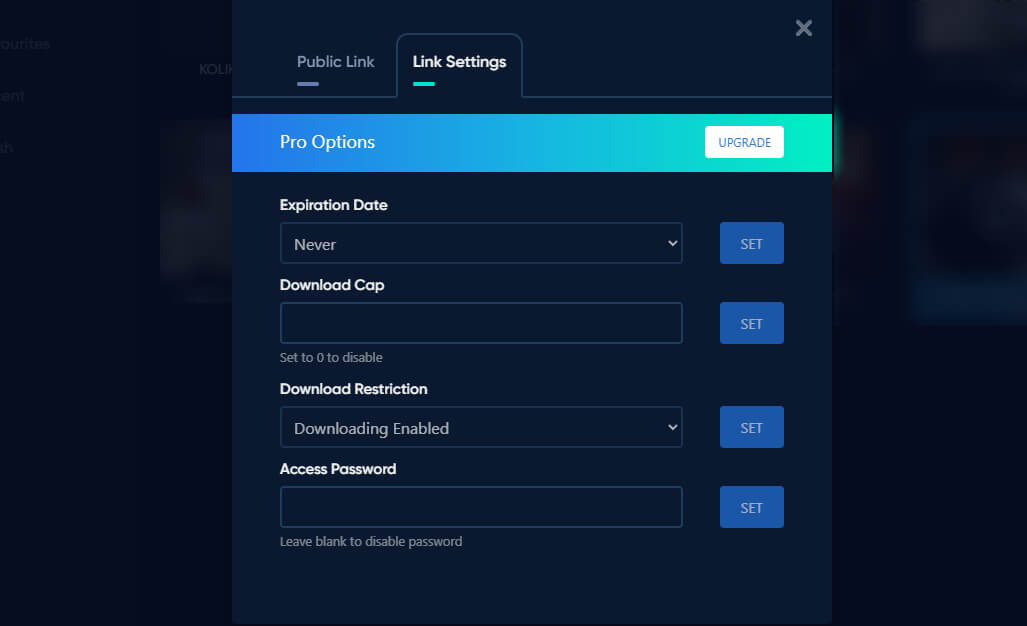
Icedrive lets you enable comments on public links, making collaboration more efficient. Simultaneously, it removes the need for people to have Icedrive accounts to add a comment or access files.
Icedrive and pCloud offer more essentials, such as password protection and expiration dates, and are both designed as security measures. We also found that you can limit downloads in their paid plans.

We haven’t mentioned file requests, but Icedrive and pCloud support them, allowing people to receive files directly to their accounts.
File Syncing: pCloud
As some of the best cloud storage picks, both allow multi-device file syncing, which enables access to your files on all your devices. The problem is that Icedrive doesn’t have block-level syncing. Block-level syncing means the provider will sync only the file’s modified portion, rather than an entire file from the beginning.
pCloud does that, enabling faster, more reliable syncing.
Meanwhile, Icedrive will sync the edited file from the ground up, which can annoy larger files. Selective syncing is another aspect. pCloud lets you assign any folder on your device the syncing “role”. Meanwhile, Icedrive enables you to make a dedicated syncing folder, without syncing previously uploaded files from other platforms.
Cloud Backups: Tie
Neither is a cloud backup service, but that doesn’t mean they don’t offer some semblance.
In our pCloud vs Icedrive duel, we used them to back up our files, folders, and drives fairly simply. pCloud was very impressive, as it allowed us to back up files from mobile devices, computers, and third-party cloud storage services, such as Google Drive and Dropbox. Honestly, we’ve never seen this anywhere else.
pCloud also enables you to back up entire drives, which is helpful if you’re selling a device and want to download your files to the new one.
Icedrive handles this portion similarly, with customizable backups on all devices. You can back up all your device’s files with a click. However, Icedrive uses NAS or Network-Attached Storage, which prevents data loss if cloud storage fails. NAS is always nice to have as a disaster prevention.
However, it’s not like pCloud lacks anything similar. It uses file redundancy. This means it copies your files to at least a few servers, so if one fails, another has your files, making them ready to access.
File Previews: pCloud
The more you can do in the cloud, the better you’ll alleviate your physical storage.
pCloud and Icedrive aren’t the best collaboration and file editing options, but they have a few helpful features. File previews are one of them, and Icedrive and pCloud will reproduce your high-res videos, razor-sharp images, and MP3 files. Icedrive’s offers are somewhat basic.

For example, pCloud includes a slideshow feature, allowing you to effortlessly sift through a photo collection. The gallery view lets you examine all photos and videos on a single screen and access them more easily thanks to resizable thumbnails. Icedrive lacks anything similar.
Then, there’s the Memories feature, which organizes your videos and photos chronologically, letting you go back in time and relive your fond moments. Unlike recently tested Internxt, Icedrive and pCloud support video reproduction in their web apps, removing the need for lengthy downloads.

While both can reproduce music, pCloud adds a nice touch with its media player, allowing you to make full playlists and enjoy them on the fly or while working. Sadly, neither offers real-time document editing and collaboration, as we’ve seen in Dropbox and Google Drive.
Overall Winner: pCloud
pCloud is more feature-rich and better for file syncing, versioning, and multimedia previews. Icedrive’s inclusion of NAS for backups is genius, but it lacks block-level syncing and robust multimedia features that would’ve made it feel more polished.
How Fast Are pCloud and Icedrive?
Let’s examine their performance and see how fast their transfer speeds are.
Let’s examine our testing procedure before we spill out our test results. All tests are performed on our Windows 11 computer with a connection speed of 50 Mbps for downloads and 10 Mbps for uploads.

We tested their web-based apps by making a 3 GB RAR file with documents, videos, music, and photos. After that, we measured the time it took to upload and download the file with both cloud storage providers.
Here are our speed test results:
| Upload Time | Download Time | |
| pCloud | 42 minutes | 9 minutes |
| Icedrive | 48 minutes | 15 minutes |
If we do the math with our native internet speeds, the 3 GB file should be uploaded in 40 minutes and downloaded in about 8 minutes. pCloud is much closer to that mark, and while not perfect, it nearly utilizes our network’s full potential. Icedrive is far from the slowest cloud storage but still slower than pCloud.
It’s about 12.5% slower for uploads and 40% slower for downloads.
Winner: pCloud
pCloud’s results speak for themselves. It was just as fast in our pCloud vs Internxt comparison, showing its peak performance in this duel, as well. If you want to maximize your transfer speed and wait less for each upload and download, you know which is right: pCloud.
Security, Encryption, and Privacy
Which cloud storage is safer, pCloud or Icedrive? To find that out, we examined their security and privacy features. Here are our findings.
Encryption and Security Features
Both providers use TLS/SSL encryption to protect your files. This encryption is employed for transfers and protects your data against accidental losses or hijacks. pCloud uses 256-bit encryption on the server to keep files intact while at rest. 256-bit encryption is virtually the best standard in 2026.
It’s highly efficient against brute-force attacks, preventing cybercriminals from accessing your files, credentials, and other essential information. pCloud and Icedrive offer 2FA or Two-Factor Authentication, which enhances account security and uses authorization to confirm your identity.
We mentioned encryption, but haven’t specified Icedrive’s version. It’s called Twofish, which is better than 256-bit encryption by many standards, but it’s uncommon and rarely, if ever, used by cloud storage providers. Despite this, both encryption types are phenomenal and will do their jobs perfectly.
What About Privacy?
Privacy is essential for VPNs, but perhaps more so in cloud storage services.
This is where zero-knowledge encryption steps in. Both providers have it and it’s client-side, which is enough to keep snoopers at bay. Moreover, client-side encryption prevents even pCloud and Icedrive from viewing your files, so it’s a nice option if you have trust issues.

The problem is that pCloud charges you for this, and you’ll spend $50 annually or $150 for a lifetime for a Crypto folder where you can encrypt your files. Meanwhile, Icedrive includes client-side, zero-knowledge encryption in all paid plans, ensuring top-tier privacy without spending extra.
We also examined their privacy policies and were surprised that Icedrive keeps slightly fewer bits of information. Icedrive’s servers are in the UK, the US, and Germany. pCloud has servers primarily in the United States and one server in Luxembourg. Both operate in the US and the EU.

This means both are potentially subject to data-retention laws from each region, such as the Patriot Act in the USA and GDPR in the EU. We can’t know for sure if pCloud and Icedrive share your data, but their zero-knowledge encryption shields your files from unwanted access, making things far less concerning.
Winner: Icedrive (By a Notch)
Both providers are incredibly safe and do a tremendous job of protecting your privacy. We chose Icedrive because of its free client-side, zero-knowledge encryption, and more privacy-friendly logging practices.
Plans and Price Comparison: Icedrive vs pCloud
The pricing round of the pCloud vs Icedrive comparison will tell you which provider offers better value for money. Right off the bat, you’ll notice that pCloud is more flexible. It offers individual, family, and business plans, while Icedrive is limited to individual plans. Since they’re more popular either way, we’ll focus on them.
As you can see, pCloud has monthly, annual, and lifetime plans:

You’ll save the most by going with lifetime plans; in this case, you can get 2 TB of storage at $399. Conversely, you can buy 10 TB of storage at $1,190 or 500 GB at $199. Annual plans are somewhat pricier, but still cheaper than Dropbox (we compared it to pCloud here).

Icedrive has a similar pricing structure with monthly, yearly, and lifetime plans. Lifetime plans are divided into three storage sizes: 512 GB, 2 TB, and 10 TB, but as you see below, Icedrive is more expensive. 2 TB of storage costs $479; it’s only $399 in pCloud. Meanwhile, their 10 TB storage costs nearly the same.
However, the biggest offender is the 512 GB plan at $299, which is $100 more than pCloud.
Icedrive offers so-called Stacks that you can buy to expand your storage. You can buy 128 GB, 512 GB, or 2 TB at $79, $199, or $399. Both providers offer a 14-day money-back guarantee and free plans.
Since we mentioned them, Icedrive’s free plan gives you 10 GB storage with 50 GB monthly bandwidth, but without client-side encryption. Meanwhile, pCloud has the same 10 GB of storage but has many other features, except password-protected shareable links and other advanced file-sharing options.
Winner: pCloud
pCloud wins this by a long shot. We’ve seen cheaper cloud storage, but pCloud is considerably less expensive than Icedrive for identical storage sizes. A good example is the 2 TB plan, which is 20% more costly in Icedrive, or a 50% more expensive 500/512 GB plan.
Final Recommendations
It’s time to seal the deal by giving you our favorite. On second thought, we already did that at the start, but now you know our reasons. pCloud is ultimately a better option, providing more features, robust security, and humongous storage at a lower price. Icedrive held its own on many occasions.
It’s slightly better for privacy thanks to free client-side encryption and backups, because of the NAS. However, as proven in our Icedrive vs pCloud comparison, these tiny differences don’t massively impact the experience. Ultimately, it’s up to you, but we’d rather spend less and get more.
This can be achieved with pCloud and its excellent-value Lifetime plans. Try them risk-free below.