MEGA encrypts every file on your device before upload, even on free accounts, and new accounts start with 20 GB. pCloud sells that kind of encryption as an add-on and starts free accounts at 2 GB. In return, pCloud was faster in our October tests, syncs edited files block by block, and sells storage you pay for once.
MEGA won three of our six rounds, pCloud won two, and price was a tie. Privacy and free space favor MEGA, while daily syncing and long-term ownership favor pCloud.
MEGA vs pCloud: Quick Comparison
| MEGA | pCloud | |
| Free storage | 20 GB | 2 GB, up to 10 GB |
| End-to-end encryption | Whole account, every plan | Crypto Folder, paid add-on |
| Yearly plans | 200 GB to 20 TB, from about $45 | 500 GB to 10 TB, from $49.99 |
| Lifetime plans | No | From $219 |
| 2 GB upload / download | 16:01 / 1:50 | 15:14 / 1:45 |
| Virtual drive and block-level sync | No | Yes |
| File versions | Up to 100 per file, every plan | 15 days free, 30 days paid |
| Deleted files kept | Up to 30 days free, up to 10 years on Pro plans | 15 days free, 30 days paid |
| Refund window | 14 days in the EU, otherwise only for billing errors | 14 days |
Apps and Syncing
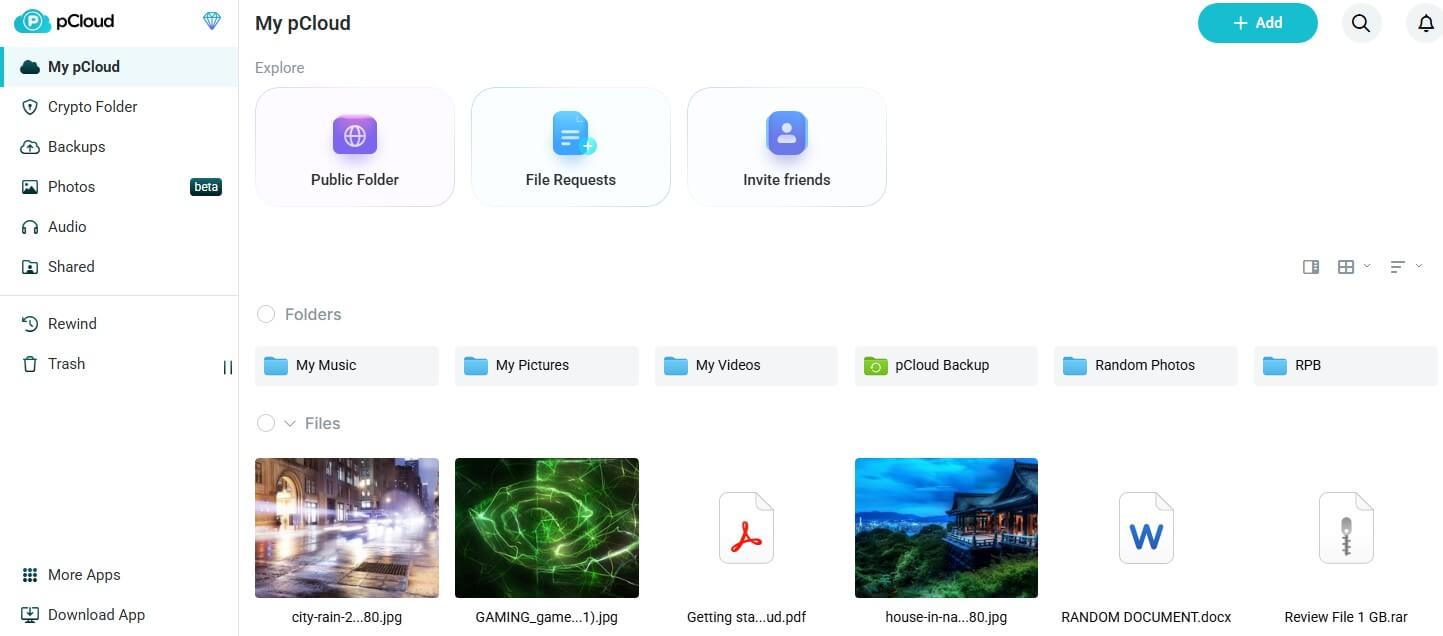
Neither service leaves out a major platform: each has Windows, Mac, and Linux apps, phone apps, and a web version. Both phone apps upload new photos automatically, and both desktop apps back up chosen folders on free accounts too.
pCloud Drive mounts the whole account as a drive in File Explorer or Finder, so files download only when opened. Block-level sync uploads only the edited part of a file, and any folder on a PC can be paired with a cloud folder.
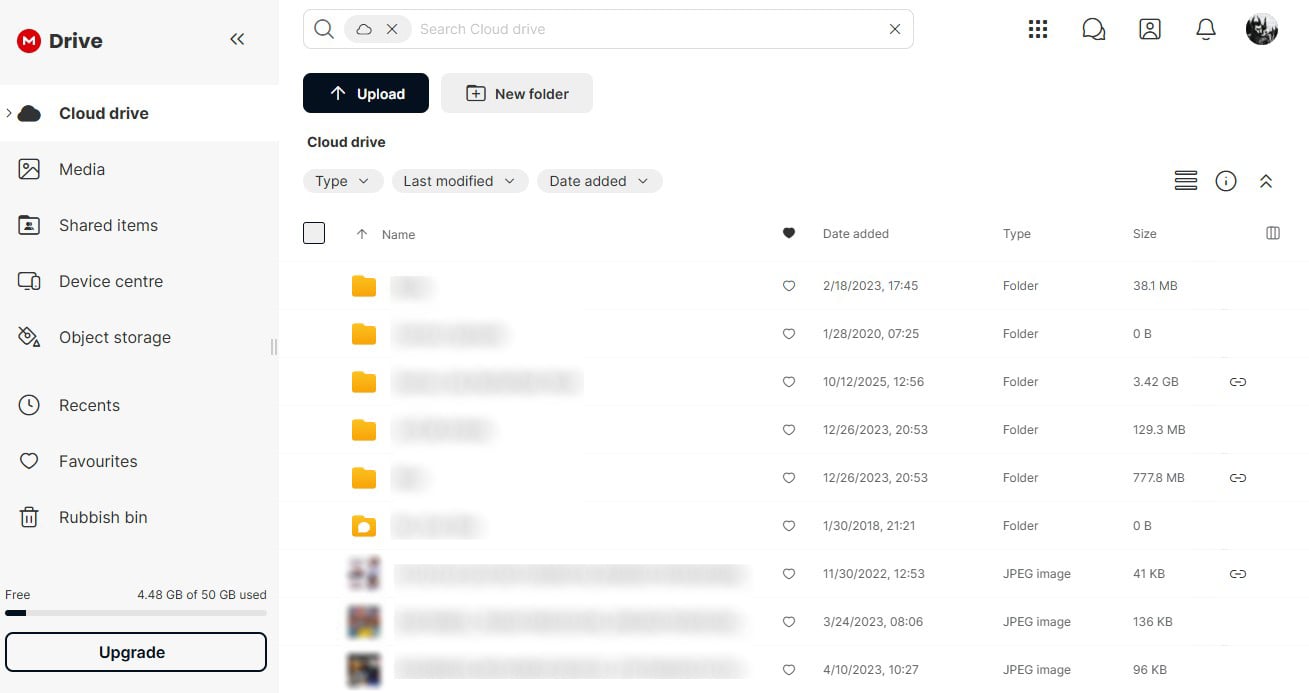
MEGA‘s desktop app offers two modes, Sync and Backup, and we found no drive or mount option. Synced folders keep a full local copy, so they take up disk space, and an edited file uploads again in full. A separate window lets you browse the cloud drive and its backups.
Winner: pCloud
pCloud’s virtual drive saves disk space and syncs edits faster. MEGA’s app copies every synced file to your computer.
Sharing and File Recovery
Sharing
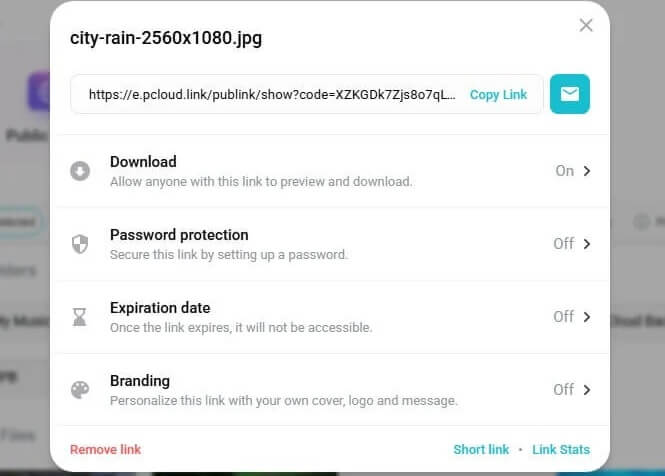
On both services, passwords and end dates for links are reserved for paying users. Free MEGA links can still send the decryption key separately from the link, so a person who intercepts the link alone can’t open the file.
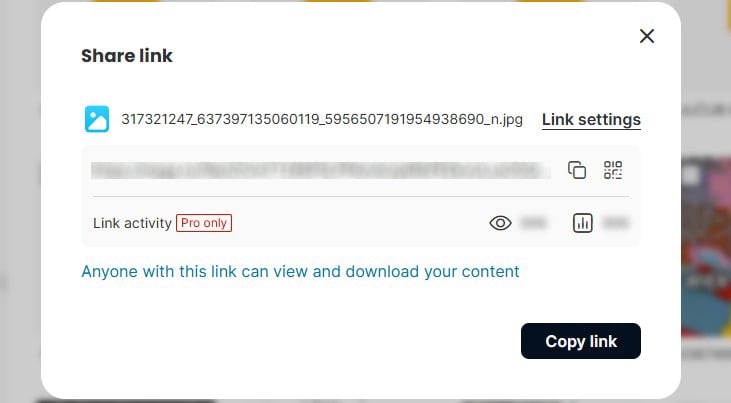
MEGA’s Pro plans add link view statistics. Paid pCloud links add your logo and a cover image, and file requests let other people upload into your account.
File Recovery
- MEGA: up to 100 versions per file on every plan, counted against your storage. Free accounts empty the rubbish bin after 7 to 30 days, and Pro plans can keep deleted files for up to 10 years. Rewind restores the account to an earlier date on Pro plans, going back 60 days.
- pCloud: 15 days of versions and deleted files on free accounts and 30 days on paid plans, or a year with the Extended File History add-on. Rewind returns the account to an earlier date.
Both free accounts let us restore a deleted test file.
Winner: MEGA
MEGA keeps versions and deleted files longer, on free accounts and on Pro plans. Link controls are close once you pay.
Speed Test: MEGA vs pCloud
For our October tests, a 500 MB archive and a 2 GB file went up to each service through its desktop app and then came back down. Uploads from our Windows 11 PC in Europe were limited by a 19.69 Mbps connection. At that speed, the 2 GB file couldn’t go up in under 14 minutes 36 seconds.
| MEGA | pCloud | |
| 500 MB upload / download | 4:00 / 0:25 | 3:32 / 0:24 |
| 2 GB upload / download | 16:01 / 1:50 | 15:14 / 1:45 |
| 2 GB total | 17:51 | 16:59 |
| Upload speed used (2 GB) | 91% | 96% |
pCloud was quicker in every transfer. Uploads were where MEGA fell behind, by 28 seconds on the smaller file and 47 seconds on the larger one. Its downloads trailed by five seconds at most. MEGA encrypts each file on the PC before upload, which may explain the slower uploads. For the other six services we timed, see our fastest cloud storage results.
Winner: pCloud
pCloud uploaded our 2 GB file 47 seconds sooner, though MEGA’s downloads were nearly as fast.
Security and Privacy
MEGA
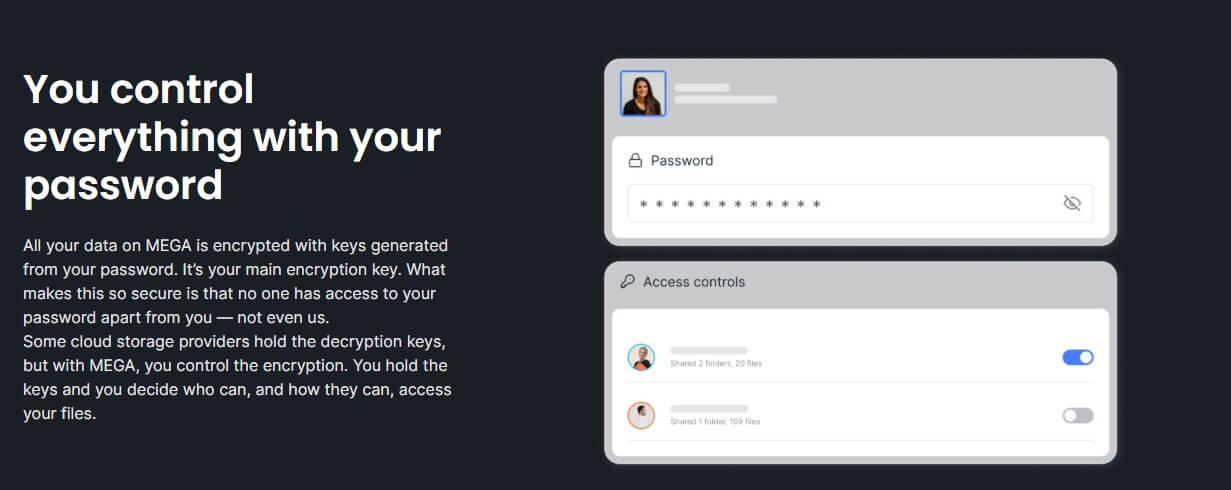
MEGA, based in New Zealand, encrypts every file and folder on your device with keys derived from your password, on free accounts too. Losing both the password and the recovery key means losing the data, because MEGA can’t reset it. Two-factor login works with an authenticator app, and MEGA publishes transparency reports on government requests.
In 2022, ETH Zurich researchers reported five attacks against MEGA’s encryption. MEGA released fixes three months later for the two that could decrypt files and mitigated a third, with the other two scheduled for later updates.
pCloud
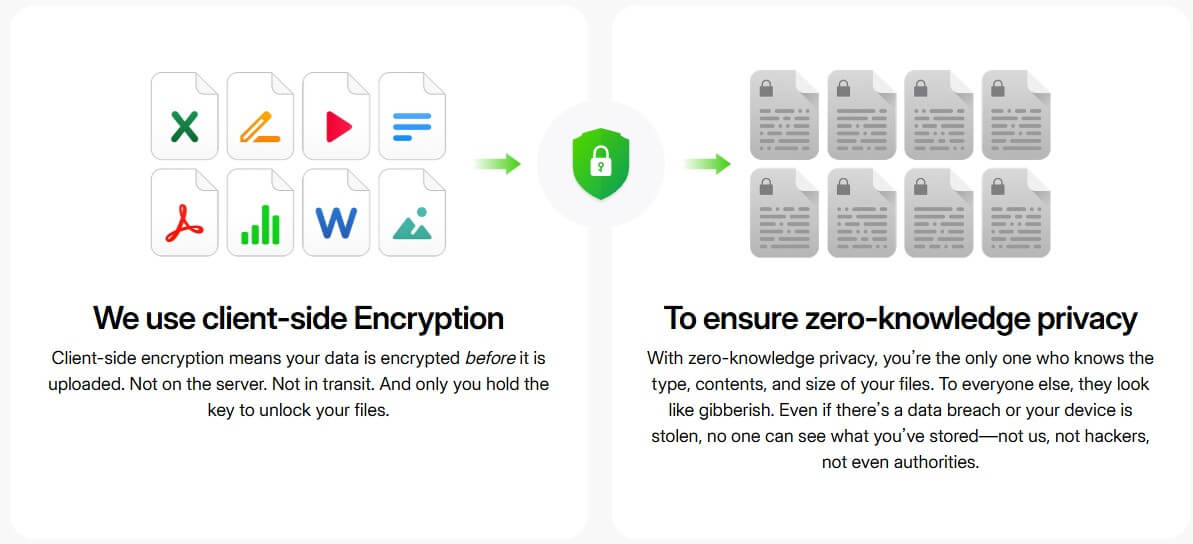
pCloud is Swiss, lets new accounts store data in the US or the EU, and encrypts files on its servers with keys it controls. Client-side encryption on pCloud is a paid extra: the Crypto Folder costs $4.99 a month, $49.99 a year, or $150 once.
ETH Zurich found flaws in that folder in 2024, and pCloud didn’t respond to the researchers. A February 2026 error also exposed file and folder names to other accounts.
Winner: MEGA
MEGA encrypts the whole account at no extra cost and fixed its most serious flaws within months. Our encrypted cloud storage ranking covers more services that work this way.
Prices and Plans
MEGA sells yearly and monthly plans:
- Essential, 200 GB: about $45 a year
- Pro Lite, 750 GB: about $68 a year
- Pro I, 3 TB: about $113 a year, or $11.25 monthly
- Pro II, 10 TB: about $225 a year, or $22.51 monthly
- Pro III, 20 TB: about $338 a year, or $33.77 monthly
Every paid MEGA plan includes MEGA VPN and the MEGA Pass password manager. pCloud’s plans are yearly or paid once:
- Premium 500 GB: $49.99 a year or $219 once
- Premium Plus 2 TB: $99.99 a year or $499 once
- Ultra 10 TB: $299.99 a year or $1,499 once
Per terabyte, MEGA costs less on yearly billing, with 10 TB at about $225 a year compared to $299.99 on pCloud. Lifetime licenses make pCloud cheaper over longer periods: $499 for 2 TB equals about four and a half years of MEGA’s 3 TB Pro I plan. pCloud refunds within 14 days, while MEGA refunds US buyers only for charges made in error. Our pCloud pricing page lists family and business options.
Winner: Tie
MEGA is cheaper per terabyte on yearly plans and bundles encryption and a VPN. pCloud’s 2 TB lifetime license costs less than five years of MEGA’s Pro I plan.
Free Plans Compared
A free MEGA account opens with 20 GB, encrypted end to end, though transfers are limited and password-protected links are locked. Calls and meetings in MEGA’s built-in chat last up to an hour on the free plan. Free pCloud storage starts small, at 2 GB. Setup tasks such as verifying your email and turning on photo uploads add 5 GB, and friend invites add the last 3 GB. Its virtual drive and block-level sync work on the free plan too.
Winner: MEGA
MEGA offers 20 GB on day one, compared to pCloud’s 10 GB maximum, with encryption pCloud’s free plan doesn’t include. See how both compare with Google Drive, Dropbox, and others in our free cloud storage ranking.
Verdict: MEGA for Privacy, pCloud for Everyday Syncing
- MEGA is the stronger choice for private files and tight budgets. Every file is encrypted on your device, and the free plan offers 20 GB. Yearly plans also cost less per terabyte and bundle a VPN and a password manager. Deleted files and versions also stay recoverable longer.
- pCloud is the better choice for a PC you work on every day. It uploaded faster in every test, keeps synced files in the cloud until opened, and block-level sync speeds up large edited files. Its lifetime plans end the subscription, and the 14-day refund window covers US buyers.
Frequently Asked Questions
Is MEGA better than pCloud?
Yes, for privacy and free space. MEGA encrypts every file and gives 20 GB free, while pCloud transfers files faster, syncs through a virtual drive, and offers lifetime plans.
Is MEGA safer than pCloud?
Yes. Every MEGA account is encrypted on the device without an add-on. MEGA also patched its most serious 2022 flaws, while pCloud's paid Crypto Folder still has unfixed issues.
Does MEGA have a lifetime plan?
No. MEGA sells monthly and yearly subscriptions only, charged in euros, while pCloud offers one-time payments from $219 for 500 GB to $1,499 for 10 TB.
Which is cheaper, MEGA or pCloud?
MEGA is cheaper on yearly billing, at about $113 a year for 3 TB. pCloud costs less over several years, with 2 TB for a single $499 payment.
How much free storage does MEGA offer?
New MEGA accounts receive 20 GB of end-to-end encrypted storage and a limited transfer allowance. Some older accounts show 50 GB from sign-up offers MEGA no longer runs.