Every Sync.com plan, from the free 5 GB account up, encrypts files on your device before upload. A deleted or overwritten file can be restored for at least 30 days. In our October tests, that privacy came with slower transfers. A folder of 1,000 phone photos and videos took 14 minutes 12 seconds to upload, compared to 12 minutes 24 seconds on pCloud.
Linux support is limited to an early-access WebDAV server, and free accounts can’t reset a forgotten password by email. First-year prices start at $72 for 1 TB and double at renewal.
Sync
Sync.com encrypts every file on the device, on free and paid plans, and keeps deleted files and older versions for 30 days to a year. Transfers were slower than pCloud's, Internxt's and NordLocker's in our tests, there's no Linux app, and music and video don't play in the browser. Prices double after the first year.
Pros
- End-to-end encryption on every plan, including free
- File history and trash on every plan
- Camera upload on free accounts
- Password-protected, end-to-end encrypted share links
- Office editing in the browser
- Canadian data centers and HIPAA support
Cons
- Slower uploads and downloads
- No Linux app
- One sync folder per computer
- No music or video playback in the browser
- No email password reset on free accounts
- Prices double after the first year
Sync.com on Windows, Mac, Linux, and the Web
Sync.com offers apps for Windows, macOS, iPhone, and Android, plus a web app. Linux has no desktop app. Instead, Sync offers an early-access WebDAV server, installed from the terminal, that connects an account to tools such as rclone, Nautilus, and Dolphin. On Windows, the app adds a Sync folder to File Explorer and syncs that one folder only.
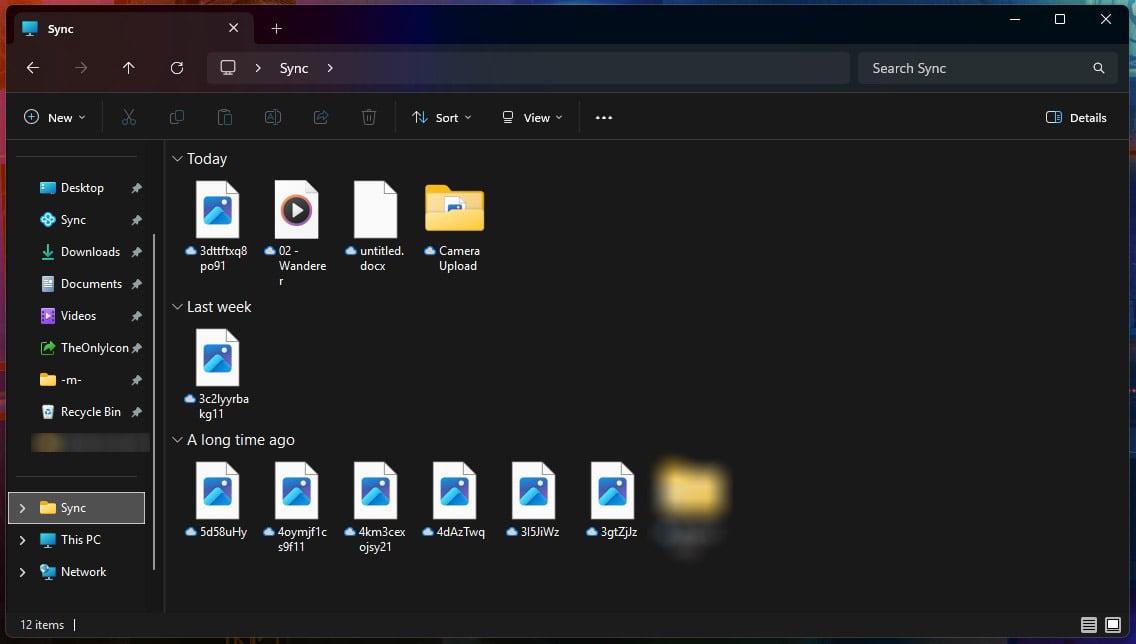
Its CloudFiles setting keeps files from the web and other devices cloud-only until you open them. Right-clicking a file keeps it offline or frees up its space. Files you haven’t opened in a while can also move back to the cloud automatically. The tray app lists recent files, searches the Sync folder and the Vault, and can pause syncing.
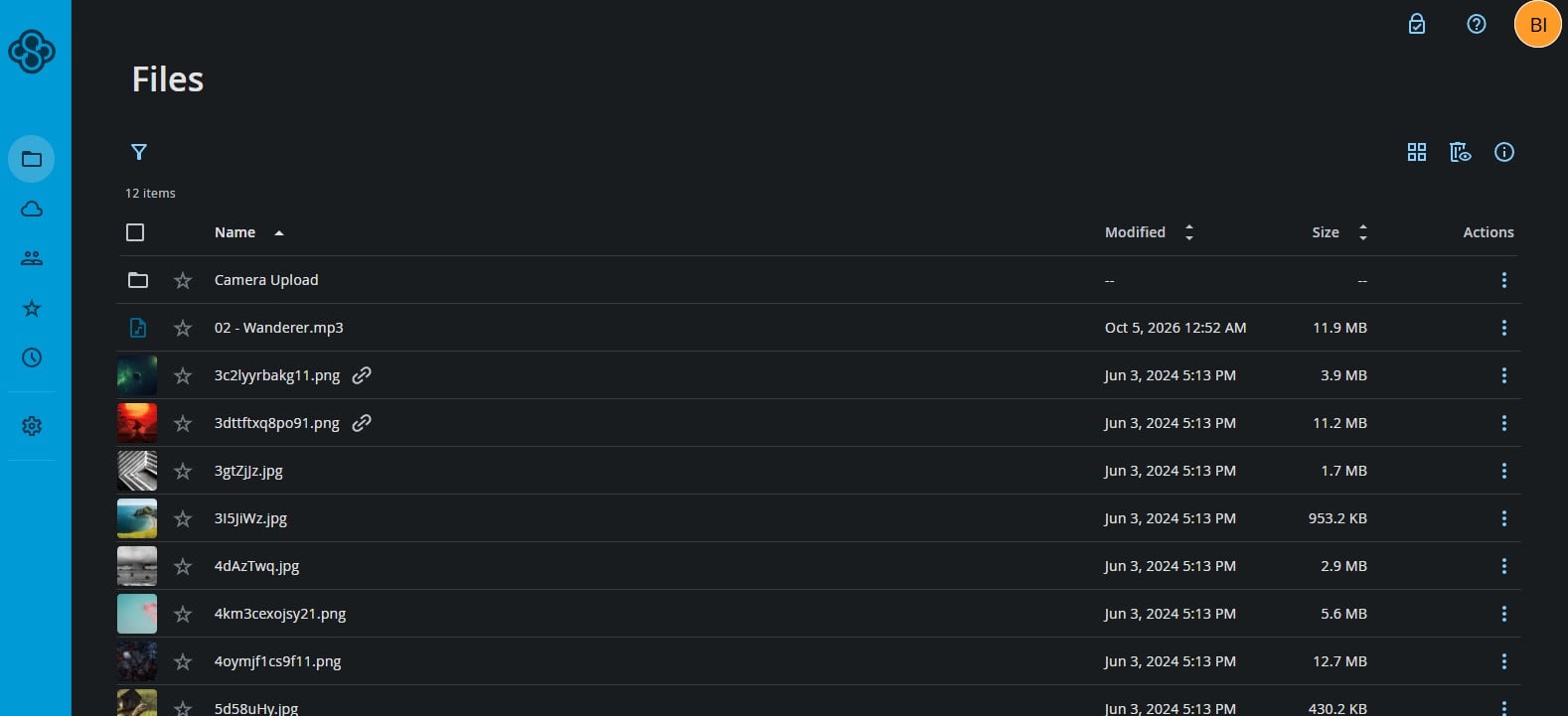
The Vault stores files that don’t sync to your computers. Sync doesn’t use block-level sync, so changing part of a large file uploads the whole file again. Our pCloud vs Sync.com comparison puts the two desktop apps side by side.
Sync.com Mobile Apps
We tested the Android app on a free account. Camera upload works on the free plan but is off by default. Turning it on uploads every photo or only new ones, with options for Wi-Fi only, videos, and monthly subfolders. It requires access to the phone’s photos and videos. The app can create Word, PowerPoint, Excel, and text files. Rotation is the only image edit, and we’d have liked basic filters or color adjustments.
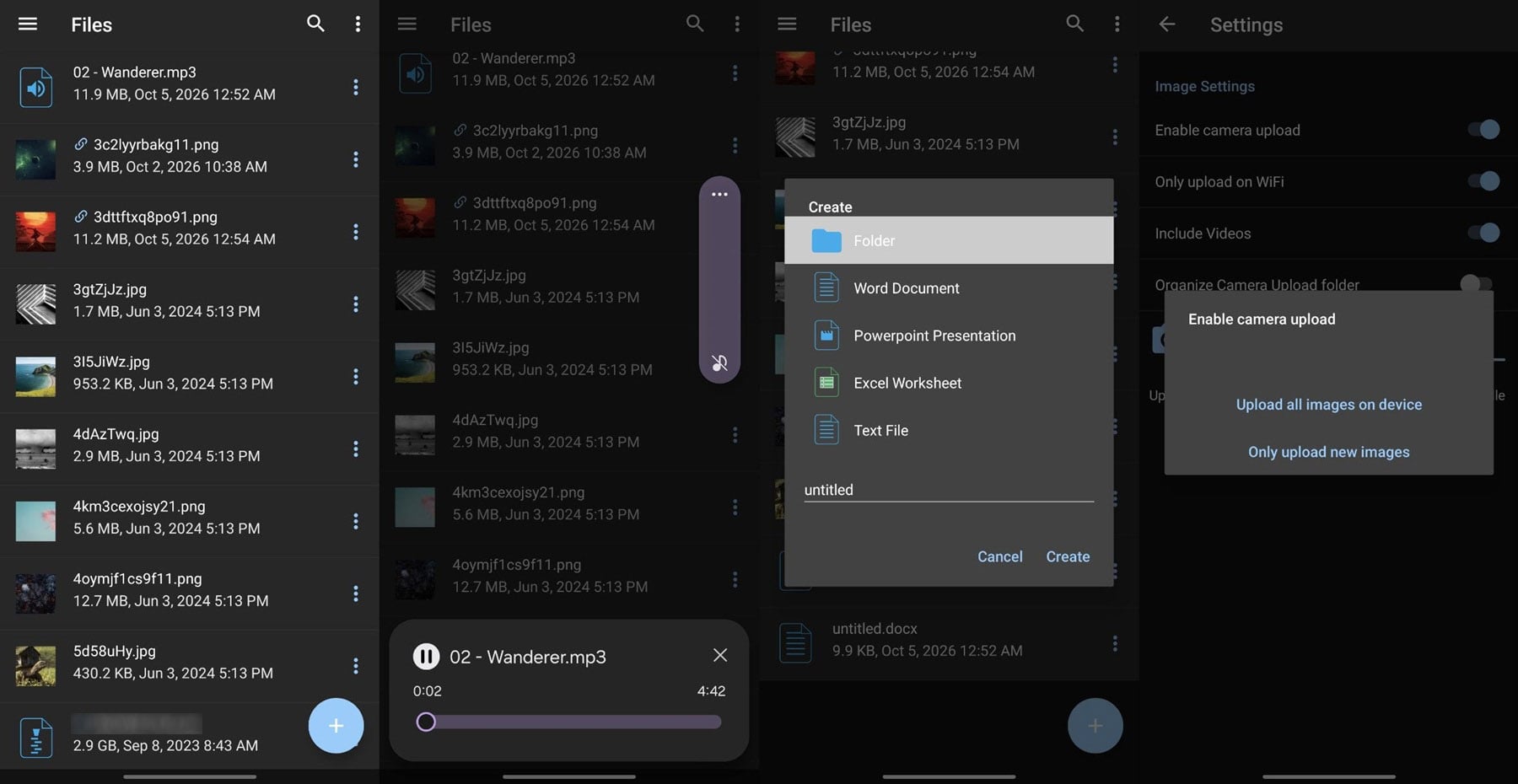
An MP3 and an MP4 downloaded first, then opened in the phone’s own music and video players. An optional four-digit passcode with fingerprint unlock locks the app. A separate setting stops other apps from opening Sync files while the lock is on.
Speed Test Results
These October tests took place on a Windows 11 PC in Europe, with a baseline of 187.95 Mbps for downloads and 19.69 Mbps for uploads. Sync.com’s desktop app transferred three sets of files:
| Upload | Download | |
| 500 MB archive of songs and clips | 4:11 | 0:29 |
| 2 GB single file | 16:21 | 2:09 |
| 1,000-file photo and video folder (1.67 GB) | 14:12 | 2:08 |
Uploads trailed pCloud, Internxt, and NordLocker in every test. Sync used 89% of our upload speed on the 2 GB file and 86% on the folder. pCloud uploaded the same folder in 12:24, NordLocker in 12:38, and Internxt in 13:09. All 1,000 files arrived, and CPU use peaked at 81% during the upload, high for a background task.
Downloads were slower as well. The 2 GB file came back in 2:09, compared to 1:45 on pCloud. Our fastest cloud storage ranking compares nine services on the same connection.
File Recovery and Version History
Deleted files and older versions don’t count against your storage. The free plan keeps them for 30 days, and editing a Word document twice in our test added earlier versions to the file’s history. Restoring a deleted test file on the free account worked. Paid plans keep deleted files and versions longer:
- Personal 1 TB plan: 60 days
- Pro Solo 5 TB plan: 180 days
- Personal Unlimited plan: 365 days
pCloud’s paid plans keep 30 days of history, or a year with a paid add-on.
Share Links and Shared Folders
Free accounts can protect a link with a password and enable Enhanced Privacy, which keeps the shared link encrypted end to end. Paid plans add expiry dates, download limits, and upload-enabled links for file requests. They also offer preview-only links, email alerts on link activity, and download counts.
The Pro Solo 5 TB and Teams 2 TB plans add custom branding to shared links. Folders can be shared with other Sync.com users, with separate view and edit permissions. Sync.com also appears in our list of Dropbox alternatives.
Previews and Office Files
On a free account, images and PDFs opened in the web app. Music and video didn’t: our test song and video clip showed “View not available” and offered only a download. Built-in views of Word, Excel, PowerPoint, and Photoshop files require a paid plan. Free accounts can still open a Word document in Microsoft Office online through Edit in Word.
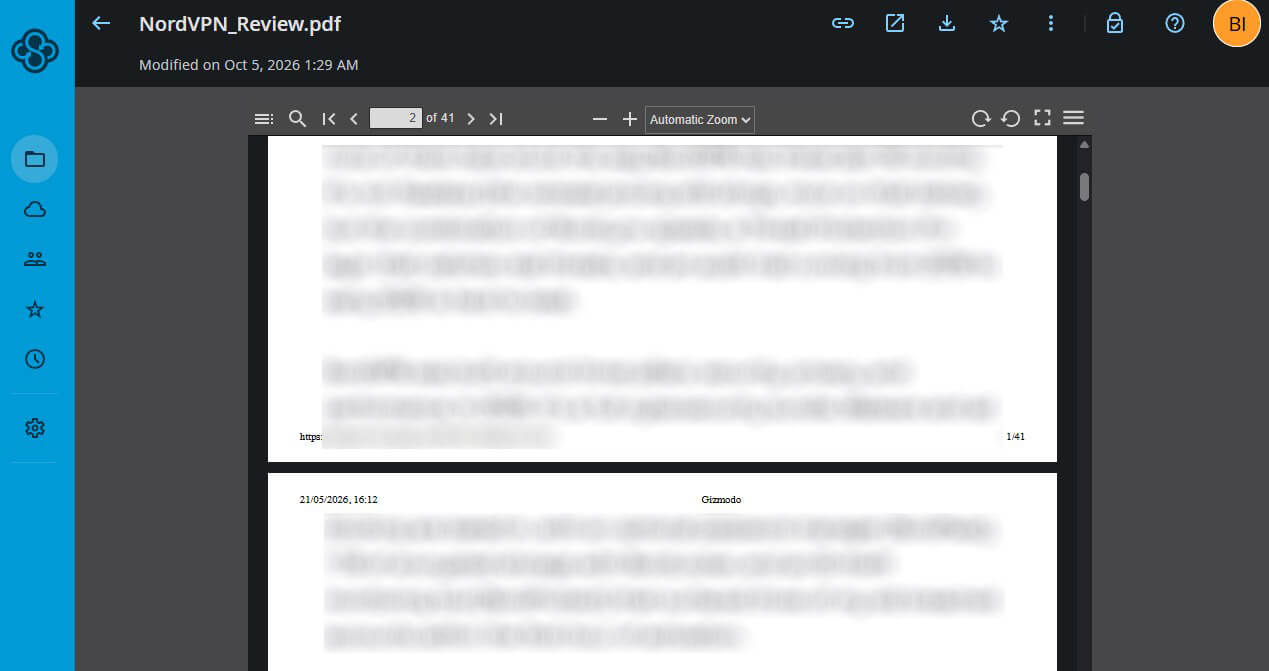
The web app can also create new Office documents and plain text files. pCloud and Dropbox play media in the browser, as our pCloud vs Dropbox comparison shows. For more media playback options, see our cloud storage for videos guide.
Encryption and Privacy
Files are encrypted with AES-256 on your device, and Sync doesn’t store your password, so the company can’t open what you upload. Sync.com Inc. is based in Toronto, keeps files in Canadian data centers, and operates under Canada’s PIPEDA privacy law. Higher-tier plans support HIPAA compliance for US health records. A 2024 ETH Zurich study found weaknesses an attacker controlling Sync’s servers could exploit.
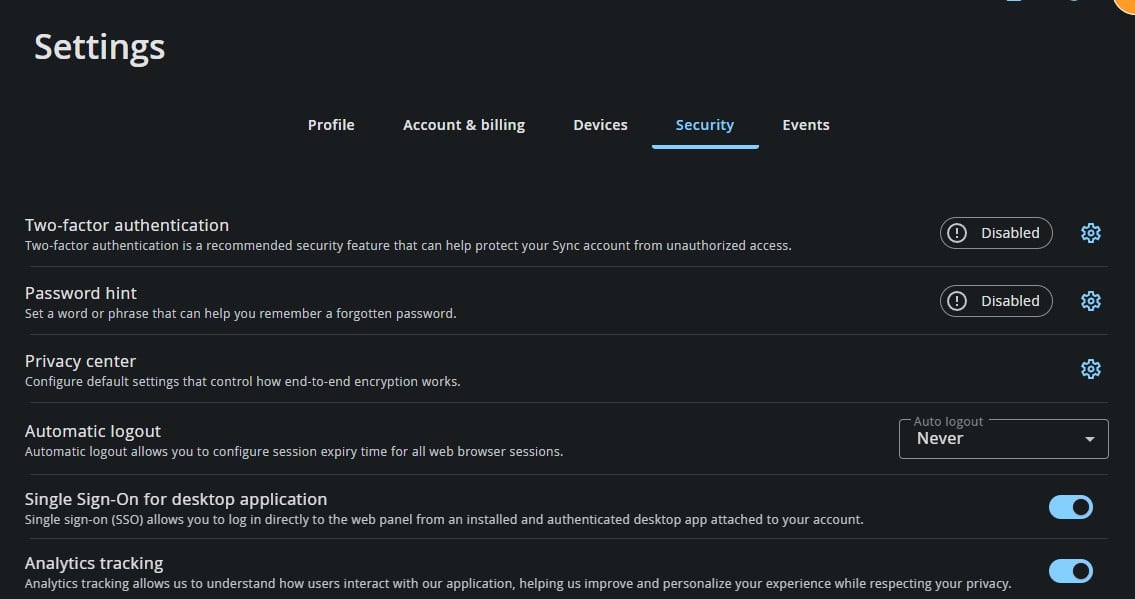
They included adding folders to an account, renaming files, swapping encryption keys, and reading files through shared links. Sync said it fixed the shared-link problem and planned fixes for the rest. Two-factor authentication and the password hint are off by default, and analytics tracking stays on until you turn it off in the security settings. Services with end-to-end encryption by default are ranked in our encrypted cloud storage guide.
Forgotten Passwords
On paid plans, email-based password reset is on by default. Sync says a reset lets its automated systems access your encryption key temporarily. Free accounts have no email reset. A forgotten password can be changed from a desktop app that’s already signed in, or recalled through an optional password hint sent by email. Without either, the account has to be deleted and created again.
Sync.com Plans and Prices
Sync.com’s individual plans cost half the regular price in the first year, then renew at full price:
- Personal 1 TB plan: $72 the first year, then $144 a year, or $8 a month for the first year, then $16
- Pro Solo 5 TB plan: $168 the first year, then $336, or $16 a month, then $32
- Personal Unlimited plan: $270 the first year, then $540, or $27 a month, then $54, with upload speed limits possible beyond 10 TB
- Teams plans: from $3 per user a month in the first year, billed annually, with three users minimum
- Free plan: 5 GB with 30 days of file history
Sync.com refunds paid plans within 30 days. Internxt offers end-to-end encryption on lifetime plans paid once. Yearly prices across services are compared in our cheapest cloud storage list.
Verdict
Sync.com protects files well and costs little in its first year. Every plan encrypts files before they leave your computer or phone, and paid plans retain deleted files for months. Free accounts include password-protected links and camera upload. The costs show up elsewhere. Transfers were slower than pCloud’s in every test, and Linux support is limited to an early-access WebDAV server.
Music and video don’t play in the browser, and the price doubles at renewal. A forgotten password is also harder to recover on a free account. Sync.com fits documents shared with clients and a long safety net for deleted files. pCloud transfers files faster and sells lifetime plans, and Internxt matches Sync’s encryption at a one-time price. Our pCloud review and best cloud storage ranking cover the two in detail.
Frequently Asked Questions
Is Sync.com safe?
Yes. Sync.com encrypts files on the device before upload on every plan, so the company can't read them. An ETH Zurich study found server-side weaknesses, and Sync fixed one of them.
Is Sync.com free?
Yes. Sync.com's free plan includes 5 GB with the same end-to-end encryption, a month of file history, and password-protected share links. Link expiry and download caps cost extra.
What happens if you forget your Sync.com password?
Paid accounts can reset it through an emailed link. Free accounts can change it only from a signed-in desktop app or recall it with a hint. Otherwise, the account must be deleted.
Does Sync.com work on Linux?
Partly. Its Linux option is an early-access WebDAV server set up in the terminal. File managers like Nautilus and Dolphin, or rclone, then connect to it, but there's no desktop sync app.
Does Sync.com back up phone photos?
Yes, including on free accounts. The option has to be enabled first. It then backs up the whole camera roll or only new shots, over Wi-Fi if you choose.