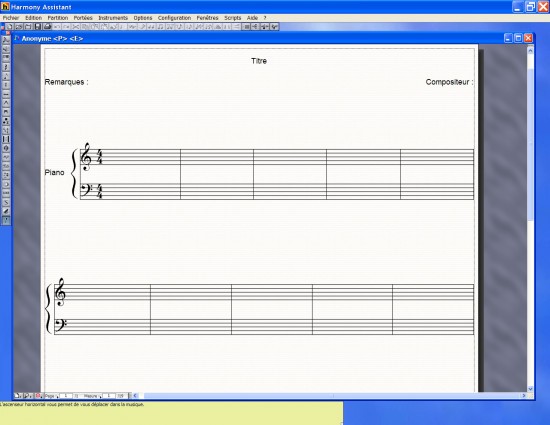
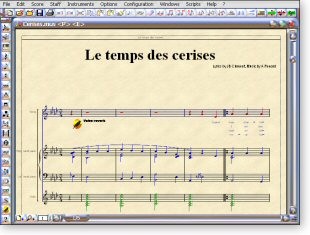
Harmony Assistant is a comprehensive utility that helps you with musical notes and composing songs or scores. It's an all-in-one solution that's perfect if you're a musician, composer, or teach how to make music. This tool offers all the necessary features for writing, editing, playing, and printing music sheets. You can use its powerful score editor that supports MIDI sequences and offers digital options.
With Harmony Assistant, you can work with standard musical notation and digital audio tracks from within the same software. It supports a wide range of musical symbols and offers tablature for guitars or banjos. If you want to play your creations and the scores you've written, there's a built-in synthesizer that realistically reflects sounds. You can even synchronize lyrics with your music and use automatic harmonization options.
If you need to, you can also customize Harmony Assistant and use various engraving and playback options or create notation for microtonal or monophonic music. While you can use the tool for free for an unlimited time, the saving option is disabled, and you can only print a single page. To get the full range of options, you can buy and download Harmony Assistant for Windows, macOS, and Linux computers.
Why should I download Harmony Assistant?
Harmony Assistant is an excellent asset for anyone needing to write or edit music because it offers a wide set of tools. Its score editor allows you to work with attention to detail and input notes using your mouse, computer keyboard, or even a MIDI keyboard.
It supports a variety of musical notes and symbols so you can define articulations, dynamics, slurs, and ornaments. Harmony Assistant also makes adding lyrics, verses, guitar chord diagrams, and even text comments easy. You can use this tool for a variety of purposes, whether you need to create music sheets for solo piano songs or full-fledged orchestras.
What distinguishes Harmony Assistant is that it has built-in support for tablature for instruments like guitars or basses. This way, you can write your music directly in this format, adjust it to the number of strings, and tune it how you want. You can also use the feature that automatically converts standard musical notes into tablature or the other way around. It lets you quickly convert music from one instrument to another or learn how to read music in various formats if you're a student.
You can use Harmony Assistant to record multiple tracks and then edit them on the same screen, which turns this tool into a simplified digital audio workstation (DAW). For example, you can start by recording what you're playing on a connected MIDI keyboard and then add digital audio tracks to the notes you've just recorded. You can also add vocals or record live instruments, and then just sync them and play them along the musical score you've written.
If you add a melody to Harmony Assistant, the tool can automatically generate harmonies in various styles—classical, jazz, chorale, and even fill in supporting notes. Use it to quickly test ideas or generate entire arrangements without involving multiple people. You can even enter lyrics and have syllables automatically aligned with notes. If you combine Harmony Assistant with the Virtual Singer plugin, the tool can use synthesized voices to sing the song back to you along with the music.
Even though Harmony Assistant has features that make it a professional-grade tool, it's a cheap solution. While utilities that offer high-end features are usually very expensive, this option is robust and sold at an affordable price. For a low one-time payment, you get advanced notation, tablature, MIDI sequencing, audio recording, and high-quality playback, which makes it one of the best options on the market. You can get it on Windows, macOS, and Linux.
Is Harmony Assistant free?
No, Harmony Assistant is not a free tool, but it has a free trial you can download from the website. It doesn't have a time limit, but you won't be able to save your work or print more than one page of the music sheet.
The paid option is presented as a one-time payment, and it unlocks all of Harmony Assistant's features.
What operating systems are compatible with Harmony Assistant?
You can download Harmony Assistant and use it on Windows XP, Vista, 7, 8, 10, and 11 (both 32—and 64-bit), macOS 10.7 or higher, and Linux. It can also be run in multiple languages, including English, French, German, Dutch, Spanish, Italian, Portuguese, and Japanese.
What are the alternatives to Harmony Assistant?
TablEdit is a tablature editor dedicated to guitarists and players of other fretted instruments like banjo, mandolin, and bass. It has a clean and powerful editor for creating and editing tablature, supports standard notation, and can accurately notate different playing techniques. You can buy TablEdit for Windows and macOS, and it also has a version for mobile devices.
MuseScore is a free professional-grade music notation program that can rival commercial products. It has everything you need to create musical sheets for single instruments, bands, and even full orchestras. It even offers templates, and you can expand it with plugins. MuseScore works on Windows, macOS, and Linux.
Dorico is a full-fledged composition suite with professional features like advanced layout tools, real-time MIDI input, and support for complex scores. You can buy it in multiple versions, depending on how many tools you need for musical notation and recording, and it can also be used for large-scale productions like movies or album production and publishing. Dorico is available for Windows and macOS systems.