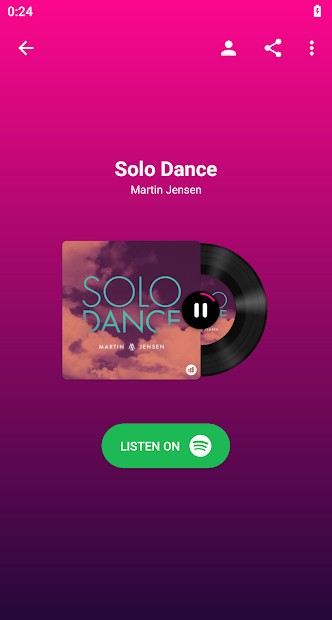
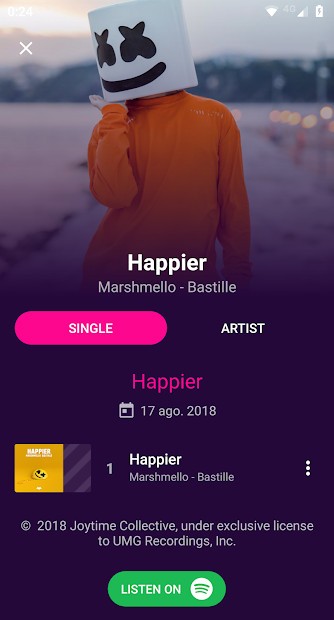
With BeatFind, you can easily identify songs that are playing around you, whether it's from a TV show, radio, or at a party. The app quickly analyzes the audio and returns a screen that lists the song title and artist, but it also provides you with links to various music streaming services so that you can save them to your library. It simply captures short audio snippets and runs them through an extensive music database for matches, all in real time.
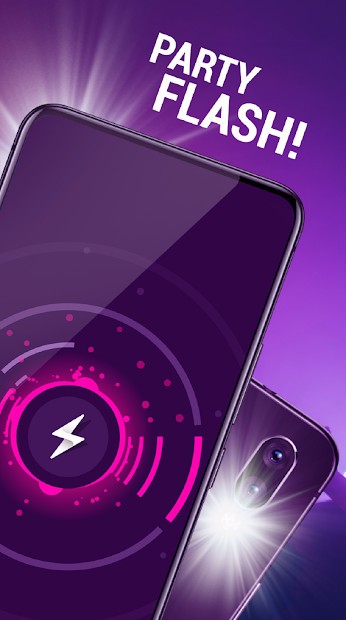
On top of that, in BeatFind, you can enable a party mode that will basically turn your smartphone into a party machine. In it, the app synchronizes your screen and flashlight with the music beat and creates a small light show with different colors and strobe effects. Use it at a party to add unexpected visual effects that perfectly match the music.
While the app doesn't have extensive features, it excels in the ones it has. It focuses on the speed with which it recognizes the music, has a simple to understand and use interface, and perfectly matches the music with the light effects it generates. You can download BeatFind for free only on Android devices.
Why should I download BeatFind?
While there are other apps that can also recognize music, BeatFind can return results within seconds of opening it, as it uses a digital fingerprinting process. Because it relies on a reliable identification engine that is used by various music apps, it can give you accurate results fast, even if the place is noisy or filled with other sounds. Apart from the title and the artist, you also get a link to the song on Spotify, Deezer, YouTube, etc, so you can save it on your playlists or play the full version.
When you identify a song with BeatFind, it saves it to the app history, so you can always revisit the tracks you wanted to find, no matter how many days later. It also works when you don't have an internet connection. You can play the previews of the song, open it in music streaming apps, or even share it with your friends.
What other solutions lack is BeatFind party mode, which is basically a real-time music visualization. Once you turn it on, the app will use your phone flashlight as a strobe light and screen to show colorful, bright animations, and everything is synchronized with the music. If you're at a party or just chilling at home, use this feature to create a light show that will work great in small, dark rooms. This feature can work independently of music recognition, so BeatFind offers a whole new functionality.
Since BeatFind isn't filled with a lot of features, it offers a very clean and straightforward interface with just a couple of options on each screen. To use the app, you don't need to have a user account, and you can download the app for free, but only on Android devices. The app does show ads if you don't upgrade to a paid version.
Is BeatFind free?
Yes, you can download BeatFind from the Google Play Store on Android smartphones and tablets and use it for free without limits. You don't even need an account to use the free version.
However, the app is monetized through ads, so it will display them from time to time. If you find them annoying and want to eliminate them, BeatFind has in-app purchases that allow you to get the paid option and remove ads.
What operating systems are compatible with BeatFind?
Currently, BeatFind is only available on Android, but the app is optimized to work with many different Android smartphones and tablets. You can download it through the Google Play Store, and it works with Android 5.0 and the newest versions of the system. There are no versions of the app for other operating systems, like iOS or desktop.
What are the alternatives to BeatFind?
Shazam is the world's most-used music recognition software, and it is owned and developed by Apple. Because of how fast and reliable it is in identifying songs, a lot of users turn to it when they want to find out what's playing near them. Most of the time, it takes Shazam only a couple of seconds to get the right song, even if you're in a noisy space. You can also enable an Auto Shazam feature that just keeps on recognizing music as it plays, without manual intervention, after you turn it on, which is great for parties. While Shazam is deeply integrated into Apple products such as iPhones, Apple Watch, or iPad, you can also use it on other operating systems like Android or even get a browser extension for Chrome. It also works seamlessly with Spotify, and it can automatically save each song it recognizes into a separate playlist. And Shazam is free to use.
SoundHound is another solution for recognizing music, but it has a unique feature that can identify a song when you're humming or singing it. It's great for those moments when there's a track stuck in your head, but you just know the melody or part of the lyrics and music, and the app will most likely find it. You can also use SoundHound through voice commands, and it shows synchronized lyrics to the music you're playing with the feature called "Live Lyrics." You can download SoundHound on iOS and Android and use it for free with ads or get a premium paid version.
Musixmatch is a great app for finding lyrics to your songs, as it uses the biggest lyrics database that exists. If other sources can't provide you with the text of a song, there's a huge chance that Musixmatch will. It also offers music recognition options, but mostly to find the lyrics that are then displayed on the screen. You can also enable a lyric overlay on top of other apps like Spotify, YouTube, or Apple Music, so it works with most popular streaming apps, even if they don't have the text. You can use a limited version of Musixmatch for free or get a paid version, and the app works on iOS, Android, and through its website.