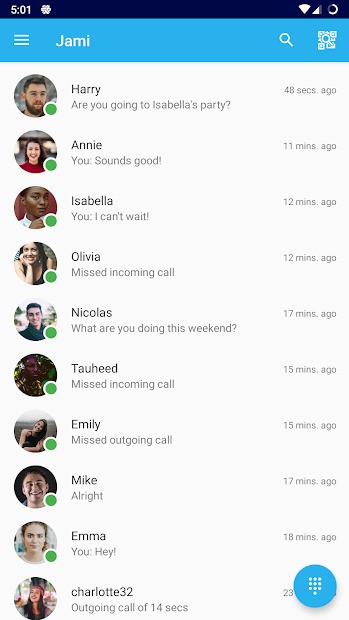
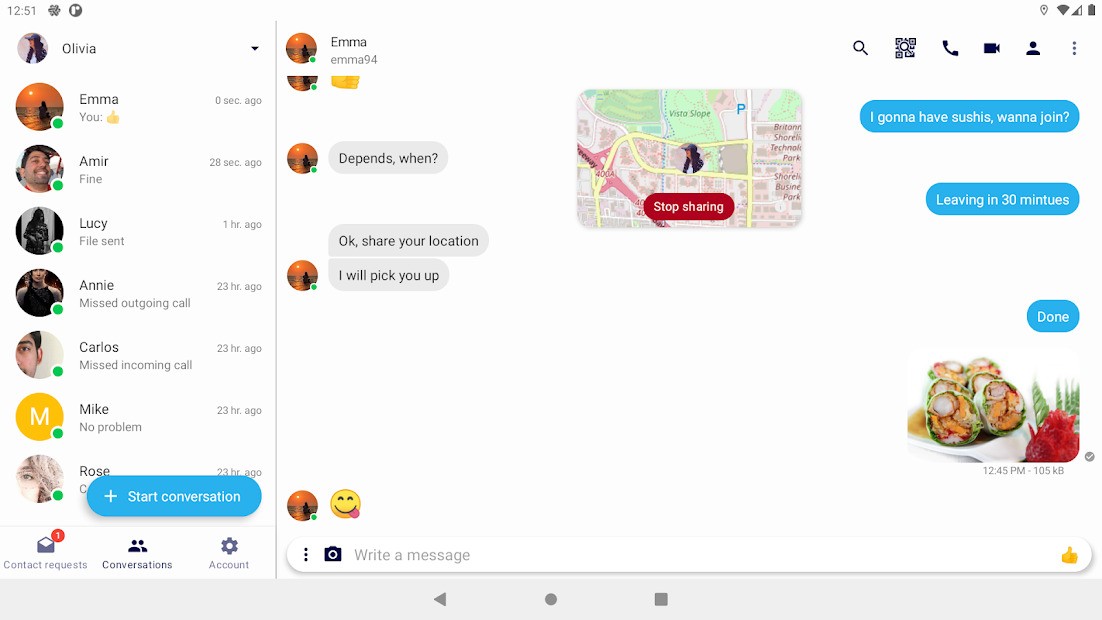
Jami is a privacy-conscious communication application that allows users to have control. It allows one to chat, make audio calls, and initiate video calls without using the services of central servers. In contrast to most common messaging applications, Jami uses a peer-to-peer system; that is, a conversation will be transferred between users.
To make an account, Jami does not require a phone number or an email address. Jami's identity is created by generating an ID that users use without connecting their personal identity to communication. This is the characteristic that users like to have when they want to remain anonymous, or they simply wish to limit their exposure to data.
The program includes individual and chat room conferencing. Users can transport text messages, send files, record audio/video messages, and screen share. Calls and messages are fully encrypted into and out of the system, and hence only the individuals concerned can contemplate their content or listen.
Jami is free-software that is open-source. The code can be inspected by anyone; the project also does not rely on advertisement or data tracking, but on the support of the community. Since it is distributed, Jami can also work on local networks, thus enabling users within the same network to communicate even when there is limited Internet access.
In general, Jami is not a sophisticated corporate tool but a simple privacy-oriented communication tool.
Why Should I Download Jami?
You can use Jami when you really need your privacy rather than sophisticated collaboration tools. Numerous calling and messaging applications rely on central servers, which control and divert chats. Jami does not, to the extent that it links the users together, eliminate the use of third parties.
The other reason is account freedom. Jami does not ask for any phone number or email, which is helpful in case a user does not want to be connected with personal contacts through the messages. This may assist in personal conversations, testing call centers, or isolating work and personal talks.
Jami can also prove handy in cases where the Internet is not stable. Since it can use a local network, even when the external connectivity is weak, one can still be talking to a user within the same network. This is suitable in offices, small groups, or localized settings.
The application has simple yet practical functionalities that include sharing of files, screen sharing, and making group calls. It is also compatible with SIP, which makes it compatible with some traditional communication systems. The extensions provide the option features, but the essence remains simple.
Jami is worth downloading when you are interested in a tool that aims at being independent, transparent, and private, but not fast or polished, or working with a huge number of people.
Is Jami Free?
Jami is entirely at liberty. Subscriptions, in-app purchases, or advertisements are absent. Everything can be accessed free of charge.
The software is made under the GNU General Public License, which gives it a free usage. It can be installed on various devices, limited only by the user. No restrictions on calls, messages, and file transfers are hidden.
Jami is backed either by donations or the community rather than commercial tracking or advertisements. There is also the existence of professional services and organizational tools; however, the regular application is free to users.
What Operating Systems Are Compatible with Jami?
Jami works on many platforms. It is available on desktop platforms, such as Windows, macOS, and Linux. The Android and iOS versions are available as mobile, and Android TV is supported. Moreover, Jami can also be accessed through web-based interfaces in combination with installed clients, thus making it accessible. Users can connect devices to the same Jami account, and messages and calls are synchronized across phones, tablets, and computers. This broad compatibility would ensure that Jami can fit in mixed environments that are dependent on different operating systems.
What Are the Alternatives to Jami?
One of the alternative uses is Zoom. In general, Zoom is primarily applied in video calls, online meetings, and online classes. It is simple to attend meetings and is effective with a big group. The majority of communication on Zoom occurs over central servers, and the users tend to require accounts or meeting links. It is more concerned with reliability and scale rather than privacy or decentralized communication. Zoom helps to organize meetings on schedule, but does not offer so much flexibility in the field of privacy and daily chatting. Many users download Zoom when they need a quick and reliable solution for scheduled online meetings and group calls.
Slack is another option. Slack is optimized to provide communication and group work in the workplace. It offers the benefit of grouping discussions into channels, sharing files, and integrating tools. Slack is ideal when working in a professional setting, where the team requires some structure and a history of messages. It keeps its messages in the cloud and needs user accounts that are associated with workspaces. In comparison to Jami, Slack is not established to support anonymous or peer-to-peer communication and has a high reliance on the Internet connection and central servers. People usually download Slack when they want organized team communication and easy access to shared work discussions.
The third option is Microsoft Teams. The service integrates chat, voice calls, video conferences, and document sharing. Organizations already using Microsoft services mostly use it. Working as teams, they are organized and governed under the control of the company administrators. It offers numerous teamwork features; however, it requires accounts and uninterrupted access to a server. This renders it business-friendly and not attractive to the user who desires to be independent and to have privacy. Most businesses download Microsoft Teams to keep communication, meetings, and documents connected in one managed workspace.