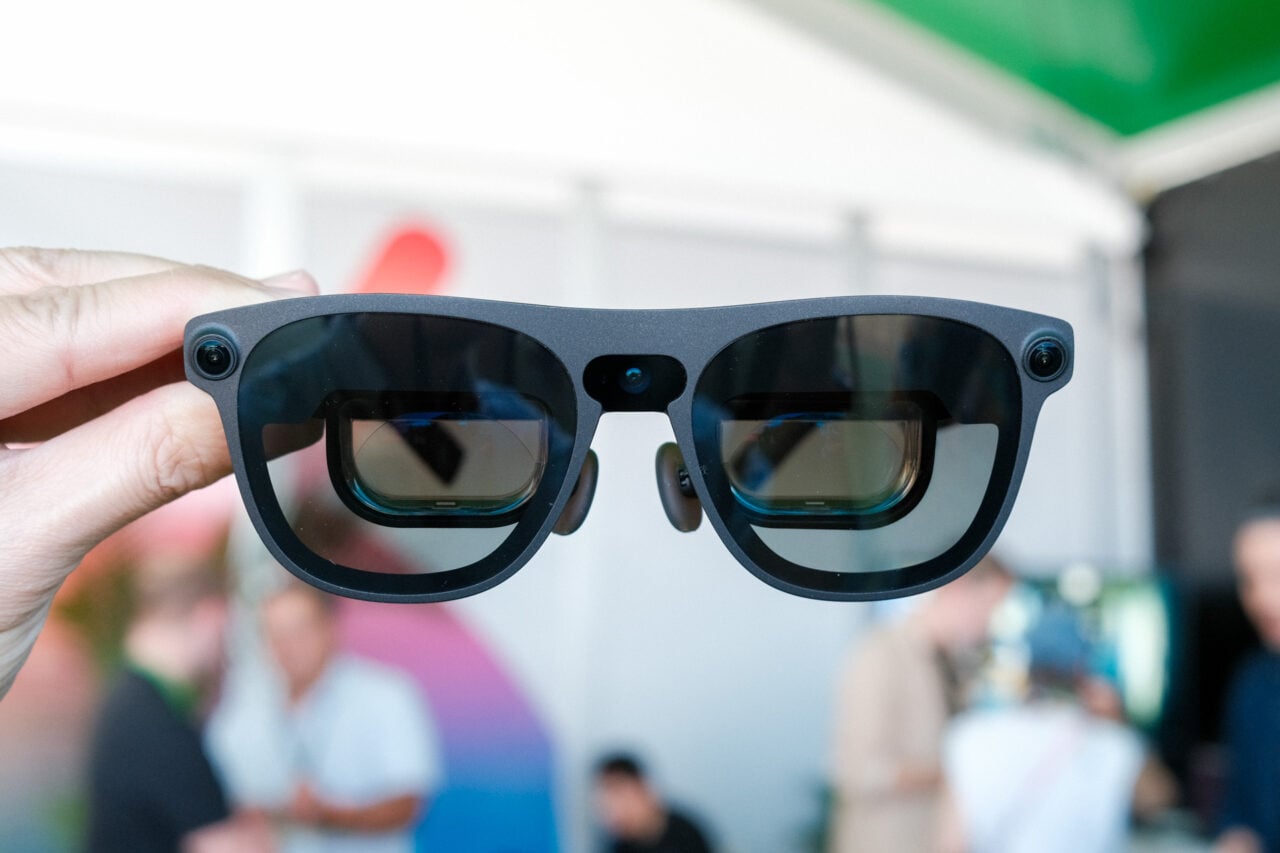
Meta’s smart glasses are problematic at best. They’re a major privacy concern, creating issues in classrooms, courtrooms, and for women literally just existing in public. Its glasses do not respect user privacy. A report from earlier this year detailed how Meta is using videos and pictures taken with its “Hey Meta” command to train its AI. Those videos and pictures are sent to real humans for review and contain some very private moments—people having sex, people using the bathroom, and people’s banking information, for instance. Meta, for its part, hasn’t changed a thing about its policies since practices came to light; it just thinks you should read its terms of service better.
To top it all off, Meta is almost certainly looking into the possibility of adding facial recognition to its smart glasses. A report from the New York Times highlighted internal interest in launching a facial recognition feature in a “dynamic political environment,” and a subsequent report from Wired found late-stage facial recognition code dormant inside the Meta AI app just this month. Meta hasn’t ruled out the possibility in an official capacity despite inquiries from U.S. senators and privacy watchdogs about its plans.
The list goes on, and with everything I just laid out, there’s also one more thing I have to state. Despite all of the ickiness, surveillance dystopia, and glassholism that abounds with Meta’s smart glasses, seemingly one of the worst big tech companies (where ethics are concerned) still makes the best smart glasses money can buy.
Meta Fury AI Glasses
The Meta Fury are Meta's cheapest and best smart glasses yet but they're hindered by privacy concerns.
Pros
- Cheaper, but better than Ray-Bans
- Cool "racing green" color
- More comfort options via adjustable nose pads
- Muse Spark is smarter than Meta AI
Cons
- Smaller cameras are harder to spot, adding to the ick factor
- Meta has a bad track record with user privacy
Cheaper, but somehow better
The Meta Fury are part of several styles of AI glasses released by Meta in June. If I had to distill the experience of using them, it would be like if “the worst person you know just made a great point” were a pair of smart glasses.

There’s not a ton that’s new from a hardware perspective in this generation, but there’s enough, and some recent software upgrades (which I’ll get into later) make a notable difference. Arguably, the biggest feature in Meta’s new AI glasses has nothing to do with what they have, but what they don’t, and this time around, they don’t have Ray-Ban branding. In a recent Q&A, Meta CTO Andrew Bosworth told press that the decision to shed Ray-Ban branding was about lowering prices and creating more options for consumers.
That might not seem like anything more than a shift in marketing, but in this case, ditching the Ray-Ban name has implications—some of them good, and some of them… interesting. The good news is that the Meta Fury cost $80 less than ones with a Ray-Ban logo. At $299, these are the cheapest AI glasses you can buy from Meta, and they come with all of the stuff that might make one want a pair of Ray-Ban Meta AI glasses.
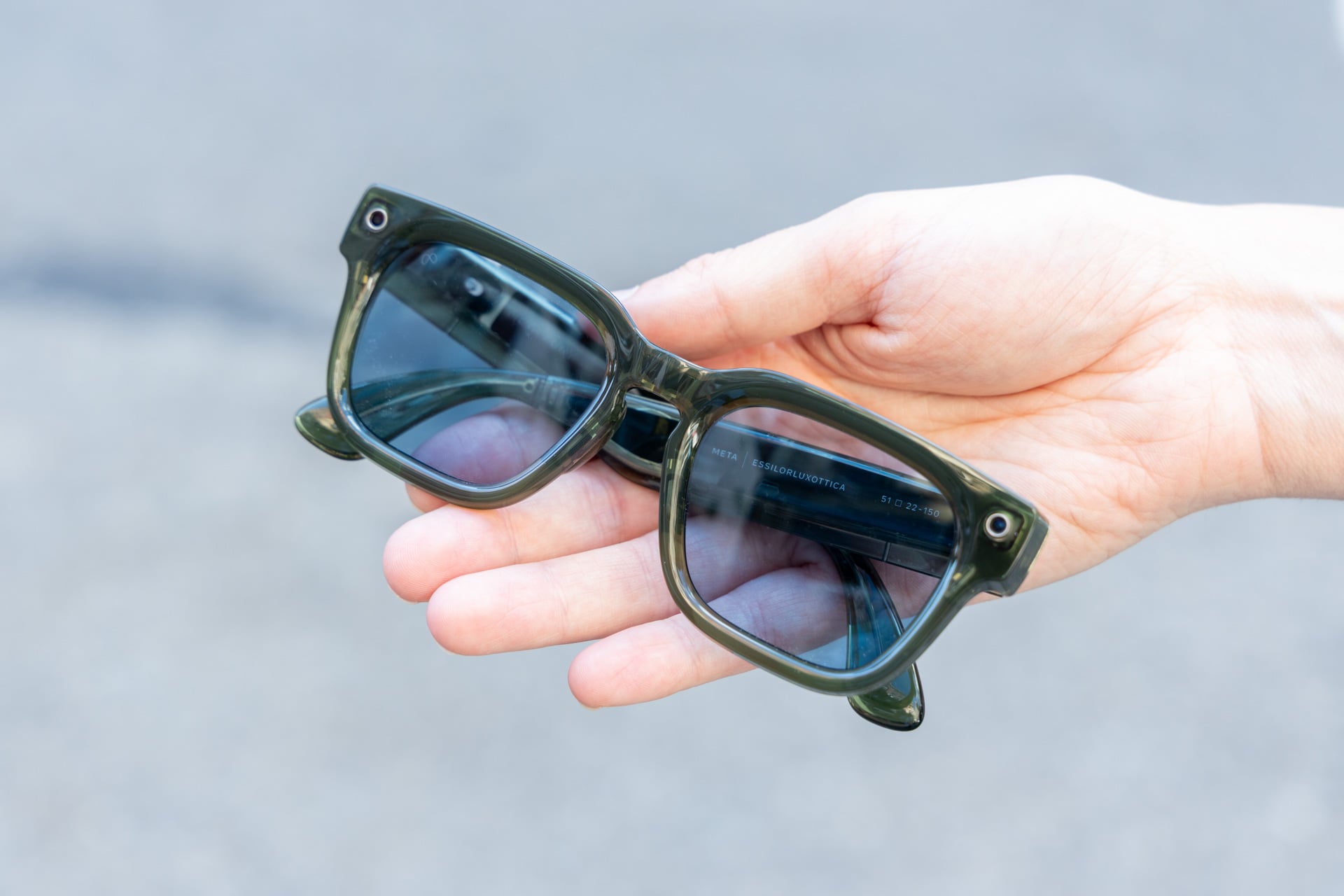
They have the same 12-megapixel camera with up to 3K video capture; they have the same great open-ear audio; they have the same fairly long 8-hour battery life; and they have all of the same features like computer vision, a voice assistant, and some app integrations that allow you to launch Spotify, check your Google Calendar, Apple Health, Gmail, and more. I tested all of this stuff just to make sure it worked the same, and it does.
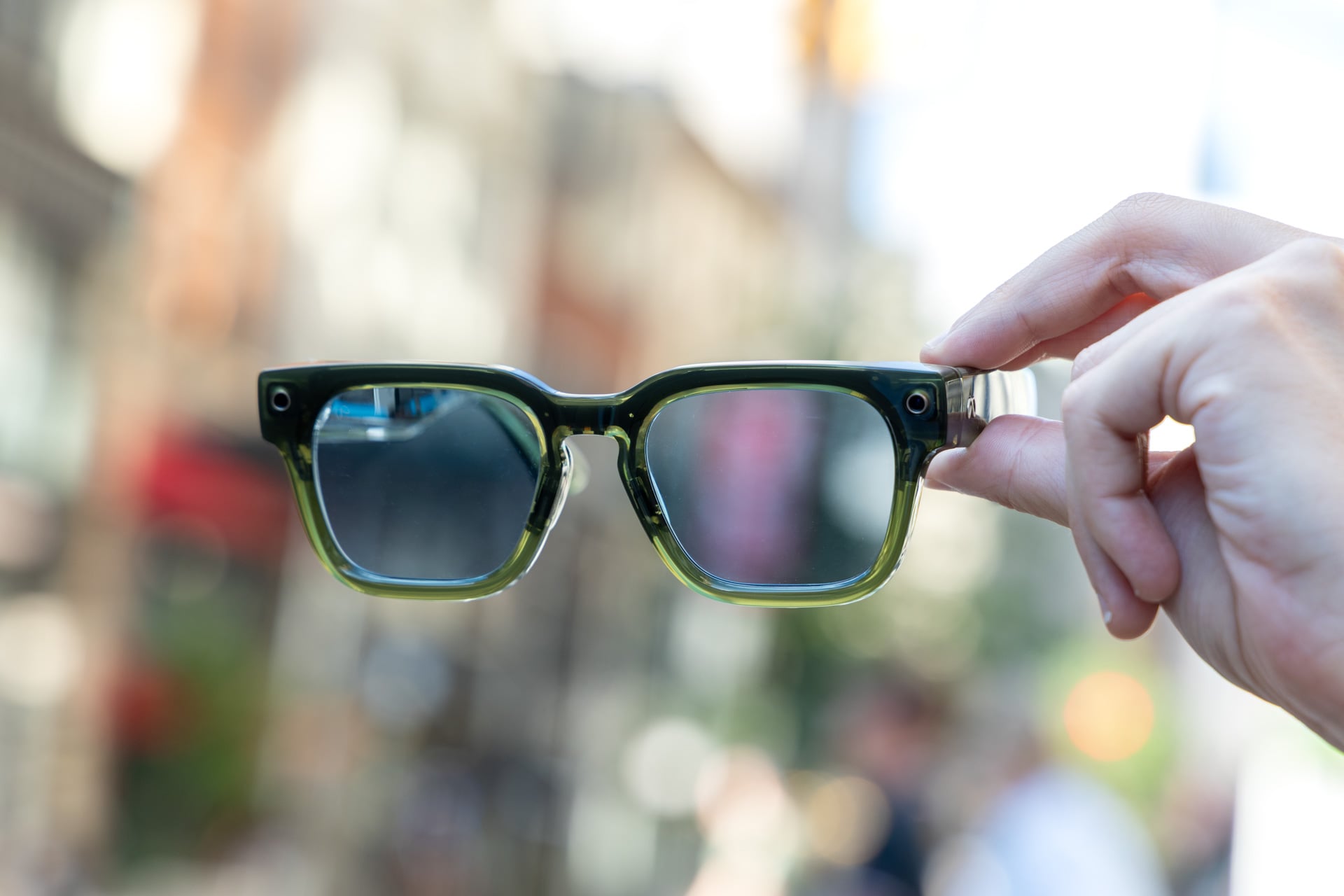
Where these smart glasses differentiate themselves is the look. While the Meta Fury are still made in partnership with EssilorLuxottica, the parent company of Ray-Ban, Meta seems to have had a much bigger hand in the design. The Fury are bigger and boxier than Ray-Bans and also come in different colorways, like the semi-transparent “racing green” pair that I reviewed. If you don’t like the Fury, there’s also the Adventurer, which has a smaller, more Ray-Ban-like footprint, and the Starfire Kylie Edition pair, which has a rounder silhouette and was designed in partnership with Kylie Jenner. That pair is pricier at $399, but you get a voice assistant that sounds like her, which is a pro or con depending on how you feel about her.
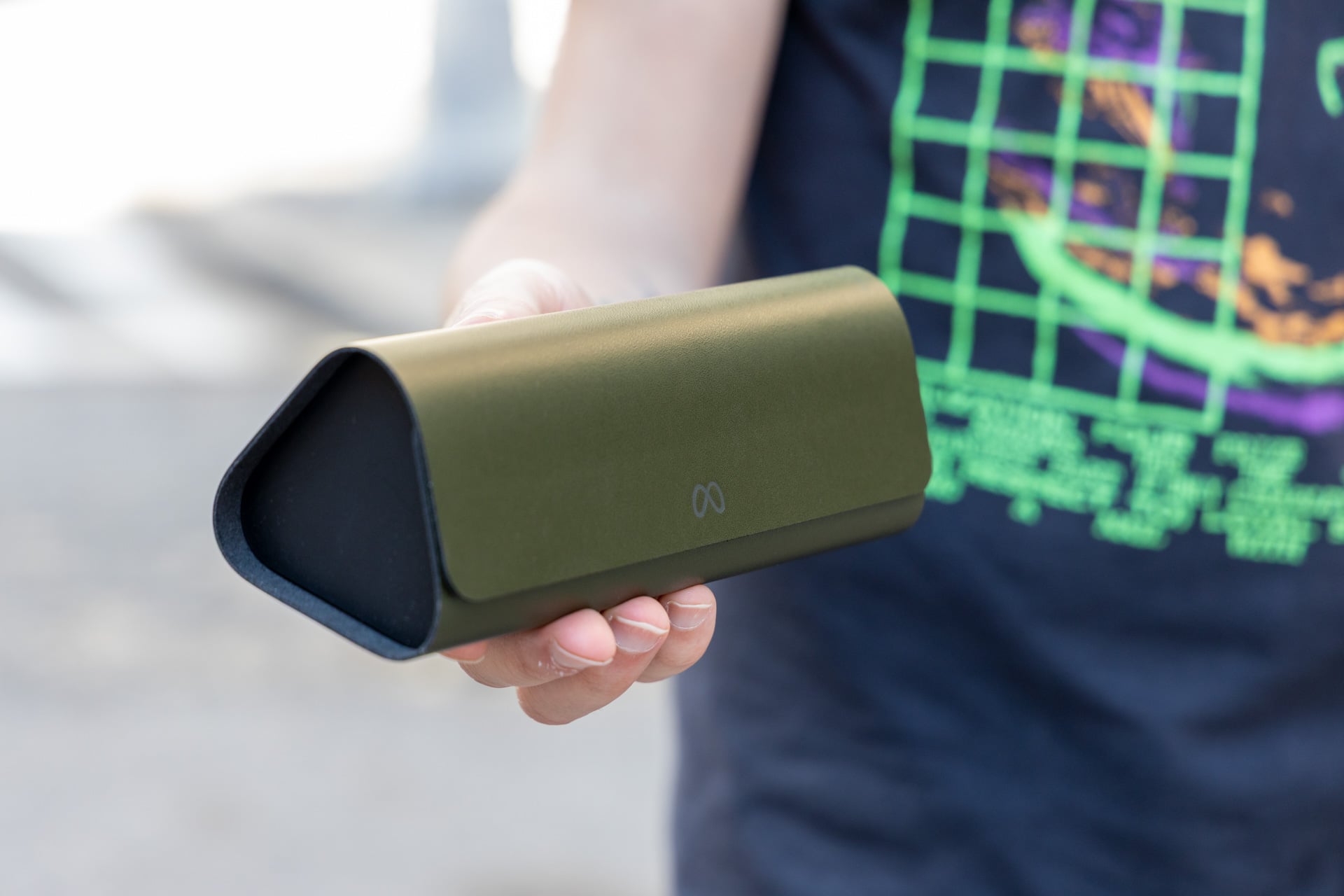
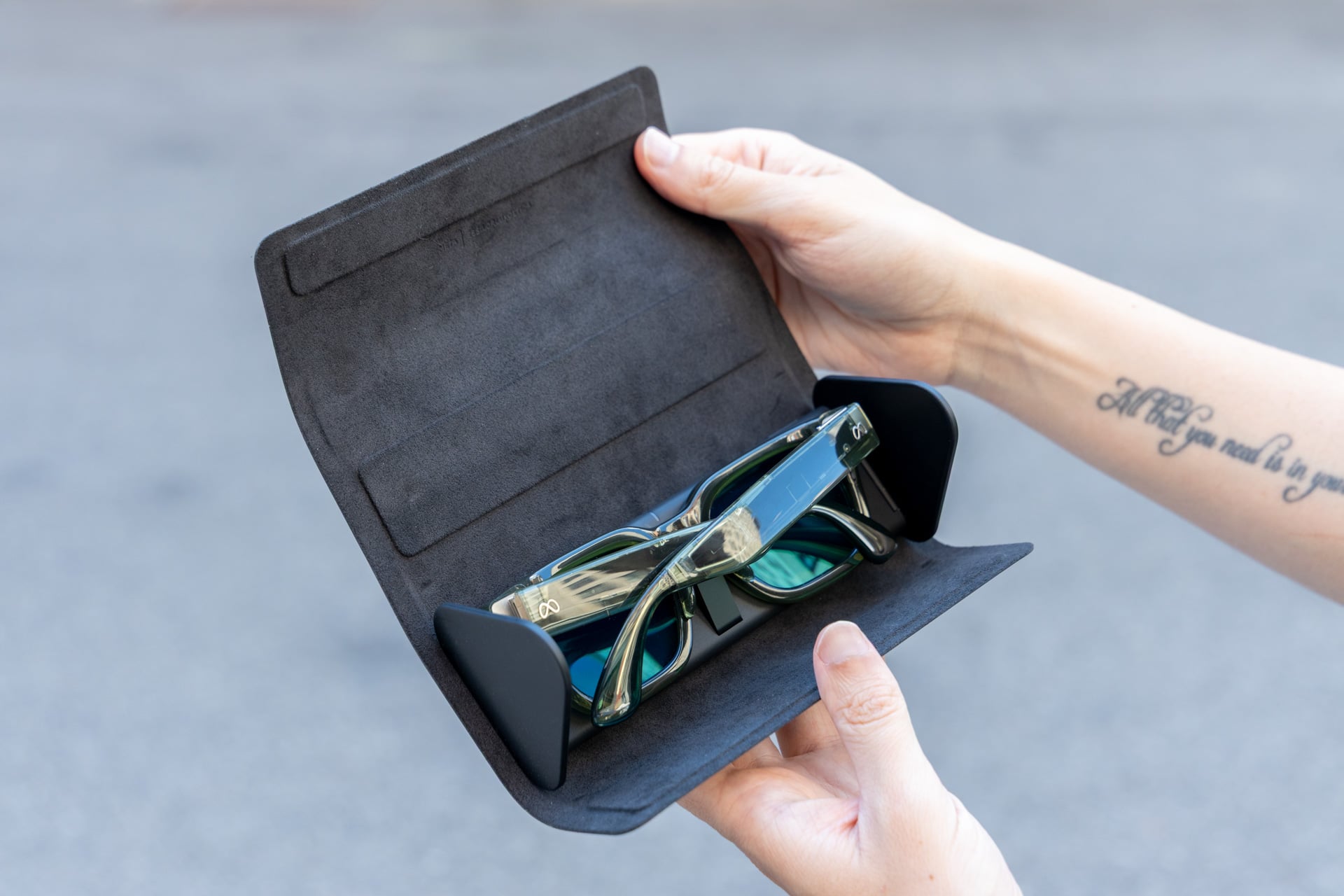
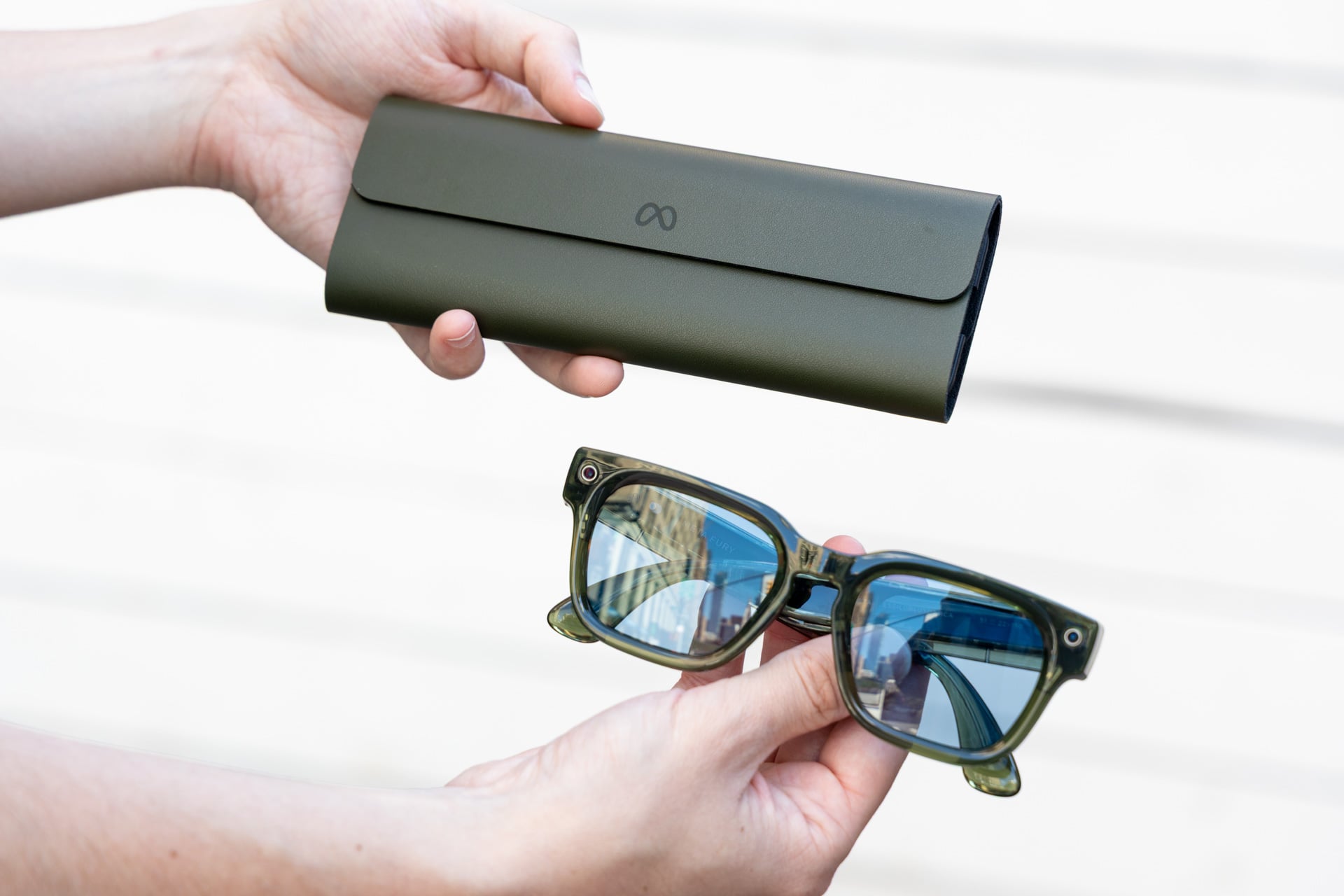
All of Meta’s new smart glasses come with a redesigned charging case that flattens so you can more easily fit it in your pocket. I highly approve of this change.
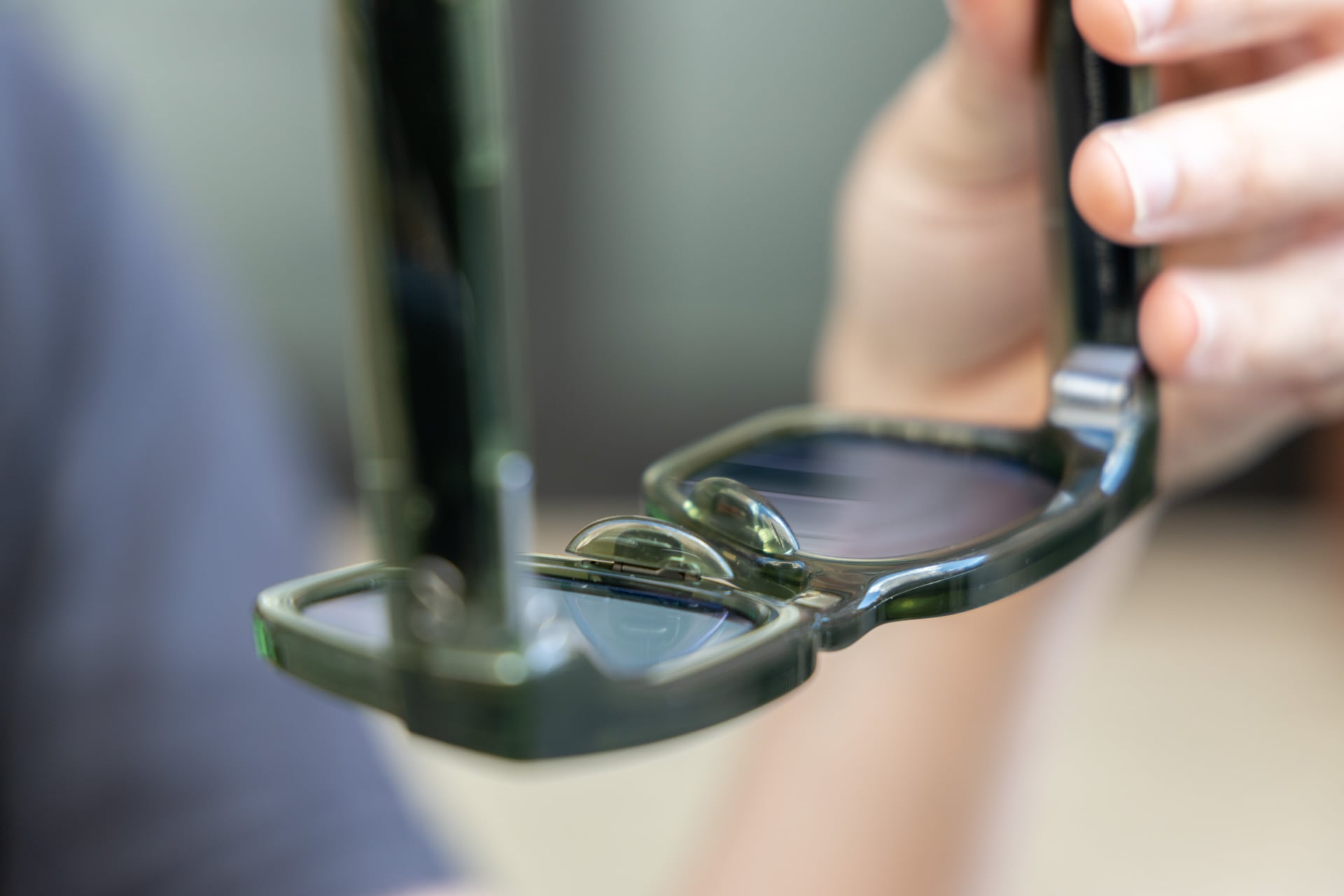
The Fury, despite being a big bulker in their appearance, are just as comfortable as previous pairs of Ray-Ban Meta AI glasses. I wore them on and off for an hour or so at a time and never felt they crushed my nose. If anything, they’re even more comfortable for people with big schnozzes like me since you can adjust the tips into three different sizes—small, medium, and large. The temple tips are also slightly bendable in case you want a tighter fit around your head, and there are overextension hinges that let the arms bend outward a bit in case you have a wider face. These AI glasses are big, so if you don’t like a bulkier look, steer clear.
Interestingly, while the Fury are more obnoxious than Ray-Bans from a style viewpoint, the camera (in the left hole) and the capture LED (in the right hole) are harder to notice. The round cutouts are smaller, though the sensor is exactly the same as on Ray-Ban Meta AI glasses. You could argue that the harder-to-spot camera makes the glasses more aesthetically appealing, but if I’m being honest, they may feel ickier, like Meta is trying to further disguise the fact that you have a POV camera ready to record at any moment.
Outside of comfort flourishes, there’s also one noteworthy addition to the hardware, which is an action button. It’s located on the front end of the capture button, located on the top-right glasses arm, and launches Meta AI by default but can be programmed to do other stuff, too.
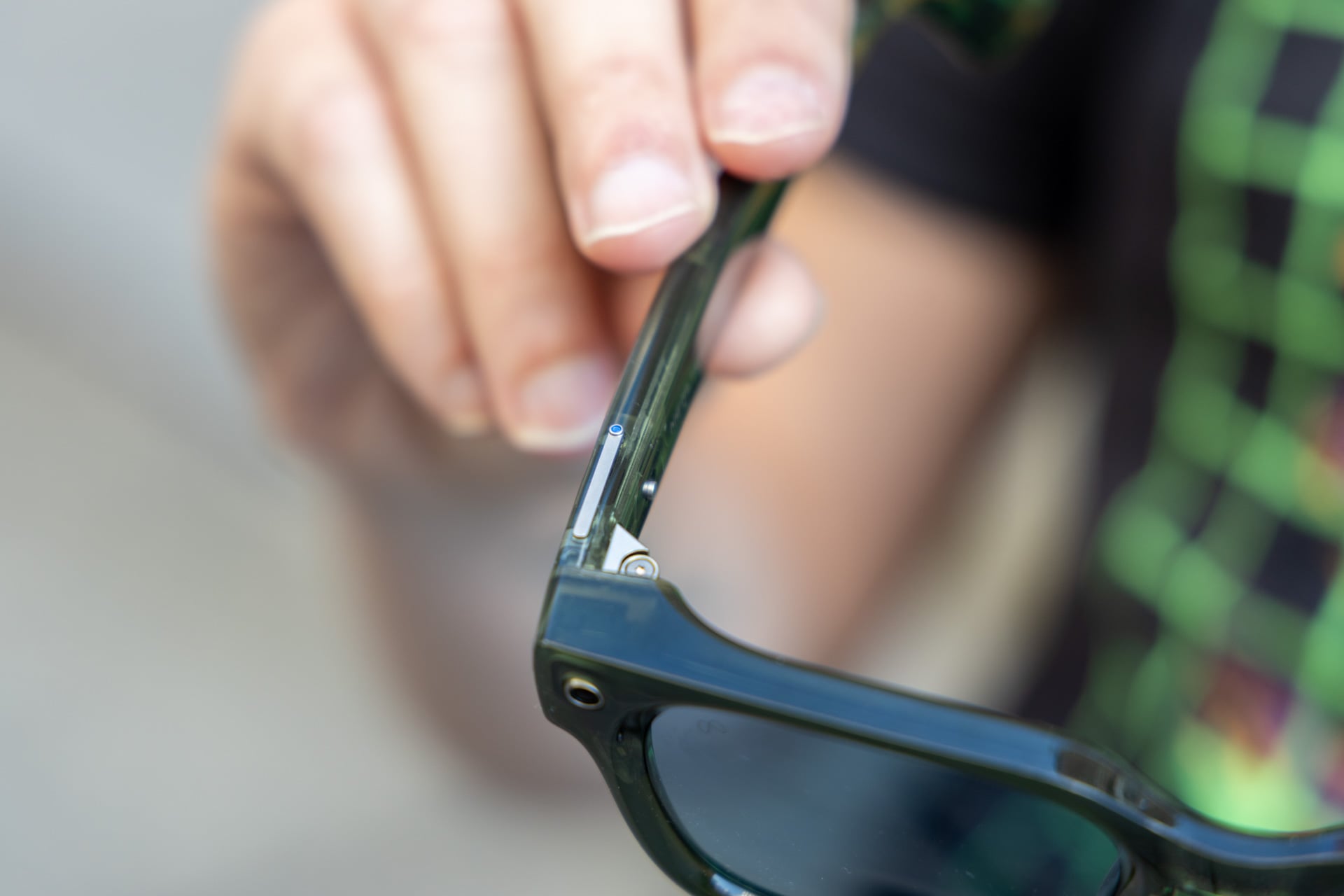
Using the Meta AI app you can program the action button to launch different capture modes like hyperlapse , slow motion, or autocapture, which is a feature that can be coupled with Garmin watches to automatically record parts of your run or hike. It can also be customized to open your preferred music app or launch “Be My Eyes,” an accessibility feature that initiates a call with a sighted volunteer who can connect to your glasses’ camera and tell you what’s in your environment.
I have no complaints about the action button, really, though I don’t think it’s a huge difference maker for me personally. Most people are going to end up launching things with their voice most of the time anyway, which brings me to a more salient upgrade: AI.
Muse Spark makes a major difference
Probably the most noticeable difference in Meta’s new AI glasses is Muse Spark, the company’s latest AI model that powers Meta AI. Previously, Meta AI was powered by Llama 4, which was mediocre at best. To be clear, this is not exclusive to the Fury or Meta’s new self-branded glasses—you can use Muse Spark on all generations of Meta smart glasses, including the Meta Ray-Ban Display, if you’re in the U.S. or Canada. It was my first time going in depth with Meta’s new model since its launch earlier this year, and the difference is stark.
Computer vision, which is something I’ve critiqued Meta’s AI glasses for many times, feels a lot more useful now. While I don’t always think to use it, the times that I do use it feel more fluid, conversational, and most importantly, useful and factual. For example, looking at a sign and asking my Fury glasses to call the number on it actually worked. I could have just punched it into my phone, sure, but doing it hands-free felt kind of nice. It was also useful for looking at restaurants and asking what the reviews were like. You’re putting a lot of faith in Google reviews for judging what’s good or not, but that’s hardly a new phenomenon for most people.

I also took the Fury and Muse Spark out onto my patio for a little pop quiz on my plants, and it performed really well. I asked it what kind of pepper I was looking at (even though I knew the answer), and Muse Spark correctly identified it as a banana pepper. Likewise, Muse Spark clocked my tomato plant despite the fact that there are no tomatoes on it yet, though I made sure to point out that it has a yellow flower blooming on it. I also pushed Muse Spark a bit further by asking more complex questions, like whether my plants are healthy or whether the peppers are ready to pick, and the answers appeared to be correct when I fact-checked them. The experience was pretty impressive, and I liked the ability to do all of this fluidly and hands-free, especially because it seemed to be more factual than my previous interactions with the Llama 4-powered Meta AI.
For directions, Muse Spark was a little less helpful. I tried to use the Fury to navigate on foot in Manhattan, but it kept misunderstanding the name of the location I was trying to get to and also misheard the address, despite the fact that I was in my quiet office. Trying to use it to navigate on the fly—a busy sidewalk in Midtown Manhattan—wasn’t any better, though Muse Spark was able to tell me what train to take once or twice.

I was also a bit confused about launching navigation. I was under the impression that, for walking directions, Meta AI would be able to just give me turn-by-turn navigation all on its own, but every time I asked to navigate somewhere, the glasses sent them to my phone, where I had to open the Meta AI app and press a notification that pulled up Maps on iOS. As usual, there were some miscues, where Meta’s voice assistant misunderstood my query or ended a conversation before I was done.
Don’t get me wrong, Meta’s AI glasses, the Fury included, feel a lot more tightly integrated with phones overall, thanks to app connections and compatibility with native calling and messaging in iOS and Android, but sometimes the friction between phone and smart glasses is still palpable. I assume that friction will be present until someone (cough, cough, Apple) makes a first-party device that works seamlessly with its platforms.
Despite the very clear upgrade that Muse Spark is for Meta AI, I’d be remiss if all of the stuff I started this review with wasn’t in the back of my mind the entire time I was using the Fury.
I can’t say for sure, but it did feel like Muse Spark activated my camera for longer periods than I’m used to with Llama 4. This made having continued conversations more fluid and natural for walking around my garden and talking about plants, but I couldn’t help but feel like it was also more of an intrusion on privacy. Sure, I was just ogling some vegetables in my garden, but I had to stop and wonder, “Is some stranger going to look at this later on?”
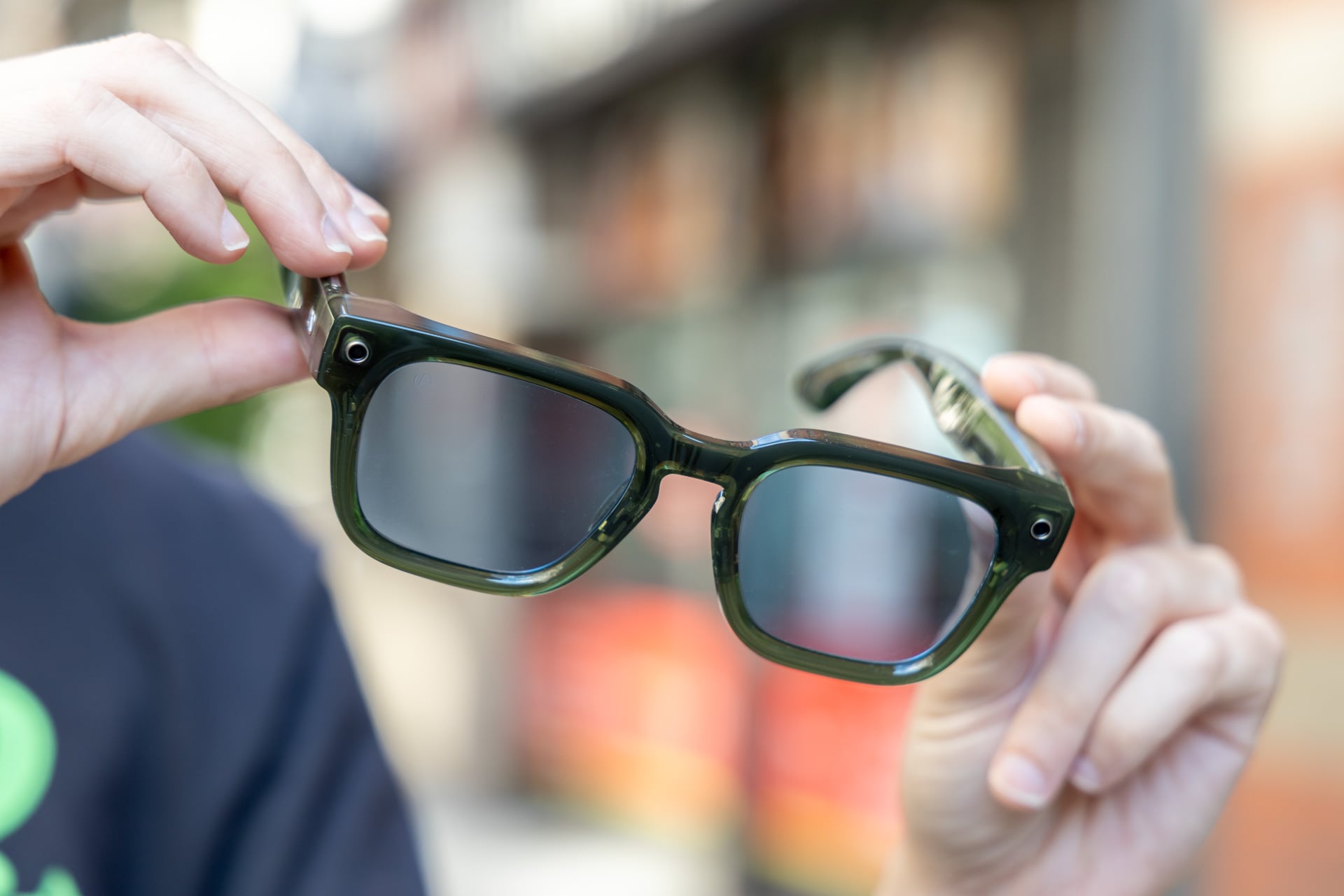
Wearing smart glasses in public hasn’t gotten any easier, either. I kept waiting for someone to clock the cameras on my Fury and ask if they were being recorded. I wasn’t recording, of course, but I can’t say I could blame them for being paranoid. Sure, the Fury have an LED indicator that lets people know when pictures or videos are being captured, like the rest of Meta’s glasses, but it’s easy to miss, especially for those who don’t know what to look out for.
Smart glasses, no matter which way you spin it, can be misused for spying on people and encroaching on privacy. Not everyone is a bad actor, but how does one really know who is and who isn’t?
If you don’t care about any of that stuff, I guess the Fury are a nearly perfect pair of display-less smart glasses. But for those of us who still entertain visions of reasonable digital privacy (personal and collective), great hardware, and much-improved AI can’t fully sweep Meta’s dirt under the proverbial rug.
What’s your privacy worth?
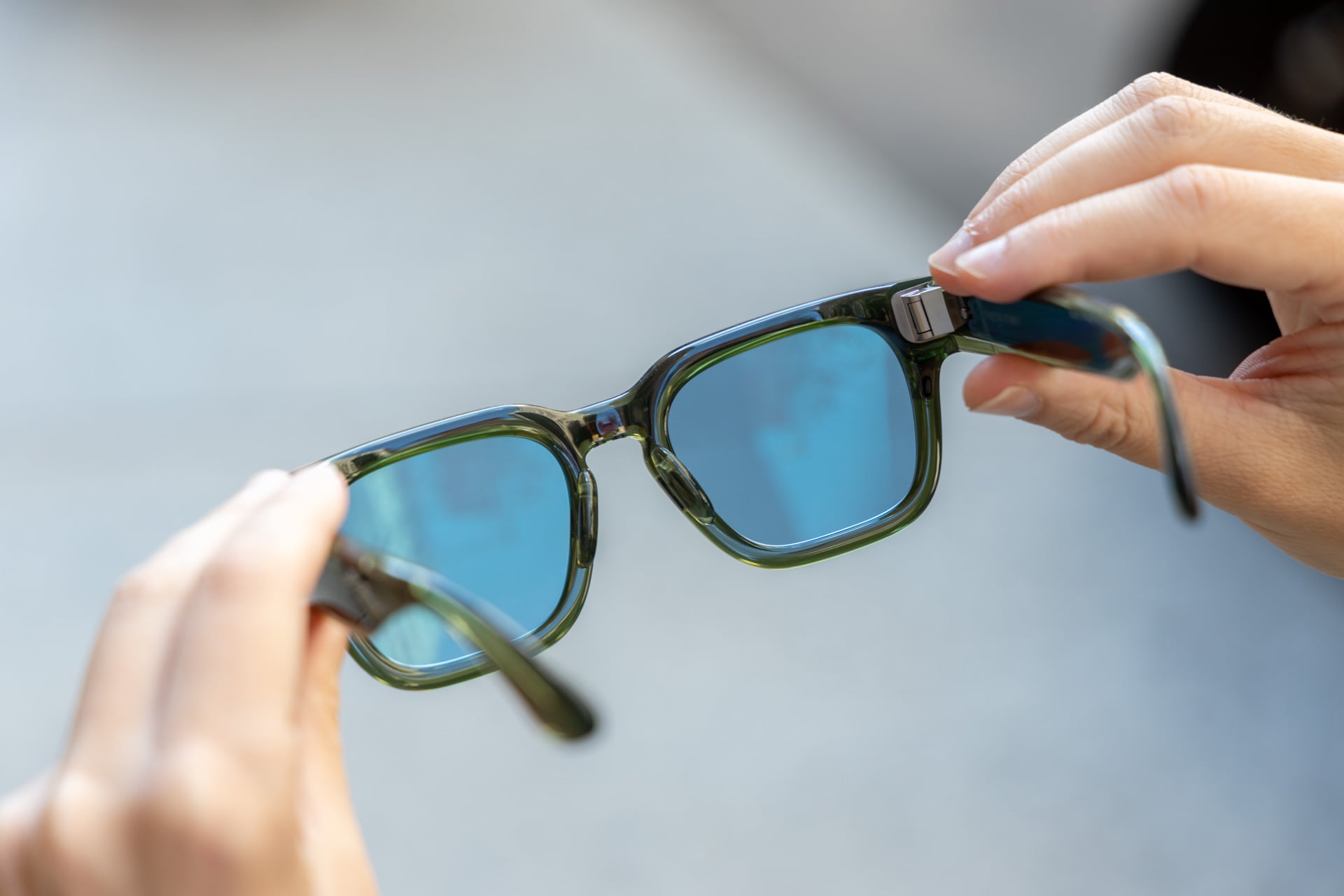
I can’t tell you what to care about, nor can I tell you what to do with technology laid before you. I mean, I could, but people have this habit that I like to call “doing whatever the f*ck they want,” and they happen to be really good at it.
Ignoring the context, the Fury are arguably Meta’s best AI glasses yet. They’re cheaper at $299 instead of $379 for the Ray-Ban Meta Gen 2 AI glasses, and they do all of the same stuff, have all of the same hardware, plus some perks like adjustable nose pads and an action button.
Not ignoring all of the context, they’re still problematic for all of the myriad reasons I’ve outlined here and many, many, many times on Gizmodo. Do what you will with your own money and your own face, but the most I can feel about Meta’s Fury is conflicted. Is good hardware really worth wading into a privacy minefield? Or would you rather just wait for a company like Apple to help make things slightly less icky?