
Most national broadcasters stream their channels online for free. ZDF, RTÉ Player, and SBS On Demand show live TV and replays to any viewer with a browser, as long as that browser connects from the country itself. Open one of them from abroad, and a geo-restriction message appears where the stream should be.
That check reads your IP address, which reveals the country you’re connecting from. A VPN connected to a server in the broadcaster’s country replaces it with a local IP address, so the channel treats you like a viewer at home. One subscription covers every country on your list, as long as the VPN has servers there.
Unblock a Foreign Channel in Four Steps
- Sign up for NordVPN and install it on the device you watch TV on.
- Connect to a server in the channel’s country, such as Germany for ZDF or Ireland for RTÉ Player.
- Clear your browser’s cookies or restart the channel’s app, so it doesn’t remember your real location.
- Open the channel’s website or app and start a live stream or a replay.
How to Watch Foreign TV Channels With a VPN
Start by subscribing to NordVPN, our first choice for foreign TV. It has servers in 152 countries and apps for phones, computers, and TV devices, including your Fire TV Stick. Install the app on the device you’ll watch on, then sign in with your account.
Next, think about the channel you’d like to watch and where it broadcasts. Say it’s ZDF, which streams only in Germany, and you’re in the US. Search for Germany in the app and connect to switch to a German IP address.
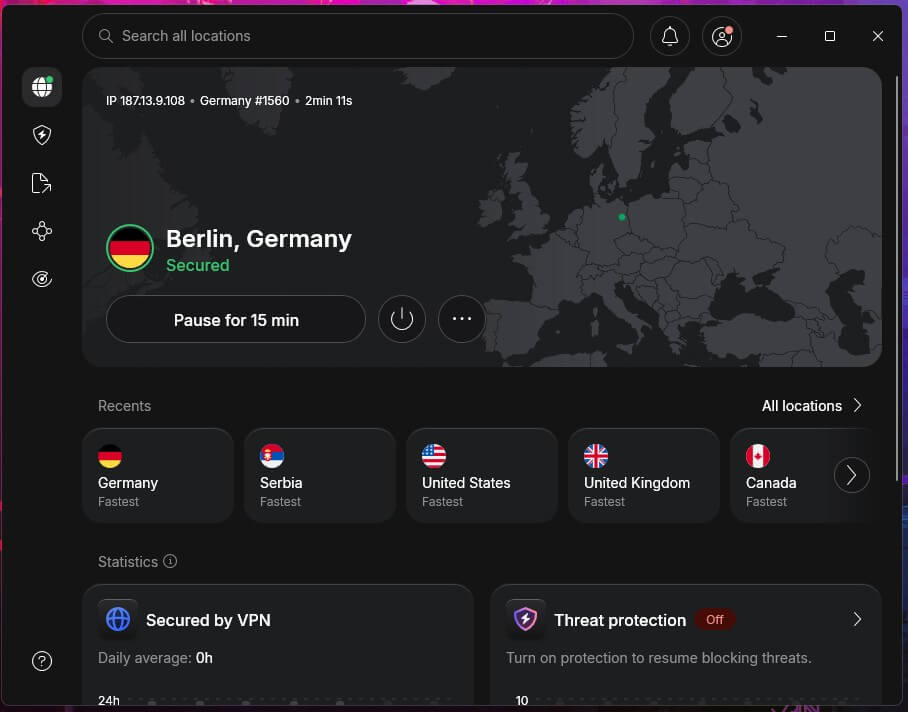
The app chooses the fastest German server for you, so there’s nothing else to set up. Once you’re connected, open ZDF in your browser or its app. In our test, the live stream started with no region message:
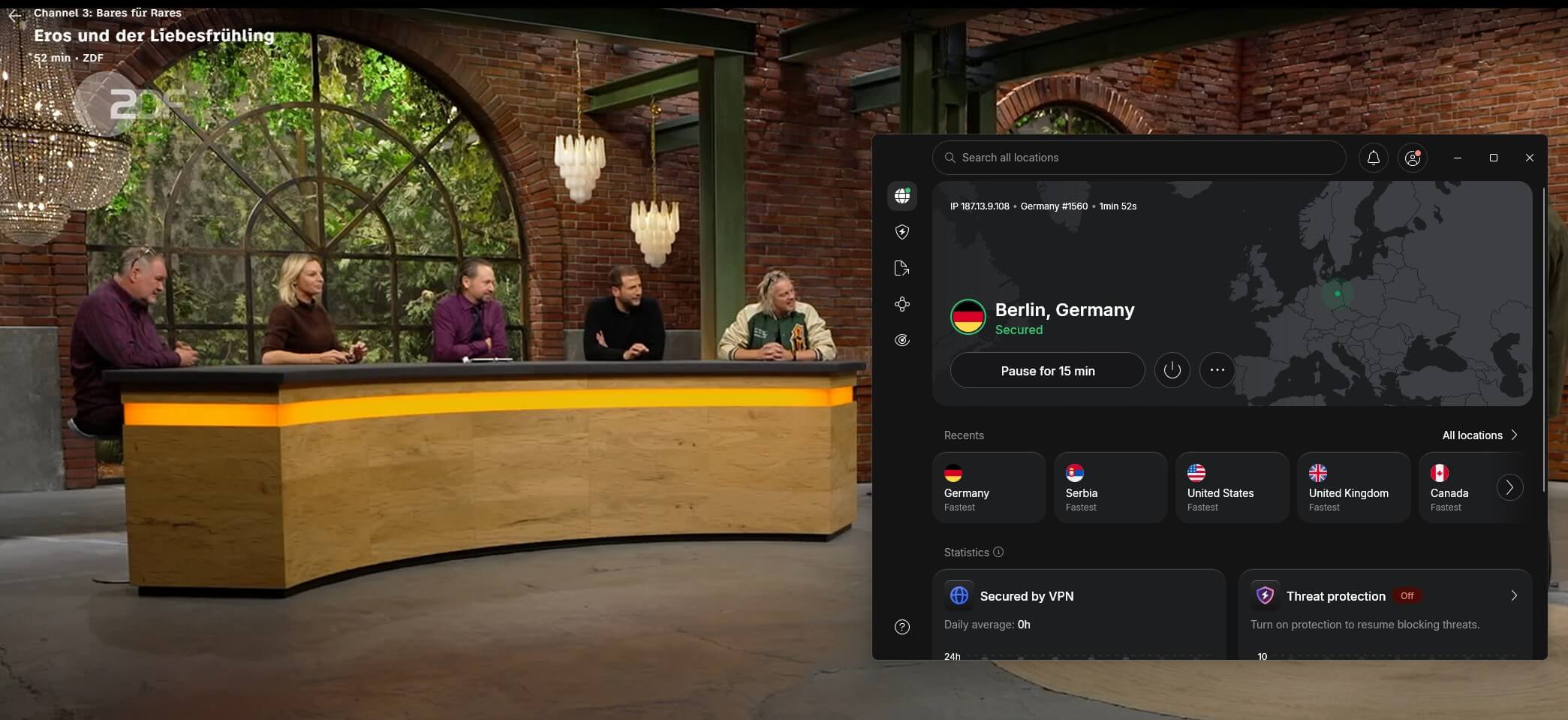
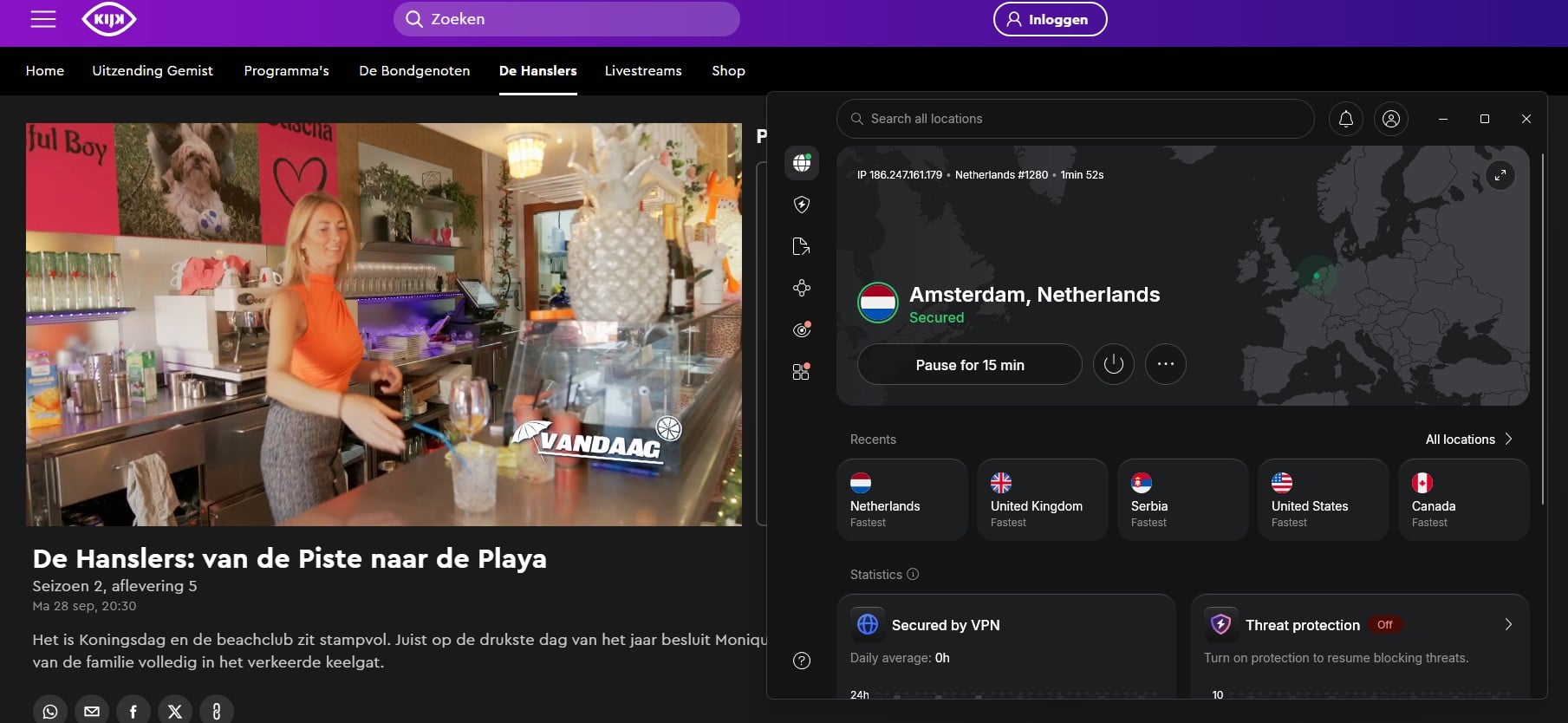
The same steps work for any other country. Only the server changes: the UK for BBC iPlayer, Australia for SBS On Demand, or Switzerland for Play SRF.
Foreign TV Channels We Unblocked by Country
These are the channels we unblocked with the five VPNs we recommend, each on servers in the channel’s own country. Most of them are free to watch once you have a local IP address, although some require a free account.
| Country | Channels and services | VPNs that unblocked them |
|---|---|---|
| UK | BBC iPlayer, Channel 4 | NordVPN, Proton VPN, ExpressVPN, PIA, Surfshark |
| UK | ITVX | NordVPN, ExpressVPN, PIA |
| Germany | ZDF | NordVPN |
| Switzerland | Play SRF, RTS, Zattoo | NordVPN, Proton VPN, ExpressVPN |
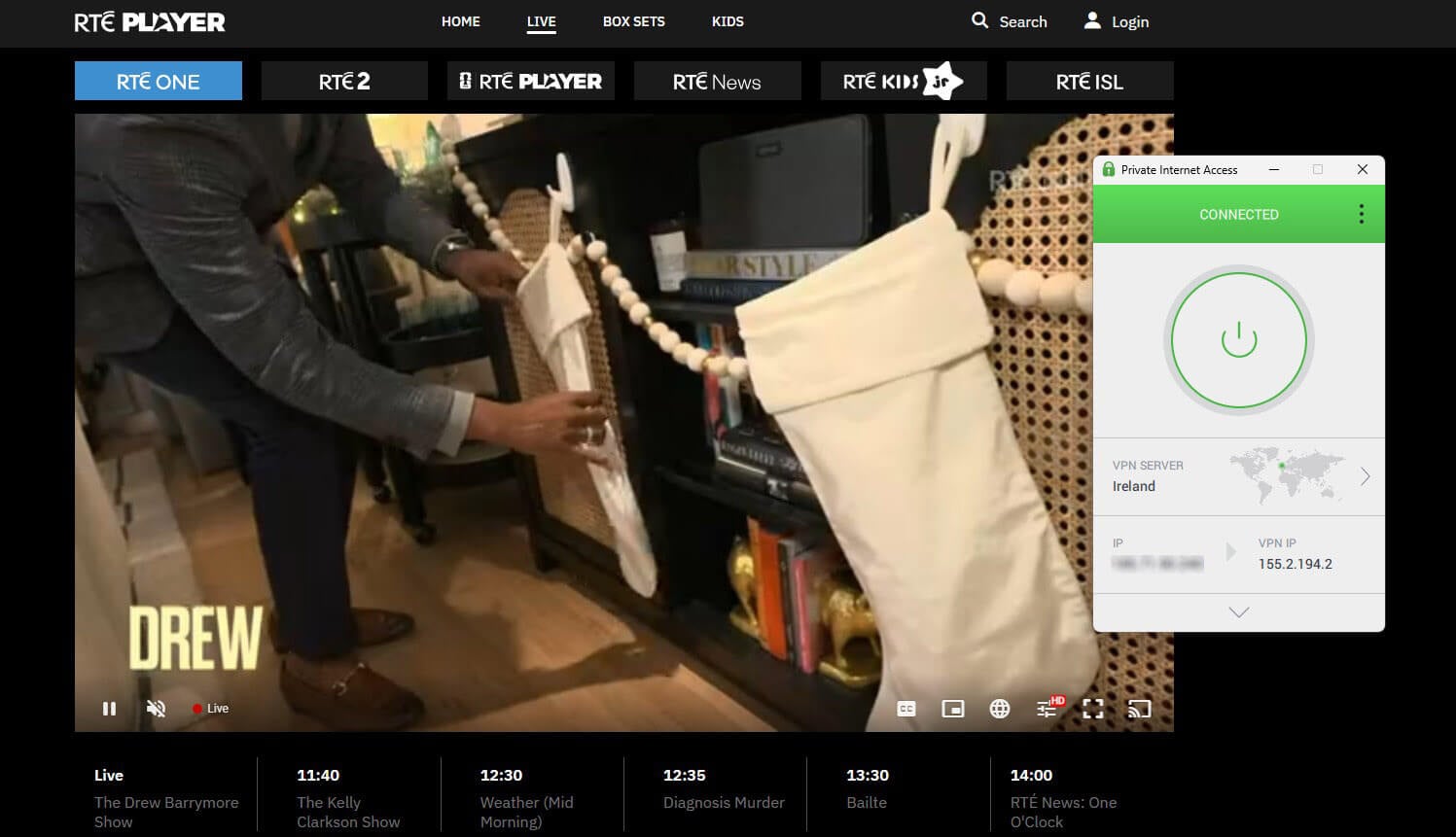
| Ireland | RTÉ Player | PIA |
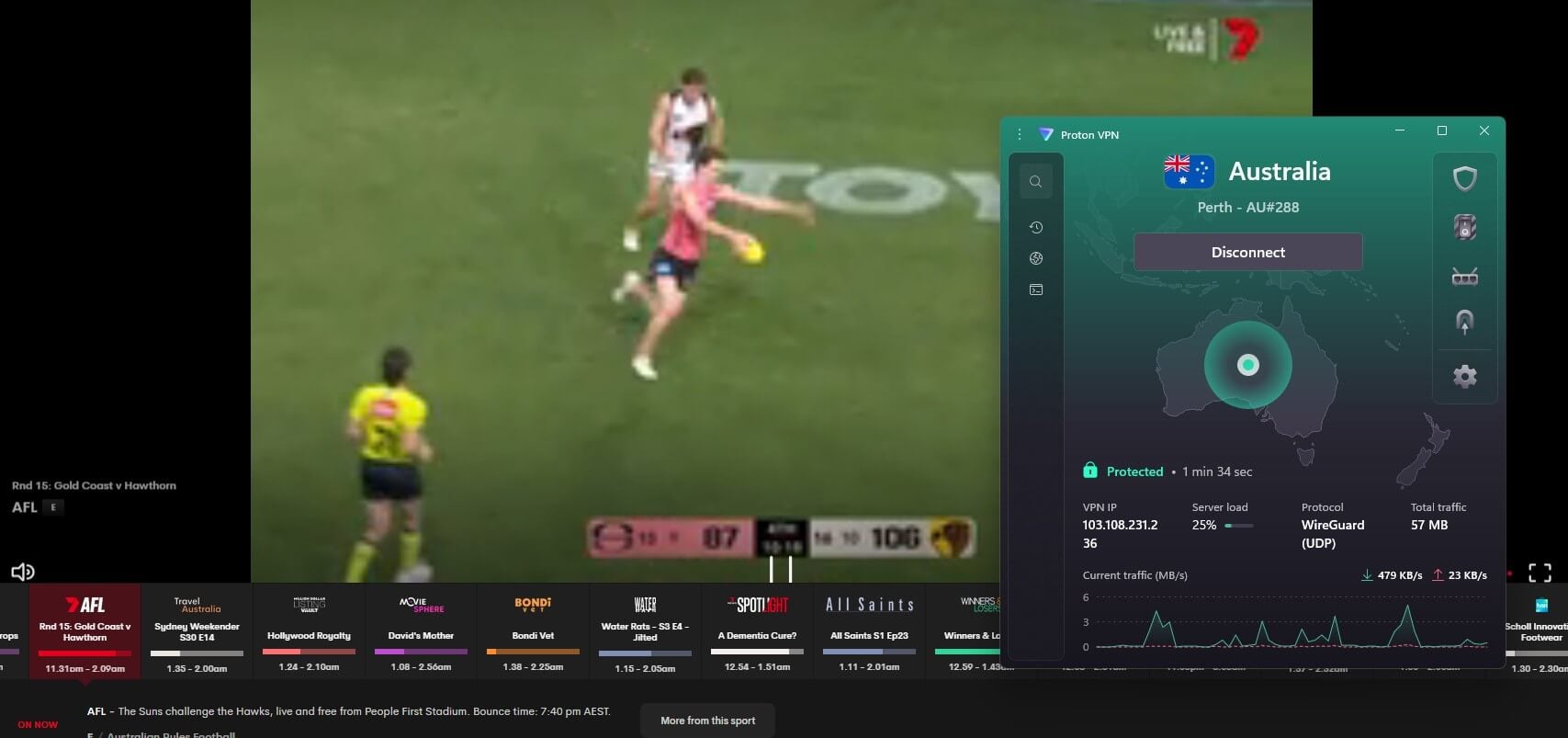
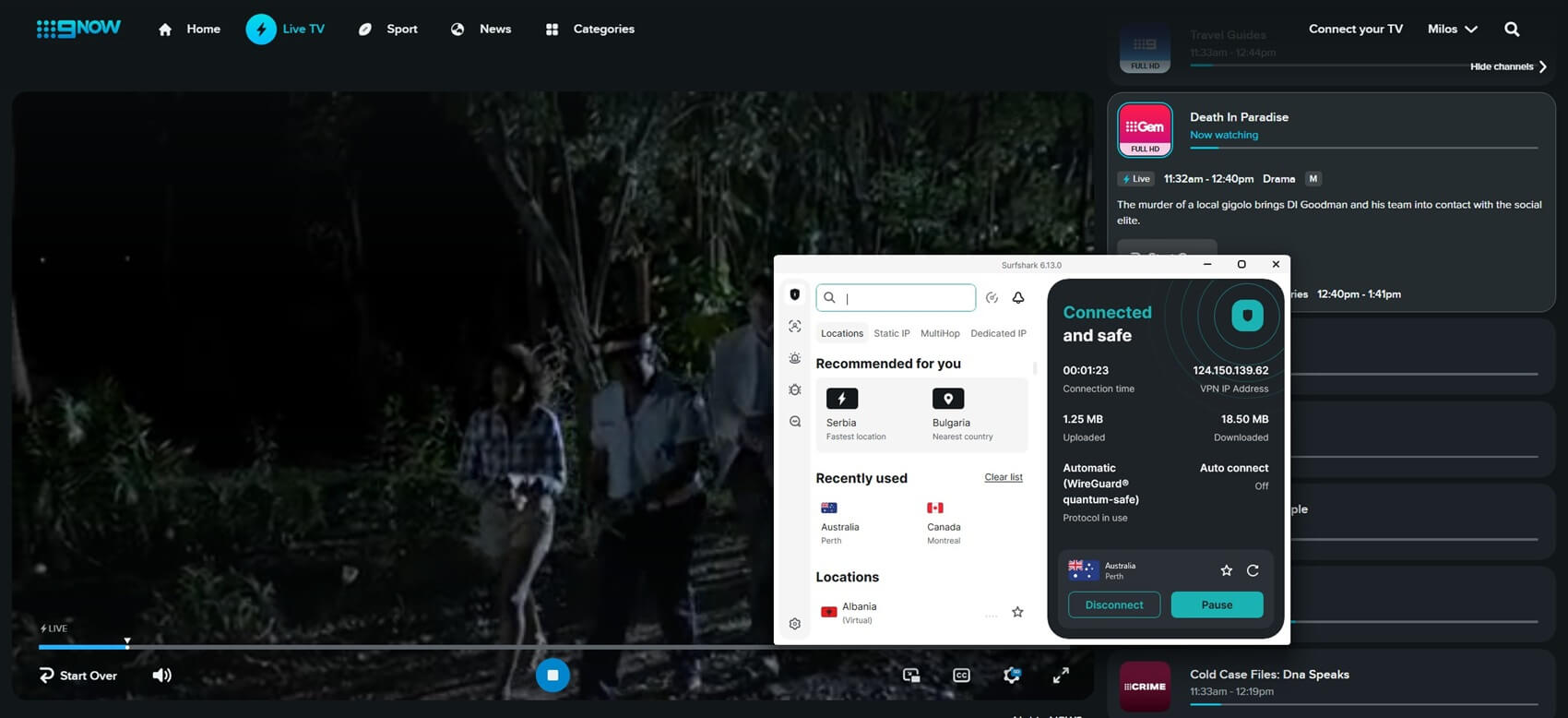
| Australia | SBS On Demand, 9Now | Proton VPN (SBS On Demand), Surfshark (9Now) |
| Israel | Kan 11, N12 | NordVPN, Proton VPN, ExpressVPN |
| Georgia | Rustavi 2, Imedi TV, 1TV | NordVPN, Proton VPN, ExpressVPN |
| Mexico | ViX | NordVPN, Proton VPN, ExpressVPN |
| Singapore | mewatch | NordVPN, Proton VPN, ExpressVPN |
| Ukraine | Megogo | NordVPN, Proton VPN |
| India | JioHotstar | NordVPN, Proton VPN, ExpressVPN, Surfshark |
Most of these countries also have a guide of their own, linked in the table, with the channels, sign-up steps, and servers that work there.
Why Foreign Channels Are Blocked Outside Their Country
The block comes from licensing. A broadcaster pays for the right to show a film, a series, or a match in one country, and the studio sells the rights for every other country separately. So even a free channel has to keep viewers abroad out, or it breaks the deal.
Sports are the strictest case: a Premier League match on Sky Sports is licensed country by country, and so is almost every major tournament. Channels enforce that with an IP address check, which is why a VPN works around it.
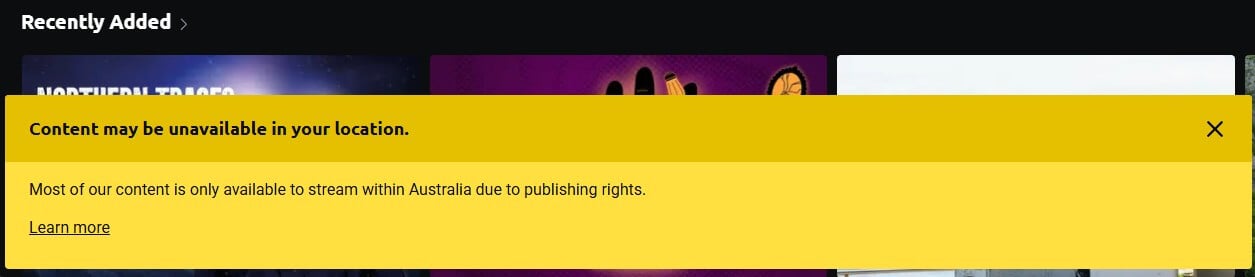
However, broadcasters also keep lists of IP addresses that belong to VPN servers, and they block those when too many viewers share one. That’s why some VPNs work with a channel, and others don’t.
VPNs that add fresh IP addresses regularly remain off those lists for longer.
Best VPNs to Watch Foreign TV Channels in 2026
We tested a wide range of VPNs on foreign channels, and these five unblocked most of them while keeping streams smooth on distant servers. They also rank among the best VPNs we’ve tested overall:
1. NordVPN: Best VPN for International TV Shows
Pros
- Servers in more countries than most VPNs
- Unblocked ZDF and the main UK channels
- Fast enough for HD on distant servers
- Smart DNS for older smart TVs
- Independently audited no-logs policy
Cons
- Higher renewal price
- App takes some learning
NordVPN is our top choice for foreign channels because of its network. Its app lists servers in 152 countries, so the country you’re after is almost always there. It also unblocked every channel we tested it on, including BBC iPlayer, Channel 4, and ITVX from the UK’s free-to-air channels, ZDF in Germany, and Play SRF in Switzerland.
Speed was never the issue, either. It lost 7.8% of our speed on average across UK, US, and Japanese servers, which no HD stream will notice. On a TV, the setup depends on its operating system. Fire TV, Android TV, and Apple TV take the NordVPN app directly, and SmartPlay, its built-in streaming feature, works in the background once you connect.
For older smart TVs that can’t run the app, SmartDNS in your NordVPN account changes the TV’s location without a VPN connection. It doesn’t encrypt the connection, so use it only on that TV. One subscription covers 10 devices, and the two-year plan costs about $3.50 a month, with a 30-day money-back guarantee.
2. Proton VPN: Best for Privacy While You Stream Abroad
Pros
- Unblocked SBS On Demand and Swiss TV
- Servers in nearly every country
- No-logs policy audited every year
- Blocks ads and trackers
- Hides VPN use on every plan
Cons
- No Smart DNS for older TVs
- Higher price on renewal
Proton VPN comes from Proton AG, a Swiss company that has its no-logs policy audited every year. For foreign TV, though, the network makes the difference. It covers 149 countries, close to NordVPN, so channels from smaller markets are rarely missing.
In our tests, it unblocked SBS On Demand in Australia, Play SRF and RTS in Switzerland, Kan 11 in Israel, ViX in Mexico, and Megogo in Ukraine. As for speed, it lost 10.2% on average across our three server locations, still enough for smooth HD streaming. NetShield, its ad blocker, removes ads and trackers on the sites around the stream.
It supports the OpenVPN and WireGuard protocols, and its Stealth protocol disguises VPN traffic on networks that block VPNs, on every plan. The two-year VPN Plus plan costs about $3 a month, which makes it one of the cheaper ways to cover this many countries.
3. ExpressVPN: Best for Quick Setup on Every Screen
Pros
- Unblocked Channel 4 and ITVX
- Simple apps for every TV platform
- Router with the VPN built in
- Servers wiped on every restart
- Hides VPN use automatically
Cons
- No multi-hop servers
- Few advanced settings
ExpressVPN is easy to set up on a TV. Its apps cover Apple TV, Fire TV, and Android TV, and its Aircove router has the VPN built in for every device in the house. The network also grew recently to 214 server locations in 113 countries, and every location uses TrustedServer, which keeps data in memory and wipes it on every restart.
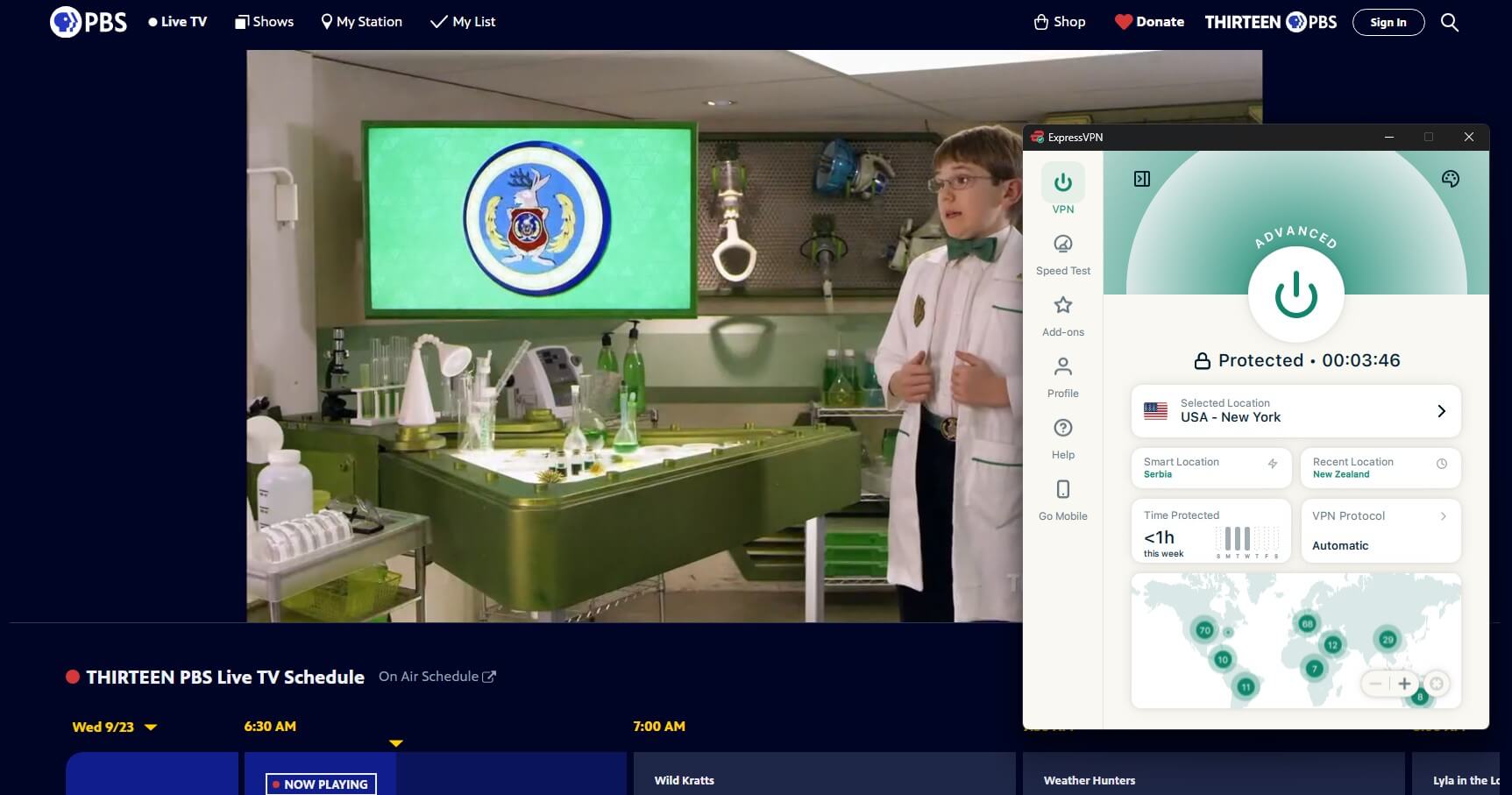
On streams, it tied with NordVPN as the fastest VPN we tested, with the same 7.8% average speed loss. Lightway, its own protocol, connects pretty much instantly. That speed showed on UK channels, where it unblocked BBC iPlayer, Channel 4, and ITVX. Beyond the UK, it unblocked Swiss TV, Kan 11, and mewatch in Singapore.
Its obfuscation also works automatically, which keeps the VPN usable in regions like China. Its two-year Basic plan comes to about $3 a month for 10 devices, and a 30-day money-back guarantee covers every plan.
4. Private Internet Access: Best Budget VPN for Foreign TV
Pros
- Unblocked RTÉ Player and BBC iPlayer
- Unlimited devices
- Choice of encryption strength
- Smart DNS for consoles and TVs
- No-logs policy proven in court
Cons
- Slower on long-distance servers
- Cluttered desktop app
Private Internet Access is based in the US, which places it in the Five Eyes alliance. Even so, its no-logs policy has been tested in court more than once, and PIA had no user data to hand over. It covers 113 countries, and its streaming-optimized servers make the right server easy to find.
In our tests, it unblocked RTÉ Player in Ireland, plus ITVX, BBC iPlayer, and Channel 4 in the UK. It lost 12.7% of our speed on average, more than the others, but that still left room for HD streams. You can also choose between 128-bit and 256-bit encryption, so a faster setting is there if a distant server feels slow.
On TVs and consoles that can’t run its app, its Smart DNS changes the device’s location. At about $2 a month with a 30-day money-back guarantee, it’s the budget choice of the five, with unlimited devices and apps for Windows, macOS, iOS, Android, and Apple TV.
5. Surfshark: Best for Ad-Free Streaming Abroad
Pros
- Unblocked 9Now and JioHotstar
- Blocks ads on streaming sites
- Changes your IP address during a session
- Unlimited devices
- Affordable two-year plan
Cons
- Slow to connect at times
- Higher renewal price
Surfshark operates from the Netherlands, and an independent audit backs its no-logs policy. It covers 100 countries, a smaller list than NordVPN’s, but it includes the UK, Australia, India, and most of Europe. In our tests, it unblocked 9Now in Australia, JioHotstar in India, and BBC iPlayer and Channel 4 in the UK.
Its average speed loss was 9.6%, so HD streams started without buffering. For streaming, CleanWeb is the standout extra. It blocks ads, trackers, and malicious sites, which helps on ad-heavy channel websites. In addition, the IP Rotator changes your IP address every few minutes without disconnecting you.
Camouflage Mode, however, hides the fact that you’re using a VPN. Plans start at about $2.50 a month on the two-year plan, with a 30-day money-back guarantee, unlimited devices, and apps for everything from browsers to Fire TV.
Watching Foreign Channels on a Smart TV
Most foreign channels have their own TV apps, but the app only works if the TV connects from the right country. How you set that up depends on the TV:
- Android TV, Google TV, Fire TV, and Apple TV: install the VPN app from the TV’s app store, connect to a server in the channel’s country, then open the channel’s app.
- Samsung and LG TVs: they can’t run VPN apps, so use Smart DNS from NordVPN, ExpressVPN, or PIA. It changes the TV’s location but doesn’t encrypt the connection.
- Any TV, through the router: a router with the VPN installed covers every device in the house, including consoles.
- Casting: connect your phone or laptop to the VPN, then cast the channel to the TV.
After you change the location, restart the TV app. Many apps check the location only when they start, so an app left open keeps its old region.
If a Channel Still Shows a Region Message
A VPN usually works on the first try, but a channel can still block a server it has flagged. When that happens, work through these fixes:
- Clear cookies and cache in your browser, or open a private window, since the channel may have stored your real location.
- Connect to another server in the same country for a new IP address.
- Turn off location services on phones and tablets, because some apps read GPS as well as the IP address.
- Use the VPN’s browser extension if the website still detects you. NordVPN, ExpressVPN, and Surfshark extensions spoof your location in the browser as well.
Can I Watch Foreign TV Channels With a Free VPN?
Technically yes, but you won’t enjoy it for long. Foreign TV requires a server in a specific country, and free plans typically offer a handful of locations at best. So if you’re after Japanese or Italian channels, the free VPN probably doesn’t cover those countries.
Data is the next limit. Windscribe and PrivadoVPN have two of the better free plans for streaming, and their free UK servers unblocked Channel 4 and BBC iPlayer in our tests. However, their free plans allow 10 GB a month each, and that lasted us about five hours of HD.
Proton VPN’s free plan has no data limit, but it doesn’t let you choose a country and doesn’t support streaming. Free servers also have thousands of users each, so channels flag their IP addresses quickly. We cover the rare exceptions in our list of the best free VPNs for Netflix.
For regular foreign TV, a paid VPN at about $2 to $3 a month is the more reliable choice.
Conclusion
A foreign channel only checks where you connect from, so the right server is all it takes. Keep in mind that a VPN only changes your location. A channel that requires an account or a paid plan at home requires the same abroad, and BBC iPlayer still expects a UK TV licence.
NordVPN is the one we’d install first: it’s fast, unblocks anything you throw at it, and works in censored regions. Before a trip or a big match, connect once and make sure the channel’s app starts on your TV, so a login screen or a region setting doesn’t surprise you at the last minute.
Frequently Asked Questions
How can you watch international TV shows from another country?
Connect a VPN to a server in the show's country. The broadcaster's website or app then sees a local IP address and streams its live channels and replays as it does at home.
Is it legal to use a VPN to watch foreign TV?
Yes, using a VPN is legal in most countries, including the US and the UK. Watching from abroad can break a streaming service's terms of use, which usually leads to a blocked stream.
Can you watch foreign TV channels for free?
Yes, many national broadcasters, such as ZDF, RTÉ Player, and SBS On Demand, are free in their own countries. A local IP address unlocks them, so the only cost is the VPN subscription.
Which VPN is best for watching foreign TV?
NordVPN is the best VPN for foreign TV, because its servers cover almost every country with an online broadcaster. Proton VPN is the strongest alternative, with similar coverage and a privacy focus.
Does a VPN slow down foreign TV streams?
Yes, slightly, because the connection travels through a server in another country first. With a fast VPN, the slowdown is too small to affect HD streams, even on servers far from home.
Do you need an account to watch foreign channels online?
Not always. Live streams such as ZDF and RTÉ Player require no account, while Channel 4, ITVX, and SBS On Demand require a free account, often with a local postcode.