SketchUp Viewer is a software that helps you explore and present 3D models created with SketchUp. Developed by Trimble, the company behind the SketchUp tool, it is an essential solution for architects, designers, and anyone working with 3D visualization.
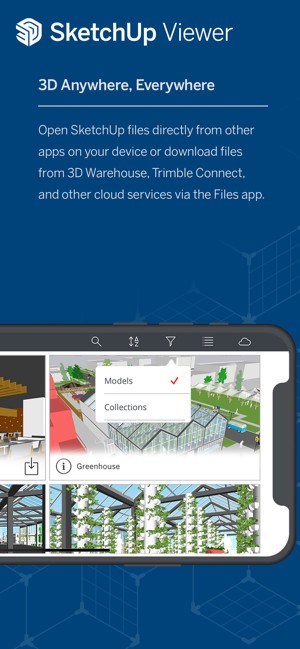
SketchUp Viewer allows you to view and interact with SketchUp models without installing the full SketchUp software. This makes it perfect for sharing designs with clients, colleagues, or stakeholders who may not have access to the complete SketchUp package. The best part is that you can use the free version to simply open and view models, which makes it very accessible.
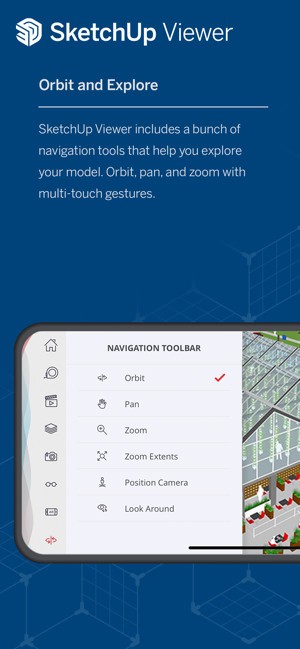
What makes SketchUp Viewer stand out is its intuitive navigation system. You can easily orbit around models with one finger, pan with two fingers, and zoom in or out with a pinch gesture. Its touch-based interface works smoothly on mobile devices, while the web version supports classic mouse and keyboard controls.
For those who want to go further, SketchUp offers a complete 3D modeling experience. You can create, edit, and mark up projects directly on-site, on the go, or at the office. With a free 7-day Go trial, users can test essential 3D design tools, while projects remain viewable for free without a subscription.
Why Should I Download SketchUp Viewer?
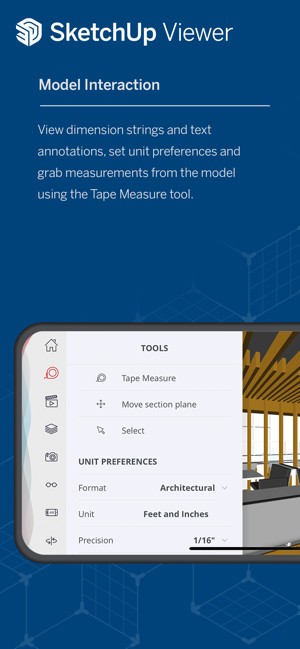
The Viewer by Trimble includes a “Select” tool that allows users to interact with specific elements of a model. For example, you can select individual entities such as edges, faces, or components, and view detailed information about these elements. It also supports multiple selection methods, including double-tapping and triple-tapping, to select connected entities.
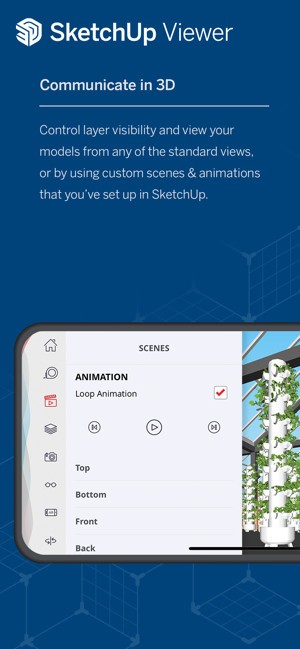
SketchUp Viewer also incorporates the popular “Scenes” feature, which allows you to view predefined camera positions and styles set up in the original SketchUp model. If you need to do a presentation, you will be able to quickly switch between different views or aspects of a model. Animations are also supported, making presentations more dynamic.
Layer management is another important feature of SketchUp Viewer. Users can toggle the visibility of different layers within a model, providing flexibility in how the model is presented. This is particularly useful for complex projects where different elements need to be shown or hidden depending on the context.
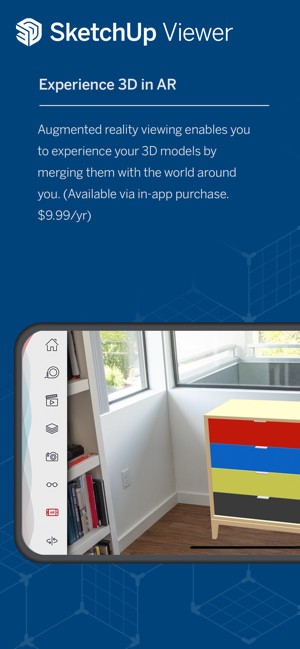
Without a subscription, you can switch between perspective and orthographic views. You can also control which parts of the model are visible. In addition, you can adjust styles like edges, faces, shadows, hidden geometry, section planes, and section cuts. You can also take measurements, such as edge lengths, areas of faces, and volumes of solids, while accessing information about groups and components. Augmented reality viewing is also available.
SketchUp Viewer supports a wide range of import and export formats. You can import SKP, SKM, HDR, EXR, PNG, JPG, PDF, DWG, DXF, and STL files. Export options include PNG images, MP4 animations, SKP, USDz, PDF, DWG, DXF, OBJ, and STL.
For those using SketchUp Go, even more features are available. You can work easily across devices and design directly on iPad or the web. With generative AI, you can create visuals for architecture or home design. Go also includes room planning tools and realistic visuals with materials you can customize. You can scan real spaces and turn them into editable 3D models. Powerful AR features let you see your designs in the real world. DWG compatibility makes it easy to collaborate with other CAD software. You can also import satellite images, terrain, and buildings to add real-world context to your design.
Is SketchUp Viewer Free?
SketchUp Viewer is available for free. It is useful for clients or stakeholders who only need to view models occasionally. If you’re looking for more advanced features, you’ll have to choose one of the paid plans available. Of course, by offering SketchUp Viewer, Trimble encourages users to engage with the broader SketchUp platform, and it will potentially drive new users towards higher-tier subscriptions.
What Operating Systems Are Compatible with SketchUp Viewer?
SketchUp Viewer is a very popular tool available as a web-based, streamlined version that does not require a SketchUp subscription. This makes it easy to use on desktop because, since April 2025, SketchUp Viewer for desktop and Meta Quest devices is no longer available to download. But if you have already downloaded the software, you may continue using it, though some features may not work as intended. It is also no longer supported by HoloLens and Virtual Reality.
For mobile devices, SketchUp offers a version for iPhone and iPad. It requires iOS 15.0 or later with a minimum of 1024 MB of RAM. The viewer is no longer supported by Android.
What Are the Alternatives to SketchUp Viewer?
If you are looking for good options to view and manage 3D or 2D models, there are a few to choose from.
The first option is DWG FastView. This is a great option for users who work with DWG files—AutoCAD's native format. The software is available on mobile and desktop. You can view and edit DWG and DXF files. It also lets you zoom, rotate, and navigate 2D and 3D models. It also includes useful tools for annotations, layer adjustments, and quick edits. These features make it very practical for professionals who need flexibility.
AutoDesk DWG Trueview is another alternative. Unlike DWG FastView, it is a free software that does not include editing tools. Instead, it allows you to view and print DWG files. It also offers tools to measure, check dimensions, and convert files between different DWG versions. This makes it very suitable for architects, engineers, or draftspeople who only need to view or review drawings without modifying them.
FreeCAD is a great choice for editing DWG files. It is designed for mechanical engineering, product design, and architecture. FreeCAD uses parametric modeling. This means you can track every step of your design and change parameters anytime. It is flexible for both beginners and professionals. FreeCAD works on Windows, macOS, and Linux. It supports many common file formats, including STEP, IGES, STL, DXF, OBJ, and IFC.