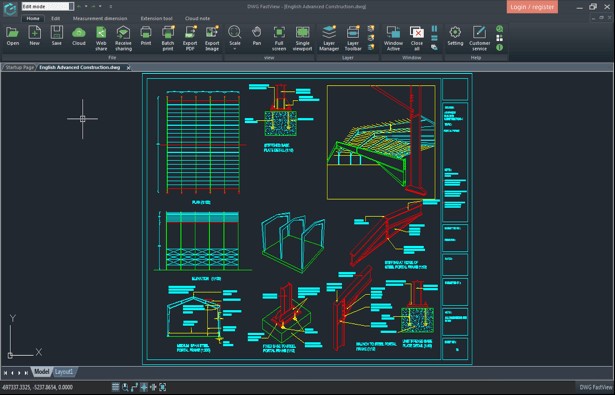
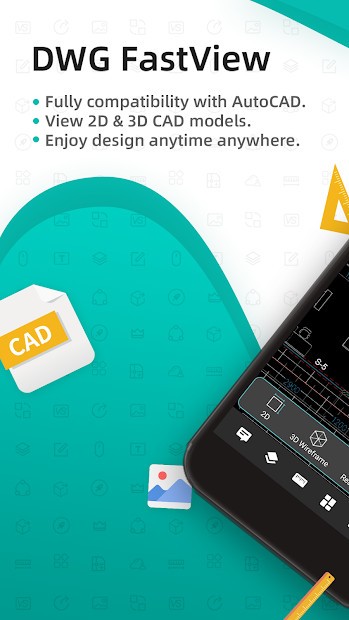
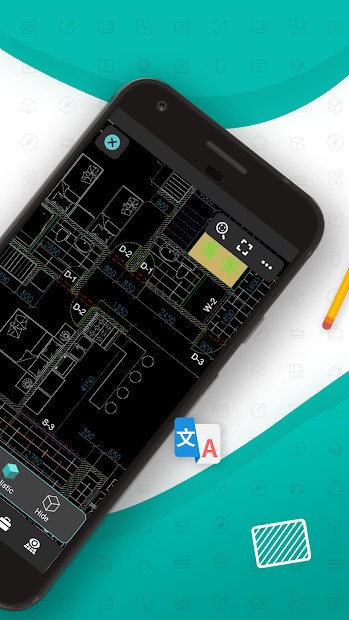
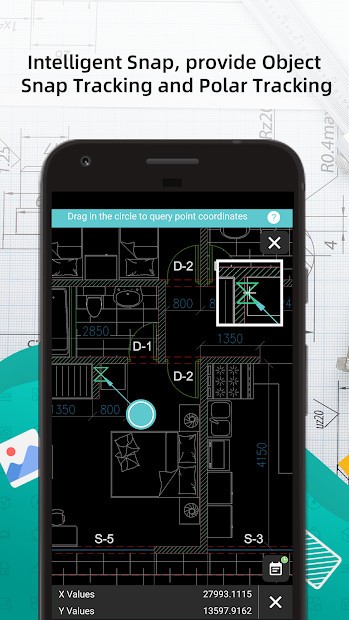
DWG FastView is a comprehensive CAD solution for viewing, editing, reviewing, and sharing technical drawings and plans created with CAD programs. It is particularly useful for engineers, designers, and architects who need to share their designs with colleagues, clients, or other stakeholders and gather feedback efficiently. The app supports both 2D and 3D models and provides full compatibility with popular drawing formats, including DWG files from AutoCAD, ProgeCAD, BricsCAD, Revit printouts in DWG format, and DXF files.
DWG FastView is available as a desktop version for Windows, a mobile version for Android and iOS (iPhone and iPad), and an online version accessible through any web browser. Users can synchronize their work to the cloud with a single click, allowing seamless access and collaboration across multiple devices.
The app provides intuitive view and edit modes for a smooth CAD experience. Users can mark up projects, add comments, or apply edits without altering the original file—ideal for creating new iterations or conducting detailed reviews. A file comparison feature allows you to view two versions side by side to track changes and improvements. Drawings can also be exported in popular formats such as PDF, BMP, JPG, and PNG, enabling easy sharing of designs.
DWG FastView also supports offline work, letting you continue designing or reviewing files without an internet connection. This is especially useful for fieldwork or locations with limited network access, though offline features may require a paid license.
Why Should I Download DWG FastView?
You should use DWG FastView if you’re working with a CAD app and want to share your designs or open legacy projects quickly. With the user-friendly interface, you don’t need extensive CAD app knowledge, but the tool also offers more advanced features for experienced users. You can open projects in multiple tabs, customize your toolbars, and easily access other tools that manage layers, dimensions, file properties, etc.
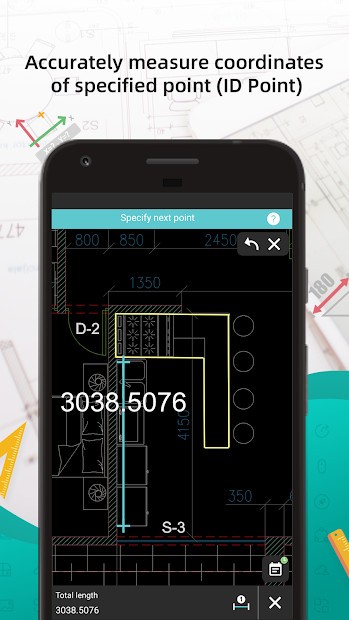
The measuring tool alone is a great reason to download DWG FastView. It’s crucial when working on a project and lets you calculate distances, angles, or area sizes from the drawing itself. This feature can be extremely useful not only for manufacturing, but also for estimating and ordering materials. On top of that, you can adjust the design layers, turn some of them on or off for a clearer image, or even freeze and isolate them, which is helpful if you have a very complex or large file to review.
Despite its name, FastView offers a variety of editing tools. They include lines, shapes, text, dimensions, patterns, and polylines. You can use them to make quick changes or modifications without affecting the original file, and you don't need to use the entire CAD program to make those changes. DWG FastView also allows you to compare two versions of the same file and identify edits, which is especially useful in engineering or construction projects.
You can also download DWG FastView to print your designs. This tool provides access to advanced print and export features. You can scale the project, export it in various formats, and present it, but you can also print multiple files at once, which is useful when your file is large.
DWG FastView integrates with cloud storage, too, so that you can upload and sync your files with Google Drive or Dropbox, as well as FastView Cloud, if that’s your preference. Because the tool is accessible on both Windows computers and mobile devices, as well as via a web-based service, this feature allows you or anyone else to collaborate and open the project, leave comments, or mark up specific sections.
The mobile apps make it even easier because they support touchscreens, which are ideal for taking precise notes on tablets. There’s also an option to work with DWG FastView when you’re offline on a construction site or a remote location and don’t have an internet connection.
Unlike full-fledged CAD software, DWG FastView is a lightweight tool that doesn’t consume too many computer resources. This allows you to quickly open and navigate through large files without a high-end machine.
Is DWG FastView Free?
There is a free version of DWG FastView that offers all the essential tools most users need. It provides access to DWG/DXF files, limited cloud storage, viewing, and simple editing, annotation, and project syncing across devices.
DWG FastView also has a paid Pro version, which includes more advanced drawing options, markup tools, and the ability to print projects in bulk, sync them online, or view them offline on mobile devices.
To use DWG FastView Pro, you require a subscription on a monthly or annual plan, and you can check all the premium features during a free trial period, too.
What Operating Systems Are Compatible with DWG FastView?
If you want to download DWG FastView to a desktop computer, you need Windows 7, 8, 10, or 11. For those on mobile devices, any Android-based smartphone or tablet needs to have Android 5.0 (Lollipop) or higher. For iPhone and iPad, DWG FastView requires iOS 13.0 or later.
There’s also a web-based service that allows users to access DWG FastView on operating systems other than Windows. You only need a modern browser such as Chrome, Firefox, or Edge, and any changes or comments you make are automatically saved to the cloud.
What Are the Alternatives to DWG FastView?
Autodesk DWG TrueView is a direct competitor to FastView but comes from the creators of AutoCAD. It’s made to support DWG and DXF files, and you can only download it on Windows computers. You can use it to view the drawings, convert them into other formats, or plot them for printing. While it’s not a tool dedicated to making edits, you can review the projects, and Autodesk DWG TrueView is completely free to use.
If you want something available on various platforms, give Autodesk Viewer a try. It supports over 50 file formats, including DWG, RVT, and STEP, and is a free browser-based solution that can be accessed from any internet-connected device. With Autodesk Viewer, you can go through reviews of the project, comment on the files you’re viewing, and share your feedback with others. The app was created by the same editor as AutoCAD.
While FreeCAD is a complete CAD software for creating designs and plans, it is worth noting that it is available for free under an open-source license. You can download it for Windows, macOS, and Linux, and it supports 3D parametric modeling, multiple file formats, and a variety of options for creating part designs or technical drawings. It’s a great choice if you’re in engineering, product design, or architecture. Its developer community is constantly updating FreeCAD, and it is a fantastic solution that does not require a license or a financial investment to create CAD-compatible designs.