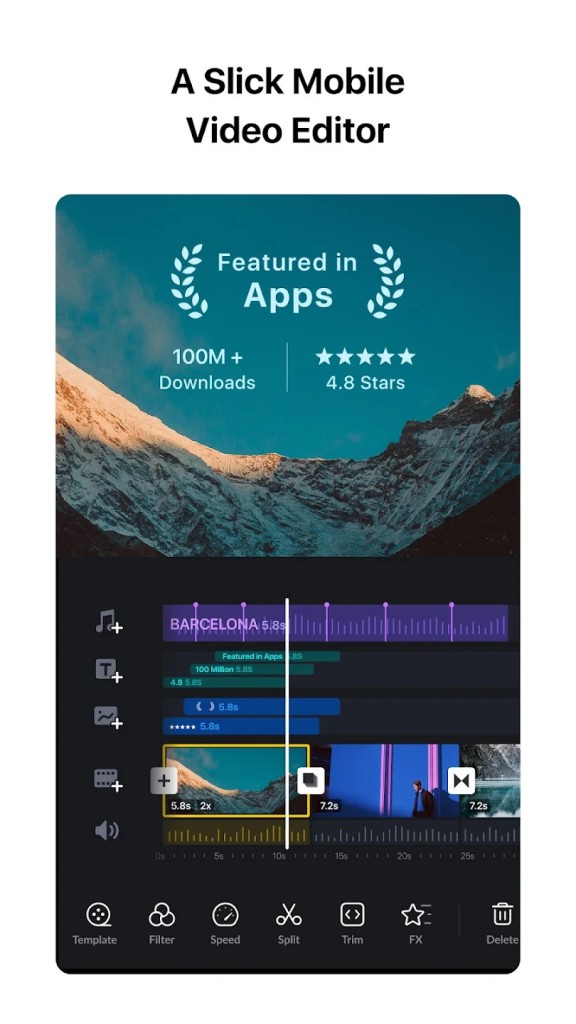
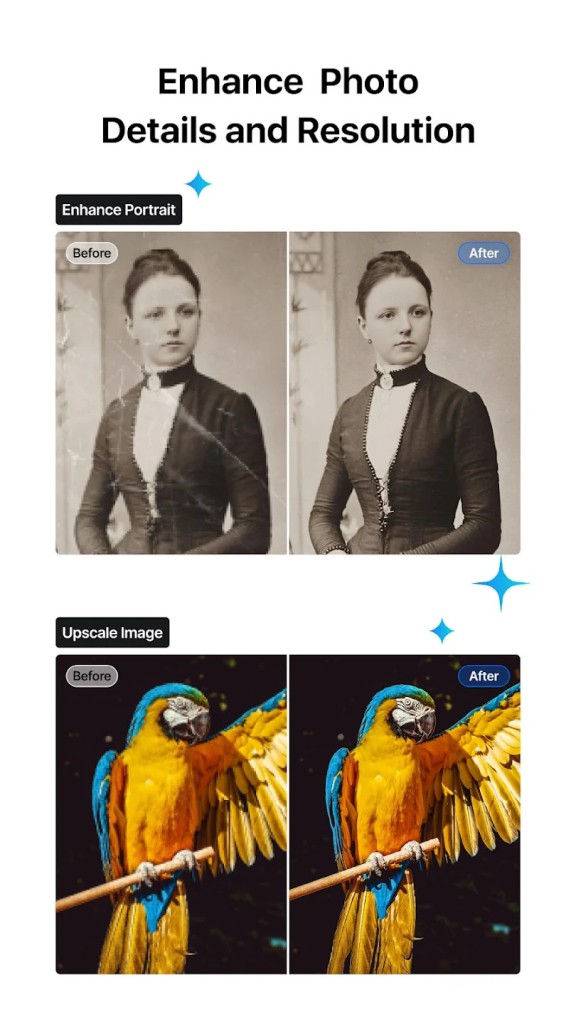
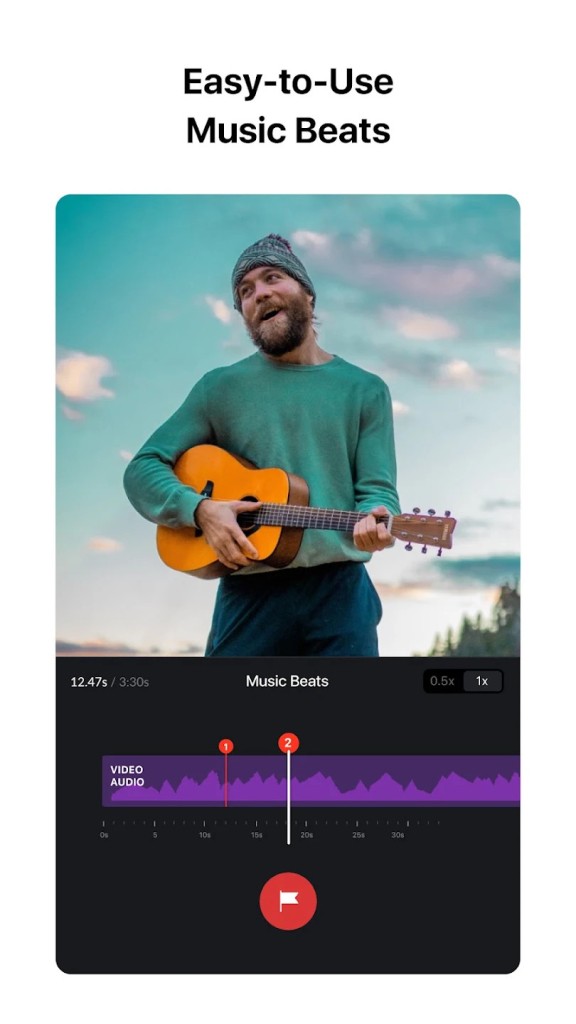
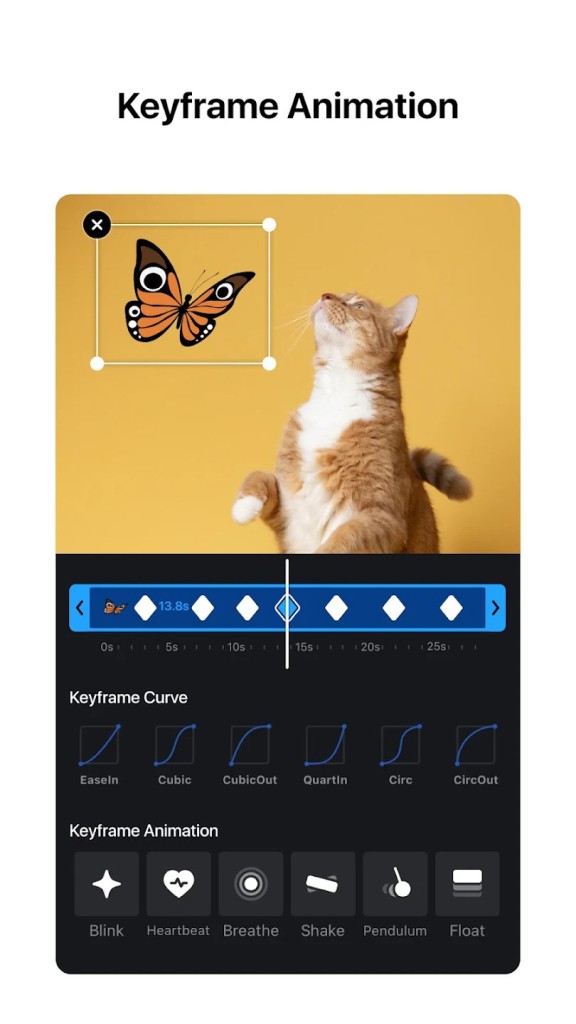
The versatile video editing application, VN Video Editor, functions as a tool that suits both beginners and experienced multimedia creators. The platform includes specialized features that attract beginners yet deliver high-quality results, making it suitable for users who want simple video edits without needing complex software. VN offers a diverse set of editing tools that go beyond basic features, enabling multi-layer timeline adjustments, keyframe animation, transition effects, and filtering options to produce high-quality video results.
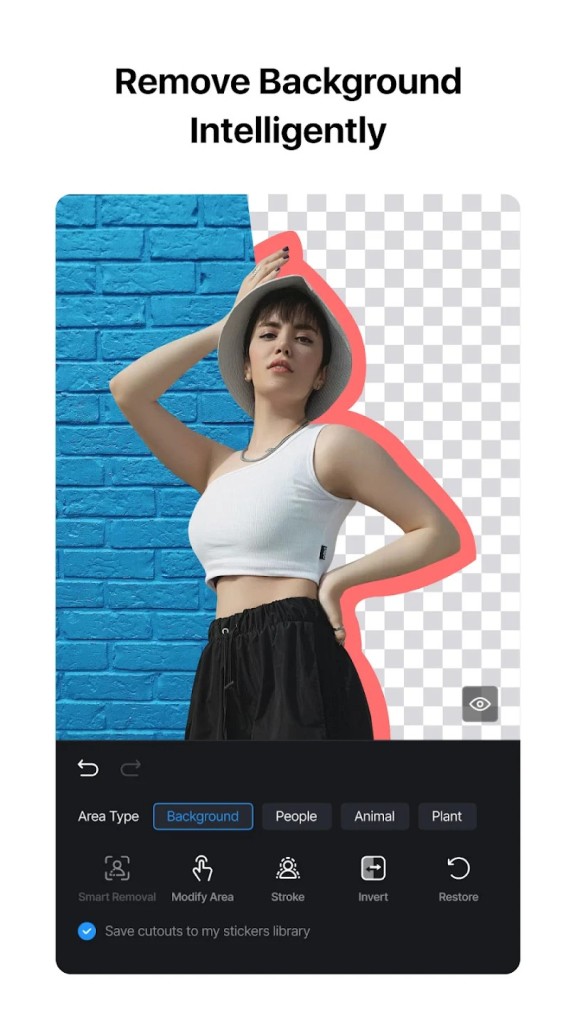
Users appreciate the straightforward design of this application, which allows new editors to use the software easily, while professional tools meet the needs of advanced users. The ability to export 4K videos stands out, as users can achieve high-definition results that maintain excellent video quality. VN includes three key features: a music library, text overlay capabilities, and a green screen function that supports YouTubers, vloggers, and other social media content creators in improving their videos.
Users appreciate VN Video Editor’s non-destructive editing system, which lets them edit clips without permanently changing the original files. Many find that VN delivers a complete video
Why Should I Download VN Video Editor?
VN Video Editor is an outstanding video editing solution because it provides smooth functionality and a wide range of editing capabilities. Users should download VN because its interface is beginner-friendly and easy to navigate. Unlike complex editing software, VN remains simple and intuitive, avoiding confusing toolbars and menus. The editor’s timeline structure makes it easy to navigate, add new clips, and apply effects or audio tracks, even for those unfamiliar with video editing.
VN also offers easy editing tools that make the process smooth and enjoyable. You can zoom in or out of the timeline to make precise edits. With a simple tap, you can split, drag, delete, or duplicate video clips. The app also allows you to save your draft anytime, so you can take a break and continue editing later without losing your progress.
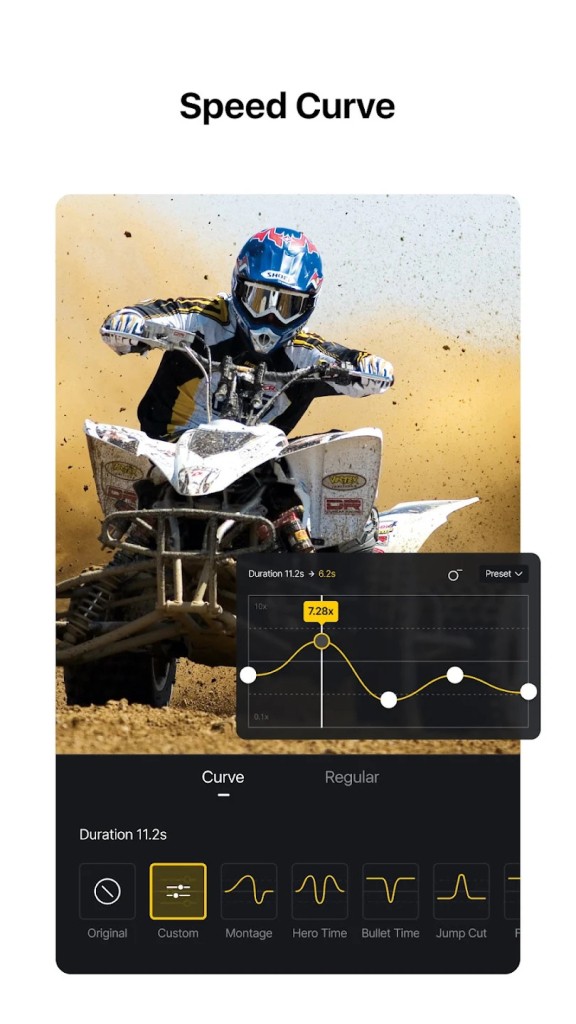
One of VN Video Editor’s greatest advantages is its wide variety of tools. The software enables a multi-layer editing interface that allows users to work on video, audio, and text layers simultaneously, similar to advanced editing programs. Users can create smooth transitions, animated text, and keyframe effects with precision. The application also includes exclusive filters, speed control options, and blending modes that allow users to make high-quality videos using a single platform.
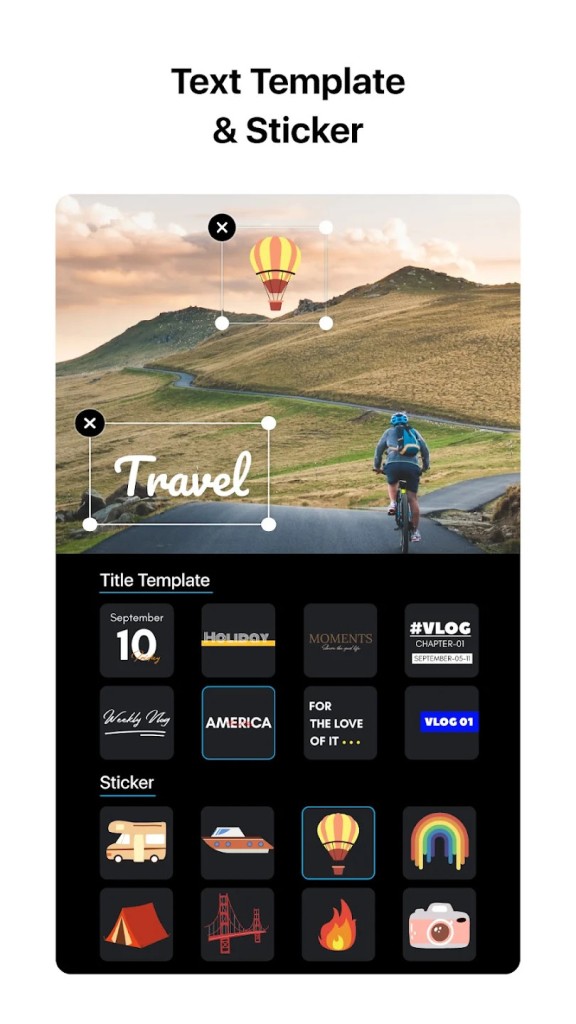
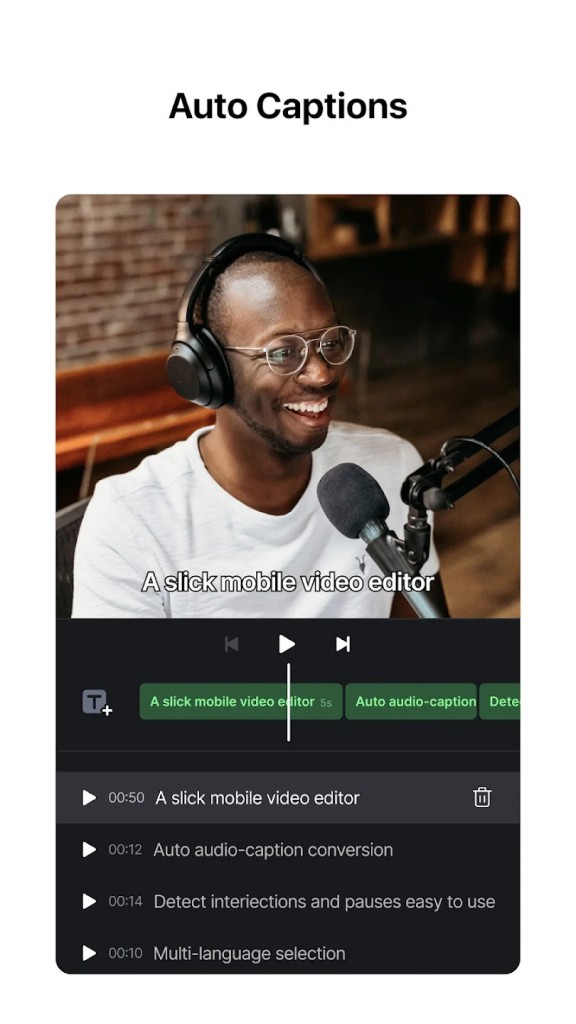
VN also includes a powerful subtitle tool. You can add title slides or text overlays directly on the timeline. It’s easy to change the font, color, and size of your subtitles to match your video’s style. You can also adjust how long each subtitle appears, helping you synchronize the text perfectly with your video.
VN is ideal for creators who need to make fast yet high-quality video edits. Users can render their content quickly and share it across different platforms, thanks to VN’s easy sharing tools and fast rendering speeds. This applies to both short-form videos on Instagram Reels, TikTok, and YouTube Shorts, as well as longer vlogs. The system allows users to export content in 4K resolution, maintaining high-quality and professional clarity in the final product.
VN is also a great tool for recording your life moments. It helps everyone become the director of their own story. You can record beautiful memories, edit them creatively in VN, and enjoy the fun of filmmaking simply and refreshingly.
The main advantage of VN is that it does not add watermarks to exported videos, making it one of the few video editors with this feature. Users who want high-quality videos can rely on VN Video Editor, as it delivers premium results without requiring a paid subscription. The extensive range of tools available in VN makes it one of the best video editing apps on the market.
Mobile users can enjoy an excellent editing workflow with VN Video Editor while maintaining high-quality output. The application lets users edit videos directly on mobile devices or tablets, giving them access to desktop-level tools. Cloud synchronization allows users to switch easily between devices (phone, tablet, or computer) while keeping their projects up to date.
Social media influencers and digital marketers find VN Video Editor especially useful for their content creation needs. Users can take advantage of built-in templates and transitions to create dynamic videos that capture attention quickly. With VN, you can produce high-quality videos for ads, promotions, or vlogs through a simple and efficient process.
Is VN Video Editor Free?
Users looking for cost-effective video editing software will appreciate that VN is completely free. The software gives users full access to the editing toolkit without restrictions on resolution, export size, or watermarks. It provides enough power for most standard tasks without requiring a subscription.
Of course, like many mobile apps with advanced features, you can subscribe to VN Pro at any time. VN now also includes an AI image generation feature, where users can purchase credits to create as many images as they wish.
What Operating Systems Are Compatible with VN Video Editor?
The platform compatibility of VN Video Editor ensures its accessibility to numerous users through multiple operating systems. The software works on both iOS and Android systems, enabling users to modify their videos through their mobile devices and tablet screens. The feature proves advantageous mainly for those who record content through mobile devices and need advanced video production capabilities during outdoor sessions.
VN Video Editor is also available on macOS (download the app on the Mac App Store) and Windows (through BlueStacks or another Android emulator). The desktop version of VN Video Editor provides extra editing tools and extra precision; however, it retains the familiar mobile interface from the mobile app. The app syncs smoothly between mobile and desktop, allowing users to start a project on one device and finish it on another.
What Are the Alternatives to VN Video Editor?
Because VN Video Editor provides free, powerful features, there are alternative apps that match these features but differ in their unique advantages. Users favor three substitutes for VN Video Editor, which are CapCut and InShot - Video Editor & Video Maker, along with YouCut—Video Editor and Video Maker.
The application CapCut has gained massive popularity because its user base contains mainly people editing for TikTok and Instagram. Prospective creators can leverage the extensive effects and transitions with music tracks made available to them by the proprietors of TikTok. Users who prefer AI-powered tools will enjoy CapCut’s automated editing option. Through its connection to the TikTok platform, CapCut enables users to share their work more easily if they create videos frequently for that social media platform.
InShot - Video Editor & Video Maker serves as an effective replacement for video producers because of its user-friendly approach to editing. Users seeking basic features while requiring no complex programming understanding should use this application to fulfill their needs. Users who utilize InShot have access to fundamental capabilities that include sections for trimming, cutting, combination functions, and the ability to add text as well as stickers. The tool provides an excellent solution for newbies using a lightweight but robust video editor system. However, the free version of InShot adds watermarks to exported videos, which can be inconvenient for professional use.
YouCut—Video Editor and Video Maker provides users with an optimized system to create social media videos. It presents a streamlined interface designed to enable fast modifications suitable for brief video content production. Users can utilize the free version to edit video content and export media files without watermarks. While it offers fewer advanced options than VN, YouCut is ideal for users who need a lightweight and efficient editing app.