Digital artists, illustrators, and animators consider Krita a powerful open-source tool for painting. Both professional artists and amateurs find this software a suitable option because the Krita Foundation specifically created Krita as a sophisticated artistic solution. One great aspect of Krita is its focus on providing professional features yet maintaining its complete availability at no cost. Krita contains all the tools you need to transform your artistic concepts into illustrations, animations, and comics.
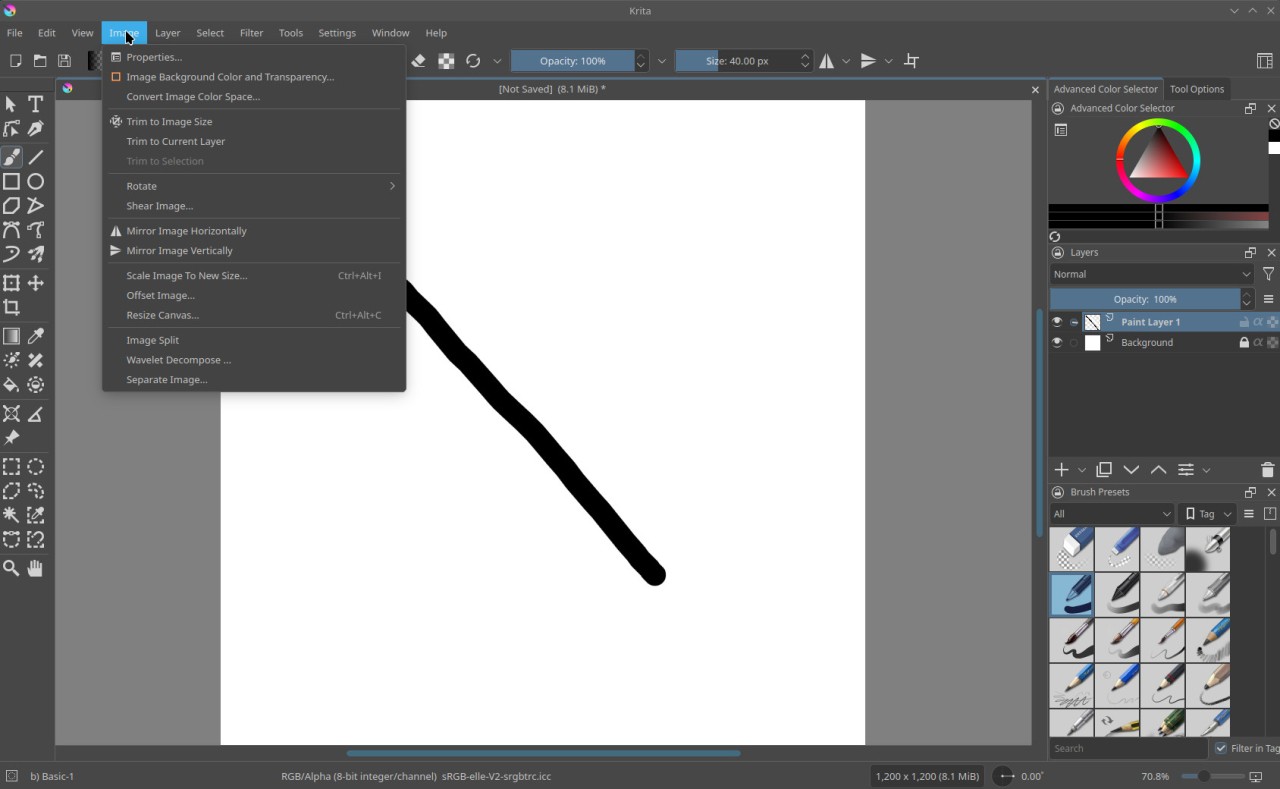
Users can modify the interface by tailoring their workspace to match their needs for specific projects. Users can easily try different artistic styles because Krita offers an extensive array of blending modes and brushes. The software provides numerous brush customization tools that let artists both customize existing presets and create entirely new brush settings. Krita also includes vector tools and text functions, which make it suitable for different types of design requirements.
Layers and masks integration in Krita is its most standout feature and enables full control of intricate artistic structures. Krita features sophisticated animation tools that provide the capabilities professionals need to create two-dimensional animations. Krita allows users to work with the PSD file format in addition to other supported file types, offering an advantage for users switching from Adobe Photoshop or working with Photoshop files. The combination of a strong community network and abundant learning sources gives Krita the adaptability to serve professional digital art requirements.
Why Should I Download Krita?
Krita offers excellent value to digital painters who want to experience professional art tools at no cost. The software Krita is available for free. The fact that Krita operates free of cost makes it a viable option for novice digital artists who are starting, as well as experienced users who want reliable software outside expensive packages.
The main selling point of Krita software is its twin objectives of maintaining optimal performance alongside extensive feature delivery. Krita achieves exceptional performance stability, even when working on large canvases and complex projects. Users who create both intricate illustrations and complex compositions use Krita software because it performs impressively, so their art creation process remains smooth and frustration-free.
Users of Krita can enable its brush engine, which provides well over one hundred presets suitable for every drawing style. The application provides artistic tools for every artistic interest, including sketching, inking, textured applications, and watercolor tools. Brush stabilization tools, together with blending modulations, boost precision, especially when creating both intricate line illustrations and dynamic brushstrokes. Art experimenters find this beneficial because they can create personal brushes that they can save for future use.
Through its built-in animation capabilities, Krita enables artists to create animations within the application. Through its onion-skinning feature, frame-by-frame animation, and timeline management system, Krita enables users to produce outstanding 2D animations using only a single software. Users can improve workflow compatibility by importing and exporting in multiple formats.
Community-based software development stands as one of the main reasons people should download Krita. The project evolves through an open-source approach as users contribute. The software releases are continuous improvements and fix program flaws while providing fresh features automatically to users who never need to worry about renewal fees or usage restrictions. A vast collection of tutorials and resources, developed by the community, helps artists use Krita effectively, regardless of their skill level.
Any illustrator who demands professional-grade illustration software at no cost must experience Krita and evaluate its features. The software capabilities through Krita help creators achieve multiple projects so they maintain financial stability.
Is Krita Free?
The entire Krita software package is completely free. The Krita Foundation develops open-source software at no cost to users, providing free and permanent access to all its features. You can access all the tool's benefits for free in Krita, making it one of the most accessible solutions for digital art at present.
What Operating Systems Are Compatible with Krita?
The Krita software operates on Windows, macOS, and Linux operating systems. The development team devoted significant resources to keeping Krita consistently operating across all supported platforms, delivering a smooth user experience on desktop and laptop.
What Are the Alternatives to Krita?
One of the main Krita alternatives is Adobe Photoshop. The digital art and photo manipulation industry relies on Photoshop because it has maintained its standard since the beginning of digital art tenures. The application contains a powerful collection of painting and editorial tools, with top-level capabilities for layer management and masking, along with its distinctive brush engine. Adobe Creative Cloud subscriptions for Photoshop become expensive because they require users to make ongoing payments. This professional-grade software offers the best tools available, but many users must consider its expensive subscription plan an issue.
The GNU Image Manipulation Program, aka GIMP, is a solid substitute for users seeking professional image editing software. The open-source GIMP application delivers most of Photoshop's capabilities, though it operates as a free platform. You will find GIMP works best for photo retouching, along with image composition and basic drawing applications. Specific brush capabilities and animation options found in Krita are missing from the program, but GIMP stands out with its superior graphics and photo editing functions. The GIMP platform enables users to access multiple plugins andextensions, which increase the software's operational potential. The software delivers the same cost-free benefits as Krita by supporting multiple operating systems.
The user base of Paint.NET increases because it provides a user-friendly editing tool with minimal system requirements. The program offers photo editing and digital art through basic functions that incorporate features for layer creation and multiple drawing tools. Paint.NET provides an interface suitable for novices because its user-friendly design avoids confusing complex options and settings. Paint.NET is an effective solution for users who need quick editing tasks and basic digital art capabilities because it does not match the advanced elements of Krita's animation tools.