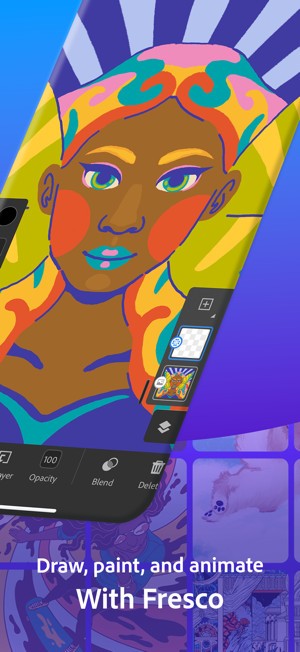
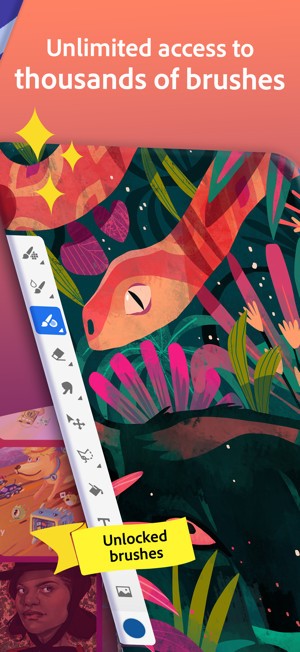
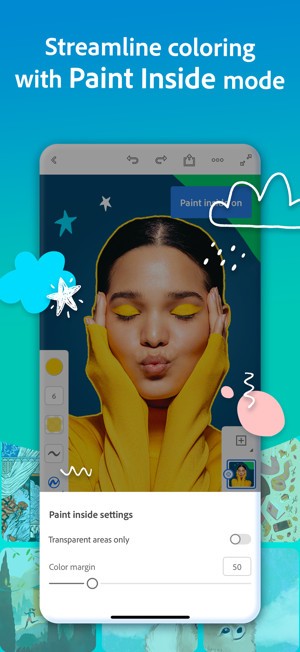
Adobe Fresco stands as one of the digital drawing and painting tools that transforms traditional artistic techniques into a digital medium without erasing the authentic brush-on-canvas experience. The product focuses on serving illustrators, as well as digital painters and creators who need standard artistic tools, including watercolors, oils, and pencils for drawing on digital surfaces across PC and tablet devices.
Fresco attracts users because it provides dynamic brush functions. These mimic the behavior of real-world materials in a way that feels surprisingly fluid. Watercolor reacts as it does in real paper when paint touches the surface, and the pigment spreads smoothly into the fibers. Oils smear and layer, thick and tactile. When you color with Fresco, you get a genuine interaction with artistic media.
Fresco provides functionality for both professionals and novice users. Novice artists, people who draw for fun, and intermittent sketchers can easily open Fresco to start drawing because its interface does not require mastering complex systems. Pure creativity is possible through Adobe’s powerful drawing engine, while maintaining an elegant user experience through its simple, design-focused interface.
Users benefit from seamless file sharing with Adobe tools because Fresco operates within the same connection system as Photoshop and Illustrator. This application guides users toward replicating traditional paper painting techniques in digital art.
Why Should I Download Adobe Fresco?
Digitally reproducing brushstrokes on paper creates a feeling that electronic drawing tools struggle to convey. Most drawing applications fail in their attempts to create digital art experiences because they either maintain robotic functionality or suffer from extensive, clumsy features. The realistic approach of Adobe Fresco forms the core concept of the application, which achieves its focus through exceptional standards.
When you launch the app, it feels both recognizable and professional, though you are new to digital art. Learning about live brush performance helps draw the difference between real changes. Actual pigment behaviors become visible during blending as pigment collects and dries on the canvas. This doesn't work like a normal visual effect. They’re tools that invite experimentation.
And then there’s the interface. From the beginning, it presents an interface that avoids total option overload. The user interface switches its layout based on the selected device to match the screen size. The gestures operate fluidly when using a tablet with a stylus. All application components remain accessible from desktop computers, just as they do on other devices.
The system guides users through its operations using a peaceful approach. The interface takes a passive approach, letting users focus on their creative work. Drawing forms the only activity because the user interface does not present menus for navigation or control.
Adobe Fresco proves itself as an excellent collaborative tool for users working in their field. You begin an initial drawing on Fresco through your iPad, which you can afterwards open inside Photoshop to implement textures and modify color tones. That workflow flexibility is valuable. New artists find Fresco to be an accessible platform that offers immediate benefits from the start. Fresco's brushes detect drawing pressure with precision, and the layer functionality behaves as expected within the standard Adobe application interface dynamics.
The application incorporates enjoyment into its core design. You will find it easy to move between raster and vector brushes, eliminating any limitations. You can create drawings either as scalable vector art or traditional non-scalable illustrations. The system's flexibility creates opportunities to explore new creative possibilities.
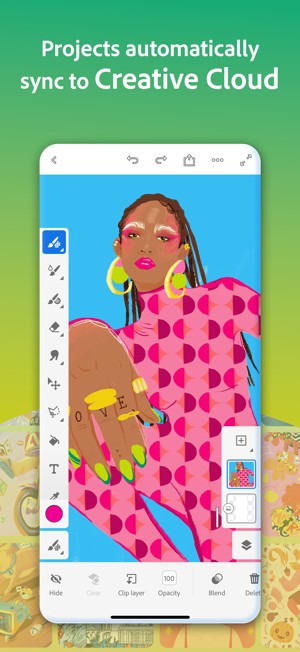
Cloud sync provides secure access to your work across different devices. Using Fresco as your drawing platform allows you to create personalized artwork both in your profession and during casual sketching periods. The app resists performance monitoring to support expressive activities that usually spark innovative artwork.
Is Adobe Fresco Free?
The free edition of Adobe Fresco provides an extensive selection of brushes and fundamental tools to users. Most users can rely on Fresco's full functionality in its free version.
Upgrading your plan status by purchasing premium Adobe Creative Cloud subscriptions or adding the premium plan will grant you access to advanced features that provide more brush libraries, along with higher resolution exports and broader cloud storage space.
What Operating Systems Are Compatible with Adobe Fresco?
Adobe Fresco is compatible with iPad and iPhone, as well as Windows 10 and Windows 11. It does not support macOS, so iPad and Windows platforms remain viable alternatives for Mac users.
The application operates optimally with touch- and stylus-based interaction; it performs best when paired with Surface tablets, Wacom devices, and pen-enabled systems. The draw-enabled devices deliver the best experience for Adobe Fresco, but only desktop users can access the software.
Adobe provides frequent updates that reflect device evolution, and users should verify that their information is up to date on their website before installation.
What Are the Alternatives to Adobe Fresco?
The way different artists work varies from person to person, because techniques that work for one artist might not for another. Several decent additional software options exist to provide similar artistic capabilities.
Krita functions as the most similar program to a complete painter's studio application. The application is free under an open-source license because users gain direct access to numerous brushes, textures, and effects. The brush effects of Fresco are not available in this tool, but artists can customize their drawings through high-level modifications. The application lets users adjust both brush engines and canvas rotation controls. The application provides full control to digital painters and illustrators, making it their preferred option.
Paint.NET appears as an intermediary tool that combines features from photo editors and digital drawing tools. Although it builds on the foundation of a simplified Photoshop interface, it provides users with the same functionality as brushes and layers, blending modes, and plugin integration, plus additional third-party features. The application provides drawing capabilities for comic artists, graphic designers, and individuals who need professional control but want to avoid using the full Photoshop software. Users new to digital creation can choose this program because it is free and offers a comfortable experience for beginners.
For Apple users, Procreate is available on iOS (iPhone, iPad) and macOS, making it an interesting alternative to Adobe Fresco. Although it is not free, the app offers many appealing features that will delight designers. Brushes, colors, everything is united, so you can create at will.