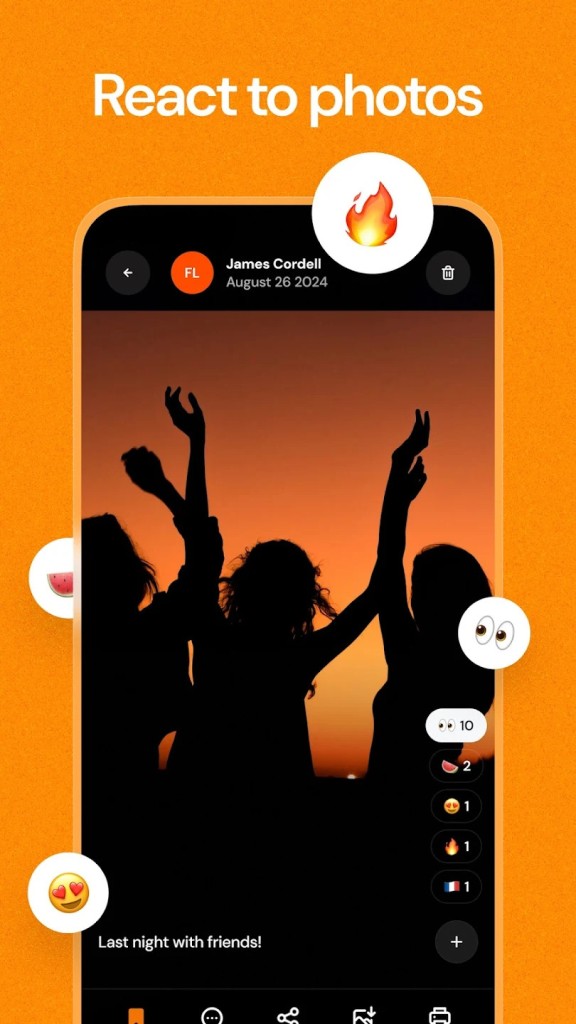
Airbum keeps every photo and video from an event together in one place. You create a shared album, give it a name, and share a code or a link, so everyone can drop in their pictures. It’s meant for things like weddings, birthdays, trips, or family gatherings—anywhere people take photos that later get lost in chats or drives. Airbum pulls all of that into one easy album.
The process stays simple from start to finish. You set up one group, one album, and watch as everyone’s photos collect. You don’t have to remind people to send files or scroll through old messages to find them. The app gives you a calm, clean space where all those memories sit together.
It’s more than storage. You can add short notes or descriptions under photos, react to pictures, or use the chat built right into the album. Each image feels alive because people can describe what’s happening or share small details behind it. Airbum also lets you add expenses or notes, which makes it handy for group trips where everyone chips in.
There’s no complex setup. Even someone who doesn’t use apps much can figure it out in minutes. It works fast, loads smoothly, and doesn’t make you dig through menus. Everything feels natural and direct. The main idea is to collect shared memories without turning them into work.
Why Should I Download Airbum?
You should download Airbum because it keeps group photos and videos organized without effort. Everyone at an event takes pictures, but usually, only a few get shared. With Airbum, every person can upload what they captured, so no one misses anything. Instead of chasing friends for files later, you just send them the link, and they drop their photos right in.
Airbum saves time and frustration. There’s no need for long explanations or complicated steps. The sharing part is easy enough that even people new to smartphones can do it. A code or a link is all that’s needed to join. It’s ideal for any kind of gathering, small or big, where you want everyone to contribute without confusion.
What makes Airbum different is the way it connects people through their photos. When you look back at an album, you don’t just see images—you see comments, notes, reactions. It feels personal. Each photo carries a bit of the person who shared it.
It also helps organize more than pictures. You can add videos, notes, or even track expenses from a group trip. It’s flexible enough for both personal and casual use. If you’re a parent sharing a birthday party album or a friend documenting a road trip, it works the same way.
Airbum doesn’t crowd you with features you’ll never use. It stays focused on what matters: collecting, sharing, and remembering together. That’s what keeps it simple and genuine.
Is Airbum Free?
Airbum is free to download and use, offering its main features without any upfront cost. You can create albums, invite friends or family, and start sharing photos and videos right away. Most of what makes Airbum enjoyable—group sharing, comments, and album creation—is available to everyone as soon as they install it.
The app does include optional in-app purchases, but they’re not required to use or enjoy its core functions. These purchases mainly enhance convenience or expand storage for users who need more space for larger events or frequent uploads. For most people, the free version is more than enough to collect memories, share moments, and stay connected.
There are no ads that interrupt, no forced subscriptions, and no confusing menus pushing upgrades. Everything feels simple and organized, just as a photo-sharing tool should. Airbum was designed to make sharing easy across friends, families, and groups without clutter or unnecessary limits.
It’s one of those apps that finds a comfortable middle ground—you can keep using it for free as long as you like, and if you ever require a little extra room or functionality, those options are available within the app.
What Operating Systems Are Compatible with Airbum?
Airbum is compatible with Android and iOS. You can download it from Google Play if you’re using an Android phone or tablet, or from the App Store if you’re using an iPhone or iPad. Both versions are regularly updated, so they work smoothly on recent devices.
It doesn’t matter what phone your friends use—everyone can still join the same shared album. The experience is nearly identical across platforms. Uploads, comments, chats, and sorting all stay synced between Android and iOS. It means you don’t need to think about device differences while sharing.
The airbum runs light. It doesn’t take up much space or slow down your device. You can upload large batches of photos without it freezing. The design stays minimal, keeping your focus on the memories instead of the interface.
Because of its cross-platform design, Airbum works perfectly for mixed groups—families, teams, or guests using different phones. Whether they’re nearby or far away, everyone sees the same album with the same updates.
What Are the Alternatives to Airbum?
FamilyAlbum is one of the alternatives that operate in the same manner as Airbum. FamilyAlbum targets primarily those families interested in having a secure and private album to store pictures of children or family members. It categorizes the photos based on the date and displays the development and time. Only invited members can view everything, leave comments, and react to it. It is a cozy area that is to be used by very close family groups. It is also excellent when parents want to record their daily life or milestones, but it is still smaller in scope. It focuses on family life and not broadly based events. On the other hand, Airbum is suitable for family and non-family events.
The other alternative is FamilyWall. FamilyWall is a kind of family planner and a media hub. It also has calendars, lists, meal planners, and location sharing with its albums. It is perfect when you prefer sorting things and photos in a single place. Nevertheless, it is more of a household management application than a rudimentary sharing tool due to that expanded interest. FamilyWall is more of a heavy build, whereas Airbum remains light and focused on photos, videos, and shared notes.
Every Google user knows about Google Photos. It’s a cloud-based backup system that allows you to create albums and share them with whomever you want. You can even authorize the people you shared your album with to put their own pictures in it, as a shared album. Each user keeps their pictures on their Google account; they just appear as a link in the shared album. Each shared album has its own chat, where people can make comments and communicate; it is also possible to comment on individual pictures. Also available for iOS.