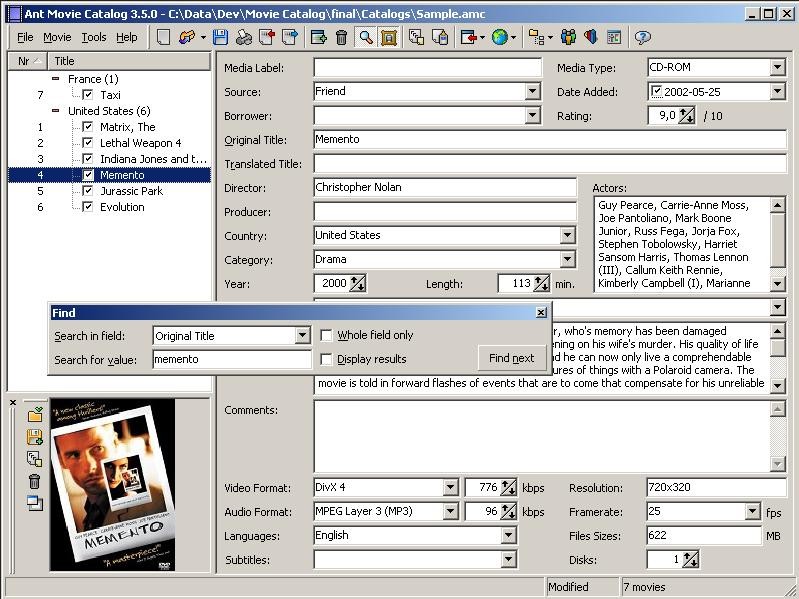
Ant Movie Catalog helps you manage your collection of DVDs, Blu-rays, or digital files that's getting a bit out of hand. It's a completely free program for Windows where you organize your entire movie and video collection in one place, so it's easier to keep track of every film you own, what format it's in, and where it's located. It's a perfect tool for movie fans, collectors, and anyone who just wants to order their media.
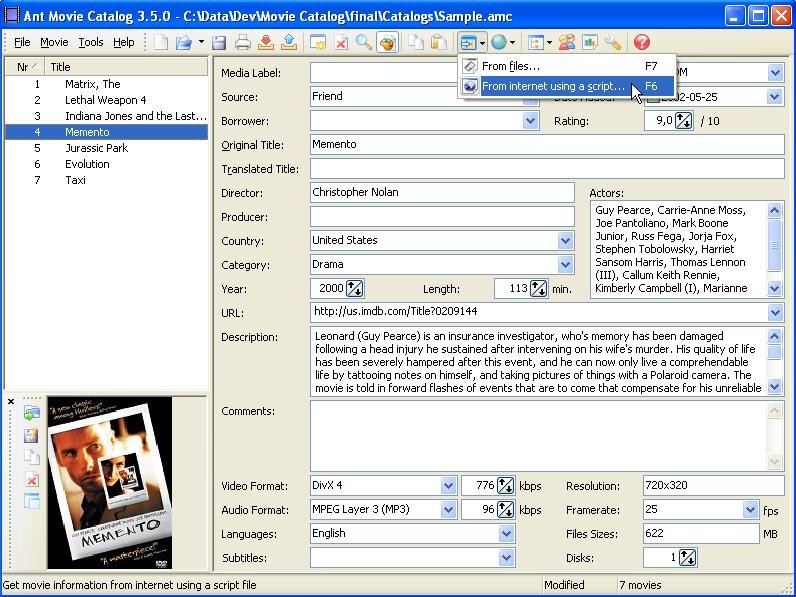
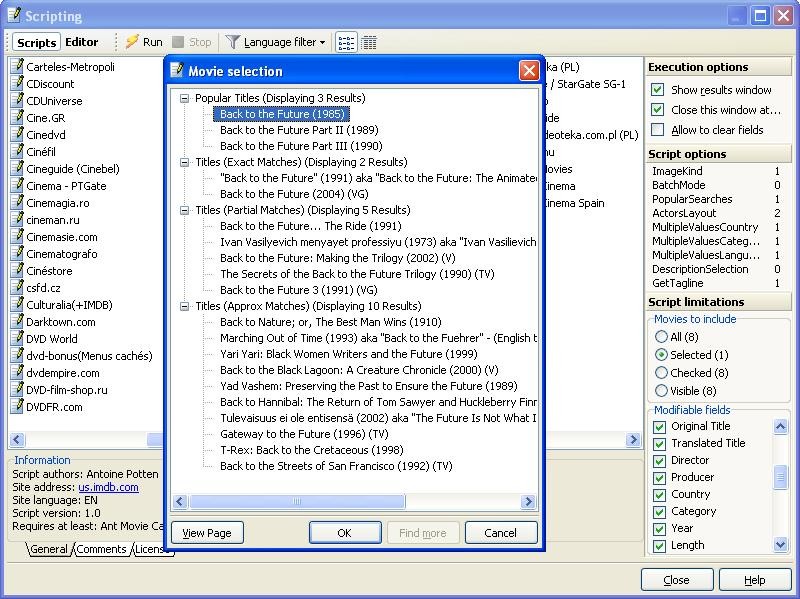
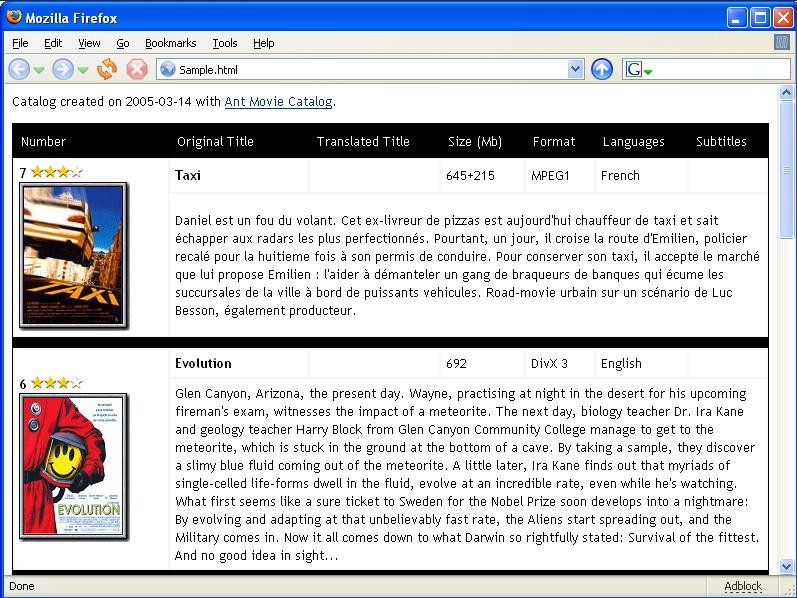
What Ant Movie Catalog does is make the process of cataloging your movies as easy and automated as possible. Instead of you having to type in all the information for every single film manually, the program can connect to online movie databases, like IMDB. You just type in the movie's title, and the software will automatically download and fill in all the important details for you, like the director, cast, genre, plot summary, and even the movie poster.
You can also customize Ant Movie Catalog with various mods, and the tool lets you get an overview of your collection. It's not just a simple list, as you can add personal ratings, keep track of who you've loaned movies to, view detailed statistics about your collection, and even export your list into different formats. Because it's open source, it's available for free, you can even access its full code to edit it, but Ant Movie Catalog works only on Windows.
Why should I download Ant Movie Catalog?
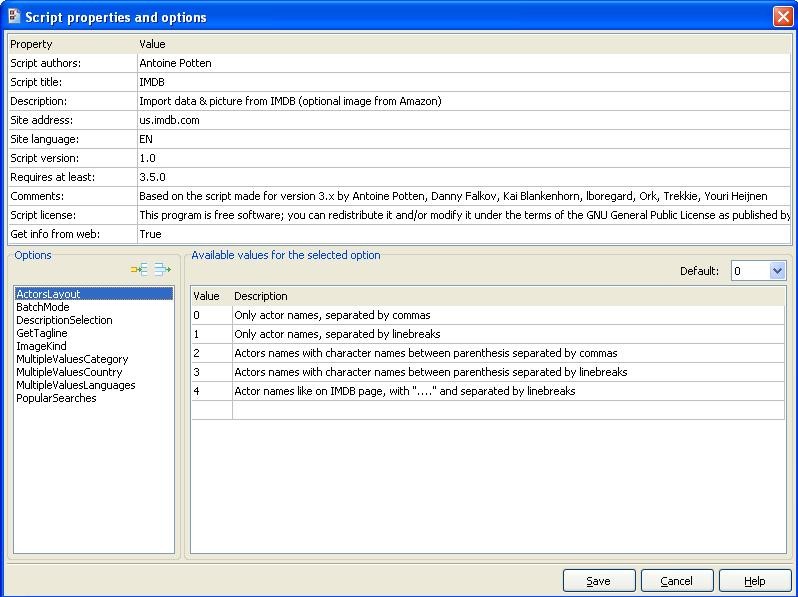
Ant Movie Catalog has a great system for automatically fetching movie information, which can save you time. Instead of spending hours typing out details for every movie you own, you can simply provide the title. The software then uses its scripts to connect to various online movie databases and automatically downloads information. They include the director, writer, full cast list, genre, year of release, plot summary, runtime, and high-resolution cover art, quickly populating your catalog with rich detail.
Unlike many other cataloging programs, Ant Movie Catalog doesn't lock you into a fixed set of fields. You're able to add your custom fields to track any information you want, such as the date you watched it, the region of the Blu-ray, or the audio and subtitle tracks available. The way the information is displayed is also fully customizable, allowing you to change the layout and templates to create a view that is perfect for you.
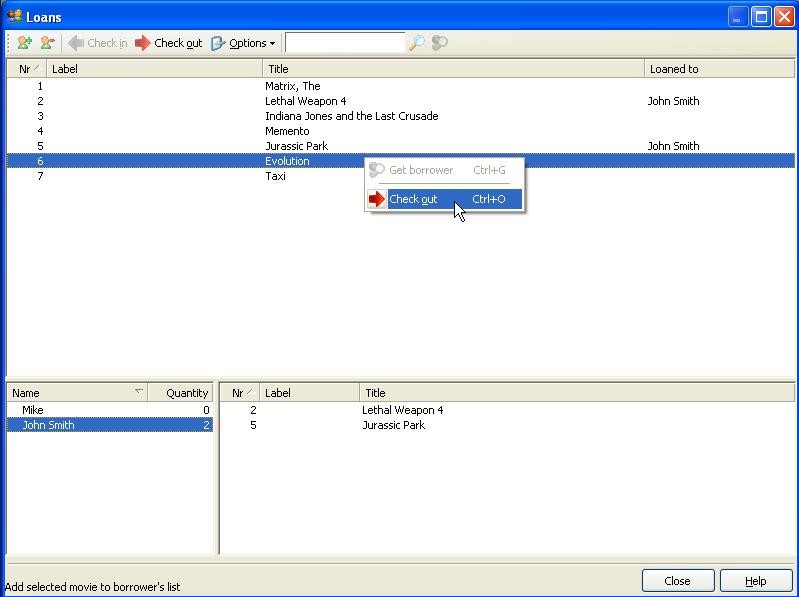
You can keep track of your collection with Ant Movie Catalog, as it has a built-in view for managing who borrowed your movies. If you frequently lend your physical media to friends and family, you can use this feature to mark any movie in your collection as "loaned out," and record who you loaned it to and on what date. This creates a simple but effective log that ensures you never forget who has your favorite Blu-ray or box set, helping you to keep your physical collection intact.
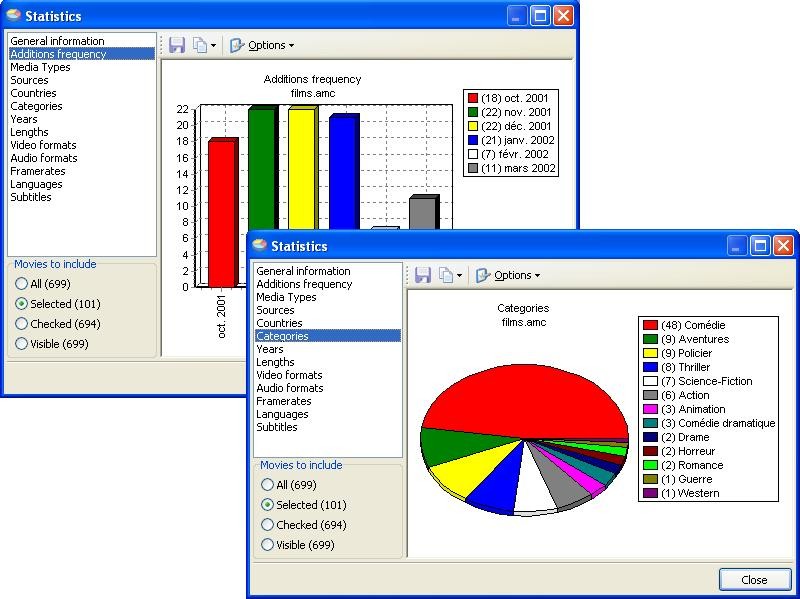
Ant Movie Catalog can also analyze your entire library and present you with a variety of informative statistics. You can instantly see charts and graphs showing the breakdown of your collection by genre, the most common directors or actors in your library, the average runtime of your movies, or how your ratings are distributed. You can catalog a wide variety of content types, like movies, TV series, documentaries, home videos, or any other video media you own. Ant Movie Catalog works in many languages, and you can download it for Windows computers for free.
Is Ant Movie Catalog free?
Yes, Ant Movie Catalog is completely free since it's been developed and distributed as freeware. It was created as part of an open source project so that you can download and use it without any cost, and there are no advertisements, subscription fees, or premium versions.
What operating systems are compatible with Ant Movie Catalog?
Ant Movie Catalog is a lightweight app that works only on Windows computers. Though it's not been developed further, it's still maintained to work with the latest operating systems, like Windows 10.
What are the alternatives to Ant Movie Catalog?
EMDB is a free tool for cataloging movies on Windows that can automatically grab a ton of information from online movie databases like IMDB. You just provide a movie title, and it will fetch the cover art, cast, genre, rating, and plot summary for you. It has a simple interface and is easy to use, even for older people or children. and it can also scan your computer for movies and automate the whole process.
All My Movies is another tool for organizing your media collection that can catalog movies and TV series, with the option to download details for every single episode automatically. It can scan your hard drive for video files and add them to your collection. All My Movies is available for free on Windows computers and includes a media player to watch your movies directly on it.
TinyMediaManager is a software for managing and optimizing your media files so you can use them with media players like Kodi, Plex, or Jellyfin. It scans your files, identifies the movies and shows, and then downloads all the metadata, artwork, posters, and trailers. You can use tinyMediaManager for free with just basic features or buy a paid version that unlocks more advanced features. It is a cross-platform tool available for Windows, macOS, and Linux.
JustWatch helps you find out where to watch a movie or TV show online legally. You can search for any title, and JustWatch will show you if it's available to stream on services like Netflix, Hulu, or Max, or if you can rent or buy it from stores like Apple TV or Amazon Prime Video. You can create a "Watchlist" to keep track of shows you want to see, and JustWatch is a free service you can download for iOS and Android, some smart TVs, or just use its website.