OnlyOffice DocSpace (OnlyOffice Documents) allows you to work on documents, spreadsheets, and presentations. It's a really versatile office suite designed to be a completely free alternative to the most popular commercial products. OnlyOffice Documents gives you a complete package of office editors that work great whether you're a student, a personal user, or part of a big team.
The best point about using OnlyOffice DocSpace is how well it works with Microsoft Office files. Its main formats are actually DOCX, XLSX, and PPTX, which means you can open a file from Microsoft Word or Excel and it will look almost exactly the same, without weird formatting problems you sometimes get with other office products. This is really helpful if you're sharing files with people who use Microsoft 365 and don't want to worry about compatibility issues.
You can get OnlyOffice DocSpace as a completely free app for your desktop computer or mobile devices. There are also options for teams that allow setting it up as a collaborative online suite on a private server, which gives you total control over your security. OnlyOffice Documents also has a cloud version if you'd rather store files online, and you can get each of the OnlyOffice DocSpace versions for free, with optional paid upgrades for large enterprises or companies with specific needs, but personal users are fully covered without the need to pay anything.
Why should I download OnlyOffice DocSpace?
OnlyOffice DocSpace (OnlyOffice Documents) offers an unmatched compatibility with Microsoft Office formats because it's the only alternative suite of office products that actually uses DOCX, XLSX, and PPTX as its main file formats. This lets you open a complex report from Microsoft Word or an intricate spreadsheet from Excel and be sure that the formatting, charts, and even macros will look and function almost perfectly. This makes it the best choice for anyone who needs to collaborate with colleagues or clients who use Microsoft 365, as it dramatically reduces conversion errors and formatting headaches.
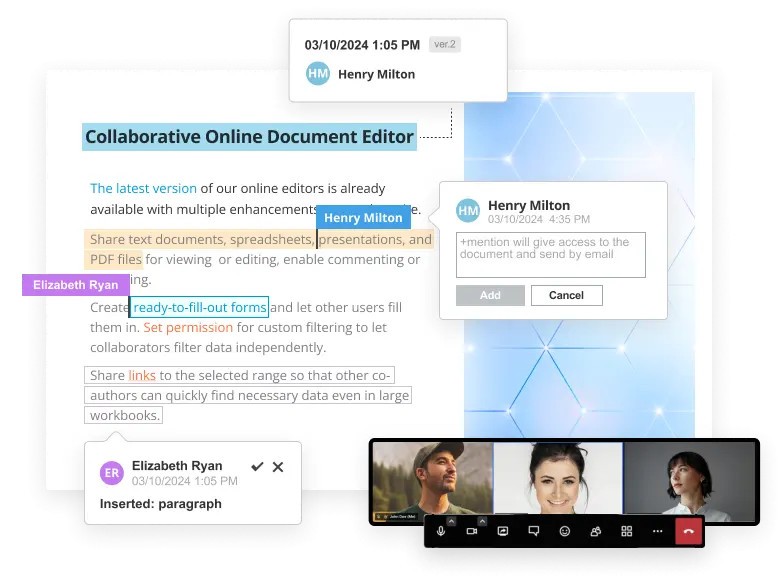
You can use OnlyOffice DocSpace to work together with others, and when you're collaborating on a document with your team, you can choose between two different modes. The "Fast" mode works just like Google Docs, where you can see your collaborators' cursors and watch them type, character by character, in real time. For more structured editing, the unique "Formal" mode locks a paragraph while you are actively editing it. Other users can't edit that specific paragraph until you or the other person saves their changes.
With OnlyOffice DocSpace, you get a full-featured and completely free office suite for your desktop. While the collaborative online versions are aimed at teams and businesses with a limited free version, the desktop applications for Windows, Mac, and Linux are 100% free for personal users. They offer all editing features and options with no ads, feature restrictions, or hidden costs. This makes OnlyOffice Desktop Editors an incredibly powerful and cost-effective alternative to buying a Microsoft 365 subscription for your personal computer.
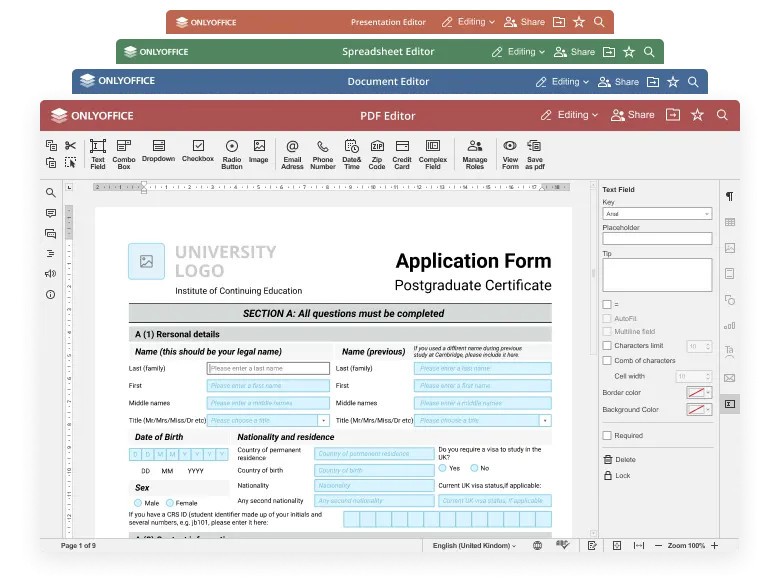
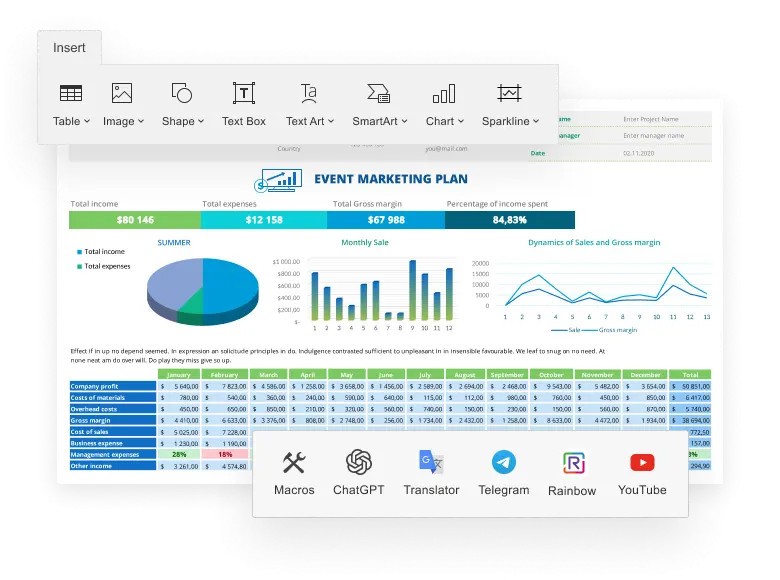
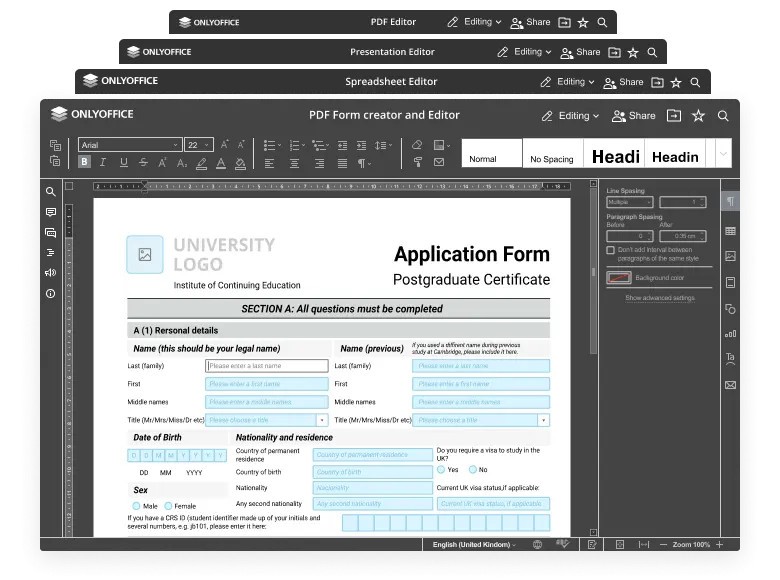
OnlyOffice DocSpace offers a robust set of features that let you create and edit professional, fillable forms. You can also create fields for text, checkboxes, dropdown lists, and more, which makes it a great tool for creating surveys, contracts, or application forms. The editors also have the built-in capability to view, annotate, and convert PDF files. You can even add more features to the editors with a variety of useful plugins. OnlyOffice DocSpace also has the option to install on your own server. You can download OnlyOffice Documents for macOS, Windows, Android, and iOS, or use them through its online editors, and the tools are completely free if you're a personal user.
Is OnlyOffice DocSpace free?
OnlyOffice DocSpace (OnlyOffice Documents) has a few different pricing options depending on which version you want to use. The OnlyOffice DocSpace apps for Windows, macOS, and Linux are completely free for personal and home use. Mobile versions of OnlyOffice Documents are also available free of charge.
If you're looking to use OnlyOffice DocSpace online through cloud-based web editors, there's also a free plan, but business users have the option to upgrade to a paid tier with more advanced features. The same goes for the versions of OnlyOffice Documents that you want to install on your own server, as there's a free plan for everyone and paid options for more demanding users.
What operating systems are compatible with OnlyOffice DocSpace?
OnlyOffice DocSpace (OnlyOffice Documents) is available for Microsoft Windows, macOS, and various Linux distributions. It has apps that are dedicated even to the older versions of those OSs, so it offers full support, whether you're on Windows Vista or an older Mac.
The online version of OnlyOffice DocSpace works on any modern web browser. You can also download the OnlyOffice DocSpace mobile apps on iOS 14.0 or newer and Android 8.0 or up.
What are the alternatives to OnlyOffice DocSpace?
Microsoft 365 (also known as Microsoft Office) is the go-to set of office productivity tools. It offers main apps like Word, Excel, and PowerPoint that set the standards for the rest of the products in the industry. They integrate with the broader Microsoft ecosystem, but in order to use them, you need to get a paid subscription. While there are free web versions, they offer limited features. So to use it on Windows, macOS, iOS, and Android, you need to subscribe.
Google Workspace is a set of cloud productivity tools from Google, with Google Docs, Sheets, and Slides. They all offer amazing real-time collaborations where multiple users can work on a document at the same time and see changes instantly. You can use those tools for free if you have a Google account. If you need to add more storage, use custom email domains, and have access to advanced administrative and security features, Google offers paid business plans. You can use those apps simply on a web browser and or on mobile apps for iOS and Android.
WPS Office is an office suite that uses a familiar, tabbed user interface similar to Microsoft Office and has powerful PDF editing capabilities, which are included in its free version. You can use WPS Office's free plan with ads or get a paid subscription to remove them and unlock advanced features like OCR, or Optical Character Recognition. WPS Office is available on Windows, macOS, Linux, iOS, and Android.