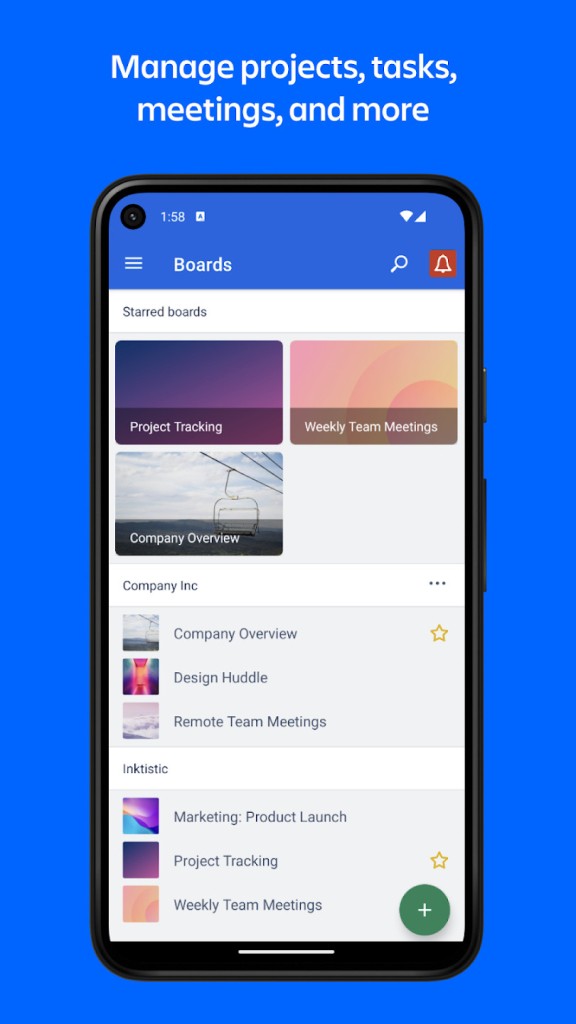
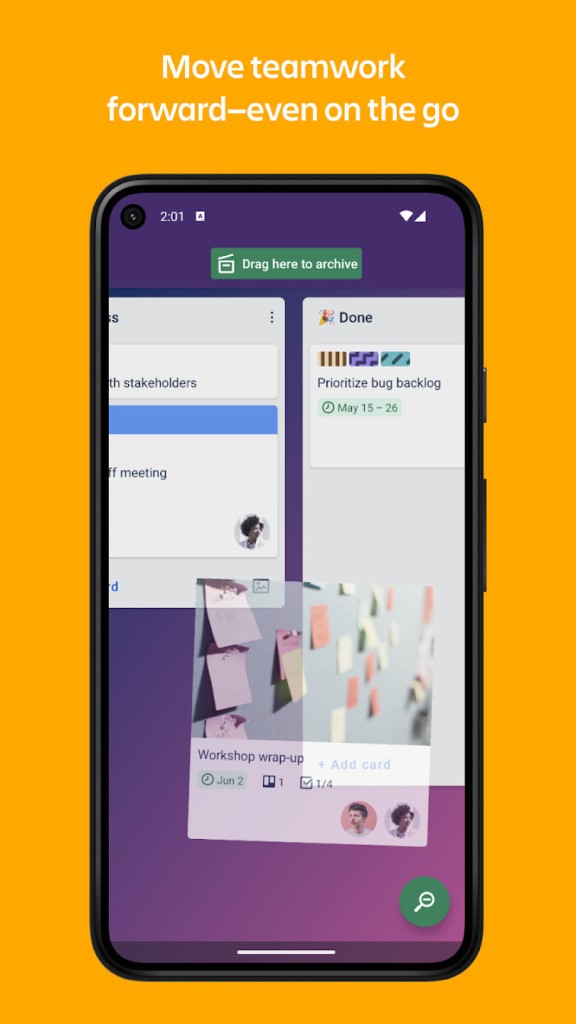
Trello is a flexible platform where you can manage your projects, tasks, and to-do lists by creating different boards and dragging cards through different statuses, like "Backlog," "In progress," or "Done." You can use it to organize everyday tasks, manage a big project, or even collaborate with people worldwide and easily check each task's progress.
With Trello, you can customize your boards however you like to work, adjust different statuses, create automation, upload attachments, add links, set deadlines or reminders, color code different items, and assign them to different people.
You can use Trello in their freemium model, but there's also a paid version, and the tool integrates with various apps and syncs statuses between platforms. Trello is part of the Atlassian ecosystem, so it can natively update based on changes in Jira issues or send changes to Confluence whiteboards. You can download Trello on PCs and mobile devices or use its web-based version.
Why should I download Trello?
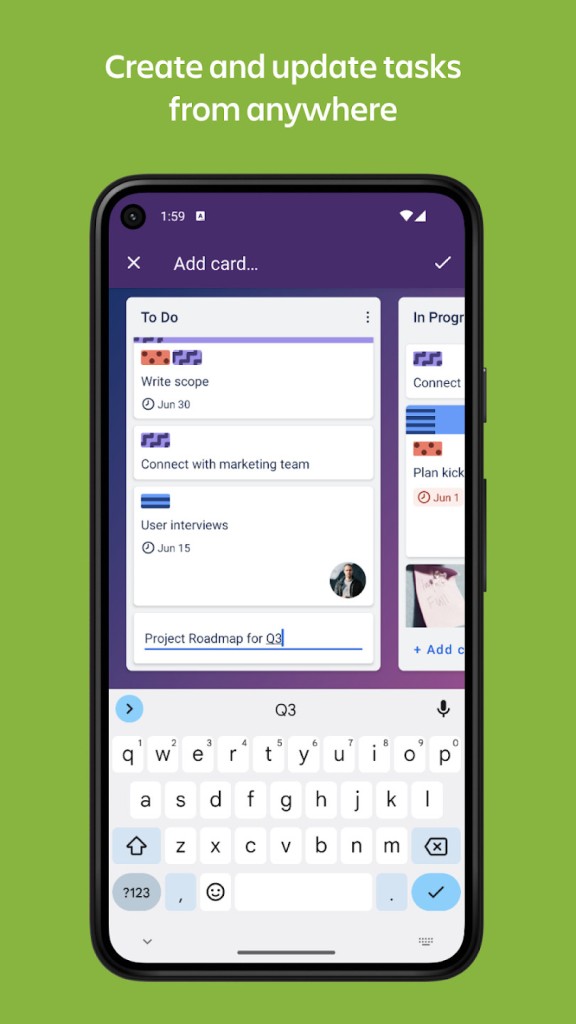
Anyone looking for an intuitive and easy way to manage their tasks or bigger projects will be happy with Trello, as it's a great alternative to keeping complex spreadsheets or working with complicated project management tools. You work on boards that can represent a specific project or workspace; inside, you can create columns to describe the status or high-level group (like "To Do," "Delayed," or "Done"). Then, each card you create is an individual work item you can drag between the columns.
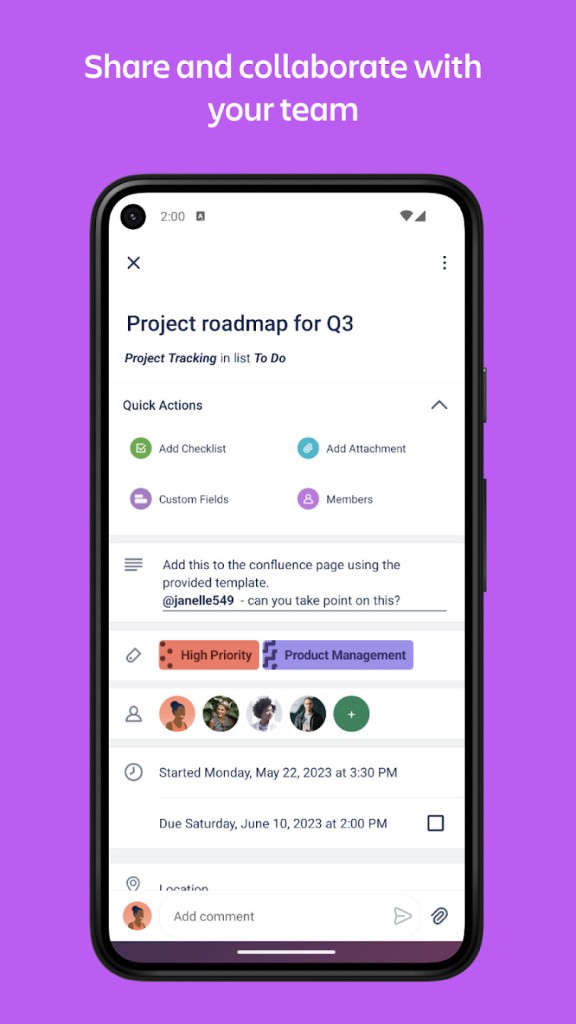
You can customize each card you create by adding labels and assigning colors. You can also include a checklist of subtasks, add links and due dates, and even upload attachments. The cards have their own activity log where you can track changes, and there's also a comment field where people can leave questions or notes as they work on each task.
While Trello is a great choice even for solo projects, it's even better when you use it for collaboration. To facilitate smooth cooperation, you can invite others to specific boards, mention them by tagging their name with "@," assign cards to your coworkers, and even manage their permissions. Every change is synced in real time, so there's no need to worry about someone seeing an old status. You can even enable email, desktop, or mobile notifications to be sent when there's an update.
There's a feature called Power-Ups that allows you to integrate Trello with a wide range of tools and extend its functionalities. You can link such apps as Google Drive, Slack, Microsoft Teams, GitHub, Jira, Dropbox, or Evernote, and each of them offers unique new features. Trello even has a built-in automation system called Butler that can automatically move cards, change due dates, or send updates to specific people, and you don't need to know how to code to use it. It's a simple yet powerful tool that allows you to set up triggers and rules simply, and Butler does the rest for you.
With Trello, you get access to a large library of templates that cover most of the tool's use cases. You can choose between prebuilt boards for project management, HR, sales, and more. If you create a custom board, it can be shared with your team or the whole Trello community.
Trello started out as a personal tool and then grew into a business utility, so it has various security features like content encryption, SSO login, and detailed permission and access settings. Since you can download Trello on so many different devices, you can make updates on the go through your phone, and it will be sent to all the other platforms. Even if you make changes offline, they will get pushed to Trello as soon as you return online.
Is Trello free?
With Trello, you can choose between using the tool for free or upgrading to a paid plan when your needs grow. On the freemium model, you are able to create unlimited personal boards and have up to 10 team boards; there's also no limit on how many cards you can make. If you want to use Power-Ups, only one per board is allowed, and you can run up to 250 Butler automations in a month. As you can see, the free solution is very robust and is usually sufficient for personal users.
If you're utilizing Trello in your business, then there are a couple of different subscription plans you can choose from, like Standard, Premium, or Enterprise, and each of them offers new features and lifts certain limits when compared with the free version. You pay for the tool per user in monthly or annual payments.
What operating systems are compatible with Trello?
You can download Trello and use it on almost every device, as it's a cross-platform solution.
For desktop computers, you need Windows 10 (or later) or macOS in version 10.12 (or higher) to run the Trello app.
You can also access Trello through its browser service, which works with Google Chrome, Mozilla Firefox, Safari, and Microsoft Edge.
If you're looking to download the Trello mobile app, your device needs to be at least on Android 8.0 or iOS 13.
What are the alternatives to Trello?
The closest competitor to Trello is Asana, which uses a similar visual approach where you divide your tasks between different columns and boards, but also through a built-in calendar mode where you can see our work in full on a weekly or monthly preview. Asana also supports complex task dependencies as well as workload and goal tracking, and you can use it for free with up to 15 users. You can download Asana on Windows, macOS, Android, and iOS devices or open it up through a browser.
An alternative that's often used in the business setting is Microsoft Teams, which combines a lot of functions into a single tool. With this solution, you can have text chats, video calls, and share files, but also integrate it with Microsoft 365 programs and use the Planner to manage tasks and to-do lists. You can use Microsoft Teams on Windows, macOS, Android, and iOS devices, as well as through its web service. There's a freemium version, but it has multiple restrictions, so most teams opt for one of the paid tiers.
While Slack is mainly known as a real-time messaging platform, with time, it grew with different functionalities to make it a comprehensive collaboration platform. Apart from just sending messages via DMs or to various channels, you can also record voice notes, have quick meetings called huddles, pin pages and links to your channel for easier access, and even create whiteboards inside of the channel to work with others on a free-from canvas without leaving Slack. The tool integrates with a wide range of other platforms and solutions, and you can download Slack on desktop and mobile devices and use its web service. You can either choose to use Slack's freemium offering or opt-in for a paid plan, depending on your and your team's needs.