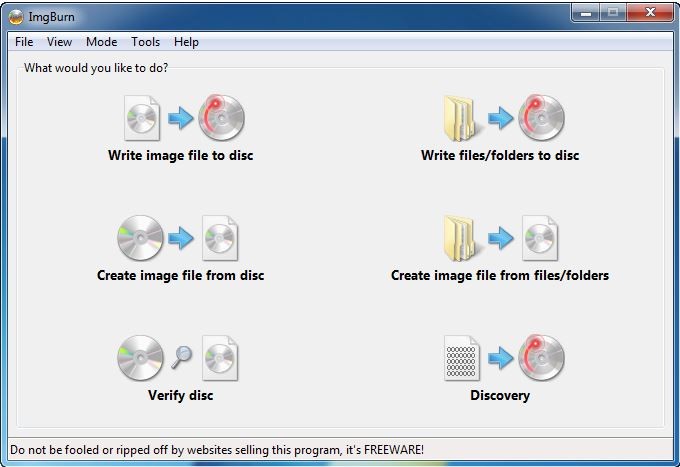
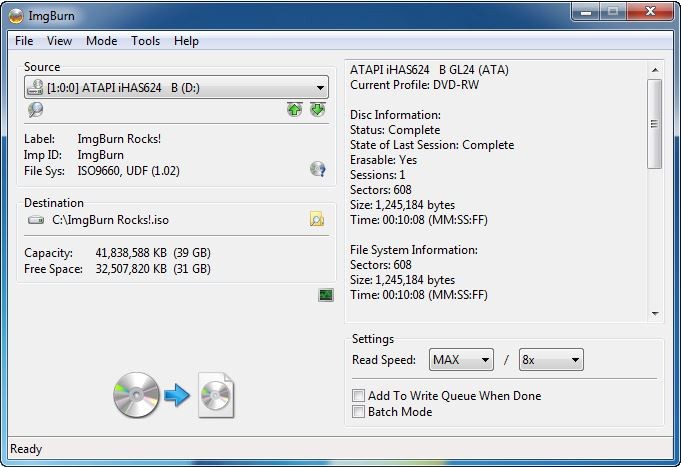
The reliable utility tool ImgBurn primarily serves advanced users by running in the background alongside their other applications. It excels at burning and creating disc image files without any fancy appearance. ImgBurn handles your files in any format, including ISO, IMG, and BIN, as a single tool.
The tool started as an application designed to assist users who wanted to write disc image files to CD, DVD, HD-DVD, and Blu-ray devices, but has since evolved into a general-purpose program for optical disc data creation and verification. The standout feature of this software is its dedication to its core functionality, which excludes attempts to be a full-media suite or to develop multiple features.
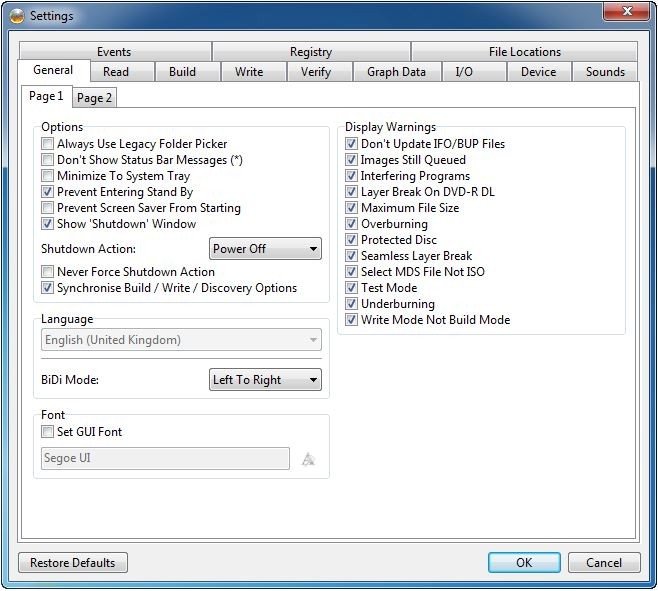
The interface retains its old-fashioned presentation while remaining typical of its age, even by modern style guidelines. Every action and its purpose are clearly visible to the user, in a way that recognizes their understanding of the current task. The application avoids unnecessary automation by giving you full control over each process.
The tool provides stable operations for reading, writing, building, and verifying disc image data, without adding unnecessary complexity to your workflow. The reason for its widespread trust over the past multiple years persists.
Why Should I Download ImgBurn?
The simplicity of ImgBurn is its strength, as it does not attempt to perform every function, resulting in reliable performance. The program focuses on ensuring simple, secure operations when users burn discs and manage their image files. This quiet software tool understands all the steps of ISO creation, from folder creation to bootable disc image generation, as well as burned data verification. This software focuses solely on burning tasks because its main objective is disc-related accuracy rather than multimedia activities.
The greatest advantage of ImgBurn is its ability to work with machines and workflows that are still using older standards. Not every consumer has left behind physical storage devices. Many professional classes, including archivists, game collectors, and musicians, continue to use CDs and DVDs for their business needs. Using ImgBurn, users of any experience level can preserve their digital libraries, create trustworthy discs, or make backups of data by bypassing overwhelming applications. All your workflow needs are covered by a single, simple interface, as the software supports an extensive range of file and disc types.
The utility distinguishes itself by remaining incredibly light. The system resources of ImgBurn remain unaffected during operation. ImgBurn prepares and operates quickly while keeping your computer's background processes free from all activities. You can activate this tool for instant use to complete your work before closing the program without any system slowdown. This tool maintains thorough logs and status reports throughout every process, despite its small size. The tool provides detailed reports on system errors, which is a clear advantage over tools that use unclear error notifications or delayed progress indicators.
All users who require reliable data verification and accurate writing capabilities should consider using ImgBurn's built-in tools. The verification mode enables users to confirm, through the program, that a burned disc matches the original source material bit-for-bit. Verification becomes essential for those who use burning software to create bootable systems, as well as for protecting sensitive data during backups. ImgBurn trusts the process only after it verifies it correctly.
Any professional working with disc image creation and burning needs this software as a reliable companion that respects limits while standing ready to assist at your signal.
Is ImgBurn Free?
The full use of ImgBurn is free for all users. You can use ImgBurn for free for download distribution and for the full feature set.
ImgBurn provides its full functionality free of charge, with unlimited use, because promotional elements appear only during software installation and not in the core utility itself.
What Operating Systems Are Compatible with ImgBurn?
The software works with every Windows version from Windows 95 through Windows 10. Traversal of this application remains light, which provides smooth functionality across all age groups of operating systems.
The program provides technical support for current and future Windows versions, yet its developers have not officially approved its Windows 11 compatibility, though users have successfully used it without issues.
The system provides no official macOS or Linux support, though users of Wine and other compatibility layers can run the application on those platforms.
What Are the Alternatives to ImgBurn?
Users interested in detailed ISO operations should consider UltraISO as one of their primary options. Unlike ImgBurn users who need a direct editor for ISO files, UltraISO delivers this functionality with additional capabilities to add or remove content, and the ability to save files without a complete rebuild. The application supports numerous file formats and provides easy-to-use file conversion capabilities. The interface has an outdated appearance, yet it focuses on performance and precision rather than design aesthetics. The software provides users with a trial period during which they can access most fundamental functions without charging any fees.
The disc image management program Daemon Tools enjoys recognition among users who want to operate virtual drives. The software system enables users to use virtual disc images as an alternative to physical optical discs, making it easier to access software and classic game titles. The software tools provided by Daemon Tools surpass those in ImgBurn, offering additional functions such as encryption and disc emulation. Due to its weighty system requirements, Daemon Tools includes additional functions beyond what you need. For users who frequently handle virtual discs, Daemon Tools could be an ideal choice due to its functionality in this area.
The compact ISO Workshop application presents a current aesthetic interface while filling the void left by ImgBurn's conventional appearance toward modern interface design. The program provides users with straightforward access to ISO creation and conversion tools, as well as extraction and disc-burning features. The program does not reach UltraISO's depth of ISO content editing yet handles simple operations for disc image duplication and verification and disc image burning functions effectively. Every day, users find its basic interface appealing because it allows them to deal with ISOs through a straightforward platform.