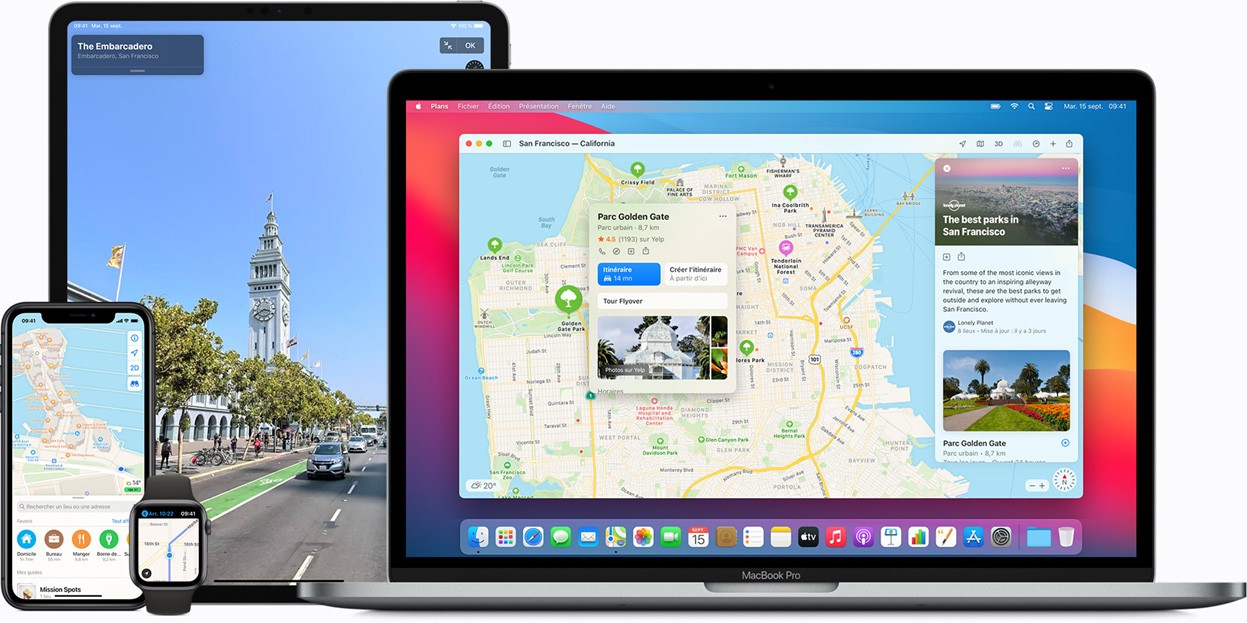
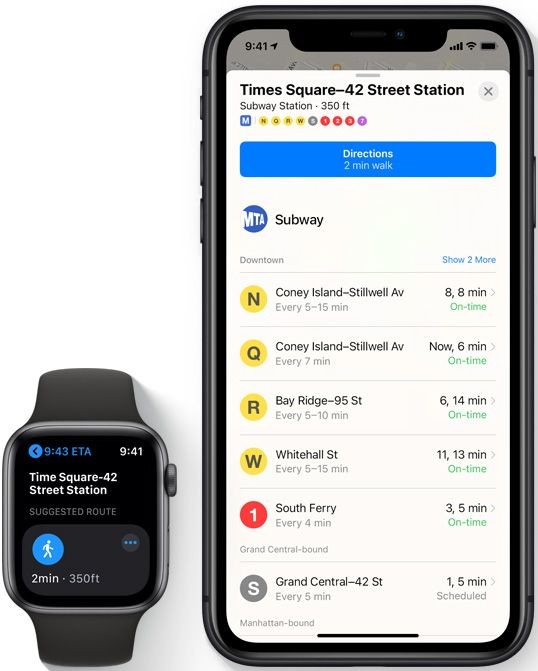
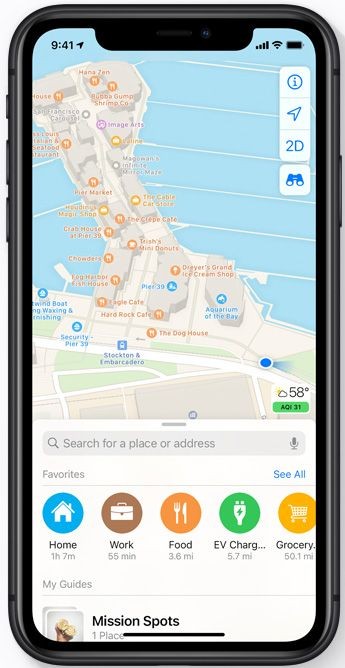
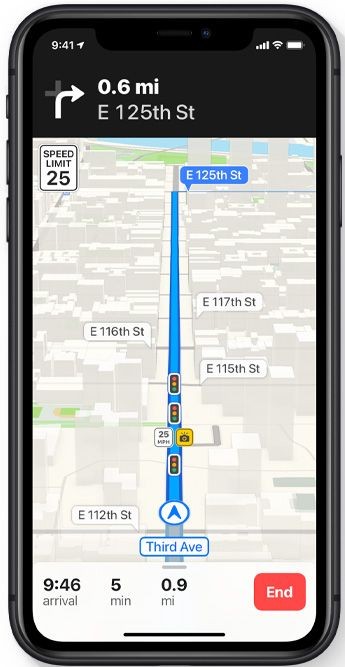
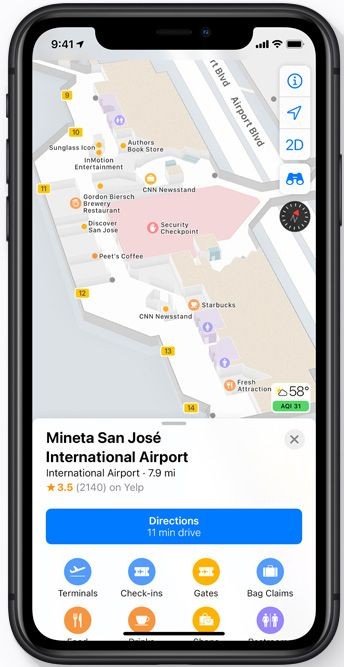
The built-in navigation and mapping application Maps operates on all Apple devices. Users will find Apple Maps directly on their iPhone or Mac without needing further downloads. Like traditional mapping solutions, Maps allows users to perform location searches and acquire both driving and walking route directions (with public transportation if needed), along with the discovery of adjacent areas. The Apple Maps system functions beyond standard route direction services to provide its users with expanded features.
Through Apple’s unique design principles and intelligent mapping of locations the application produces streamlined interface and intuitive navigation tools. In recent times the service started as another mapping tool but now stands firmly as its own robust solution. Apple Maps offers thorough transit guidance as well as lane help with real-time traffic details and 3D landmark views that users can request through Siri without typing.
The synchronization features between Apple Maps and your Apple platform always provide a delightful experience for those who stay within Apple's product boundaries. Your device automatically presents automatic recommendations, which appear when you receive addresses from others or have upcoming events without the need to manually search for them. The application integrates seamlessly with Apple's device operations while avoiding the feel of managing additional external applications.
Why Should I Download Apple Maps?
Users who own iPhone, iPad, or Mac devices need not worry about downloading the program because it is automatically installed on their system. The first reason to use this application becomes obvious. The program integrates seamlessly with your device operating system, which enables faster and more streamlined operation compared to standalone third-party applications. The platform avoids extra credential logins and shows no interruptions from bothersome advertisements. The service lies at your reach with an understanding that adjusts itself according to your preferences.
The main feature that makes Apple Maps notable is its simple and organized visual presentation. The maps display a neat appearance with easy-to-see labels and natural movement between screens. The absence of screen clutter during road travel and path navigation becomes noticeable, particularly in busy areas. Your concentration improves on your destination while you maintain an angle of sight that prevents excessive zooming and unzooming motions.
Through Look Around, Apple lets users experience cities interactively and smoothly. This serves as the company's version of street-level imagery featured in the application. This feature might not be accessible throughout all areas, however, it presents itself in contemporary and modern fashion in specific regions. Apple dedicates significant efforts to displaying comprehensive interior views of transportation facilities and shopping centers to assist users who need guidance in unfamiliar locations.
Privacy remains one core focus for Apple regarding its product development. Your location information remains private since Apple stores it separately from your Apple ID account. The search information stays within your device during trip planning because Apple prevents it from being uploaded to servers for later tracking purposes. Digital privacy advocates who value smart navigation access this particular feature because it keeps their location data off Apple servers.
Siri integration with Maps makes the system work hands-free. You may activate Siri by saying "Hey Siri, take me to the nearest coffee shop" and Apple Maps will display navigation instructions automatically. Police provide the unique advantage of Maps through their seamless connection with Siri and their data management approach, which differs from other mapping programs. Apple Maps delivers fundamental features with distinctive, useful additions that surpass everyday users' core requirements, although it might lack some depth or detail found in competitor solutions.
Is Apple Maps Free?
Yes, it’s completely free. Users who operate Apple devices automatically have access to Maps through their system. Users can access everything in Maps (Apple) without subscribing to any plans as there are no premium versions or in-app purchases. The application includes complete features including driving directions as well as transit routes with 3D building representation.
What Operating Systems Are Compatible with Apple Maps?
Apple Maps operates only within the Apple product environment. Users of Apple devices running iPhone, iPad, Mac, and Apple Watch can access this application.
Those using iOS 6 or later versions of the operating system can access the application, though fresh operating system releases tend to provide enhanced features and enhanced interface design.
But that’s not all. There also exists an online version of Apple Maps designed for all devices and OS (Windows, macOS, Linux, and more). To open it you need to use Google Chrome or Microsoft Edge browsers.
What Are the Alternatives to Apple Maps?
The navigation features of Apple Maps deliver satisfactory results to users of Apple products, but other options exist. Different alternatives exist as solid replacements that suit users based on their specific needs.
Google Maps stands as the universal navigation app, since people use it extensively across the planet. The system offers a long history of data combined with detailed business entries, along with real-time traffic updates and image viewing features and downloadable mapping services, and review features within a single platform. Users find this application across all platforms, making it suitable for universal usage. Users who cross between Android and Apple platforms, as well as those who frequently travel, should prefer this navigation app for its universal device compatibility. Google Maps updates its information about locations as well as highways and user-shared details more rapidly.
Another noteworthy GPS application is Maps.me. The program provides exceptional features for people exploring regions with no mobile network presence. Users find the ability to access locations offline to be the main reason this application stands out. The feature enables users to download complete geographical areas before traveling, so mapping functionality operates with no need for an internet connection. Backpackers, along with cyclists and those who explore remote places without data, will find this application convenient. The application provides clear design maps alongside weight efficiency for running smoothly on older smartphone models.
Waze comes with a distinct approach in the navigation space. Waze functions as a stand-alone Google service that derives its content from community user updates. Drivers constantly provide up-to-the-moment information about speed traps and road closures, and traffic congestion to the Waze system. People who drive frequently select this app since it gives them the fastest possible route, regardless of which streets it takes. Waze presents its interface in a fun and whimsical style, which delivers swift navigation solutions to destinations with unique methods above standard mapping solutions.