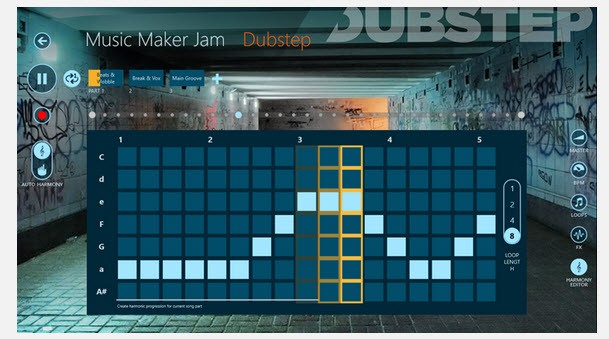
If you're looking for an intuitive mobile app that lets you quickly create tracks, then Music Maker Jam is a great tool. You can use it even as a complete beginner and produce high-quality music directly on your phone or computer. Because Music Maker Jam uses loops as the base for tracks, its learning curve is really low compared to professional DAW tools. It offers a big library of prerecorded professional audio samples that you can mix and match as you wish.
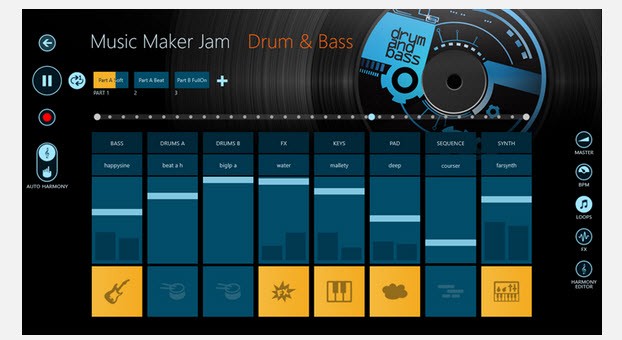
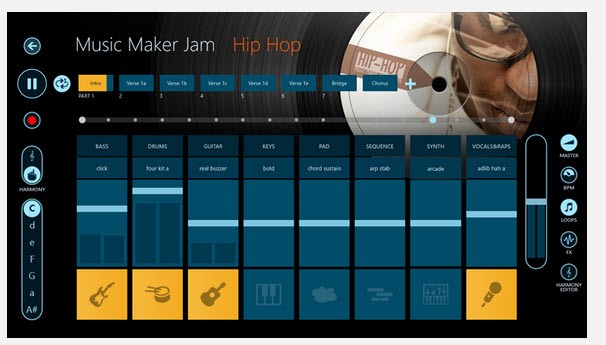
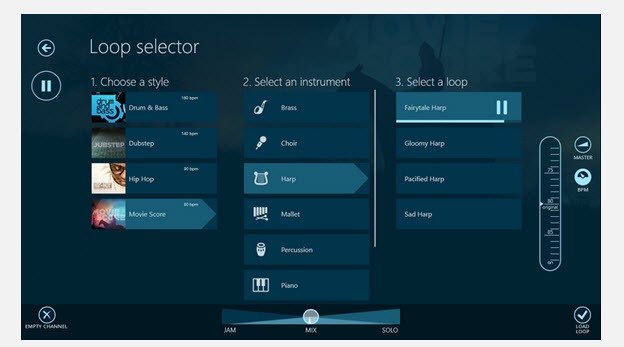
Music Maker Jam uses an 8-channel mixer and offers a whole library of style packs. Each of them includes curated samples with drum beats, basslines, synthesizer melodies, and vocal hooks that match the selected music genre. All you have to do is choose a style like Hip hop, EDM, Rock, or others, and then use the mixer to combine different audio loops to build a track. You can experiment with different arrangements, placements, lengths, and orders to find a pace and audio that you like.
Beyond the pre-made library, Music Maker Jam also offers tools that allow you to customize your music with real-time effects, various tempos, or keys. You can even record your own vocals or sounds using your phone or computer microphone. When you are done, you can export the track and share it with the app community if you want feedback. You can download Music Maker Jam for free on iOS and Android, as well as on Microsoft computers.
Why should I download Music Maker Jam?
Essentially, Music Maker Jam is an excellent tool if you want to start exploring music production without spending a lot of money or time on learning apps and DAW software. It balances ease of use with ensuring you have enough creative control to make something unique and your own. The whole workflow is loop-based, so it allows you to drag and drop prerecorded sounds into the 8-channel mixer simply. Each of the samples, whether it's drums, bass, synth, or vocals, is matched in tempo and key in order to avoid differences in frequencies or weird-sounding chords.
The mixer in Music Maker Jam lets you preview tracks in real time, which makes it easy to adjust the balance between different instruments, add or filter effects, and change the harmonies during track playback. You don't need to export your tracks; you can change various parameters instantly as you hear something is off, allowing you to be more creative and act immediately, which is super important when you're a beginner. You're able to apply real-time effects, such as reverb, delay (echo), and stutter, change drops, or create dynamic transitions.
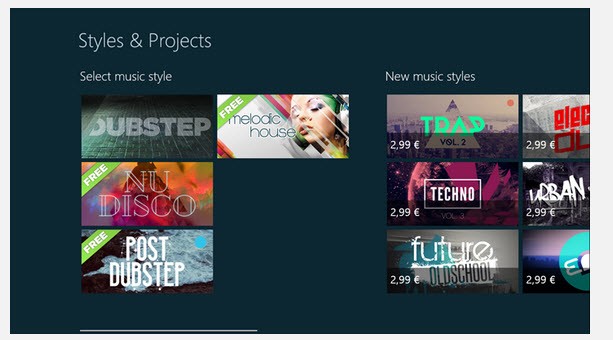
Another benefit of using Music Maker Jam is that you don't even need to know how to play instruments or understand music theory. You can get started with the hundreds of prerecorded Style Packs, which represent different musical genres like Pop, Hip Hop, Rock, Trap, lo-fi, Drum and bass, Techno, and much more. You can browse through different sounds to find the style you're looking for in your track. These collections are also regularly updated and expanded, which adds new opportunities for creating unique sounds.
If you're missing a sound or want to personalize your song, use Music Maker Jam to record your own vocal or instrument samples and add them to your compositions. It's perfect if you want to create content for social media or demos without renting a whole studio or investing in professional tools. Once ready, you can upload your track directly to Soundcloud or TikTok or export it to a file. There's also a whole community of users around Music Maker Jam that share their creations to get feedback, collaborate, or discover new music. You can download Music Maker Jam on iOS, Android, and Windows for free and get access to limited sound packs or pay to get more options.
Is Music Maker Jam free?
Music Maker Jam uses a freemium model, where basic mixing and recording features and style packs are available without any cost. However, most high-quality sound collections are paid, so you can get them separately or subscribe to a paid plan.
What operating systems are compatible with Music Maker Jam?
Music Maker Jam is an app available on Windows 10 and 11, and there are no versions for other operating systems, such as macOS or Linux.
You can also download Music Maker Jam on iOS 15.6 or later or Android 7.0 or newer.
What are the alternatives to Music Maker Jam?
BeatMaker is a complete audio and MIDI workstation that is available only on Apple devices. It's a professional and comprehensive tool used on iPads mostly that matches the needs of music producers who can use this as a sampler, a multi-track sequencer, a mixer, and a full-featured Digital Audio Workstation (DAW). It's a paid product for professional music production that you can buy only for Apple devices and computers.
BandLab is a platform for creating music that is entirely free and has a big community of users around it. As a cloud-based tool, it still provides you with a complete multi-track Digital Audio Workstation (DAW) directly inside your browser or smartphone. You can mix virtual instruments, record your own audio, and check its vast library of prerecorded samples. BandLab works on modern browsers and on mobile devices with iOS and Android.
GarageBand is a free Digital Audio Workstation (DAW) available on Apple devices only. It allows you to record and manage multi-channel tracks, explore the library of Apple Loops, and include various virtual and live instruments like synthesizers, drum kits, and orchestral sounds. It's a powerful tool that's also good for beginners, and it fully integrates with Apple's professional version, Logic Pro X.