RStudio is an integrated development environment (IDE) designed for the R programming language, primarily used for data processing, statistical analysis, and data visualization. Widely used in the field of data science, it makes it easier to write, run, and debug code. It should not be confused with R-Studio, a different software program that focuses on data recovery.
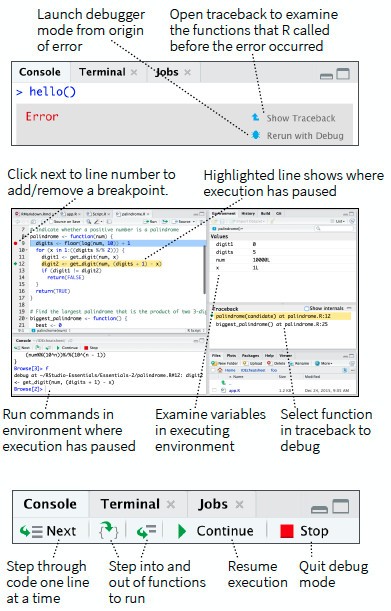
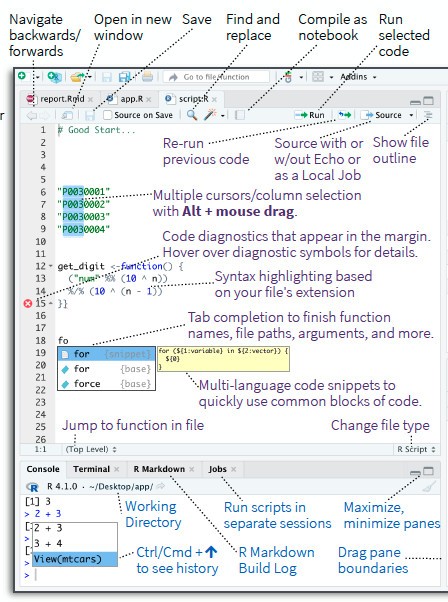
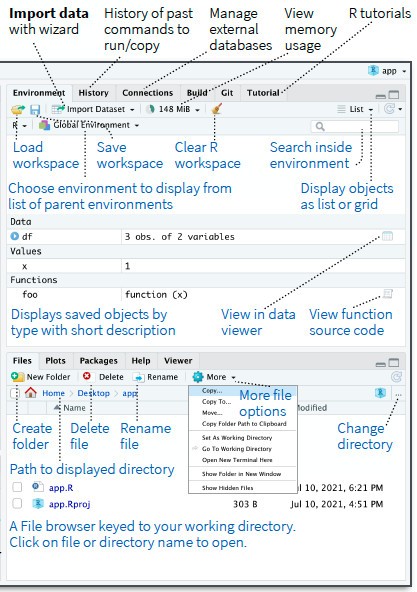
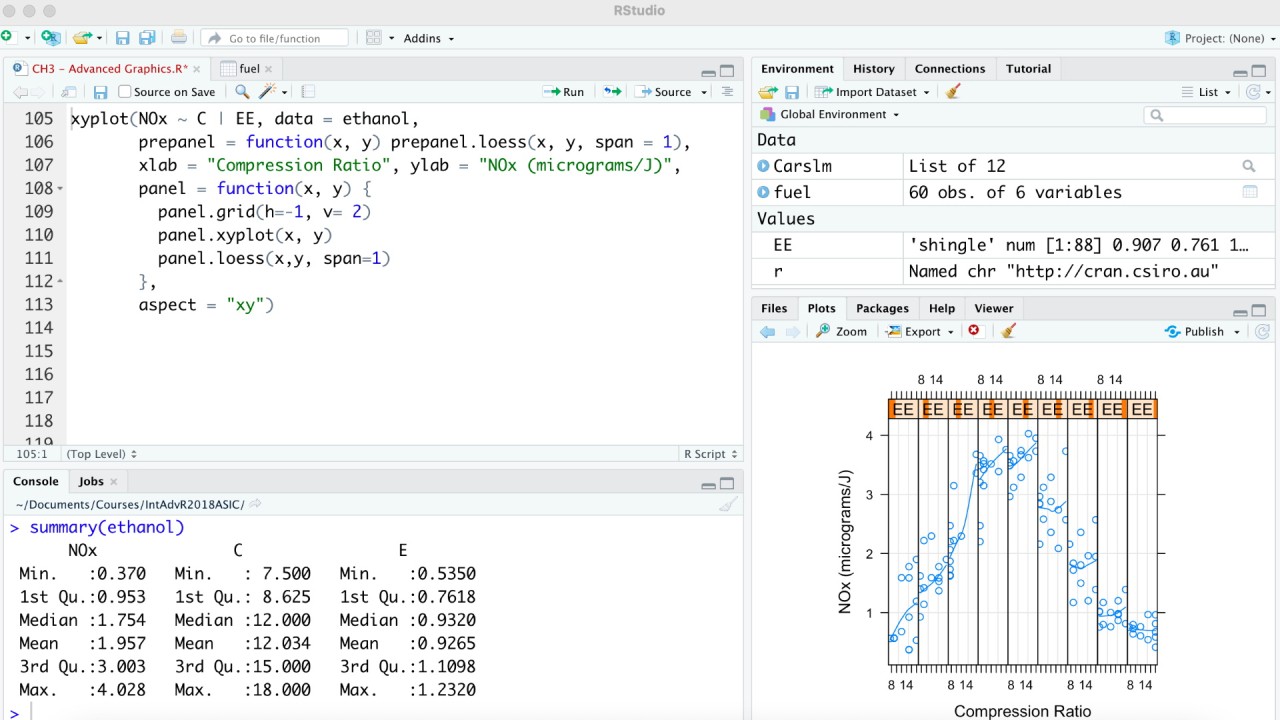
The environment includes an interactive console and a code editor with syntax highlighting and the ability to execute commands directly, as well as various tools for creating charts, reviewing command history, debugging code, and managing the workspace. It also supports Python, notably through tools that allow the language to interact with R, expanding the possibilities for data science projects.
The first public version of RStudio was released in February 2011. From the outset, the software offered several features designed to simplify developers' work, such as code completion and the ability to execute commands directly from the editor. It has since benefited from numerous improvements, while RStudio Server has made it possible to access the environment through a web browser using a remote server.
Today, RStudio continues to evolve through regular updates. It is used by a range of professionals, including data analysts, statisticians, and developers working on data analysis and scientific computing projects.
RStudio is available as a free, open-source version and as a commercial edition, known as RStudio Desktop Pro. The software can be downloaded for Windows, macOS, and Linux. The company behind its development, formerly known as RStudio, adopted the name Posit in 2022 but retained the RStudio name for its development environment.
Why Should I Download RStudio IDE?
RStudio IDE brings together the main tools needed to program in R, analyze data, and create visualizations. Its centralized interface makes it easy to switch between writing and executing code while helping users organize their projects. It is suitable for students and researchers, as well as data analysts and developers.
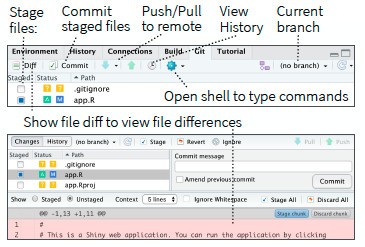
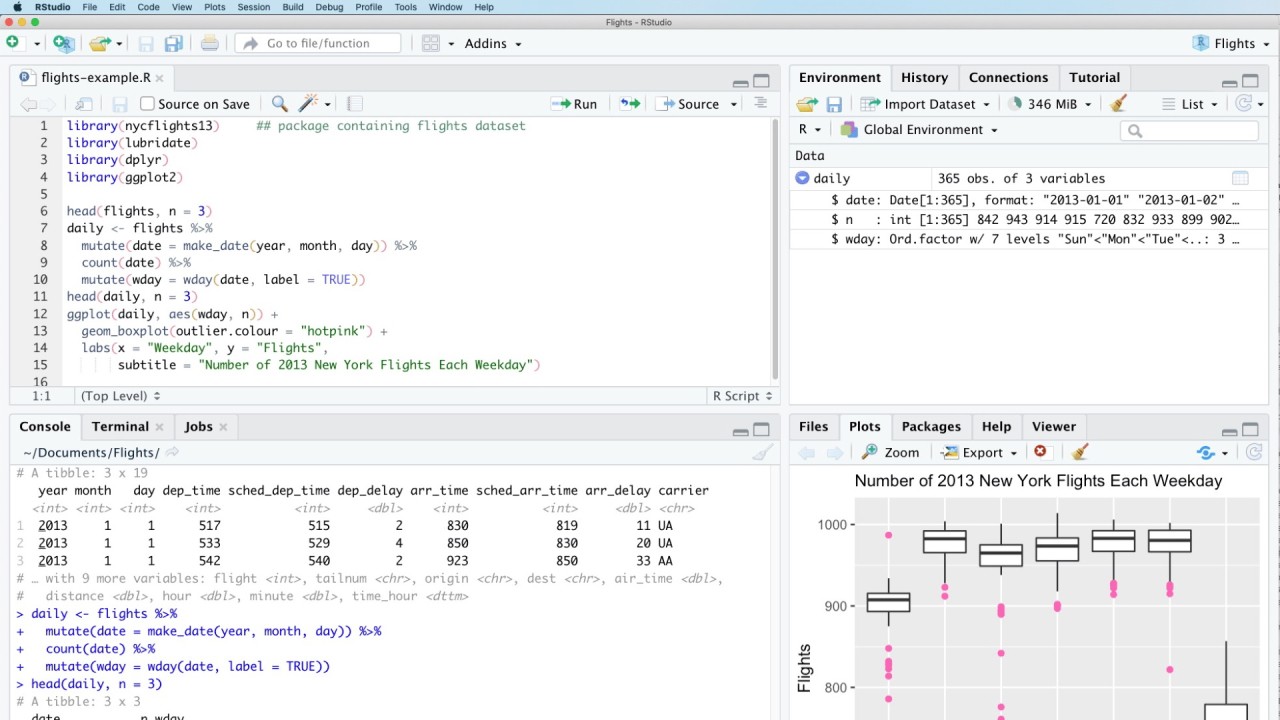
The environment includes a code editor with syntax highlighting and autocomplete, an interactive console for executing commands, and several panels dedicated to files, plots, and command history. It also offers debugging features to help identify and fix errors in scripts. Project management tools allow users to group files associated with the same task, while Git integration makes it easier to track changes and manage different versions of code.
RStudio IDE also supports R packages, which extend the language's functionality to meet specific needs. Users can manipulate datasets, perform statistical analyses, build models, and create charts. By bringing these tools together in a single environment, the software simplifies the various stages of a programming or data science project.
How to use the RStudio IDE?
To get started, simply download RStudio IDE from the official Posit website by selecting the version compatible with your operating system (our links provide direct downloads). Make sure to install R first, as this programming language is required to run your scripts. Once the installation is complete, launch RStudio IDE to access its development environment.
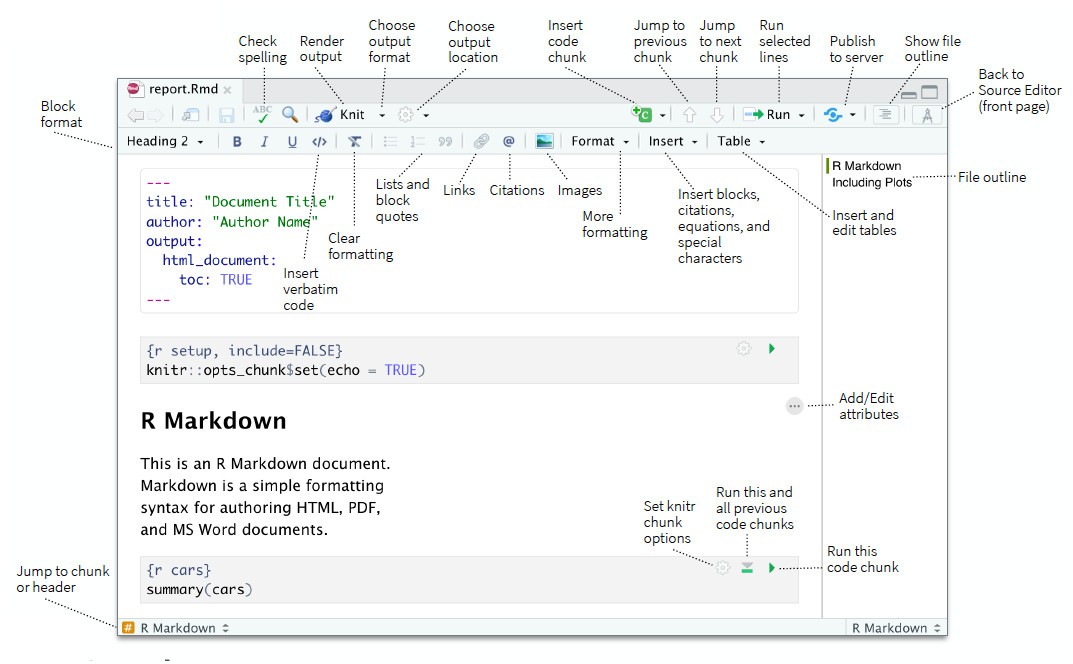
The interface consists of several panels designed to make everyday tasks easier. These include a console for executing R commands, an editor for writing and modifying scripts, and dedicated areas for files, plots, command history, and workspace management. Take some time to explore these tools and familiarize yourself with how they work.
RStudio IDE simplifies the process of creating and running R scripts. You can write code in the editor, execute commands directly in the console, and review the results as you work. This setup makes it easier to explore datasets, perform statistical analyses, and create charts to visualize results.
The software also includes project management features that let you group files and scripts associated with a particular task. It also simplifies the installation and management of R packages, which are extensions that add new functionality to the language. This allows you to tailor your environment to different needs, whether you are processing data, building statistical models, or creating visualizations.
RStudio IDE is therefore a versatile environment for programming in R and carrying out data analysis projects. By exploring its features and customizing the interface to suit your working habits, you can organize your work more efficiently and make full use of the available tools.
Is RStudio IDE free?
RStudio IDE is available free of charge as open-source software. You can download it and use its main features without a subscription or paid license. For specific professional requirements, Posit also offers commercial plans, including solutions for businesses and teams that need additional features or dedicated support.
What Operating Systems Are Compatible with RStudio IDE?
RStudio IDE is compatible with computers running Windows, macOS, and Linux. System requirements depend on the software version and the operating system being used. Recent versions support Windows 11, macOS 14 or later, and several Linux distributions, including Ubuntu, Debian, Fedora, and Red Hat, on 64-bit systems.
RStudio IDE is available for download from the official Posit website through our direct download links.
What Are the Alternatives to RStudio IDE?
RStudio IDE provides a comprehensive environment for programming in R, analyzing data, and creating visualizations. Its interface brings together a range of useful tools, including syntax highlighting, autocomplete, project management, and debugging. However, other solutions are available for writing and running code, whether you want to work with R or explore other programming languages.
Visual Studio Code (VSCode) is a free, cross-platform code editor available for Windows, macOS, and Linux. It supports many programming languages, including JavaScript, Python, Java, C++, HTML, and CSS, as well as R through dedicated extensions. Its extension marketplace allows users to customize the environment to suit the needs of each project. It also offers features such as IntelliSense, which assists with code completion, and debugging tools. This makes it an interesting alternative for users who want to work with multiple languages in a single interface.
PyCharm is an integrated development environment primarily designed for Python. It provides an intelligent code editor, error detection tools, refactoring features, and testing and debugging capabilities. Its interface makes it easy to organize project files and other components. PyCharm is aimed mainly at Python developers and data science professionals who use this language. It is therefore not a direct equivalent to RStudio IDE for R programming, but it is worth considering for projects based on Python.
Eclipse IDE is an integrated development environment historically associated with Java, but it can be extended through a large catalog of plugins. It supports numerous technologies and can be adapted to different programming languages. Extensions are available for working with R, for example. Eclipse also includes version control tools, such as EGit, to track code changes. Available on several operating systems, it is particularly suitable for developers looking for a customizable environment to manage various programming projects.