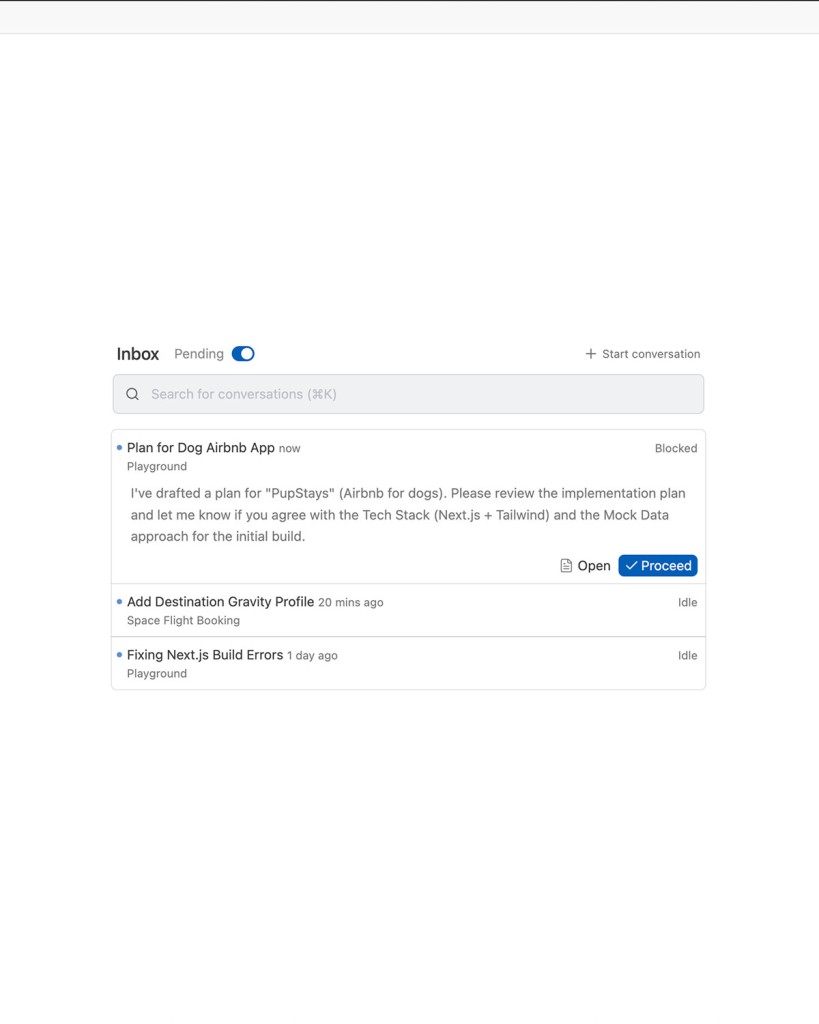
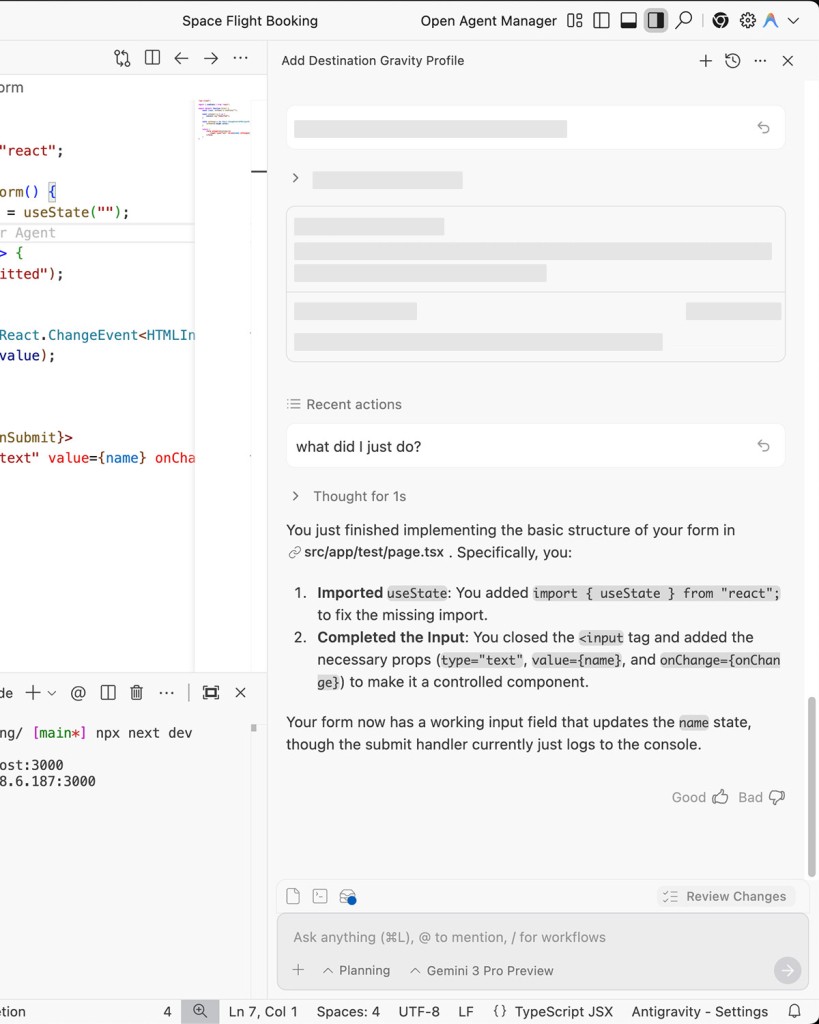
Google Antigravity looks like VSCode on the surface, which is intentional. You open it, you see a familiar editor layout, and you start writing code the way you always have. The difference is what happens behind the interface. Antigravity does not just suggest the next line. It reads your intent, plans out what needs to be built, creates the files, writes the code, and then tests everything in a built-in browser. Google's Gemini models power the AI, and the system connects the editor, terminal, and an internal browser that the AI itself can operate to verify its work or look things up.
This is still a preview product, only available to personal Gmail users, and Google is clear that things may change. But the ambition is obvious: turn the AI from a passive suggestion engine into an active collaborator that works across your entire development environment at the same time. Instead of hiding what the AI is doing, Antigravity shows you everything through dashboards, task lists, logs, and recorded test sessions.
Why Should I Download Google Antigravity?
If you have ever wished your AI coding assistant could do more than finish your sentences, Antigravity is worth trying. Regular AI tools suggest a function here, complete a variable name there. Antigravity goes further: you describe a feature, and it plans the implementation, creates the folder structure, writes the files, builds the UI components, and tests the result by actually clicking through the application in its built-in browser. Then it records a video of the test so you can watch what happened and debug anything that went wrong.
The Agent Manager shows every task the AI is working on, the plan it created, and the artifacts it produced. You can see what it intends to do before it does it, which solves the biggest trust problem with AI coding tools. Nobody wants an assistant that silently rewrites half their codebase. Antigravity builds a checklist first, shows you the plan, and then executes step by step.
Standard features like code autocomplete are still there, so you do not lose anything by switching from your current editor. The difference is that you also gain the option to hand off larger tasks when it makes sense. Not every developer will want an AI agent running loose in their project, and that is fine. Antigravity gives you the tools without forcing you to use all of them, and the transparency it provides makes the whole process feel safer than most competing approaches.
Beyond the agent features, Antigravity handles the fundamentals well. Syntax highlighting, terminal integration, file navigation, and search work the way you expect them to. The editor is responsive even on modest hardware, and the AI features can be toggled off for situations where you want to code without assistance. For developers who are curious about agentic AI but wary of handing over too much control, Antigravity strikes a reasonable balance. You can start by using it as a regular editor, gradually experiment with the agent capabilities, and scale up your usage as you build trust in the system. The preview period is the perfect time to try it out, since everything is free and there are no commitments attached.
The testing capabilities deserve special mention. Having an AI that can open a browser, click through your application, fill in forms, and record the session changes how you think about debugging. Instead of manually checking whether a button works after every code change, you can ask Antigravity to run through the flow and flag anything that breaks. It is not a replacement for a proper testing framework, but it catches surface-level issues fast and saves time during rapid prototyping.
Is Google Antigravity Free?
For now, yes. Google made the preview available to anyone with a personal Gmail account, and the Gemini 3 models are included with a free usage quota. No paid tiers, no locked features, no premium upgrades. If you want to download it and experiment with agentic development, the door is open.
What Operating Systems Are Compatible with Google Antigravity?
Antigravity runs on Windows, macOS, and Linux. On Windows, it supports both x64 and ARM64 on Windows 10 (64-bit) or later. macOS users need Monterey (12) or newer, with separate installers for Apple Silicon and Intel machines. Linux requires glibc 2.28+, which covers Ubuntu 20.04+, Debian 10+, Fedora 36+, and RHEL 8+. Installation uses a Google repository and terminal commands.
One extra requirement: you need Chrome installed, since Antigravity's AI uses it for browser-based testing. You also need a personal Gmail account to sign in.
What Are the Alternatives to Google Antigravity?
ChatGPT Codex is not an IDE. It is an AI assistant that lives inside your existing editor, typically VS Code, and focuses on understanding natural-language instructions and turning them into working code. It excels at writing functions, refactoring messy code, and explaining unfamiliar concepts. What it does not do is manage tasks, run browser tests, or operate across multiple development surfaces the way Antigravity does. For developers who want strong code suggestions without overhauling their workflow, Codex is lightweight, quick to set up, and easy to download.
CodeConductor is a plugin-style tool that automates repetitive development work within your current environment. It analyzes codebases, suggests improvements, and generates AI-driven code refinements. The focus is on organized automation and consistent code quality across teams, rather than the agentic, multi-surface approach Antigravity takes. If you want productivity gains without AI acting autonomously, CodeConductor fits that niche. Many developers download it as a supplement to their existing editor rather than a replacement.
Cursor is probably Antigravity's closest competitor. It is an AI-powered code editor that handles multi-file editing, understands project context, and can write entire features from natural-language prompts. It feels like a traditional editor with a very smart AI woven in, rather than the agent-driven dashboard approach Antigravity uses. Cursor lacks browser automation and task management, but it is fast, responsive, and popular with developers who want meaningful AI help without adopting an entirely new way of working. Most users download Cursor when they want a smarter editor, not a fundamentally different development workflow.