Subscriptions is a mobile app created to allow you to manage all your repeating payments in one spot. It works in the background, listing every subscription you’ve made, such as for streaming services, gyms, magazines, storage, or whatever else is a regular cost to you.
Add your subscriptions yourself, or enter your billing data, and the app will show you your total costs for each month. There’s nothing bloated or hard to understand about it. It’s easy to use, kept simple, and helps you see how your money is spent.
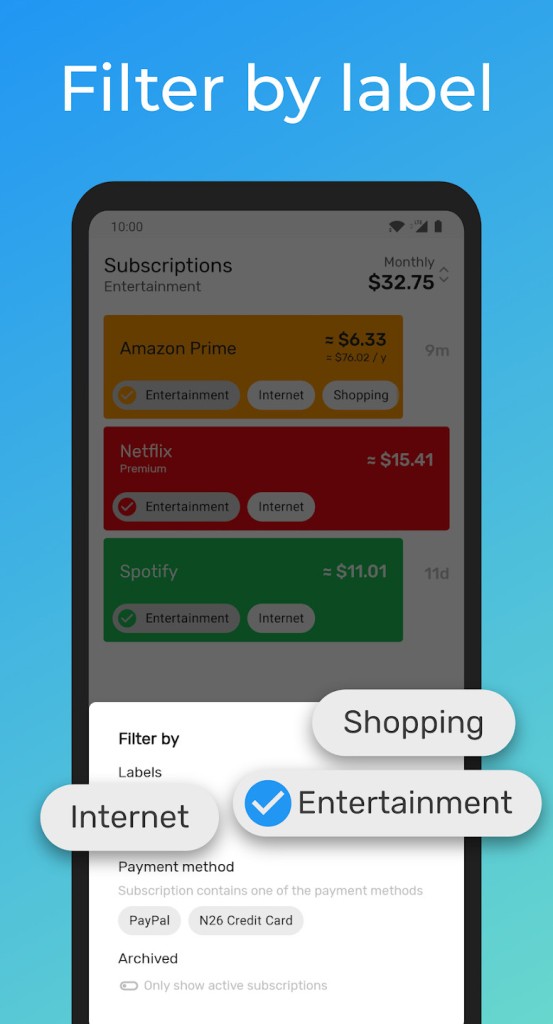
A lot of us don’t notice how many small subscriptions we’ve acquired over time. A free trial is upgraded to \$5 a month. For $3 every 30 days, you have to keep using the app once. Subscriptions show you all your charges together on one screen. You can efficiently tag, organize, set reminders for, and make any updates to any of your subscriptions as needed. Since all your details are up front, you won’t be caught off guard by charges or end up paying for something you should cancel.
Why Should I Download Subscriptions?
If you’ve seen an unfamiliar charge on your bank statement, then you probably know why this app is important. Managing subscriptions isn’t only about seeing your metrics rise and fall. It means knowing how you spend in a way that doesn’t lead to stress.
The great part about it is that it doesn’t aim to include all financial features. It’s designed just for subscriptions, and it does exactly what it should do. You won’t find ads or extra features you didn’t want to get. You’ll find a list of your future charges, a report of your monthly and annual expenses, and a history of your subscription in just one place.
It’s too easy to open a subscription today because so many services offer them. No matter if you choose apps, services, tools, fitness plans, or software, they’re all here. More companies now offer their customers monthly billing. Pretty soon, you can’t keep up and discover you’re paying for ten subscriptions without recalling the details.
Signing up for Subscriptions fixes that problem. All your data becomes visible at once, so you can decide what to do. Perhaps you didn’t see how much it was costing you to have three apps you never use, and they’re costing you \$25 every month. It’s possible that you let a free trial go without canceling it. This app shows you what’s happening so you can act before you have to spend more.
You start the app, find and subscribe to a service, pick your payment schedule, add the price, and you’re finished. You don’t need to link your bank account for your purchase. You have the option to enter things by hand and watch what’s put in your logs. If you’d like even greater automation, BillsBot can send reminders from your payment platforms and calendars.
The great thing about Subscriptions is that it doesn’t appear too complex. You won’t find graphs that seem confusing or needless changes to your budget. It only points out what’s ahead and how much you need to pay. If, like many, you’d simply like clear explanations about money without being pushed to pay for anything, this app is worth downloading. It helps you eliminate an issue that is usually overlooked. When everything is clear, you can more easily keep control of your finances.
Is Subscriptions Free?
It is free to use the basic features available on Subscriptions, with ads. By using it, you can list your subscriptions and be alerted to basic renewals. If you like, you can upgrade to a paid version for storage or calendar support, but you don’t need those to manage the basic aspects of the app.
What Operating Systems Are Compatible with Subscriptions?
Subscriptions are accessible for Android and iOS users. If you have the latest versions of your smartphone or tablet’s operating system, the app will function well. The principles behind it make it easy on your phone, so it won’t overload your space or power.
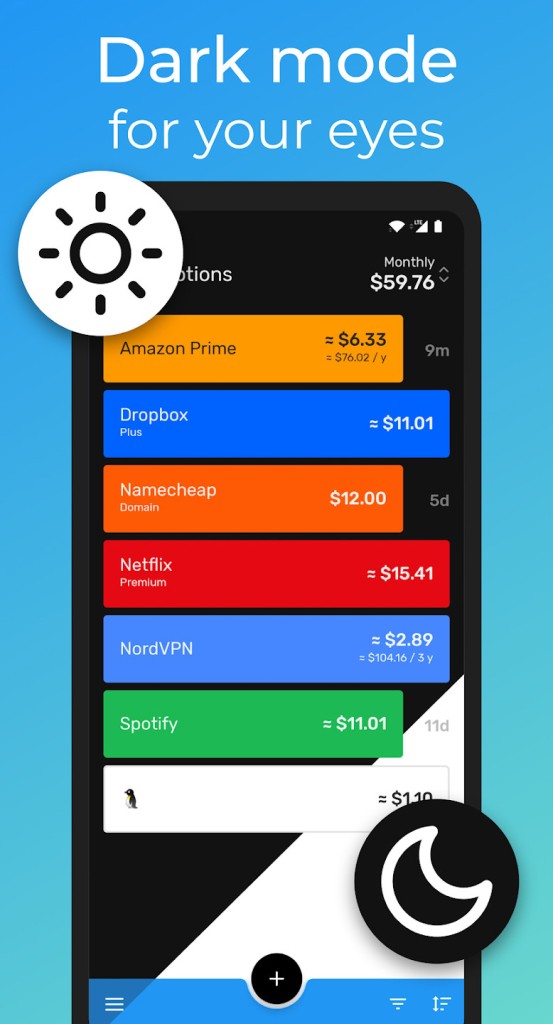
Touch-friendly controls make Subscriptions available to users on mobile devices that use a dark mode as the default. Since there isn’t a desktop version, most users operate purely using the mobile app. You don’t need the internet to function on the app—you can still use it offline.
What Are the Alternatives to Subscriptions?
Although it’s easy and simple, Subscriptions is not the only app that handles subscription tracking differently. If you like, SubX, ReSubs, and ReScribe Subscription Manager give you different ways to control your recurring payments.
SubX is built around making things automated. SubX picks up on your habits of spending and automatically recognizes the same expenses that show up in your accounts. Instead of making you add your subscriptions manually, it automatically shows you from your statements what your bills are coming from. If you hate the idea of keeping track of everything or don’t even know what subscriptions you have, it’s perfect for you. However, some might not like that it’s so automatic and prefer to type in their information on their own.
ReSubs keeps things rather simple. If you want to keep track of your subscriptions by hand and with some extra setup, it’s the one for you. Graphs show how much money you spend on entertainment, software, productivity, and so forth, helping you spot patterns. You will receive reminders before you need to make a payment, and you can note that something has been canceled. Though your work with ReSubs can be the same as with Subscriptions, ReSubs stands out due to its better visuals and is often favored by people who want a min/max theme.
ReScribe Subscription Manager brings together managing subscriptions, unsubscribing and overseeing your budget. The app makes it possible to both notice your spending and make quick requests to cancel any services you no longer need, whenever possible. You will receive monthly details on what you spend, ongoing trends, and advice for reducing the cost of your subscriptions. It is best for anyone who wants to use their renewal tracking to help with budgeting, though it’s likely too complex for those who only need timely reminders.