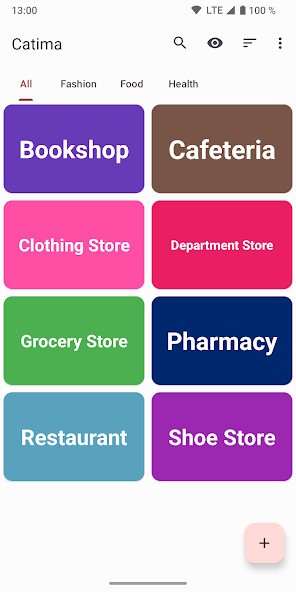
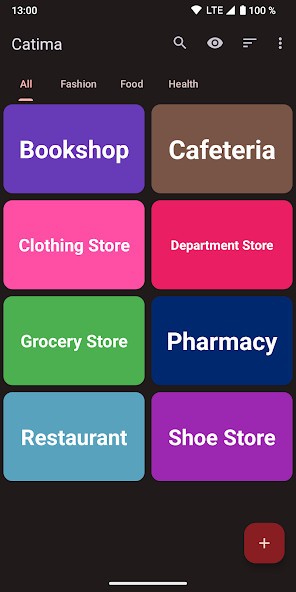
Catima is a simple app for Android that allows you to digitize all plastic loyalty and reward cards from your grocery store or a favorite coffee shop. With it, you basically create a single place on your phone to store all your membership, reward cards, and library cards, so you can free up some space in your wallet and have all of them handy whenever you need them.
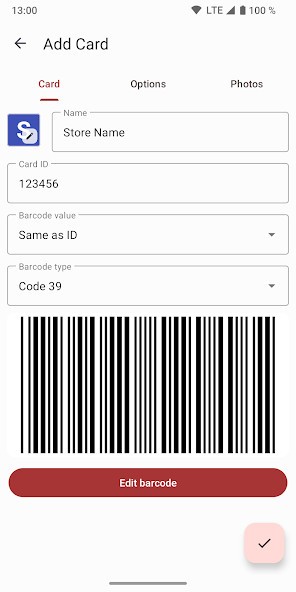
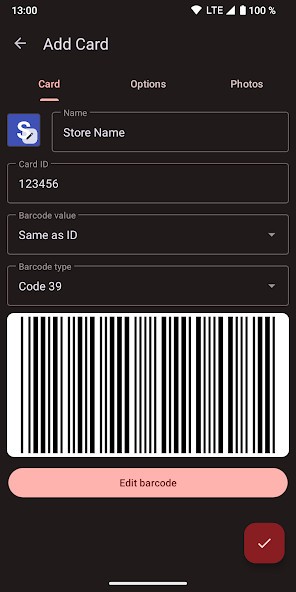
Created as part of an open-source project, Catima is free and simple to set up. You can just open it when you need to, scan the barcode on your physical card, give it a name, and you're done. The next time you're at the store, you launch the app, show the barcode on your phone screen, and get it scanned. This way, you'll never run into the problem of not having that one specific card on you when you're shopping or eating out.
When using Catima, you can also be sure your data is safe, as it doesn't have any ads, doesn't track you and your activity, and doesn't even need an internet connection to work. All of your card information is stored securely on your own device, and it doesn't get shared elsewhere.
Why should I download Catima?
With Catima, you can get rid of the clutter in your physical wallet as it can store an unlimited number of loyalty, membership, and reward cards. You can finally take all those plastic cards from your grocery store, gym, local library, and your favorite coffee shop and put them away in a drawer. Your wallet will be lighter, and you'll still have all your cards with you at all times, right on your phone.
Catima is a free and open-source application that keeps your data safe and private. It doesn't contain ads or trackers, and if you want to, you can view and check its source code to make sure it's secure. Everything you add to Catima is stored only on your device, and the app works perfectly offline. You don't need to create an account or give it any personal information to use it.
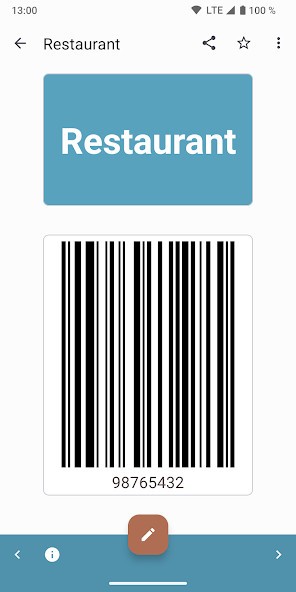
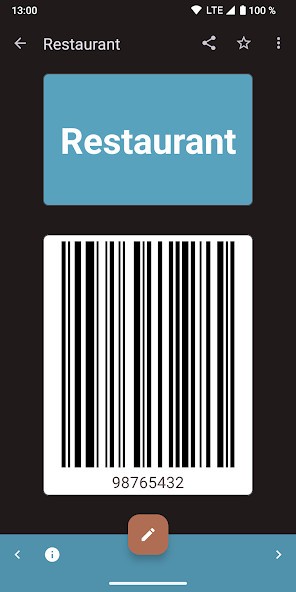
To add a new card to Catima, you only need to tap a button and use your phone's camera to scan the barcode. The app supports all the common barcode types, like EAN, UPC, and QR codes. You can also manually type in the card number if you prefer. Then, when you're at the store, you just open the app and tap on the card you need. Then, your phone's screen will display the barcode at maximum brightness, so it's easier to scan.
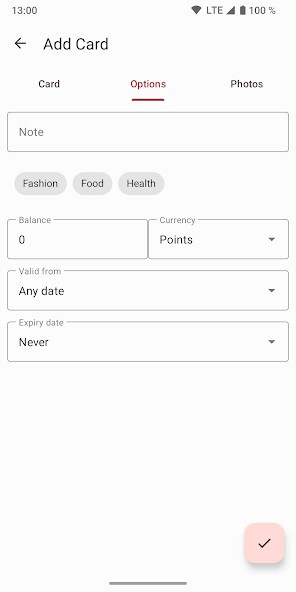
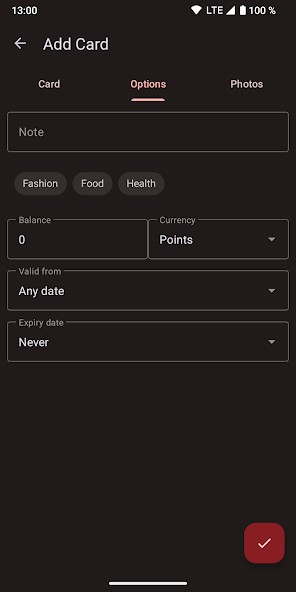
In Catima, you can assign different colors to your cards, add notes to them, and even take a picture of the front and back of the physical card for your records. Most importantly, it also lets you easily create a backup of all your cards since it can export your entire collection to a single file that you can then save to your computer or a cloud service.
If you need to, Catima also lets you add cards or tickets to your home screen so you can access them quickly. It's especially useful for cards that you use all the time, like your main grocery store or coffee shop card. This way, you don't even have to open the main app to access your most-used cards. You just tap the shortcut, and the barcode for that specific card will pop up instantly. Catima is available only on Android devices, and you can download it from multiple sources.
Is Catima free?
Yes, Catima is completely free, as it comes from an open-source software project. You can download and use all its features without any cost. There are no ads or hidden in-app purchases, either, and the app works offline.
What operating systems are compatible with Catima?
Catima is currently available exclusively for smartphones and tablets with Android 9.0 or higher. You can download it from the official Google Play Store, but you can also get it on alternative app stores like F-Droid. There are no versions of Catima for other operating systems, like iOS.
What are the alternatives to Catima?
Fidall is a popular loyalty card app that acts like a digital wallet. In addition to storing your cards, it partners with various retailers to show you special offers, coupons, and weekly flyers directly within the app. The promos you see are tailored to the stores where you have loyalty cards, so the content is always relevant. It is a free app that also shows ads, and you can download it for both iOS and Android mobile devices.
SuperCards is another loyalty card wallet that allows you to store a wide variety of cards by scanning their barcodes. You can also use it to take pictures of the front and back of the cards and store them in this way. It also works on Apple Watch, so you can display your card's barcode directly on your phone to scan it even faster at checkout. SuperCards is a free application that's available on iOS and Android.
Google Wallet is a full-fledged digital wallet from Google that can do much more than just store loyalty cards. You can still use it to digitize your reward and membership cards by scanning their barcodes or adding them manually, but its main function is to securely store your credit and debit cards for contactless payments. You can also add things like boarding passes, event tickets, and even digital car keys to it. It is a complete solution that is able to replace your physical wallet. Google Wallet is a completely free app that you can get on Android mobile devices.