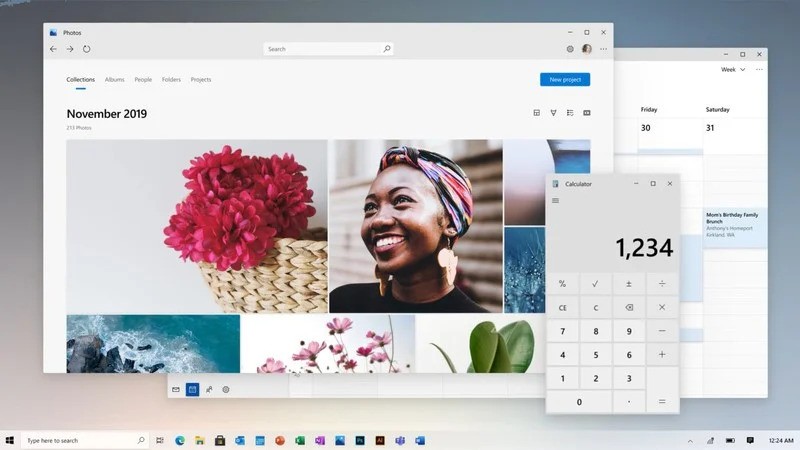
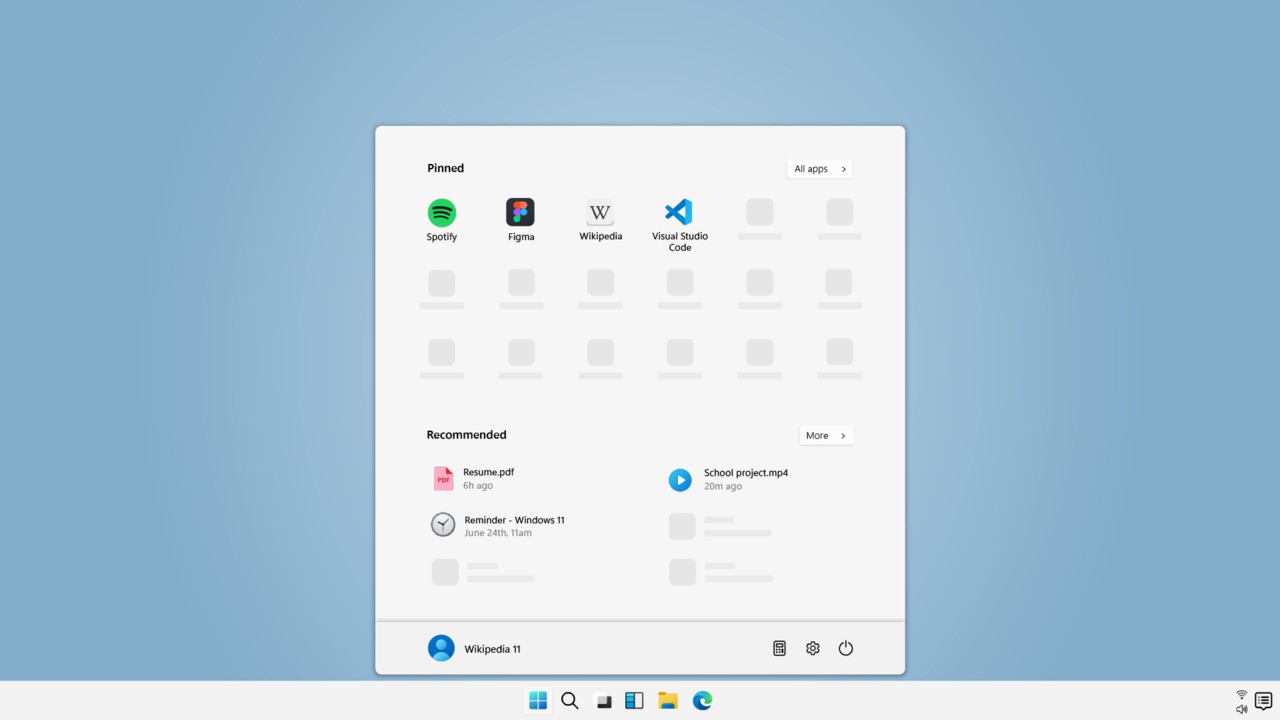
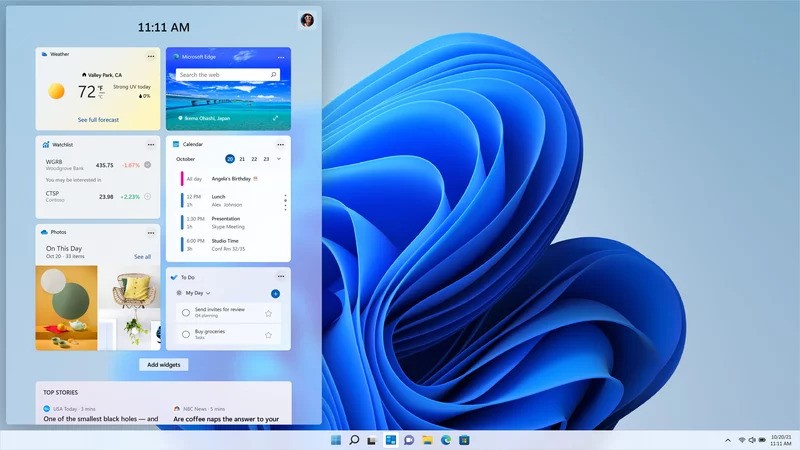
Microsoft launched Windows 11 as its newest operating system in October 2021 as the successor to Windows 10. The operating system introduces Windows 11 through a newly designed interface that combines modern aesthetics and improves usability with features like centered taskbar icons and rounded window frames, along with enhanced visual effects. The Windows 11 Home operating system develops the established Windows 10 capabilities while focusing on productivity enhancements and improved user interface design. Unlike Windows 10, Windows 11 removes Live Tiles from the Start Menu and simplifies the visual layout while adding a new Widgets panel that delivers quick access to news, weather, and personal updates. Businesses can also use the Windows 11 Pro version.
One critical improvement in Windows 11 is its enhanced performance capabilities that result in faster startup times, together with improved multitasking features and superior energy management capabilities. Microsoft made alterations to the Start Menu by changing it into a modern interface, which features apps in the recommendation section beside custom-selected pins. The operating system embeds Microsoft Teams in the taskbar to create continuous communication capabilities (as a replacement for Skype). Skype, once integrated by default in Windows 10, has now been fully replaced by Microsoft Teams for collaboration and video calls. The Snap Layouts and Snap Groups strengthen multitasking abilities through systems by helping users manage their open windows more effectively. Windows 11 no longer includes the Timeline feature that allowed users to view and resume activities across devices, and the dedicated Tablet Mode from Windows 10 has also been removed in favor of automatic touch interface adjustments.
Security functions as a vital element within the Windows 11 Home system design. The system needs TPM 2.0 (Trusted Platform Module) hardware to establish a more secure boot process, which offers improved defense against malware and cyber threats. The security features of Windows 11 include Windows Defender and regular updates that create a solid protection system for users. Windows 11 can work with numerous legacy programs while introducing modern enhancements through DirectStorage for games and enhanced virtual desktop features, and Android applications available through the Microsoft Store. Windows 11 still supports S Mode, similar to Windows 10, providing a safer environment by allowing only Microsoft Store apps to be installed. The Microsoft Store itself has been completely redesigned with faster performance and wider compatibility for Win32, UWP, and Android apps.
Internet Explorer, which was still available in Windows 10, has been fully retired in Windows 11 and replaced by the Chromium-based Microsoft Edge browser.
Some built-in Windows 10 apps, such as Paint 3D, 3D Viewer, and OneNote for Windows 10, are no longer preinstalled but remain available for download from the Microsoft Store. Traditional Mail and Calendar apps are also being replaced by the new Outlook for Windows experience.
Why Should I Download Windows 11 Home?
When you upgrade to Windows 11 Home, you gain performance enhancement alongside improved design and additional advanced security protection for your computer system. Users quickly discern the new interface as their primary encounter upon upgrading to Windows 11 because it presents a simplified and uncluttered look. The design of Windows 11 positions the Start Menu along with taskbar icons at the center to create visual harmony while upholding modern design guidelines. The updated interface serves two purposes — it looks great and offers better accessibility, which lets users access programs and system configurations rapidly. Cortana, the voice assistant present in Windows 10, is no longer built into Windows 11 and is now offered only as an optional app for users who still want voice-based control.
Fast performance serves as a major reason for the Windows 11 Home download. Building upon system resources more effectively leads to OS performance improvements, which create faster system loading speeds and extended laptop battery life, along with better overall system stability. DirectStorage technology creates near-instant application loading, making games and programs more responsive and reducing time-to-load speeds. The system benefits most gaming enthusiasts and occupation users who analyze extensive data while relying on high-performance applications. Windows 11 also keeps the Xbox Game Bar and Game Mode originally from Windows 10, improving in-game performance control, screen capture, and optimization for gaming sessions.
The operating system Windows 11 improves multitasking through Snap Layouts and Snap Groups features, which enable users to dynamically arrange windowed applications in pre-defined structures and others in grouped configurations. Users now find Virtual Desktops easier to manage for keeping work environments separate from personal and entertainment needs inside a single system. The new Windows 11 system provides excellent features that establish it as the preferred operating system choice for people who need to handle multiple tasks.
Working professionals can now make video calls through Microsoft Teams from their Windows 11 taskbar without needing to open a dedicated program. The direct integration of Microsoft Teams enhances work collaboration through more streamlined procedures, which benefits those who mainly conduct virtual meetings with team members.
Windows 11 delivers enhanced gaming performance as its main upgrade. Windows 11 features an Auto HDR system that enhances game colors, along with DirectStorage features to quicken loading times to combine with Xbox platform elements. The operating system enables users to access their entire Xbox Game Pass library through the operating system's built-in subscription method. Windows 11 offers improved gaming capabilities, which distinguish it as an excellent choice for people who desire immersive gaming experiences.
Security functions as one of the fundamental motivators for users to switch to Windows 11 Home. Windows 11 requires systems to fulfill additional security measures by having TPM 2.0 for improved device defense capabilities. The operating system provides users with boosted ransomware defense mechanisms as well as cloud security features alongside automatic updates that help protect against modern cyber danger. Protection of sensitive information is possible through Windows Hello combined with biometric login features and AI-driven security features.
Is Windows 11 Free?
People who possess Windows 10 with an authentic license and satisfy the hardware demands can get free access to Windows 11. Microsoft enables qualified device owners to move to the next version without requiring them to buy a fresh license, according to their official upgrade policy. Users who operate machines that cannot support Windows 11 need to acquire either a new device or a separate Windows 11 product key. To check Windows 11 compatibility, you can use the official Microsoft utility called PC Health Check.
A valid product key from Microsoft or through new computer acquisitions is required for Windows 11 installation in both new setups and upgrades. The Home edition serves the general audience, yet the Pro edition focuses on business customers with enhanced security features, together with productivity enhancements. Users can run Windows 11 by installing it without activation, yet this practice produces both watermark alerts and restricted ability to make system changes. A free upgrade opportunity persists, but users who cannot obtain it need to buy a paid license.
What Operating Systems Are Compatible with Windows 11?
Windows 11 functions as an operating system that operates perfectly alongside multiple computer hardware setups. It also operates with numerous types of software applications. The official platform supports newly purchased PCs meeting Microsoft’s hardware specifications, such as 64-bit processors combined with 4 GB RAM minimum and 64 GB storage requirement, and TPM 2.0 and Secure Boot protection requirements.
Windows 11 operates on devices that had Windows 10 but need to fulfill these hardware specifications. Windows 11 has eliminated support for 32-bit systems because it does not provide a 32-bit version, thus making older systems running 32-bit architectures incompatible. You can download PC Health Check for free to check your computer compatibility.
What Are the Alternatives to Windows 11?
Windows 10 continues as a functional choice for system users who have devices unable to fulfill Windows 11's minimum specifications. The support for Windows 10 security updates runs till October 14, 2025, which establishes Windows 10 as a dependable operating system for all those resisting near-term upgrades. Windows 10 retains features such as Cortana, Live Tiles, Timeline, Tablet Mode, and native support for legacy applications, making it familiar for long-time Windows users. It also includes the Xbox Game Bar, Game Mode, and integrated Microsoft Edge for gaming and browsing.
Users who prefer open-source software will find excellent functionality and security combined with customization options through Linux distributions, including Ubuntu, Fedora, and Linux Mint. Linux functions best for three different groups, which include software developers and IT professionals, together with those who prioritize system control and privacy protection. Users new to the Linux environment will need time to adjust because the system demands a learning process. Linux offers extensive package managers, terminal-based automation, and highly customizable desktop environments, which make it ideal for programming, server management, and privacy-focused workflows.
The operating system named macOS by Apple provides users with a smooth and effective platform experience. Individuals who work with design software, combined with those who value tight control over their hardware and operating system ecosystem, choose macOS because it exists exclusively on Apple-built products. The operating system is not as widely used as Windows, and it lacks support for as many programs as Windows 11 does by default. macOS features built-in applications like Final Cut Pro, Logic Pro, and GarageBand for creative work, Handoff and Continuity to integrate with iPhone and iPad devices, and a Unix-based architecture for security and development purposes. Note that macOS is only compatible with Mac computers.