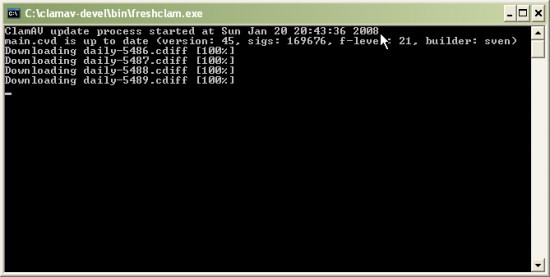
As an open-source antivirus engine, ClamAV finds and identifies malware, trojans, viruses, and other harmful content in emails, files, and web downloads. ClamAV does not function as a typical antivirus product, which displays pop-ups and has shiny buttons.
It operates silently in hidden positions or behind automation systems because users typically find this solution integrated into mail servers, Linux environments, and back-end processes. The primary function of ClamAV enables users to examine attachments and compressed files, including ZIP or RAR archives, and detect potential threats attempting to gain hidden access to system data.
Its basic approach distinguishes ClamAV from other antivirus solutions. The cybersecurity software operates through community support and delays its system requirements for gimmicks and high usage. Regular virus definition updates and the ability to conduct active scanning make this program functional. The application has been developed for performance-based operations.
People involved in development and systems management, as well as users seeking a reliable scanner that avoids unnecessary self-promotion, will find ClamAV appealing. System administrators and advanced users who prefer command-line control should use this antivirus because its core features operate at the system level. Although the name implies gentleness, the software really shines in its core features.
Why Should I Download ClamAV?
ClamAV won't secure any beauty awards, yet it doesn't need any visual enhancements. The main reason to choose ClamAV is its powerful defense approach and silent operation. The application provides users with complete threat management capabilities while avoiding interruptions from upgrade notifications or useless features that pop up every 5 minutes. You determine both timing and file types for scans using ClamAV. Users control ClamAV for manual scanning sessions and set automatic systemCHK when critical events happen. The program delivers flawless performance.
The tool becomes essential for Linux and BSD users because typical antivirus solutions cannot operate effectively on these operating systems. Most email server administrators rely on ClamAV to perform pre-delivery scans of incoming messages and their attachments.
Users who work with ordinary desktop computers can use ClamAV as a security backup tool that won't affect system speed. The program allows users to schedule file scans, integrate with mail networks, or conduct occasional checks on doubtful downloads. Resistance to modification at this level proves challenging to find in most programs.
The light system requirements define ClamAV as a separate program from other antivirus software. When system performance is prioritized over visual design, ClamAV runs as a background scanner before moving on to the next task. The tool operates without any additional components or features while maintaining full resource efficiency. The program has a single mission: to execute its workloads. ClamAV offers tremendous benefits to users who perform tasks primarily at the terminal and prefer simplified automated functions.
ClamAV is an excellent antivirus option due to its clear design. As an open-source solution, anyone interested can examine the codebase to monitor performance and contribute to its improvement. Open-source operation of ClamAV builds trust to a level beyond that of standard commercial tools.
The tool operates with complete transparency in data management, and it has a policy that rules out the sale of background data. It protects because the tool keeps its functions limited, without trying to do more than it should—and so its real power emerges. You should consider giving ClamAV a try if you need a tool that supports your workflow without attempting any workflow modifications.
Is ClamAV Free?
ClamAV is a free, open-source software solution. The software service includes all its features at no cost, with no subscription fees. It also does not require premium upgrades or any limitations on available capabilities.
The program works flawlessly without charging you for any of its capabilities. The GNU General Public License enables the free distribution of ClamAV, with unrestricted modification and distribution for the public.
What Operating Systems Are Compatible with ClamAV?
ClamAV was created for Unix-like operating systems such as Linux and BSD, as these platforms integrate seamlessly with its architecture.
The program supports macOS operating systems and enables users to compile it directly from its original source code.
The Windows version of the program works well for advanced users, as does the server-oriented implementation.
Users need to configure the tool manually because the installation process lacks basic user support, but it runs on all platforms. Most users must run ClamAV commands at the command line because it suits system administrators and users who manage servers without graphical interfaces or automated systems.
What Are the Alternatives to ClamAV?
The market offers several antivirus options that deliver robust protection for users who prefer a classic user interface over ClamAV's command-line approach.
The highly refined free antivirus solution available is Bitdefender Antivirus Free. The software serves basic users who want security measures without complex operations. The Bitdefender platform automatically detects malware, leveraging real-time scanning to identify new threats as they emerge. The program offers a straightforward interface, regular updates, and easy installation procedures that surpass ClamAV's features. Those running Windows should consider this option, as the installation requires no further user interaction. Even though users cannot customize it extensively, this antivirus solution satisfies the needs of most users.
Avast Antivirus has relied on its protection for many years in the antivirus field. The main purpose of Avast Free Antivirus remains system cleanup, even though it also provides supplemental tools such as Wi-Fi inspectors and password management. While maintaining a commercial approach, Avast provides robust core protection features along with minimal premium version promotion to its users. When users want to see their system status through a dashboard interface with continuous scanning and visible security alerts, this program works best. The free version's bundled upsells can be inconvenient for some users, while they're a positive for those who value added functionality.
Kaspersky AntiVirus Standard provides users with dependable security at no cost, enhancing protection and defense against threats. This Antivirus provides essential protection against malware and password security, along with minimal cloud threat detection. The software setup procedure is simple, and users receive both real-time scanning and selected higher-end Kaspersky features through this basic package. Kaspersky's trusted status stems from its reliable performance history, but some users hesitate because of concerns about how Kaspersky handles data. The free version offers an intuitive interface and receives frequent updates to virus definitions. The solution offers an uncomplicated setup with real-time scanning and essential advanced features, making it an acceptable blend of power and simplicity.