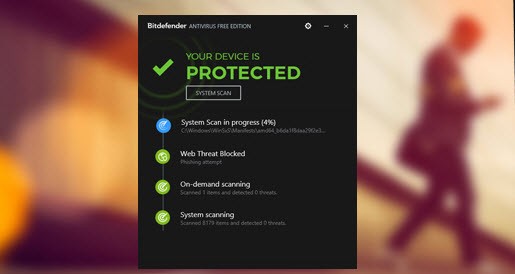
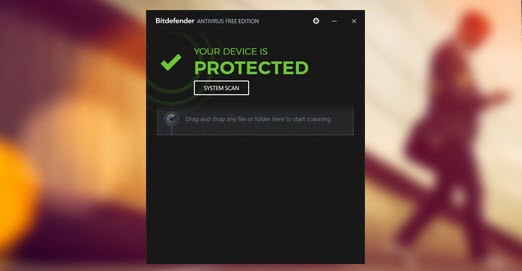
Bitdefender Antivirus Free Edition operates in stealth mode, protecting your system silently in the background. This software protects Windows users without requiring continuous configuration changes when their devices start up. This free version provides essential live threat detection with automatic scanning, along with anti-phishing protection through a basic, user-friendly interface.
The application presents itself without overwhelming users with too many choices or visual distractions. The installation activates the software, which protects your system against viruses, spyware, and online scams without requiring any user interaction. It’s simple, quiet, and effective.
Bitdefender extends its security services beyond Windows operating systems through various other products in its product line. The company now serves mobile users through its Bitdefender Mobile Security applications designed for both Android and iOS devices. The Android platform receives protection from malware through Bitdefender, while also providing a VPN for privacy and browser protection tools.
For mobile systems, virus defense is minimal, but the tool provides anti-phishing capabilities, monitors privacy conditions, and notifies about account breaches. This security solution detects how each platform works independently, which guides its specific configuration for Android and iOS systems.
The Bitdefender security system provides unified protection for phone screens and Windows laptops without requiring user supervision. The software installs quietly as a digital safety system needed only when system failures occur.
Why Should I Download Bitdefender Antivirus Free?
The free Bitdefender edition stands out as an unobtrusive antivirus solution, which makes it a good choice compared to other mainstream programs. The protection level Bitdefender provides is a primary motivation for users to download this program, as it maintains exceptional security while avoiding sluggishness or software bloat.
The program maintains complete silence throughout its operational cycle and never initiates an upgrade process. The system runs in the background to monitor malware, unusual system activity, and web-based threats, so users can continue their tasks uninterrupted. The program exists without cluttering your view of activities, which is one of its essential design elements.
Any person who dislikes managing antivirus settings will appreciate this product. Some antivirus tools overcomplicate their user interfaces by providing extensive menus and sliders, as well as complex toggles that lead to unnecessary complexity. Bitdefender takes the opposite route. The software automatically activates protection after setup.
After installation, Bitdefender performs automatic self-updates and scans, but activates additional features only to interact with the user. The solution provides essential cybersecurity protection to users who wish to maintain a no-expert status. The underlying Bitdefender engine in its paid tools operates fully here to deliver total protection to users. This application offers basic safety features within a user-friendly system that inspires trust.
The mobile security solutions from Bitdefender actively demonstrate why a PIN-based phone authentication does not guarantee complete peace of mind.
The Android version of the application protects devices through malware detection and link protection and offers users a VPN service to defend their online actions. Many free security apps do not provide a similar level of security.
On iOS platforms, Bitdefender focuses on phishing and compromised accounts, since Apple’s built-in security prevents malware attacks. The application delivers notifications for any breach involving your email addresses or account credentials.
The main advantage of using it lies in its efficiency in terms of battery power and system performance. Both phones continue to run at their normal speed, while PCs maintain flawless performance with no performance loss. That balance is rare. Numerous antivirus tools cause performance slowdowns, particularly in their free versions. Bitdefender keeps its operations quick yet makes attacks difficult to bypass.
Is Bitdefender Antivirus Free?
Users can get the Bitdefender Antivirus Free Edition for Windows. The service operates without subscriptions and provides permanent protection that extends beyond trial periods. Users of Bitdefender Mobile Security can also use free features.
If you require the full VPN and anti-theft tools, you’ll need to upgrade to the paid version of Bitdefender Total Security. Even so, the free tools still offer strong security basics.
What Operating Systems Are Compatible with Bitdefender Antivirus?
Bitdefender Antivirus Free Edition runs on Windows computers specifically and functions optimally on Windows 10 and 11. The free edition of Bitdefender does not support macOS, yet Bitdefender offers premium macOS user tools independently.
The mobile security software Bitdefender Mobile Security works on both Android and iOS devices. This software supports the Android operating system starting with version 5.0. The iOS version of this security software supports all devices running iOS 12 or later. Users with mobile devices can adjust the app's interface, and the app protects both data security and account safety across smartphone and tablet platforms.
What Are the Alternatives to Bitdefender Antivirus?
Additional options to Bitdefender Antivirus Free Edition are available for those who need different security solutions or want to explore alternatives on the market.
The program named Kaspersky AntiVirus Standard falls under this category. Kaspersky Antivirus offers protection through a free version that includes automatic real-time defense against phishing threats, along with tools for system performance enhancements. The distinctive feature of this product allows users to customize its protection level based on their typical actions. The security application recognizes periods of increased vulnerability, such as during banking sessions or interactions with unknown websites, and adjusts its protective measures accordingly. The mobile version of this program offers satisfactory scanning features and robust privacy protection on Android devices.
The long-time available software solution is Avast Free Antivirus. The free version of this antivirus program provides numerous helpful capabilities to its extensive user base. In its free version, the software offers three primary functionalities: malware detection, Wi-Fi network scanning, and a built-in password management system. The program has an intuitive interface and impressive capabilities for tracking new security threats. On mobile devices, Avast delivers anti-theft tools, including a feature that reveals app privacy risks, as well as call blocking for Android smartphones. The program delivers decent security, despite causing minor annoyance with its pushy upsell alerts.
ClamAV is an open-source option for users who are comfortable with Linux terminal commands and customization. The security solution functions across Linux systems and Windows. The tool offers excellent file-scanning functionality and system integration, though its interface lacks the sophistication of Bitdefender and Kaspersky. Although ClamAV does not directly support mobile platforms, it remains relevant as long as users run rooted Android devices and perform tasks via terminal interfaces.