InVideo AI offers a new way to create videos for people who have no idea how to do that. It is an AI platform that allows you to produce professional videos without using challenging editing software. Rather than spending lots of time on editing each video, the AI on this platform will save your idea and handle everything else.
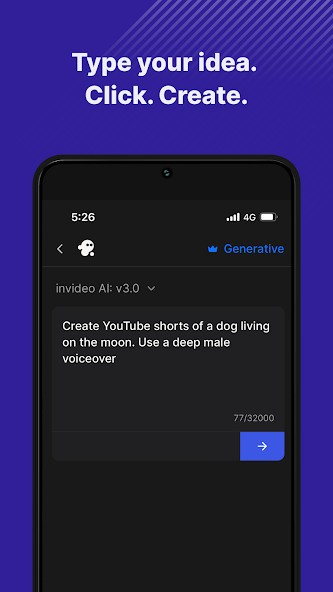
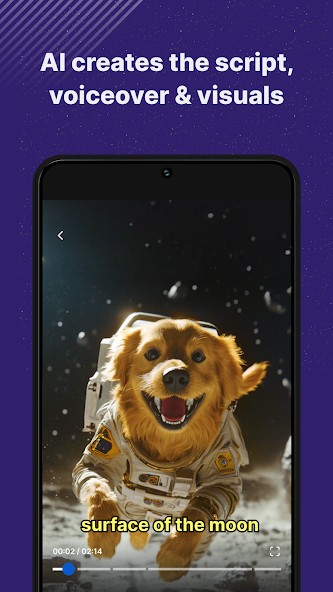
Type your text in the prompt zone, and it will be transformed, images are picked, the setting is created, words are added as captions, and it weaves the project with suitable music and timing. For those who need to get onto YouTube, create ads, make classroom videos, or tell stories, this offers high-quality results fast.
It is created for creators who have little time and want their material to look professional. The AI is not just combining different clips at random. It is familiar with structure, mood, and what the writer is saying. It processes your organization and makes sure the outcome is smooth. It creates explainer videos, content to promote products, product highlights, or YouTube shorts.
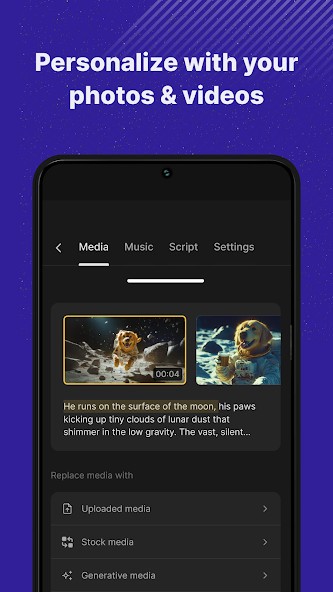
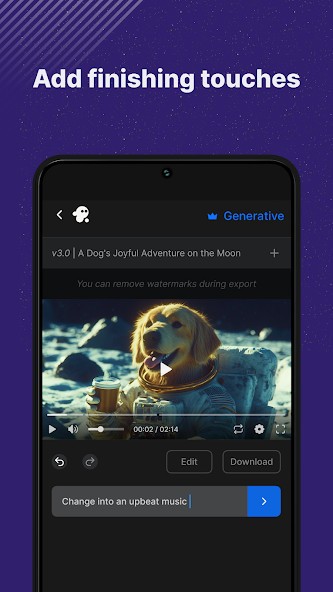
With the platform, you have the ability to improve the AI’s results, instead of having to stick with one strict layout. Visuals can be changed, the film’s pace can be improved and you can also redo captions. Essentially, it makes the process easier and allows you to skip the demanding step of editing new footage.
Why Should I Download InVideo AI: Video Generator?
There are moments when making a video appears to be too much. Seeing an empty screen and preparing all the clips takes so much time that many people aren’t willing to start. That’s what Invideo AI does. Now, making videos is something I can look forward to. No advanced computer is required, and learning how to edit can be simple.
All you need is an idea and a short text for the story. The AI takes over the difficult parts of the work. It interprets your writing, searches for the proper video and photos, makes the transitions, and applies subtitles when you want them. You can make the necessary decisions, as the major tasks have been handled.
If someone wants to post on different platforms like Instagram, TikTok, YouTube, or LinkedIn in a similar way, this tool is truly effective. It allows you to cover different subjects by using the same media content. Clips are detailed, and the result looks current: nice edits, clear audio, lively cuts. It does not provide pre-set pages that every website uses. As a result, the text will have the tone and reflect the topic you use when making a soft explainer, a fast promo, or a quick tutorial.
For those who make artworks as a side gig, art promotion is valuable. If you operate a business and require a product to be discussed, or you find yourself teaching and want to transform notes into video lessons, this section helps. invideo AI doesn’t ask you to spend a fortune on video equipment or take a weekend course on video editing. An AI can help you make your videos much more efficiently. It helps you avoid hard work, which is more important because it reduces stress. The message is your main concern as the AI deals with making the graphics.
Taking online courses is easy because they are so accessible. Since the apps are in the cloud, you will not have to worry about big programs slowing down your computer. Everything you create is stored on the internet, and you can pick up from there or export your projects whenever you wish. With this platform, you can choose how to use it. First, write a script, make the first draft, and then return to the footage, edit the text, or alter the music. It uses automation to make things efficient without limiting the user.
Whether trying to promote a business, present goods/services, or better communicate your message, the tool gets rid of anything confusing and allows you to move rapidly. The simple and fast process gives you the edge to continue sharing your content in today’s crowded market.
Is InVideo AI: Video Generator Free?
Those who start with invideo AI: Video Generator free version can learn the basics of making videos. Meanwhile, to make use of advanced options, high-quality exports and AI technology, you can subscribe to a paid plan. Testing is easy with the free tier, but people who use invideo AI regularly will need the full toolkit.
What Operating Systems Are Compatible with InVideo AI: Video Generator?
Because invideo AI: Video Generator runs in the cloud, it is available on all systems that access the internet. All software platforms can access it on any web browser, as long as you have a fast internet connection. Project management is possible on any Android or iOS mobile device. You don’t have to install huge software. All your projects are kept online, and you can open them anytime you like from any connected device. Therefore, you can easily share your files, switch computers without missing your work, or access them remotely.
What Are the Alternatives to InVideo AI: Video Generator?
Even though Hailuo AI is not an established brand, it has a unique approach to AI in video generation. It is good because it allows you to make expressive video clips for social media ads. The scenes are made with modern effects, and the AI attempts to create a similar feel for each mood or tone. Nothing wrong with releasing content that looks great, rather than focusing heavily on your story!
Other than that, D-ID: AI Video Generator approaches things from a fresh direction. Instead of mixing stock videos, WordsPerfect makes use of animated avatars to say whatever is written. Type your script into the system, and a video is prepared and delivers the words with a human-like face for you. People use it in training, explanation, and learning videos to keep their audience captivated by a speaker. If compared in visual storytelling, it is not a competitor, but you can use it to turn written scripts into face-to-face meetings.
PixVerse makes text come to life by transforming it into movie scenes. It relies on visuals, symbols, and is lively enough for interesting stories. Thanks to the changes in scenes, special camera effects, and animation, these videos stand out, almost like cinematic scenes from a TV show or film. Musicians use it mostly for trailers, mood, or concept videos. While simplicity is the main focus for invideo, PixVerse tries to express the story in an exciting fashion. Since it is less organized, you can be creative, but achieving the desired result can take a bit longer.
You can also try Clips AI, which is made to create videos on the go. It allows you to do the task with minimal clicks. After entering your message, the app finds the clips, music, and transitions that suit your text. It is perfect for marketing on social media when you want everything to happen rapidly. When you need to create quick content anywhere, it works as well as invideo AI.