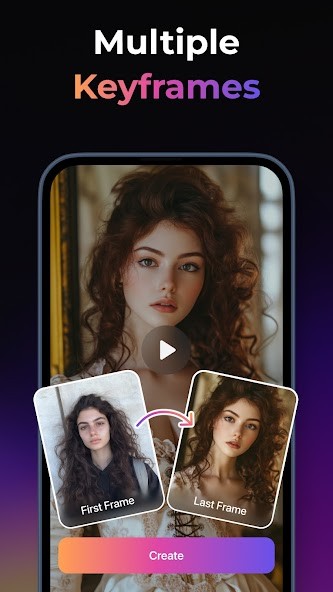
PixVerse helps people make animated videos quickly, as you don’t have to know much about editing or making videos yourself. At first glance, it’s easy: enter your text, pick a style, and the tool creates a short video.
Creating something for social media, working out a story, or having fun making images from your imagination is easy with PixVerse, as there is minimal technical trouble. Don’t worry about the timeline or object layers of your project. In the back, the AI manages everything that makes the animation, sets the timing, and shifts everything in the presentation.
We mainly see that it is preferred by people looking to distribute their content quicker. There’s quick, easy editing, and you don’t have to deal with large applications or match your music to your videos. PixVerse looks after the designs so you stay focused on sharing your message.
Your results are affected by what you input, and that’s one reason it’s so enjoyable. Now and then, things just seem to surprise you. The service introduces you to a way of thinking you hadn’t considered. That constant pattern—writing, seeing the effect, improving, and retrying—pleases those who use design apps.
Why Should I Download PixVerse?
Sometimes, you see a great idea in your mind and would really like to create a video around it, even if you’re not set up to film one. PixVerse is designed to make this easier for you. You don’t need to know how to use video tools or anything creative to start using PixVerse— it’s that simple. It’s enough to have only the idea in mind. Put your idea or prompt into the AI, select the response style, and you get a response to work with. In some cases, it’s just how you thought it would be. Some of the time, we don’t need to have everything to take the next step. Ultimately, you’ll see some improvement.
Many users are drawn to PixVerse because it’s quick. There’s no need to waste time downloading art, selecting music, or handling every single movement exactly. That’s why you just write down your concept and allow the AI to sort through it. It takes the early production process from taking hours to only taking minutes. Save that time, and you’ll be happy—not just as a social media creator, marketer, or educator, but anyone who regularly needs to post content. You’re allowed to make a few drafts, sample various styles, and pick the one that sounds best to you—all without struggling with your edits.
How accessible PixVerse feels is another sure reason to download it. You won’t have to figure out a new set of software features. You’re not working to learn the function of every feature on the software. It’s organized so that anyone can get creative with it. When something doesn’t work, you only need to tweak your text and then try it again. You won’t waste time scrolling through hours of video. Nothing to get wrong when it comes to decorations. Being so simple means it’s ideal for users who want to concentrate on what goes into their pages, not how they are designed.
It’s powerful to let AI visualize your content for you. There are moments when it isn’t important to get the numbers spot on. It’s focused on understanding your ideas from a new viewpoint and seeing them in motion. With PixVerse, everything about creating animated visuals is simple. It doesn’t care if your words are awkwardly arranged or worded strangely. Moving your words to images gives you a specific display to improve or take action on. That’s what gives the tool a simple and enjoyable feeling, instead of giving people anxiety when they use it. That’s reason enough to get the app.
Is PixVerse Free?
Users can try out the key video-making features in PixVerse by using the free version. To get better quality videos, speed up rendering, or use videos commercially, a paid membership is offered. You are welcome to use it and decide if it’s worth your while.
What Operating Systems Are Compatible with PixVerse?
No special download is needed since PixVerse runs from the web browser on Windows and macOS. You don’t have to install software, and your space will be available on any laptop or desktop connected to the internet. That said, Apple users with Mac computers equipped with Apple Chips can download the iOS app.
Mobile users can download the mobile app developed for Android and iOS if they don’t want to use the online service. This makes things easier for them. Generate and preview your videos more easily when your internet is stable and your browser is updated.
What Are the Alternatives to PixVerse?
PixVerse is designed to make turning text into a video simple and quick, though other tools can do the same thing, too. There are a few options out there for those who want different features, more or less control, or a mood that’s not the same. People often find that AI Video – AI Video Generator, invideo AI and AI Video: Generator & Maker easily fit their requirements. Every company uses AI for video generation differently, so pick whichever fits your project best.
AI Video – AI Video Generator (on Google Play Store) works by letting you turn basic ideas into videos fast and with little hassle. A large part of TikTok videos includes creating short social clips, stylish animations and basic promotional items. The quick and simple way it operates is what attracts many people, even though it’s simpler and not as detailed as the best desktop tools. Because it’s built for phones, everything is designed to suit tiny screens and to let users publish content fast wherever they are. For those who just want to work on their phone, there’s no question what to use.
invideo AI goes one step further by adding automation to its manual editing tools. Users can use text to make their videos and, in addition, can customize scenes. Users can change the text in Invideo AI as well, swap out images, and include precise sound effects. It’s built to help marketers, agencies, and creators quickly publish data, yet still be able to control and change the basics if needed. Because there are built-in templates, users can quickly adjust text, images, and sounds without starting from scratch in Invideo AI.
The Android app for AI Video: Generator & Maker is made for people who want accessibility. Users have the freedom to shape engaging video content by typing phrases that AI can show as visuals. The best viewers are the ones interested in entertaining content, not information for business. You’ll notice that they’re quick clips, not as formal and designed to be instantly posted to TikTok or Instagram Reels. What makes it powerful is that users can make attractive designs quickly, without having to customize much. Because ideas in content are important and shared fast, we can let go of perfect quality.