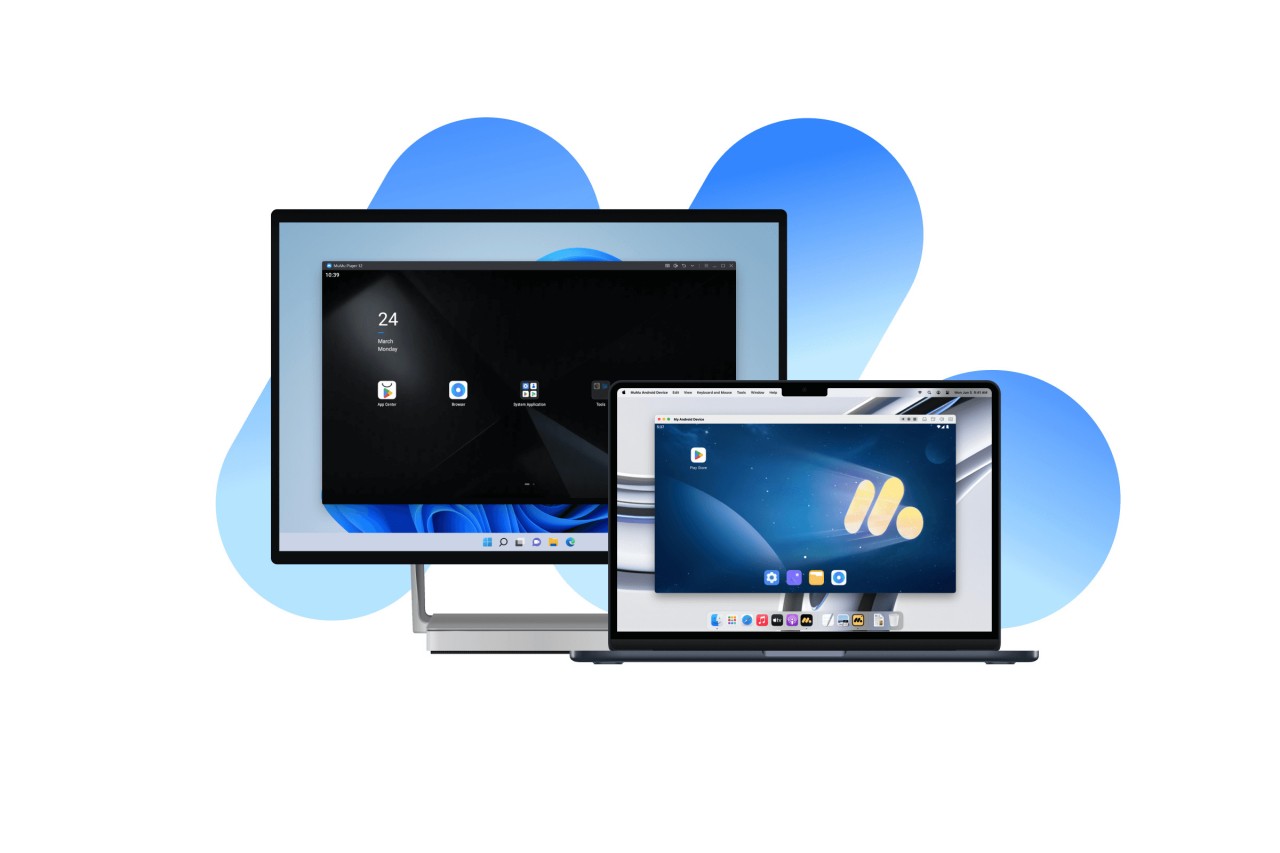
Mumuplayer allows you to play Android games or run mobile apps on your PC. It is amazingly light for what it does. Developed by NetEase, a giant in mobile gaming and software, Mumuplayer is optimized specially for mobile games. You’re not only copying your phone or using a clunky port. You’re getting full control, a smoother performance, better visuals, and a lot more than you expect.
When you open it, it operates as a virtual Android device on your system. You can install apps, sign into your Google account, and visit the Play Store as if you were on your phone. Except now, you’re operating a keyboard and mouse, and you can even plug in a controller. It takes care of all of that with a breeze.
The UI is tidy, and if you’re a gamer, the app comes preloaded with key assignments for popular games. Even if you’re just running some apps or testing things in your system, it still works without making your system crawl. That’s what distinguishes it. It’s easy to ride, and it’s stable; it’s pretty easy to get on.
Why should I download Mumuplayer?
Mumuplayer is a strong solution if you’ve ever wanted to play mobile games on a large screen and needed to test Android apps without changing devices. There are plenty of emulators around, and a big number of them use too much system memory, or are smothered in ads and extra add-ons you didn’t ask for. Mumuplayer skips all of that. It's simple. You install it and start it, and you’re inside a clean Android on your PC.
Performance is one of the biggest reasons to use Mumuplayer. Many Android emulators are often heavy or slow, depending on one’s system capabilities. This one is configured to be light yet sufficiently strong to operate heavyweight games like Free Fire, Genshin Impact, or PUBG Mobile without making your PC into a fan-blowing disaster. It also includes a performance tuning section in which you can specify how many CPU cores and how much RAM it should use, if you want. That would allow you to balance the amount of power it receives with your machine’s handling.
Another thing that helps is the control options. You can configure your keyboard and mouse as you want. The general key mapping works well for most popular games, but if you’d like to have your own setup, you can with Mumuplayer. And for users of game controllers, it identifies most gamepads with little or no struggle. It doesn’t feel like a workaround but like playing a real desktop game.
You can also multitask rather easily. Say you want to play a mobile game and even run something else in the background. Mumuplayer runs multiple instances, so you can clone the emulator windows and do two things at the same time. This is great if you’re grinding in a game or running multiple accounts. It’s not perfect, but it does a pretty good job of giving you additional freedom for using Android apps.
Although it’s obviously designed with a gamer audience in mind, Mumuplayer is not restricted to that. If you are a developer or like to test apps on various screen sizes or settings, you can do that without the need for another Android device with this emulator. You can change resolution, aspect ratios, and even tweak frame rates based on what you’re attempting to simulate.
Whether you’re just a mobile gamer who wants better controls or someone who just prefers to use Android apps from a computer, Mumuplayer is a service that does the job without any additional noise.
Is Mumuplayer free?
Mumuplayer is absolutely free to download and use. Mumuplayer doesn’t charge any subscription fees, and there are no locked features hidden behind a paywall or annoying upgrade prompts. You install it, and you are good to go. It is not going to make you sign up for anything, and it does not have ads built into the program that are trying to pelt you with information.
What operating systems are compatible with Mumuplayer?
Mumuplayer supports Windows and performs smoothly on all versions, including Windows 7, Windows 10, and Windows 11. The requisite system is not demanding; it functions properly even on mid-range computers. There’s also a macOS version. Provided your device is reasonably modern, and virtualization is enabled in the BIOS, Mumuplayer should run well without any setup issues.
What are the alternatives to Mumuplayer?
If you are searching for something similar to Mumuplayer, then you have probably already come across a few names.
Among the largest is Gameloop. This emulator, designed for games, is developed by Tencent. It plays titles like PUBG Mobile and Call of Duty Mobile very well, in part because they are developed by the same developer as Gameloop. The user interface is suitable for those specific titles, and even though it’s amazing for gaming, it doesn’t always work with other Android apps as well as the other emulators on the list.
Then you’ve got BlueStacks, which is likely the most famous Android emulator in existence. It offers a lot of functions and supports a rather impressive list of apps, not just games. It’s been around for a while, and it tends to be reliable. It does consume many system resources, and the user interface can be a bit cluttered. It’s alright if you’re looking for an emulator with lots of built-in support, but don’t relish the extra background activity that your device would engage in with the emulator.
Another alternative is NoxPlayer. NoxPlayer is almost as lean as Mumuplayer and has the rich feature interface of BlueStacks. It has a decent number of performance and customization options. You can easily root it and run multiple instances, and it provides good support for controllers. It’s not as minimal as Mumuplayer, but it’s very simple to use and not that hard on your system either. Other customers like NoxPlayer because of its flexible nature, in case they need to open numerous applications or modify the system-level settings.