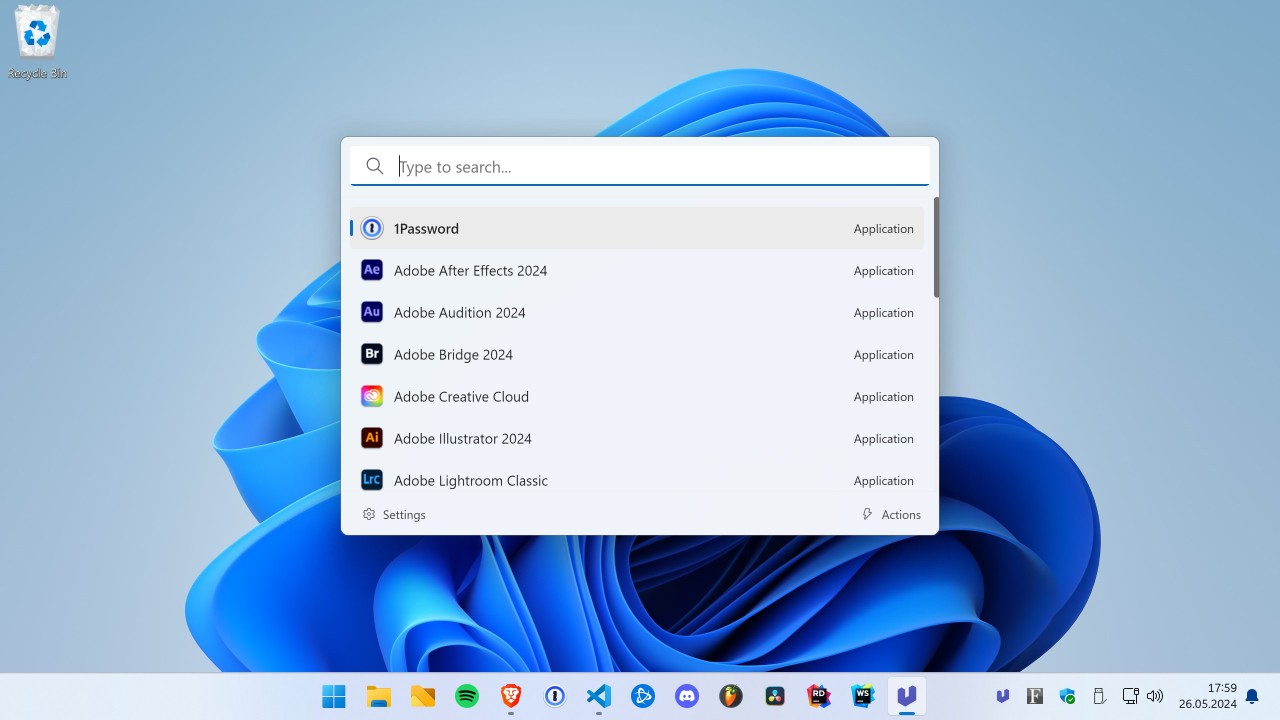
Ueli is an app launcher for Windows built to remove tiny delays that break your flow. You press a hotkey, a clean command bar appears, you type a few letters, and you open exactly what you meant to open without digging through menus or hunting in File Explorer. You can search apps, files, folders, and bookmarks, and you can pass a web query straight from the bar when that is faster than opening a browser first.
Turn on a calculator extension for quick math, or launch Terminal instantly when a shell command is the better move. The interface stays light, so it never becomes another tool that asks for attention. Results arrive quickly, suggestions feel sane, and once you hit Enter, Ueli steps aside. You can narrow indexing to the places that matter, so noise does not creep into results. You can set rules that keep shortcuts consistent with your habits and keep your hands on the keyboard. The goal is rhythm, not flash: fewer clicks, fewer decisions, fewer stalls between ideas and actions.
Why Should I Download Ueli?
You should consider Ueli if you switch contexts often and want the jump from one task to the next to feel effortless. You can summon it from anywhere, type a fragment you remember, and land on the target in a beat. Open a design tool, a spreadsheet, a spec, or a client dashboard without touching Start or scrolling through nested folders. Run a quick calculation in place, paste a value, and keep drafting without juggling windows. Bind the launcher to a shortcut your fingers already know, and carry that habit across your workday. You can tune search scopes so it favors current projects over archive folders, which keeps suggestions crisp.
You can hide what you never use, so results stay predictable. The value is not a single headline feature; it is the sum of small frictions that disappear. Seconds shaved from every search add up, and the mental space you save by not breaking concentration is the real payoff. If you have tried launchers that felt heavy or fussy, Ueli’s balance of minimal UI and practical extensions will likely feel right: present when you call it, invisible as soon as you act.
Is Ueli Free?
Ueli is free to download and use. You can install it, set a preferred hotkey, flip a few switches, and get on with your day without hitting a paywall or an upsell. That makes it easy to test during real work rather than in a vacuum. Updates focus on polish and reliability, which is exactly what a launcher needs. A tool you call dozens of times an hour has to be boring in the best way: it should open instantly, search quickly, launch cleanly, and never surprise you.
Recent maintenance has targeted edge cases in the calculator extension that could crash on odd inputs, a sign that stability gets attention before new flair. You can keep using it as long as it earns its place, and you can follow development or contribute if you want, but you do not have to manage a license or watch renewal dates. The model suits power users who prefer dependable tools that stay out of the way.
What Operating Systems Are Compatible with Ueli?
Ueli is compatible with Windows and macOS. You can install it on a desktop or laptop and use the same launcher workflow across both platforms. The app is lightweight, so it feels responsive on everyday machines. You can expect a modest footprint for a daily utility and responsive performance on systems that handle Windows 10 comfortably.
You can rely on the keyboard as your primary input because that is where the speed comes from, though nothing stops you from clicking to trigger a search if that feels natural at the moment. Keep your configuration simple or adjust indexing, ignore lists, themes, and extensions, so the launcher fits your setup instead of asking you to change habits. Language support covers common needs, and installation follows the familiar Windows flow. The overall experience is consistent, which matters when you move between machines and want the same shortcut to behave the same way every time.
What Are the Alternatives to Ueli?
Flow Launcher is a very close spirit. You have a quick search engine, the styling of Windows 8, and a vibrant add-on community. You can add helpers to do web searches, translation, package management, system activities, or keep it small when you need a smaller footprint. You may theme it, adjust the ranking, and wire a little workflows without making day-to-day usage busywork. Flow Launcher is quite convincing, and still remains fast even when using high-traffic systems, in case you like the concept of community-powered features and like to spend time tinkering.
Albert Launcher comes with cross-platform thinking. Familiar with Linux, it maintains the interface simple and minimal interface as well, and it rewards accurate inputs. You can define custom actions, script repeatable jobs, and maintain configuration near text, which makes it simple to audit and share configurations. In any case, when switching between Linux and Windows, Albert provides you with continuity and the same mental picture, such that when you switch between platforms, your hands do not need to learn the basics again. It is not fond of ornamentation and tends to vanish when the habit is established.
Fluent Search goes to a greater depth into the system. It can scan applications, files, web tabs, and running programs, and can even search within application content, with access to filters and operators that assist you in narrowing down to just what you desire. You can sequence actions, session control, and surface things that would otherwise remain submerged. It requires a bit more learning in the beginning, but the reward is breadth and command where your day stretches across numerous windows and contexts, and you would like one surface to master it.