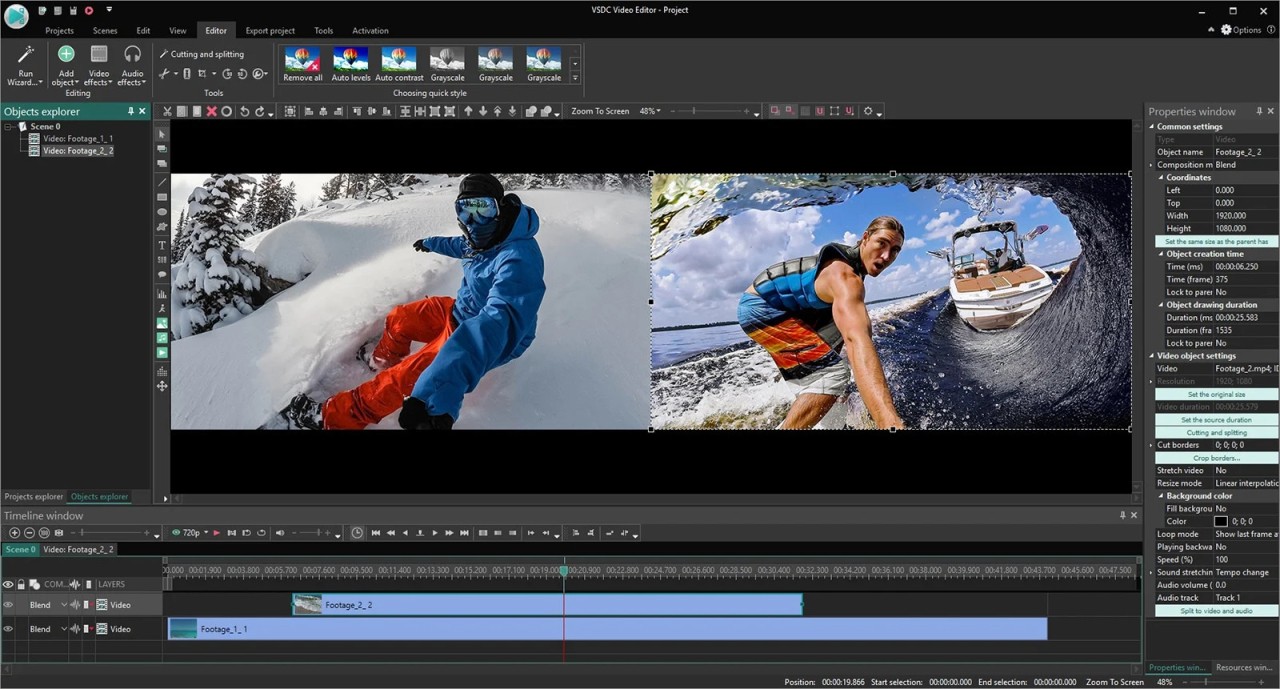
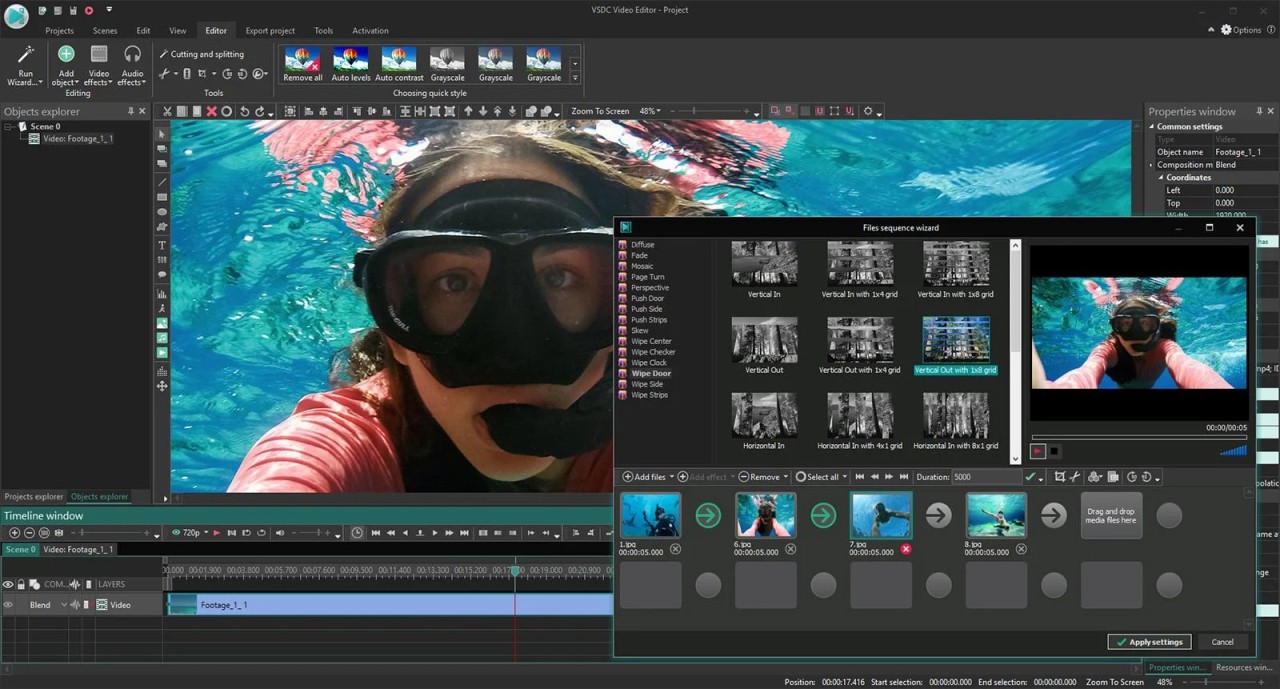
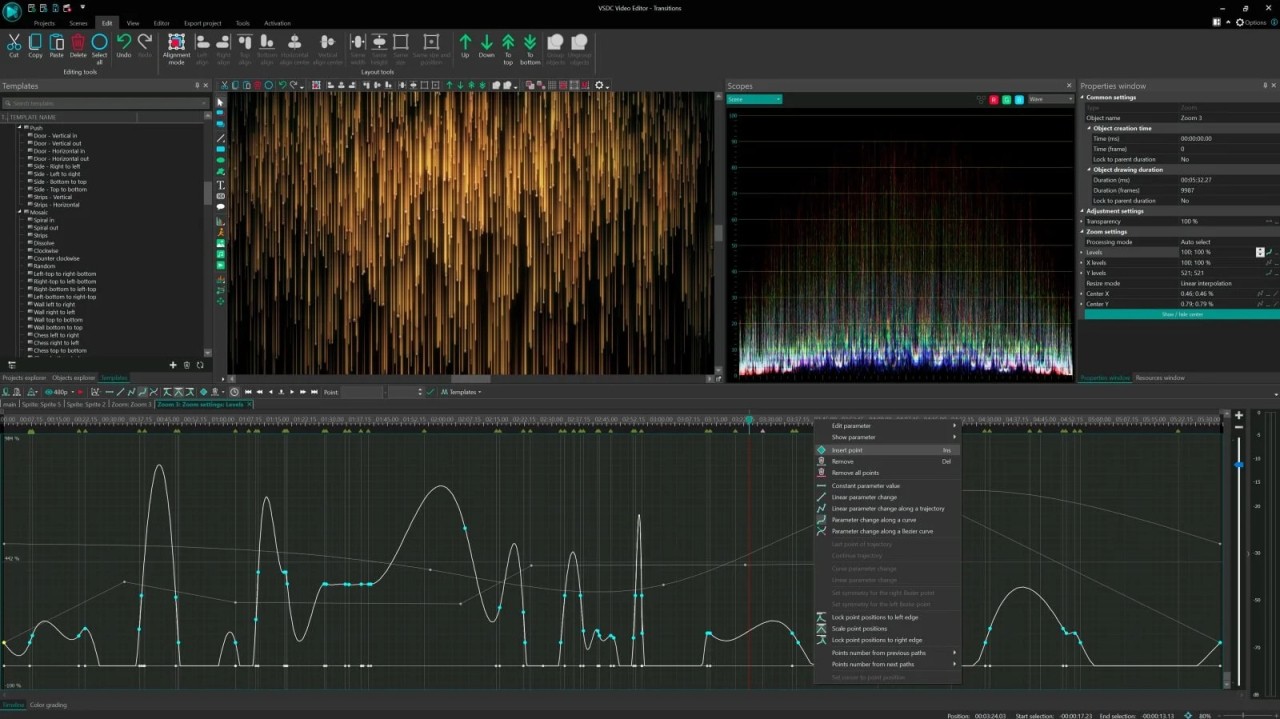
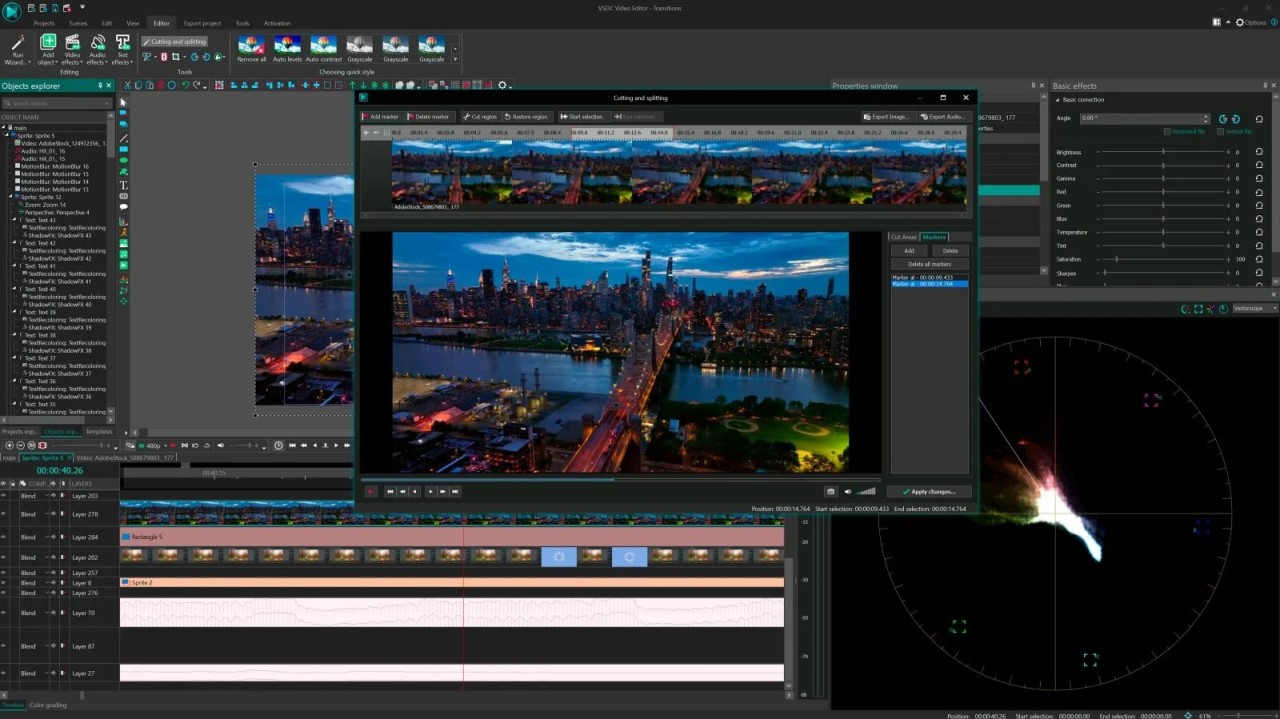
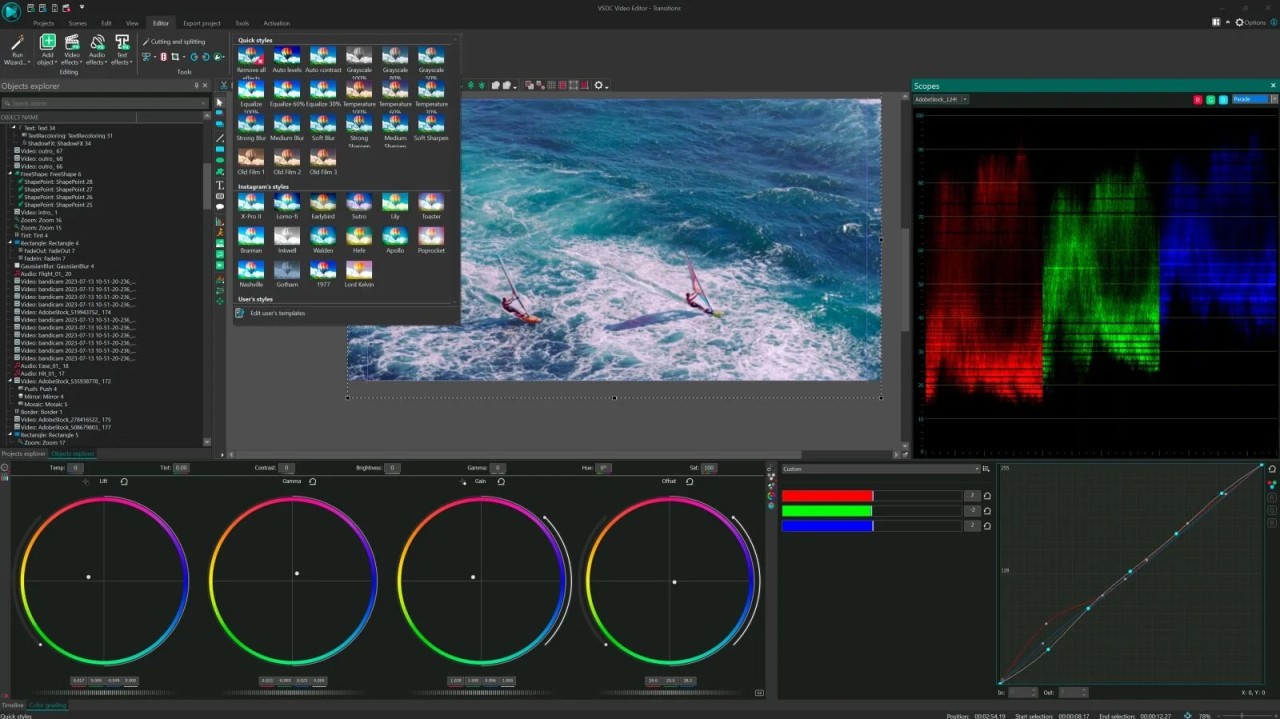
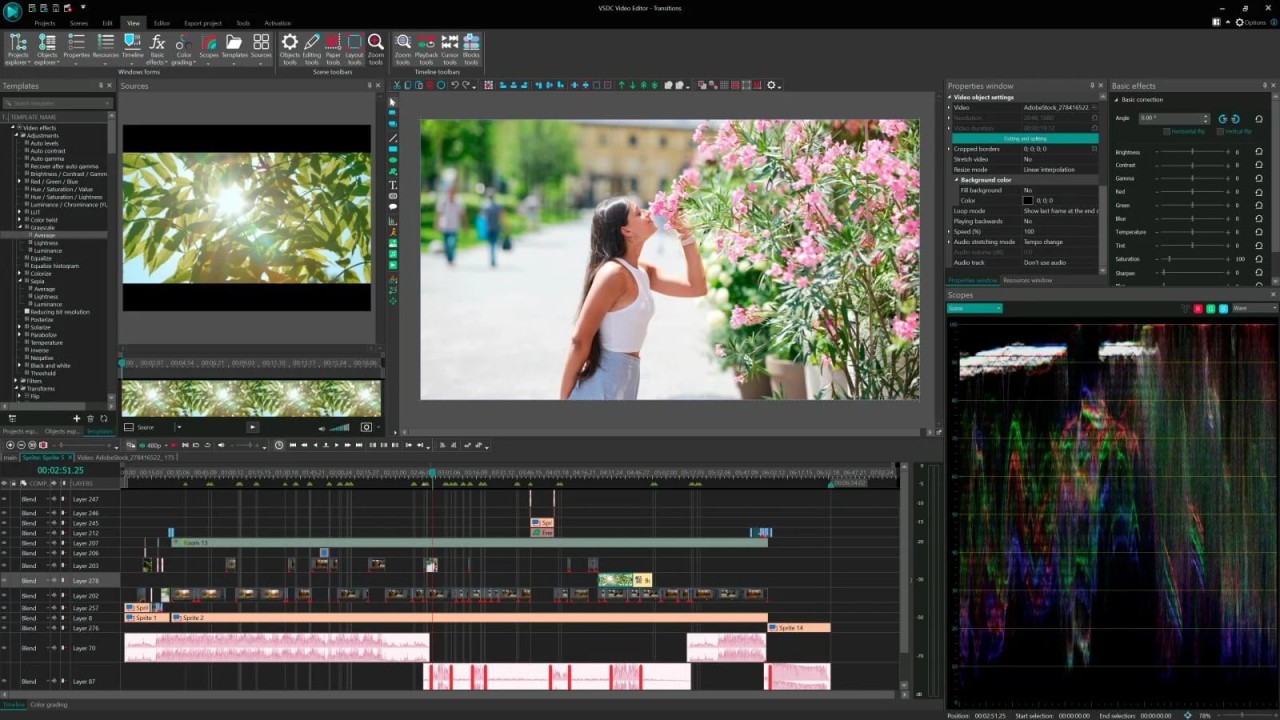
VSDC Free Video Editor is a non-linear video editor designed to meet the needs of Windows users who prefer not to be confused by a powerful video editor, but at the same time want to have an opportunity to edit their videos using a free tool.
It is not the kind of editor that you can simply drag and drop a few clips and export. It is rather designed with creators in mind, who wish to explore deeper levels: layering images, modifying audio, and tweaking effects.
Non-linear editing implies that you are not limited in the order of video clips, images, and audio tracks, and where you position these items on the timeline. VSDC manages that quite well. So you can cut a vlog, sew together a short film, or create a gaming highlight reel; regardless, the software gives you numerous controls.
It is full of features that aid in masking, chroma key, motion tracking, and other tools that you would usually find in editors that cost money. Although the interface could be considered old-school at the very beginning, the functions underlying it are rather modern. And it is free, so many content makers take it for a spin before they decide to either upgrade or switch to a paid version.
Why should I download VSDC Free Video Editor?
With VSDC, there is a certain feeling of creative freedom that you do not necessarily experience with free software. To begin with, you do not have to be content with watermarks all over your final output. That is massive to anyone who is putting up content on YouTube or a portfolio. And it is free, with a broad enough selection of features that you won’t hit limitations right away.
You have access to pro features such as blending modes, color correction curves, motion tracking, and even video stabilization. They are the things that are usually hidden behind a paywall. Then VSDC allows you to upgrade, in case you are a person who is not satisfied with mere trim-and-split editing. Its toolset isn’t just an entry-level offering; it can be a solid long-term editor in the hands of the right user.
The performance side is also to be mentioned. VSDC is not heavy. It does not require top-notch specifications in order to operate smoothly, meaning it is brilliant for those users whose PCs or laptops are old. It is able to work with HD, 4K footage, add transitions, and export to numerous formats without freezing and crashing when the going gets tough.
The flexibility of the export options is another assisting aspect. No matter what platform you are making content (Instagram, TikTok, YouTube, or DVD), VSDC allows you to select the concrete output format and even customize the compression settings. Such customization is unheard of in free software, where you are most often provided with one-size-fits-all presets.
Another plus is that VSDC is friendly with most file types, including MKV, MP4, AVI, MOV, and more, which lowers the chances of getting the all-time-killer message of an unsupported file type. It is noticeable especially to those who deal with screen records or camera videos, and even animated videos.
It even has a useful voiceover feature. This implies that you can do the narration of your project without the need to switch between applications. It is a minor detail, but it becomes part of the work process when you edit, say, a tutorial or a vlog. Less switching, fewer steps, more doing.
It’s not only flashy social videos, too. VSDC suits educational purposes, video lessons, training programs, and even business presentations. It also has text tools, chart objects and animation of objects, thus it cannot only be used in the entertainment industry. It is one of the reasons why it is flexible.
Finally, the last things to mention are the community and tutorials. It has a learning curve to its interface, but has a community of users and extensive how-to videos on YouTube, both made by the official VSDC team and independent video makers. Even when you are absolutely new to video editing, you will not feel stuck for long.
Is VSDC Free Video Editor free?
Yes, the basic variant of VSDC Free Video Editor is fully free of charge. It does not place a watermark on your exported videos, and you can access many tools without making payments. Nevertheless, it has a Pro version as well that has additional options such as hardware acceleration and advanced masking. However, the free version is functional by itself and does not feel restricted.
What operating systems are compatible with VSDC Free Video Editor?
VSDC Free Video Editor is a Windows-specific editor. It operates in Windows 7, 8, 10, and 11. It has no official version for macOS or Linux; however, there exists a lighter version developed for iOS users.
The software does not offer cross-platform syncing. On a Windows-based (even a low-end) machine, VSDC will run relatively smoothly and will not occupy too much space.
What are the Alternatives to VSDC Free Video Editor?
The well-known open alternative is OpenShot. It is cross-platform (Windows, macOS, and Linux) and sports a user-friendly interface. OpenShot is more simplistic and user-friendly, which is why it is a better choice for those just starting. Although it lacks the number of high-end features that VSDC has, it still performs fairly well when it comes to trimming, effects, transitions, and audio controls.
Another robust alternative, in particular among Linux users, but also on Windows and macOS, is Kdenlive. It is well-respected within the open-source community, and it offers multi-track editing, effects, transitions, and proxy editing to improve performance. Kdenlive can be a little more technical, though, and is a fine editor once you are happy with more advanced workflows.
Microsoft has acquired ClipChamp and installed it in Windows 11. It is browser-based; therefore, it can be accessed using various devices. ClipChamp’s priorities are simplicity and drag-and-drop interface, templates, and direct export to such platforms as YouTube. It is a decent option if you are a casual creator or need to work with short and polished videos, but its free plan is limited and does not include all the advanced tools that VSDC has by default.