OpenShot Video Editor operates as an excellent video editing tool that executes its functionality discreetly and for free, although it offers expansive capabilities. The open-source video editing tool has existed for multiple years while consistently drawing more users who need to edit their videos without complex tools.
Te software produces the necessary tools anyone needs to finalize their vlogs, school projects, and slideshow creations for family events. Although easy to understand at first glance, OpenShot has several powerful features waiting beneath the surface.
The software gives users the capability to import video clips together with music and photos, which users can subsequently organize on the timeline. The application offers users easy access to video trimming features, together with cut options and transition effects and speed editing functions.
This application presents its features without complex terminology or maze-like menus. It’s built to feel welcoming. As an open-source application, it works without distracting advertisements while operating completely free of charge for upgrades or subscriptions. OpenShot combines functionality that works with constant improvements because its development comes from an active user and developer collaboration platform.
Why Should I Download OpenShot Video Editor?
The core advantage may relate to functionality since OpenShot is devoid of any financial cost. No strings attached. OpenShot Video Editor stands out among other video editors since it provides users unrestricted access to all features at no cost and does not show ads or make users watch advertisements. The editing tools available in OpenShot provide total user access at no cost, so you can begin creating immediately without premium version restrictions.
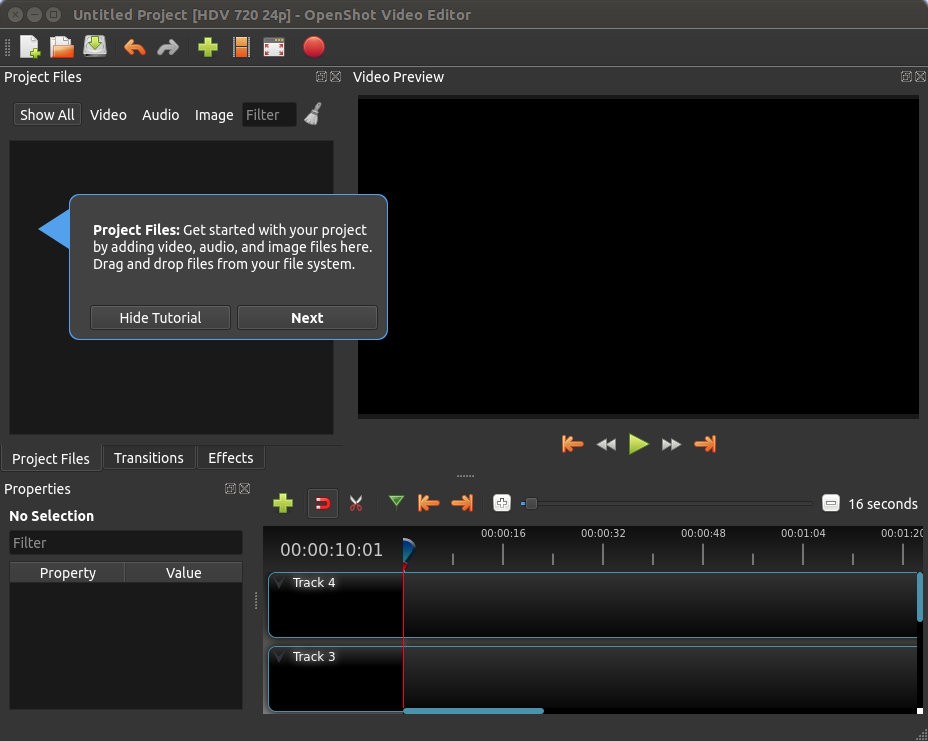
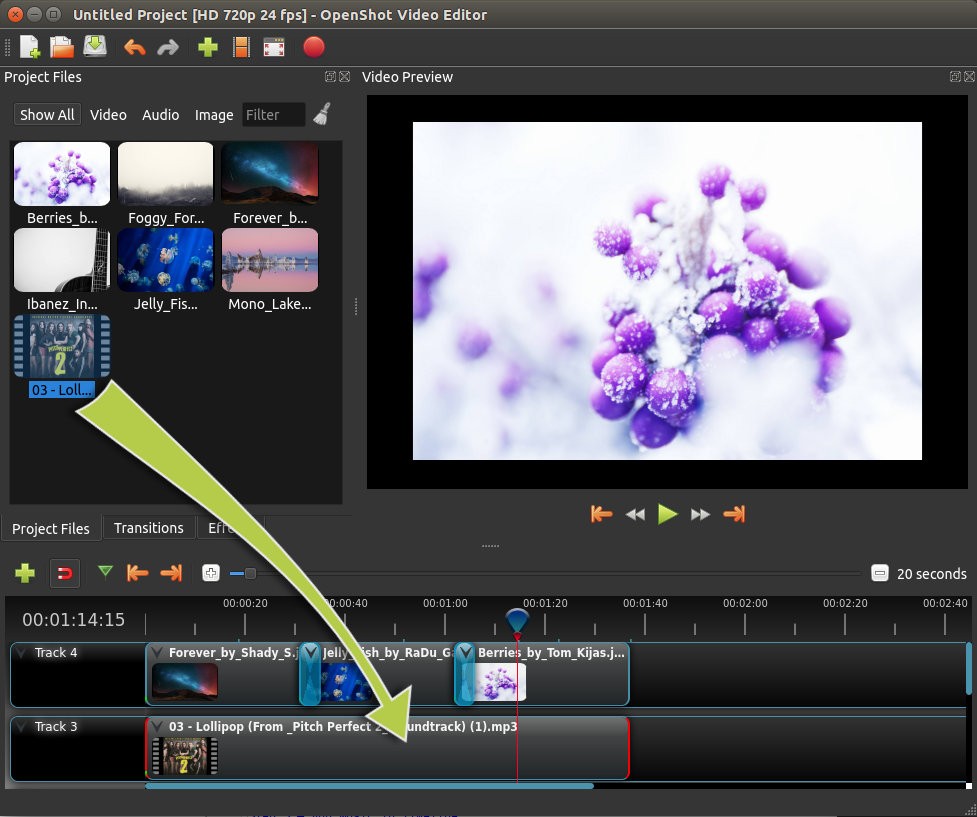
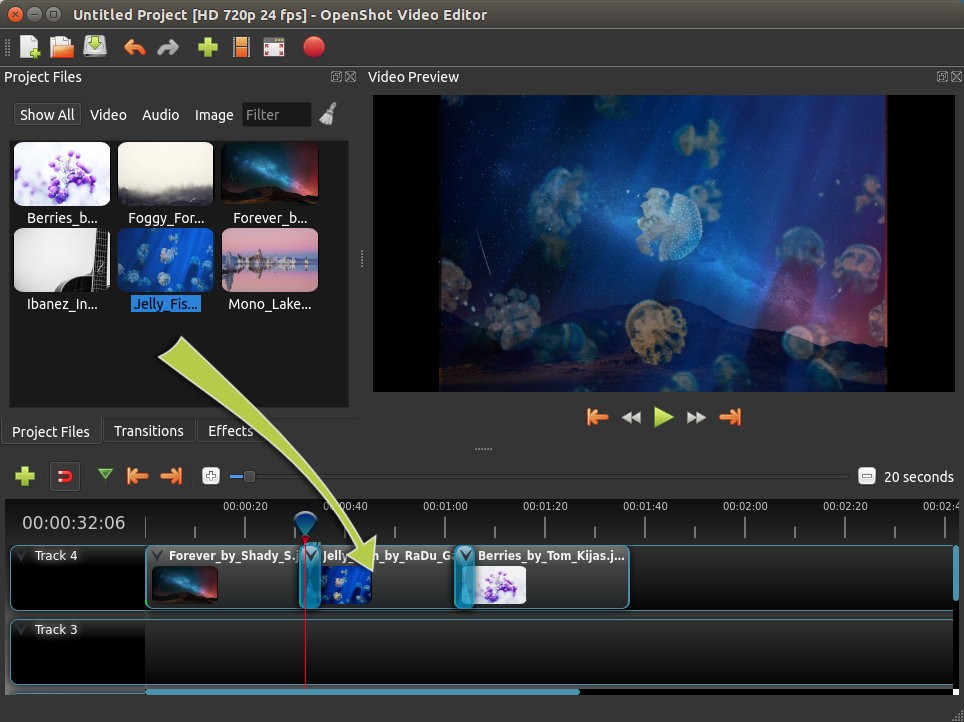
OpenShot secures its position in the market through its uncomplicated design features beyond its cost-free nature. OpenShot proves advantageous to users because its interface maintains proper organization when professional editing applications cause confusion through multiple windows for beginners. From the moment you begin your project, you can create by dragging files onto the timeline before constructing videos.
Users find it appealing that the software requires no struggle for accomplishing simple tasks. OpenShot operates effectively beyond its initial level of novice video editors. OpenShot provides a smooth experience for performing basic video editing methods such as multi-track editing as well as real-time previews and chroma keying.
The learning curve is gentle. Non-video editors can begin making professional-looking projects within their first hour of watching instructional videos or testing the program. OpenShot provides platform versatility because it functions on all main operating systems for users who work interchangeably between machines or share editing equipment. OpenShot enables users to use their tools without limitations when switching operating systems.
Through FFmpeg integration, OpenShot offers users support for multiple video and audio file types alongside image formats. The application avoids technical errors when importing and eliminates the need to convert files during the process. The ability to instantly import different media files without interruptions becomes life-saving during creative production sessions.
OpenShot brings peace of mind because its open-source code structure enables you to observe the developer's actions. It’s open-source. A user can observe all program processes easily. The program keeps you fully informed about which data it collects and who monitors your creative activities. A simple setup between user and editor represents an important but understated quality that multiple programs should adopt.
Is OpenShot Video Editor Free?
Yes, OpenShot is 100% free. Users obtain OpenShot Video Editor without facing trial limitations and receive full access and functionality without any hidden features. Open source development makes the entire software accessible to users worldwide so they can view the source code while preserving its free status. The community develops this public software without charging any fees to users.
What Operating Systems Are Compatible with OpenShot Video Editor?
OpenShot operates seamlessly on every principal operating system format. OpenShot Video Editor functions properly across the Windows and macOS and Linux platforms allowing users to install it on various computing devices with ease. Users can easily install OpenShot and receive consistent updates through a smooth operation.
The program sustains its functional ability on both dated laptop systems and modern desktop units when using standard system requirements. Users who wish to start editing without needing expensive hardware upgrades will find a suitable solution in this program.
OpenShot makes it very easy to pick up where you left off. Updates are rolled out on a daily basis to ensure compatibility with new OS versions, keeping everything stable and up to date.
What Are the Alternatives to OpenShot Video Editor?
OpenShot provides comprehensive functionality, but users should know that other free video editors exist in the market.
The alternative video editor known as Shotcut can be found extensively used by users. The platform presents the same valuable combination of free, accessible and open-source functionality as OpenShot does. Several users appreciate how the user interface comprises distinct components which grant them better command of filter and effect settings. People seeking advanced functionality together with editing flexibility should choose this software. Shotcut gives users powerful capabilities after they get beyond its initial, intimidating interface.
The professional video editing software DaVinci Resolve provides robust functionality as a solid alternative to users. Users will encounter a significantly different program in this case. DaVinci Resolve operates as a professional-grade program that professionals employ for their film productions. Even though it comes with no cost, users get extensive access to features that include sophisticated color grading alongside audio enhancements and visual effect options. Within this high level of power, users experience significant complexity. Learning DaVinci Resolve demands a demanding comprehension process for novices. Regular users cannot rely on this program to cut a clip or create easy photo slideshows. The platform exists for users who need premium tools and allocate time for mastering their professional use. People who aim to elevate their video skills should strongly consider analyzing this option.
KdenLive stands as an open-source video editor that maintains a big community of users. The software has survived many years to develop into an effective tool. OpenShot lacks certain advanced editing attributes that can be found in KdenLive, yet its interface sometimes appears visually overwhelming to users. Many Linux users prefer it, but anybody with any PC operating system can access this software. This program demonstrates strong capabilities without making entry difficult for users.