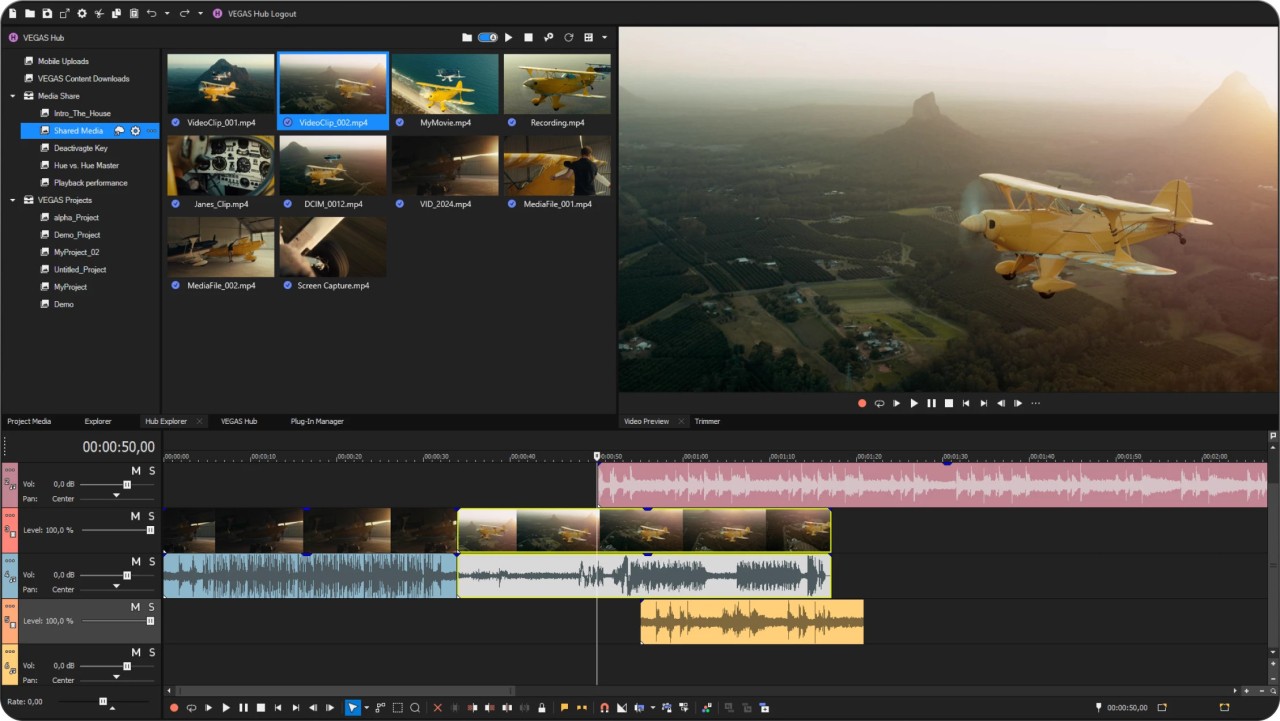
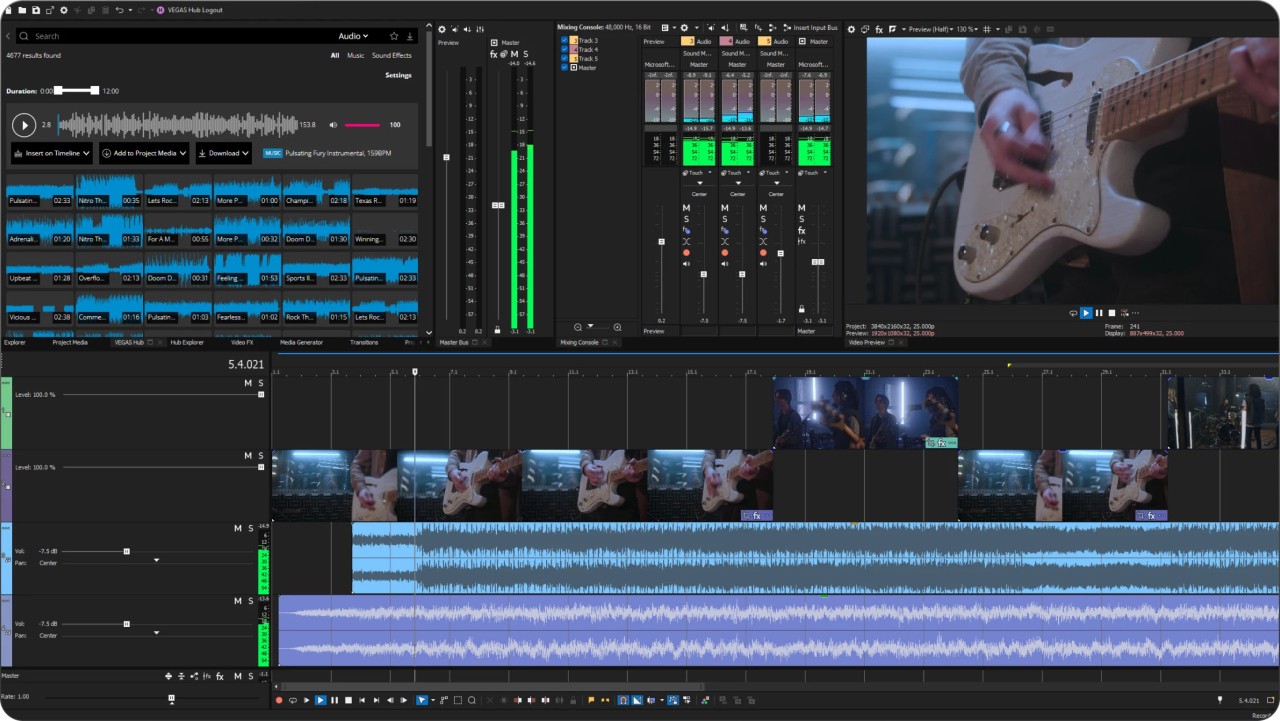
Vegas Pro is a professional video editing software designed specifically for content creators who need powerful and flexible tools to produce high-quality video projects. It provides a wide range of features for editing, compositing, and producing professional content, whether for online platforms, broadcast, or other distribution channels.
With Vegas Pro, you can create polished movies with custom soundtracks and fully control every stage of production. The software operates on a timeline-based interface, allowing precise management of video, audio, images, and effects within a single, comprehensive workspace. You can easily import video clips, photos, graphics, and audio files. When placing two elements next to each other on the timeline, the software automatically creates a crossfade, helping you save time during the editing process.
Vegas Pro includes numerous built-in effects and transitions, such as 3D effects, old film styles, and advanced color adjustments. You can also add titles, text overlays, and menus in just a few clicks. In addition to its powerful video tools, it offers robust audio editing capabilities, making it possible to refine soundtracks and dialogue directly within the same environment. The software is compatible with multiple professional formats, including HDV and DVDCAM (on Windows XP SP2 only).
Vegas Pro is available exclusively for the Windows operating system, delivering smooth and stable performance along with broad support for various import and export file formats. Several versions of Vegas Pro are available to suit different needs.
Why Should I Download Vegas Pro?
No matter if you’re just making your first steps with video editing tools or if you’re a seasoned professional, you should download Vegas Pro and see how many of its intelligent and thought-through features help you with your project. There are multiple online tutorials, and the intuitive interface also makes it easy and efficient to create and complete your movie.
One of Vegas Pro's most praised features is its timeline, which allows you to dynamically cut, trim, and rearrange video and audio clips to ensure perfect synchronization even when working on multiple layers. You can add transitions and effects, but the truly innovative feature is the support of multiple timelines. They allow you to collaborate with other users, each working on their own part, which you can then merge into your main project. This helps save a lot of time when everyone can do their job in parallel, without waiting for the other person to finish.
If you require advanced audio editing capabilities, Vegas Pro includes a full-scale mixer for controlling audio tracks, adjusting levels, and removing noise. With it, you can also apply various effects or even utilize keyframe automation to synchronize the audio clips with the video.
When you download Vegas Pro and start using it, you’ll also discover the option to stabilize your videos to remove any disturbances or unintended camera movement. Vegas Pro also includes object tracking tools, which allow you to do things like adjust your camera's position or have other elements, such as titles, follow an object on screen. When working with different clips, you can use Smart Split to cut and trim them and then automatically generate transitions between the parts that remain in the project.
Vegas Pro also supports high-resolution formats, even 8K, as well as multiple file types, so you can use it in terms of what kind of files you can use. There are also multiple additional modules you can install in Vegas Pro to extend its functionalities even further. This comprehensive platform provides numerous features and solutions for any type of project, even the most complex ones.
Because of the backward compatibility, you can also import and edit files from previous versions of Vegas Pro; however, the software is only available on Windows machines. On newer computers, it uses hardware acceleration to provide you with seamless real-time video preview, playback, and rendering.
Is Vegas Pro Free?
While you can download Vegas Pro and try it for free for a limited time, it is a paid software with multiple pricing tiers. You can pay for it once or get a subscription.
There are different tiers to choose from, and each one includes a variety of modules, features, and integrations that can be especially useful for large projects.
What Operating Systems Are Compatible With Vegas Pro?
Vegas Pro is a software developed exclusively for Windows computers. It helps users utilize the system and hardware capabilities to the fullest without compromising features to optimize the software for other operating systems.
You can download Vegas Pro on Windows 10 and 11 with .NET Framework 4.0 SP1. Please note that there are also hardware requirements to consider. The bigger the resolution and size of files you’re using, the more advanced your machine would have to be. You’d need at least a 4-core, 2.5 GHz Intel i5 processor with 8 GB of RAM, but those requirements won’t be enough to work on 4K movies, so make sure to verify your machine hardware and setup.
What Are the Alternatives to Vegas Pro?
While Vegas Pro is an industry-standard software for anyone working on Windows machines, there are other equally powerful solutions on the market.
Adobe Premiere Pro needs no introduction as the staple name within the video industry. It’s part of the Adobe Creative Cloud, based on subscription plans, and has professional-level editing features for both video and audio. You can also apply special effects and access your files on various machines when saving your files to the cloud. You can download Adobe Premiere Pro on both Windows and macOS machines, which makes it available to a broader set of users. This software also integrates smoothly with other tools from the Adobe ecosystem, so you can easily transfer files and content between Premiere Pro and After Effects or Photoshop.
If you require something for all the major operating systems, try out DaVinci Resolve, which is available on Windows, macOS, and Linux and is one of the few solutions for professionals. It is an all-in-one software to edit and produce your movie and soundtrack. DaVinci Resolve supports advanced color grading, audio post-production, various visual effects, and transitions, among many of its features. The most significant thing is that it also has a free version that’s not time-limited and has even more advanced tools available without any additional cost. If you need more, then there’s also a paid option that unlocks even more sophisticated functionalities like tools for smooth collaboration or HDR support.
For Mac users, Apple has its own solution called Final Cut Pro, which is only available on macOS and iPads. With innovative features like the magnetic timeline, this software also remains intuitive and easy to use, which is in line with other Apple products. It has advanced editing tools and supports high-resolution formats for projects of different scales and quality. You get a 90-day trial to test the software out, and after that, you’d need to purchase a license with a one-time payment. With the paid version of Final Cut Pro, you get lifetime support and updates without recurring costs.