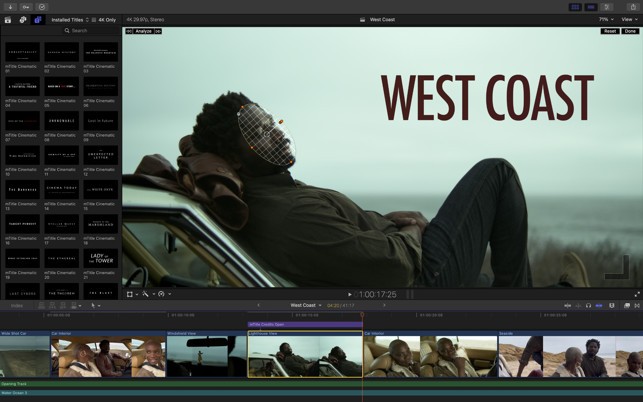
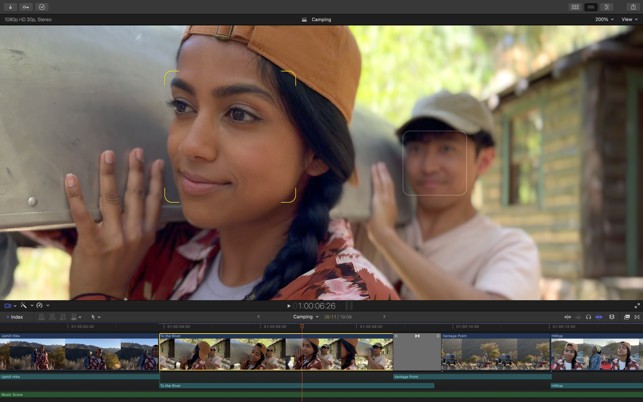
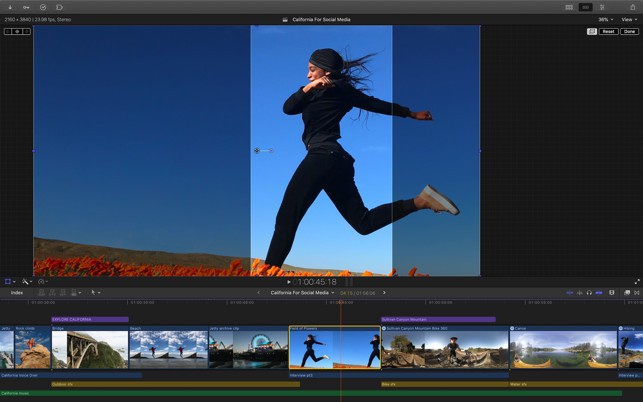
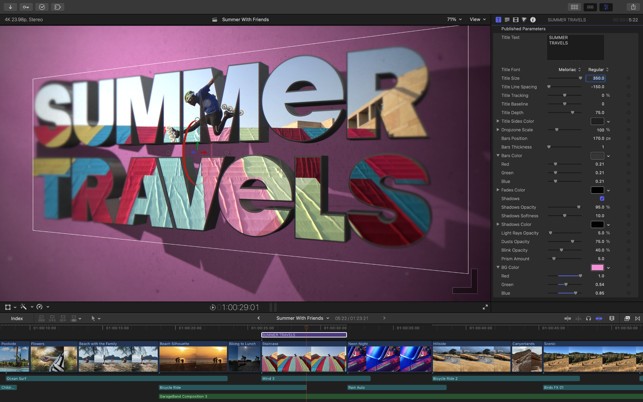
Final Cut Pro is an industry-standard tool for anyone who needs powerful software for video editing and post-production. Developed and owned by Apple, it is designed specifically for macOS computers, with a dedicated version also available for iPad. This tight integration with Apple hardware allows the software to deliver excellent performance and smooth playback, even with demanding formats.
Originally created by Macromedia before being acquired by Apple, Final Cut Pro has evolved into one of the company’s flagship creative applications. It appeals to a wide audience. Beginners appreciate its clean, approachable interface, while professionals rely on its advanced editing, color grading, and audio post-production tools.
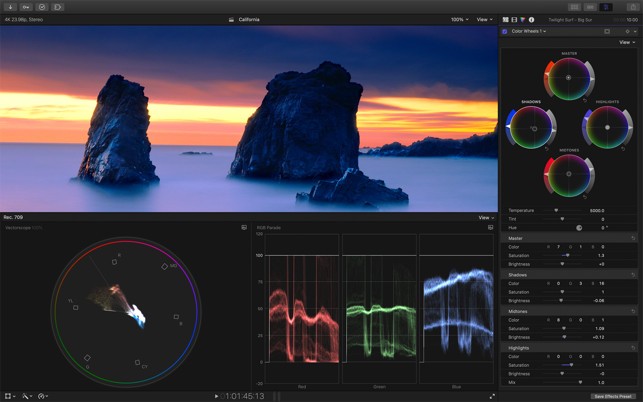
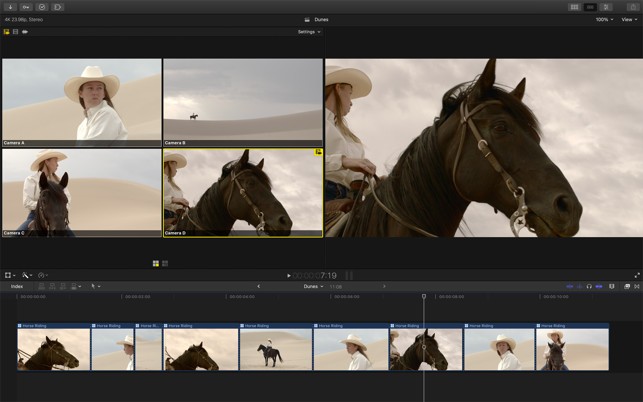
The interface is intuitive from the very first launch, but it can also be extensively customized to match different workflows. Final Cut Pro uses a non-linear editing system that makes it easy to organize media, synchronize clips on the timeline, and manage complex projects. It also includes powerful tools for multicam editing, precise trimming, advanced color correction, and detailed audio editing.
The software comes with a large library of transitions, effects, and titles and supports the creation of both 2D and 3D elements directly within projects. It is compatible with virtually all modern video formats, including RAW footage (with optimized ProRes performance), HDR content, and even immersive 360° video. This broad format support makes it suitable for everything from YouTube videos to high-end professional productions.
Why Should I Download Final Cut Pro?
Whether you're a beginner in video editing or a professional in the industry, when you download Final Cut Pro, you get everything you need to work on your project from start to finish. With this software, you can easily tag and organize your clips and even create Smart Collections that sort your videos automatically based on the defined criteria. All of those options make it easier to browse and find specific files in your library. The interface is divided into sections, and you can easily switch between different modules. You can import files from multiple sources, even the ones connected through a cable, and it supports videos in various file formats and resolutions, from DV and HD to the more modern 4K and 8K.
When rearranging and organizing your clips, Final Cut Pro offers a magnetic timeline that helps keep all your videos synchronized in the way you want them to be. Thanks to that feature, your clips keep the structure and order, and you don't have to worry about making adjustments that could destroy the order of your project. Also, when you download Final Cut Pro, you get multicam editing, which supports up to 64 video angles and 360° video editing. On top of that, you are able to use advanced and high-fidelity color grading to incorporate different videos smoothly and give them the same look and feel.
You can also fine-tune your audio and synchronize it, even from multiple channels, with the rest of the project using the many equalization and compression options available in this software. Final Cut Pro also has a feature for isolating voice and a collection of other features, including importing subtitles, the option to create motion graphics for titles, support for blue and green screen effects, and a library of transitions you can add to your movie.
When you complete your project and are happy with the final result, you can export the file to various formats, depending on the purpose of your video and how you want to distribute it. You can save and publish it to social media and video platforms, or even burn a DVD or Blu-ray disc if needed. Because you can only download Final Cut Pro on Mac computers and iPad, rendering, playback, and export are smooth and fast, as all of those key actions are optimized for the hardware and system of Apple products. Final Cut Pro also integrates with the entire ecosystem and other products, such as iMovie, but can also run projects created with previous versions of this software due to its backward compatibility.
Is Final Cut Pro Free?
While Final Cut Pro can be downloaded and fully tested on a trial version for up to 90 days on Mac, which is unusually long, it is still paid software. You can try out even the most advanced features during this time, but after that, you will need a Final Cut Pro license. On iPad, the app can be downloaded for free, with optional in-app purchases unlocking more advanced professional tools.
What Operating Systems Are Compatible With Final Cut Pro?
Since it's an Apple product, you can download Final Cut Pro exclusively on macOS machines. There's also a dedicated app for iPad users that was released recently. While it might seem limiting that this tool is only available on a single system, it helps Final Cut Pro get better results when it comes to performance, rendering, and overall speed. This software works great with the machine hardware, powerful processors, and displays of newer Mac machines.
You need macOS 14.6 or newer to run the latest version of Final Cut Pro, with at least 8 GB of RAM and at least 6.5 GB of available disk space. For your iPad to run Final Cut Pro, ensure it's upgraded to iPadOS 17.6 or higher and that the device has an M-series or A16 or later chip. There's also a camera app for iPhones called Final Cut Camera.
What Are The Alternatives to Final Cut Pro?
One of the tools that is most commonly used in the video industry, whether by beginners, social media influencers, or professionals working on large-scale movies, is Adobe Premiere Pro. Unlike Final Cut Pro, you can download this software on both Windows and macOS, and its full version is available on a subscription payment plan with Adobe Creative Cloud. It has a variety of advanced color editing features, a customizable timeline for better clip organization, and audio management features. With Adobe Premiere Pro, you can also use other Adobe products like After Effects or Photoshop and access your files from different machines because of the cloud storage.
DaVinci Resolve is another big name in the video and post-production world. It is known for its robust feature set and capabilities to handle even the biggest projects. Another thing that attracts users to DaVinci Resolve is that you can get it on Windows, macOS, and Linux, so a wide range of users can work and collaborate together, no matter their operating system. It supports high-definition video and audio editing, effects, and file exporting. DaVinci Resolve has a free version that maybe doesn't offer all of its features, but it still has a wide range of editing options without the need to pay. If you're a user who needs even more, you can purchase its paid version called "Studio" for access to more premium features.
For those looking for Windows-only software, Vegas Pro is another video and audio editing platform with refined visual effects, advanced mixing, and great timeline management features. It's a tool known for reliability and performance, so Vegas Pro is great for even the most demanding users. There's a trial version to test out everything Vegas Pro offers, but afterward, you'd need to get a paid license.