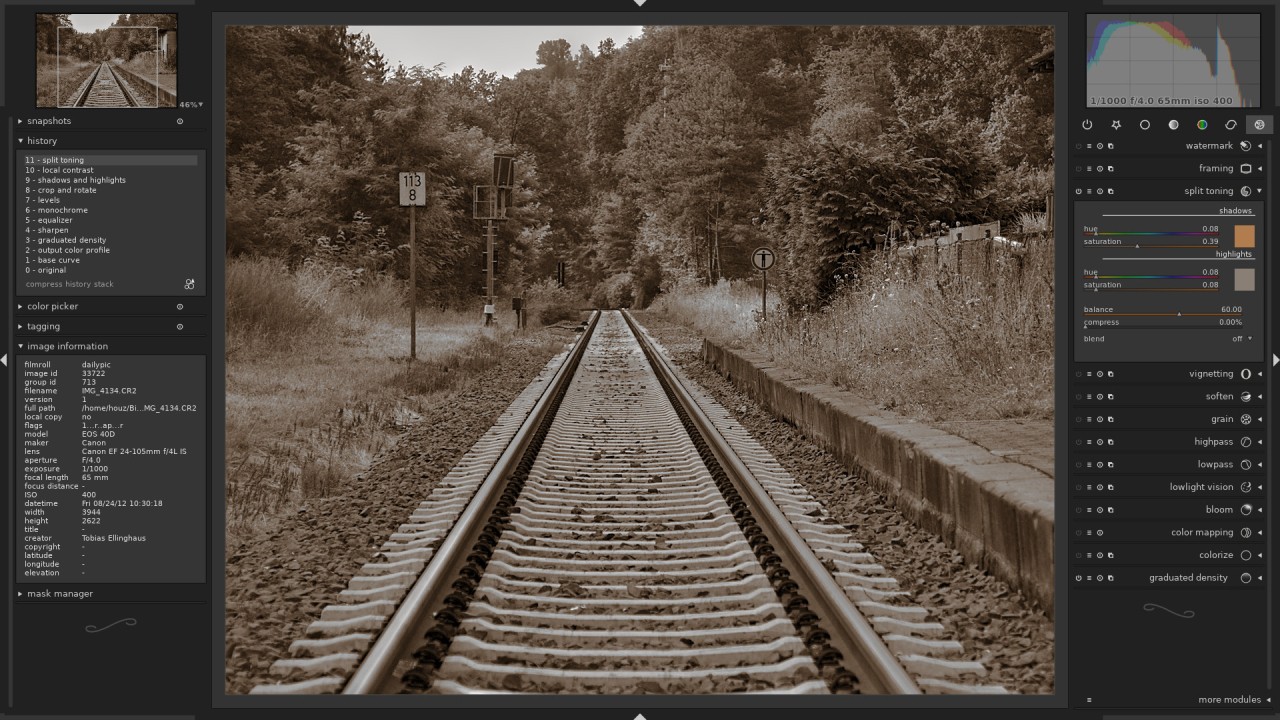
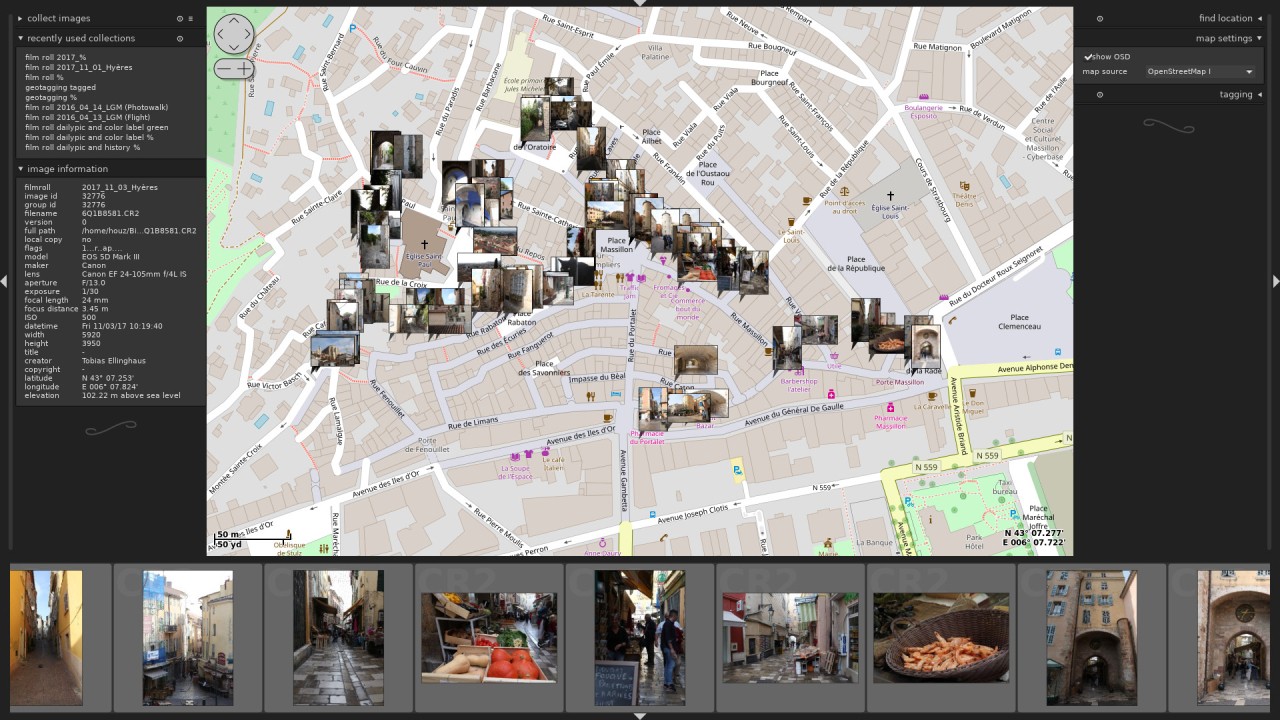
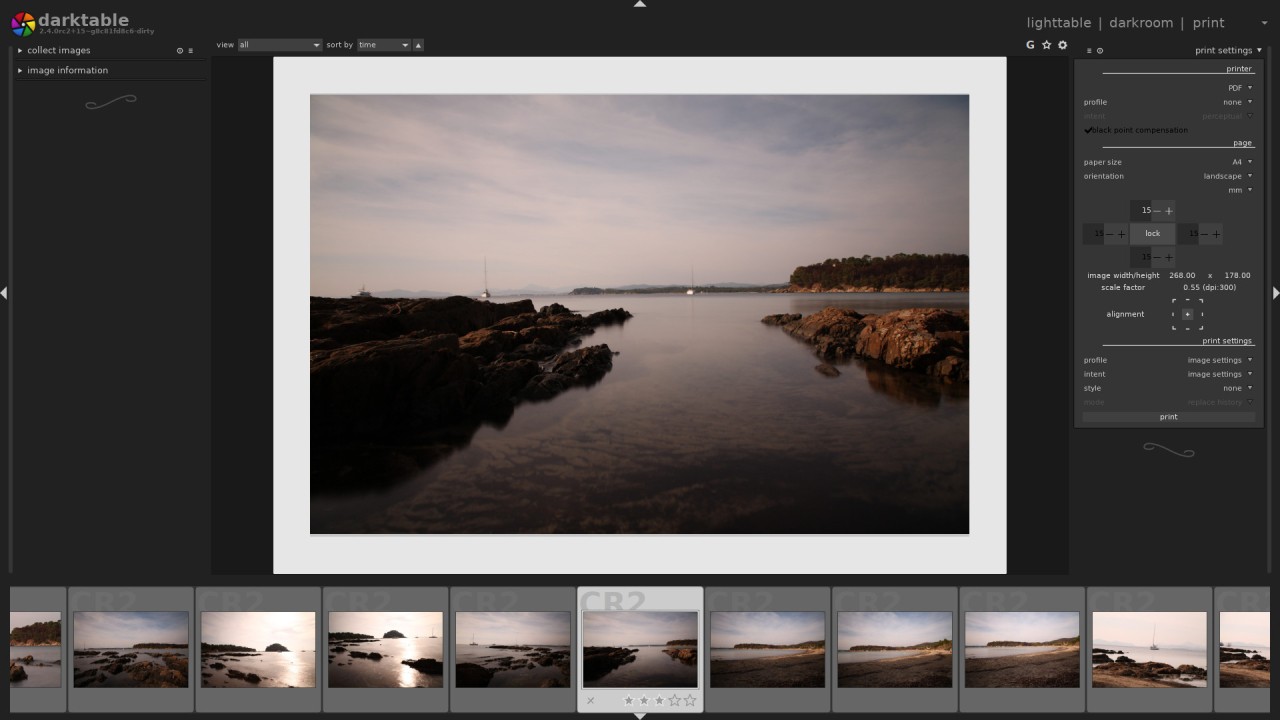
For photographers who require complete control over their images throughout their workflow, darktable is an open-source application that meets their needs and allows raw developer usage. Every edit in this program is stored in a separate file, without affecting the original image data.
The main purpose of darktable is raw file management, as it lets photographers optimize exposure alongside color balance, shadows, highlights, and lens corrections throughout the editing process. The program exists between traditional darkroom processes and computerized digital tools, which earned it its name.
darktable stands apart from numerous heavy commercial tools since it delivers clarity together with visible program operations. The software exists because developers and photographers needed to create an alternative to professional-grade tools that wouldn't compromise power or flexibility. The program uses a modular design with total interface customization capabilities.
The interface has a strong impact on beginners unfamiliar with photography software, but experienced photographers find it well-organized and high-performance. Raw image processing starts and ends with darktable, which serves as a bridge that handles technical tasks while keeping creative possibilities unlimited across all capture devices, including DSLR cameras, mirrorless cameras, and high-end smartphones with raw export capabilities.
Why Should I Download darktable?
You should seriously consider evaluating darktable if raw image processing matters to you more than specialized effects or presets do. The initially chosen basic photo editing software and smartphone applications for photographers eventually create limitations because these tools lack the advanced features required for detailed work.
darktable stands as a software solution for achieving this functionality. The application uses raw processing, enabling direct work from the unprocessed data captured by your camera. The whole gamut of details remains recoverable in darktable, so you can make light adjustments, handle color correction, and undo exposure mistakes after the image is already captured.
The software is an excellent choice because it is free to use. The free darktable software provides most of the editing features that Lightroom or Photoshop charges for, either through monthly fees or one-time payments. A free price tag alongside philosophical benefits form the core advantages of darktable. This tool grants all its capabilities to users with no restrictions on their creative possibilities, as it does not require payment. The complete toolset is within your reach, as the program includes everything at no cost and avoids promoting unnecessary additional services.
darktable receives appreciation because it handles image editing processes with respect. The platform places huge value on producing top-quality results. Color management tools, along with filmic tone mapping and channel mixers, are included with every module needed for photography tasks. Users move through any particular editing process without limitations using this application.
Those who work methodically will be able to construct detailed pipelines through initial development. Quick shooters who rely on default modules can produce top-quality work without spending much time on the application. Such unrestricted choice stands as an uncommon feature in free software products.
The software continues to grow through active user involvement in its development. The latest software updates contain more than bug fixes because they introduce new modules and advanced algorithms, as well as well-thought-out modifications based on user suggestions. darktable functions equally well for one-time weekend edits or massive photo management during professional shoots because it remains out of your way throughout the process. The platform functions as an open-source framework that welcomes users who want to understand programming to participate in software development.
darktable is so powerful that it delivers full operational control. Quality remains intact as the application avoids simplifying operations. The application provides all available information to support better decision-making through visual interfaces and an organized module system. Yet this photoprocessing software serves photographers who want self-improvement and operational freedom in their work, as it provides extraordinary value beyond its basic requirements.
Is darktable Free?
darktable is a free, open-source application. Users can access darktable at no cost or with any limitations, as there are no subscriptions, locked features, or trial versions.
All users, including both amateurs and experts, can utilize its complete set of tools free of charge. The software is available for all users to employ and distribute, and they are invited to participate in its development if they can.
What Operating Systems Are Compatible with darktable?
darktable runs on numerous operating systems, so users across platforms can access the program. darktable works on Windows 10, macOS computers with both Intel and Apple Silicon chips, and most major Linux distributions. Users who work across multiple platforms find darktable very beneficial because it supports a wide range of systems.
The software offers installation across any system, including your regular editing system, along with your portable laptop and custom Linux workstation constructed for photography purposes. The basic editing capabilities of all darktable’s versions remain the same at all times because they receive uniform updates in parallel.
What Are the Alternatives to darktable?
The capable darktable program functions alongside several other photo editing solutions in the market. Photographers who seek simpler user interfaces, along with users who already use other systems, make up the two main groups with different editing style preferences.
The creative editing tool Photoshop is one of the most popular software systems worldwide. The software program stands apart from darktable because it enables precise pixel-level control while also providing raw image processing capabilities. The editing system with layers and the graphic design interface and plugin functionality in Photoshop enables dual functionality for photographers and digital artists. Although users need to subscribe to it and get familiar with its operation first, this application remains the prime tool for advanced compositing tasks and serious retouching needs, along with professional editing duties. For RAW processing, you can also download the Camera RAW extension for Photoshop.
The raw processing application GIMP functions well for open-source software users who have similar needs to darktable users. darktable users who want to combine their raw processing with raster refinement tasks can use GIMP since it pairs well with the program and supports additional editing functions that darktable does not. Users can use layers and masks, script programmatic functions, and use plugins in GIMP. The application offers professional-grade capabilities but falls short of Photoshop in terms of commercial-friendly features, as users can customize it to their needs. darktable strengthens photographers who prefer free tools at every stage of their workflow by their combination.
The browser-based Pixlr happens to be a distinct free photo editing solution that offers simple features. Users primarily use this software for quick minor changes and design enhancements, rather than extensive processing of raw images. Users who need cropping, basic lighting, and filters should find Pixlr their ideal lightweight solution. The program does not need any installation process; users can easily edit their images while using other computers, as well as during urgent situations. The application lacks detailed control features and raw processing capabilities offered by darktable, so it is appropriate for occasional use only.