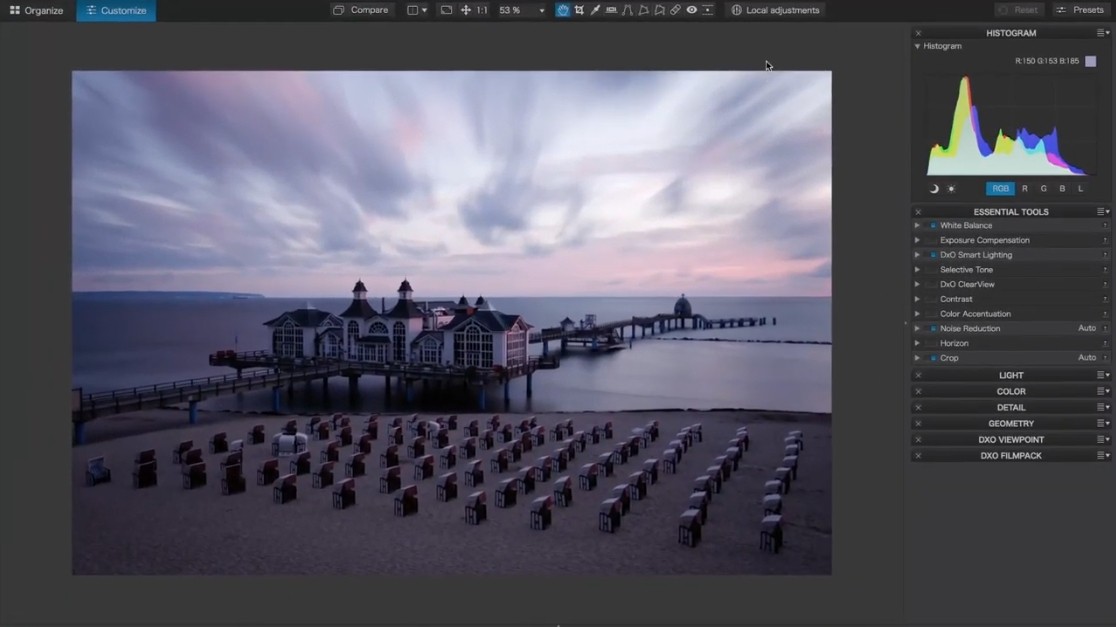
DxO PhotoLab is a photo editing program used to assist photographers in optimizing the perfection of their photographs in terms of precision and control. It has potent automatic adjustments and instruments that enable you to customize each detail.
When opening a photo in DxO PhotoLab, the software will examine the photo and perform adjustments using the camera and lens you have used. What that means is that it will automatically correct distortion, remove noise, and sharpen to be specific to your equipment. This will present to you a clean, smooth start as you concentrate on the creative aspect of editing.
You are not necessarily required to waste your time finding technical solutions to problems unless this is your wish. The software has an auto and manual adjustment option, and as such, you may take over when you feel like it.
The interface has been crafted to be simple and straightforward, and everything is very well labeled so that you can know exactly where your equipment is, as well as sliders that allow you to do as big or small an adjustment as you wish. The workflow proposes a compromise between speed and control, so that you could move raw images to finished work without wasting time.
Why Should I Download DxO PhotoLab?
DxO PhotoLab is not a bad option in case you need a program that performs well when it comes to technical picture adjustments, as well as provides the ability to perform creative edits on your photos. The good quality of its automatic corrections is one of the primary reasons to download it. As you load a photo, the program fixes lens and camera-related problems instantly. This implies that you do not have to be concerned about aspects such as chromatic aberration, lens distortion, and vignetting since they are taken care of.
The other striking feature is the noise reduction. The DeepPRIME technology deployed in DxO is an advanced technology that cleans up with uses an advanced processing technology that helps retain detail in images. It comes in handy in situations when you have to work with high ISO images or low-light images, or when you have to deal with noise. When technical fixes are executed at the high level on your behalf, it saves time and allows less stress on your artistic decisions.
The second advantage of giving DxO PhotoLab a test is its non-restrictive nature. There is no preset or auto level in case you want to have control. The software comes with provisions to manipulate exposure, contrast, color, and sharpness as you would wish. The local adjustment tools provide an opportunity to work only with particular parts of your picture with the help of brushes, gradients, or control points.
This implies that you can lighten the face of a subject without interfering with the backdrop or darken the sky without disturbing the foreground. The software also processes RAW files with a soft hand, as it maintains the data such that you can move on and off the details, without corrupting the image quality.
It is designed both for individuals who take pictures and do not want to spend hours working on every photograph, and those who prefer real work and adjust everything to the last pixel. Various features of ease of use in combination with power will attract both novice and experienced users.
Is DxO PhotoLab Free?
DxO PhotoLab is not free. It is paid software with a free trial available, but it can be tested with a free trial. The trial offers you the entire feature pack, after which you have to purchase the software or not, depending on whether it suits your needs. The software has various versions, and the cost also varies with the features incorporated.
What Operating Systems Are Compatible with DxO PhotoLab?
The DxO PhotoLab is compatible with both Windows and macOS operating systems. It operates on the latest platforms of these operating systems, and the software uses new hardware to perform effectively.
To perform the best, it is advisable to review system requirements prior to installing, particularly in case you intend to work on big RAW files or take advantage of more specialized features such as DeepPRIME noise reduction. The software uses a good graphics card, and as far as memory is concerned, it has very high requirements, but it is optimized to work on a variety of systems.
What Are the Alternatives to DxO PhotoLab?
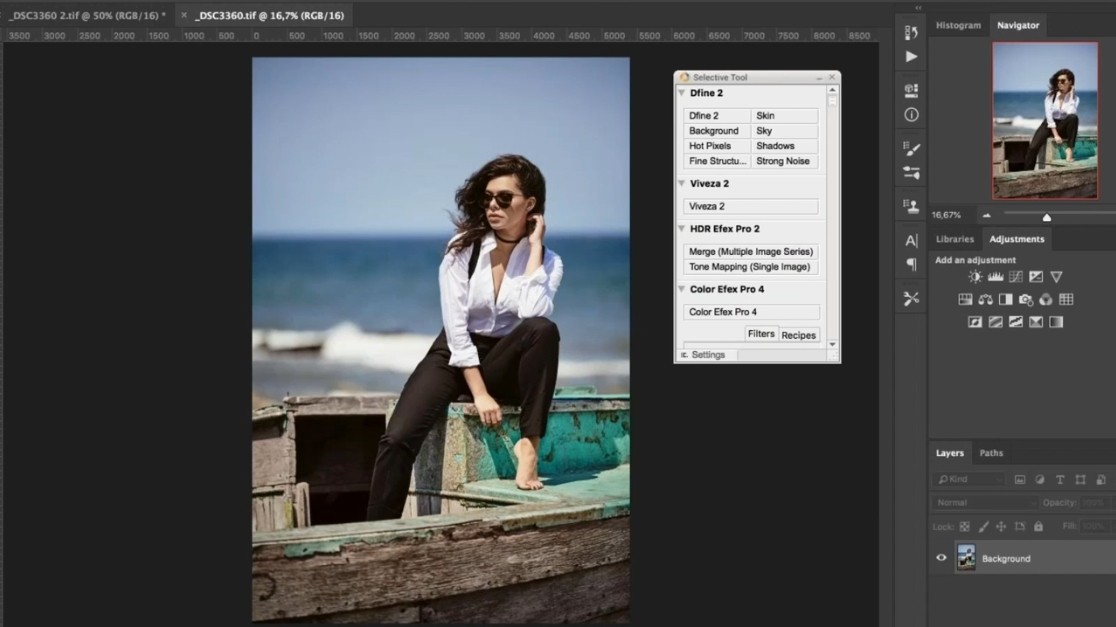
Among the most famous substitutes to DxO PhotoLab, there is Adobe Photoshop. It provides numerous photo editing, graphic design, and digital art tools. Photoshop has been identified by its layers, masks, and powerful selection tools, which allow you to do complicated edits and composites. Although it comes with a higher learning curve, it is a more versatile choice for a user who wants to have full control of his or her images and the freedom to make more than just simple edits on photographs. It is also in the form of software, thus you will have to subscribe monthly or annually to continue using it.
Another option that can be considered by photographers who prefer to have a potent editing tool along with AI-enhanced tools is Luminar Neo. It provides such functionality as accelerating the editing procedure, like sky exchange, refinement, and correction of only such areas of the picture as a portrait or a structure. Although with a little clean interface, it is possible to learnt by beginners. Luminar Neo has both automatic tools and control and can allow users to have both a quick fix and custom adjustments. It is quite suitable for photographers who desire prominent results but do not have so much time to devote to technical corrections.
Capture One is one more professional tool that is useful when a photographer takes complex color grading or tethered shooting. Capture One is famous for its RAW processing, allowing users to make fine adjustments to color, tone, and details. It has software that is usually preferred by studio photographers and by people who require color matching in their work. It has an upmarket look and feel along with an unfussy interface, although it may be as steeply learning-curved as Photoshop. It is given as both a subscription and perpetual license, as per the version you select.
Darktable is an open-source and free software that includes most of the steps of paid programs to process RAW images and edit them. It is also directed towards photographers wishing to produce their pictures under a high degree of control, processing RAW files. Darktable has exposure, contrast, color correction, noise reduction, and lens correction tools. It does not appear as sleek as commercial software, but it has a slew of features, and it is quite flexible. It is perfect when it comes to users who won’t mind experimenting with various tools and settings in order to give their images a finishing or fine-tuning before committing to a financial obligation.