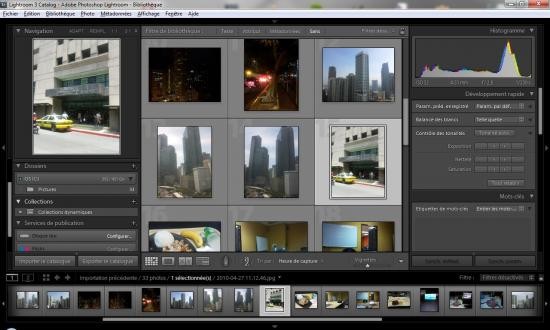
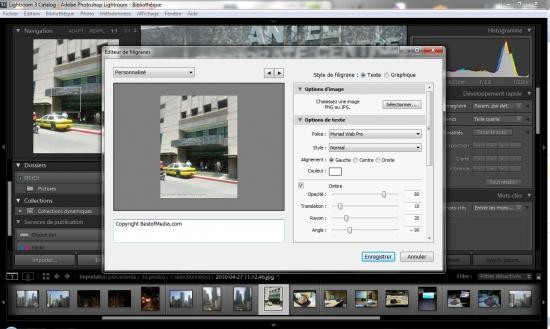
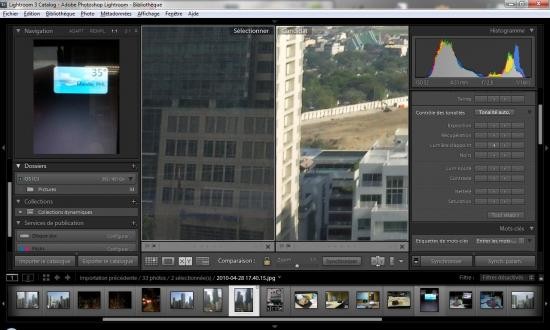
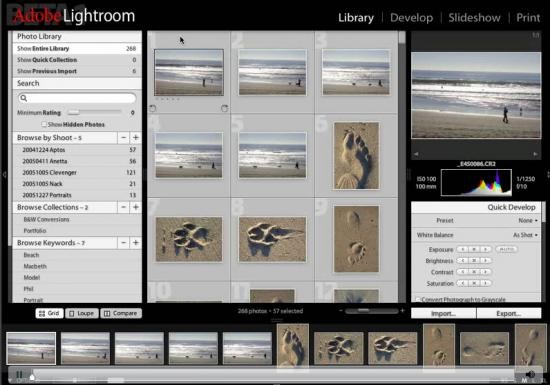
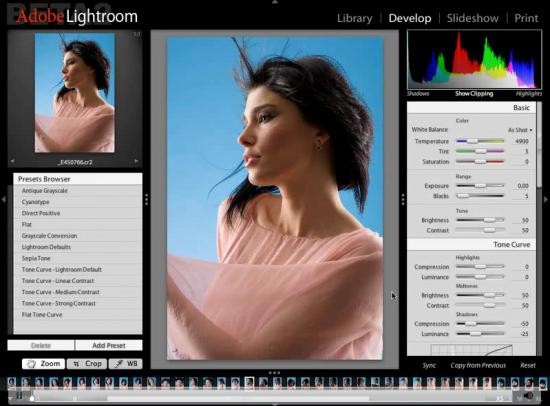
Adobe Photoshop Lightroom (aka Adobe Lightroom) functions as a sophisticated photo editing and management software that supports professional photographers at all levels. Lightroom users can organize retouched and enhanced pictures using non-permanent adjustments, which keep the original images intact. Lightroom serves both photographers who need software for professional image management and casual users who wish to enhance their personal edits through its efficient creative tools. Its streamlined design and modern interface provide an uncluttered workspace that allows you to focus entirely on editing without distractions, while still offering quick access to advanced tools.
The editing software's main difference from traditional programs comes from sliders and preset adjustments that deliver an intuitive editing solution. The program specifically operates with RAW images to enable photographers to maximize retention of their image quality. Lightroom features color correction, among other tools, that let users refine their photos to extract maximum quality from every image. For both fast fixes and in-depth retouching, additional tools, including cropping, straightening, healing brush, red-eye removal, and vignette settings, offer fine-grained alterations.
Why Should I Download Adobe Lightroom?
Adobe Lightroom establishes itself as an important editing tool among photographers of every skill level who take multiple photographs. Users with all levels of expertise can use it as an all-inclusive solution because it delivers straightforward tools for managing and enhancing images. You can also leverage AI-powered features such as automatic subject selection, sky masking, and adaptive presets, which make complex adjustments much faster to apply.
Non-destructive editing stands out as one of the primary advantages that users should look for in Lightroom. Lightroom stands apart from other editing applications because it safeguards original image files when users make adjustments. It places modifications in separate locations. The original version remains intact through separate adjustment storage, so users can always recover their initial files following any number of modifications. The requirement to preserve image quality matters especially to photographers who work professionally because they need to test various looks and styles.
The system provides users with a smoothly operated editing process. Organizing the adjustment of hundreds to thousands of images taken from one shoot becomes overly complex for manual processing. Lightroom enables users to process multiple images by utilizing its batch processing functionality. The feature serves wedding photographers and those working at events or on trips by enabling uniformity in large photographic collections. Smart organization tools like keyword tagging, ratings, color labels, and facial recognition help keep large image libraries structured and easy to search.
When users need to edit photos efficiently, Lightroom gives its users access to many presets that will automatically enhance their images. Lightroom users can find presets from third-party creators as well as create custom presets, which let them obtain professional image results through simple one-click edits. The user can apply consistent styling to numerous images through presets, which offer various effects such as bright and airy or moody, cinematic, or natural appearance. Combined with AI adaptive presets, these allow instant application of consistent styles across portraits, landscapes, or detailed product photography.
Users who need precise control over image appearance should opt for Lightroom because it provides sophisticated color grading tools. Users possess the ability to make precise adjustments to their photos through split toning and HSL modifications, and selective color corrections. Photographers achieve an important edge when they need to develop their personal editing styles thanks to this degree of control. Advanced masking tools, including radial, linear gradient, and brush-based masks, further extend creative flexibility.
Users should also select Lightroom because it offers cloud-based features: The Adobe Lightroom CC program saves editing changes to its cloud database, so users can work on their images through different connected devices. Your editing changes will stay synchronized between different systems, including desktop, tablet, and mobile. Users can easily keep working on their projects using any device because file transfers become unnecessary. You can find specific images within large libraries almost instantly, thanks to integrated Adobe Sensei AI's assistance with content-based search and automatic photo tagging.
Is Adobe Lightroom Free?
While Lightroom is not completely free, the company gives users a basic version free of charge through Lightroom Mobile. Achieving the complete feature set of Adobe Lightroom and its complete functionality requires an Adobe Creative Cloud subscription.
Subscription membership allows users to obtain ongoing access to the latest tools, paired with system updates automatically. The subscription's value is enhanced by including Lightroom and access to Photoshop in addition to regular photo editing software that some users prefer owning instead of subscribing. You can also choose a subscription plan that gives you access to other Adobe products like Adobe Illustrator, Adobe Premiere Pro, Adobe InDesign, etc. Cloud storage space is also included depending on the subscription plan, which supports large-scale projects and backups.
What Operating Systems Are Compatible with Adobe Lightroom?
Adobe Lightroom implements support for Windows and macOS operating systems, which allows a wide spectrum of users to access its features. The software works identically for users who utilize either PC or Mac operating systems to run Lightroom without experiencing any installation problems.
Users who edit pictures with mobile devices can access Lightroom through iOS and Android versions of the software. The mobile application enables basic photo editing, such that users can maintain most of the capabilities of the desktop version for on-the-go modifications. Lightroom CC operates in the cloud, which allows users to use their edited files on various devices to ensure a continuous workflow regardless of the platform being used. There is also a web-based version that offers editing and management capabilities without requiring installation.
What Are the Alternatives to Adobe Lightroom?
The photography software Capture One presents itself as an optimal choice for experts in the field. Studio and commercial photographers choose Capture One because it delivers top-quality color control alongside automatic camera-file transfer features. The application provides robust RAW editing capabilities, which enable users to have greater control when changing colors than Lightroom does. It includes AI Masking capabilities, including Subject Masking, Background Masking, and People Masking, in addition to the AI Eraser, providing photographers with fine control for isolating image sections. Capture One facilitates the utilization of layers and masks, allowing for localized modifications on a maximum of 16 layers per image, along with styles and clipboard adjustments that enhance recurrent editing processes. While it is more complex to master and costs more than other alternatives, this software serves professional users needing advanced editing capabilities best.
Luminar Neo presents itself as an AI-enabled tool that concentrates on editing features. Lightroom users can access many similar editing features in this program, yet its advanced AI performs automated sky replacement while performing portrait retouching and object extraction. The software also integrates AI-powered tools such as Relight AI, Structure AI, Enhance AI, and Atmosphere AI, which allow for quick improvements of light, depth, and environmental effects. Luminar Neo supports true layer-based editing with blending modes, opacity controls, and overlays, while extensions like Upscale AI, Noiseless AI, HDR Merge, Focus Stacking, and Background Removal expand its functionality even further. Creative tools such as Remove Powerlines AI and the Erase Tool simplify complex cleanup tasks. The program appeals to users who want to achieve highly professional results quickly because they do not have to dedicate excessive time to manual adjustments. Customers who want to purchase software instead of subscribing can consider Luminar because it offers one-time purchases per license.
The free open-source program Darktable functions as an excellent economic choice for Lightroom replacement. The program enables non-destructive RAW modifications through its wide range of sophisticated features while maintaining a somewhat complex interface compared to Lightroom. Darktable supports a variety of operating systems, including Linux, Windows, macOS, BSD, and Solaris, and it offers GPU acceleration via OpenCL to improve performance. Its cataloging system supports complex sorting with tags, star ratings, color labels, and complete metadata filtering. Color calibration, parametric masks, guided filters, and spot removal are among the advanced modules available to photographers, as is tethered shooting for supported cameras. Photographers also benefit from advanced modules such as color calibration, parametric masks, guided filters, and spot removal, as well as tethered shooting for supported cameras. Users who require professional standard editing without subscription costs can benefit from Darktable, even though the program lacks complete polish and lacks cloud feature integration.