If you’re in Singapore and want to watch US TV channels live or on-demand, you’ve probably run into the frustrating reality of geo-restrictions. Whether it’s catching up on the latest HBO shows, watching live TV shows on CBS, or tuning in to regional US news channels, most American TV content is locked down to viewers inside the country due to licensing agreements.
But there’s an easy fix: a VPN, which can be fired up on your computer, phone, or even router in some cases. A VPN lets you connect to a US server, giving you a US IP address so you can access all the American content you want as if you were watching from inside the US. More than just a workaround for geo-blocks, the best VPN to watch American TV live in Singapore, such as NordVPN, is also great for securing your connection.
Whether you want to binge-watch your favorite US shows or access live US sports, we’ve got you covered. In this guide, we’ll walk you through the best VPNs for watching US TV in Singapore and how to get them set up in no time.
How to Watch US TV Channels in Singapore Using a VPN
To demonstrate how easy it is to unlock American TV in Singapore, we’ll be using NordVPN as an example.
NordVPN is an excellent choice because of its reliable US server network and high-speed connections, which are key for uninterrupted streaming. Let’s use CBS, a popular US streaming service, to show you how it works.
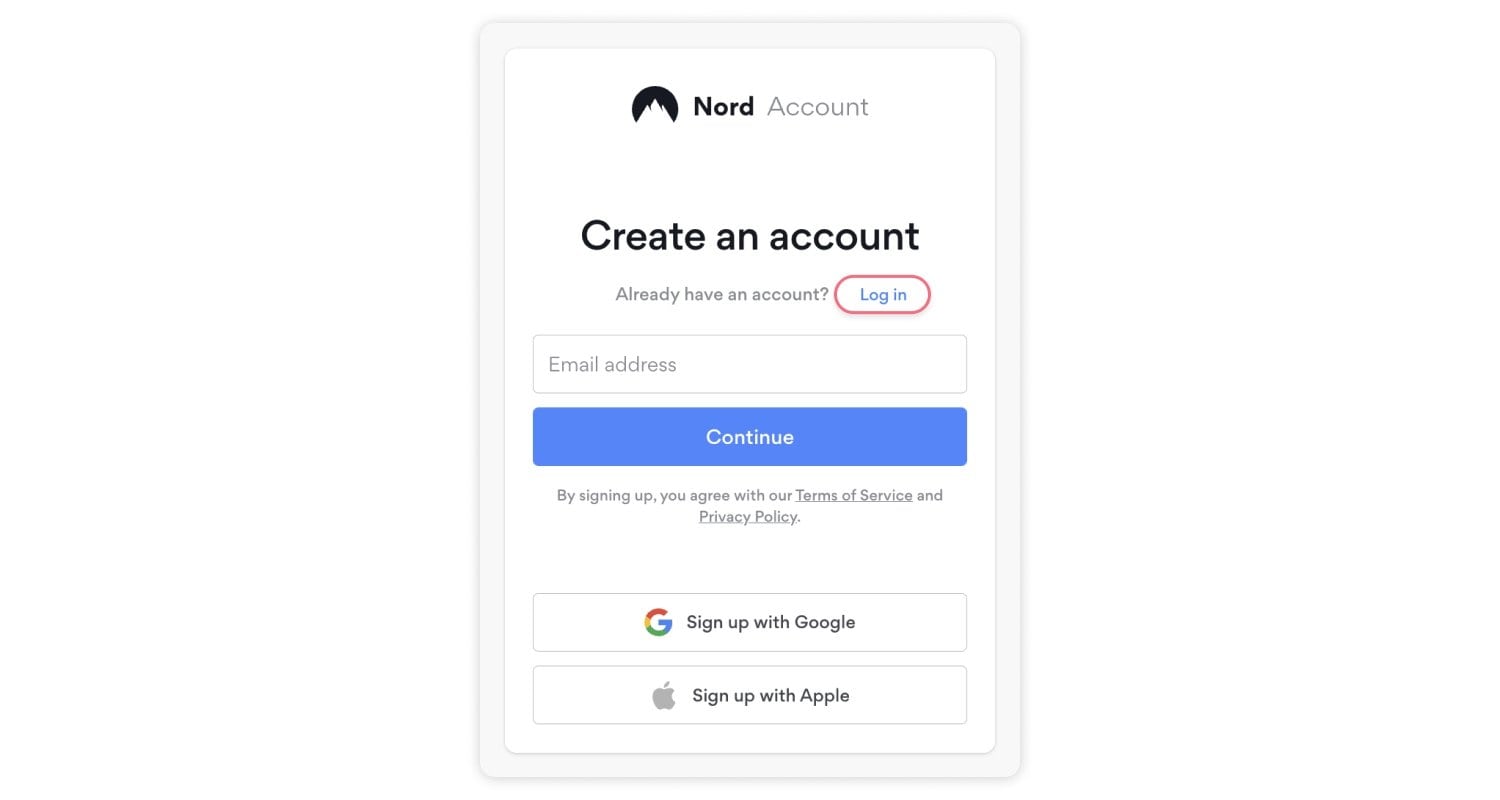
Step 1: Sign Up and Download a VPN
Head to the NordVPN website, choose your subscription plan and create an account. Afterward, download the NordVPN app on your device, whether it’s a smart TV, laptop, or smartphone.
Step 2: Connect to a US Server
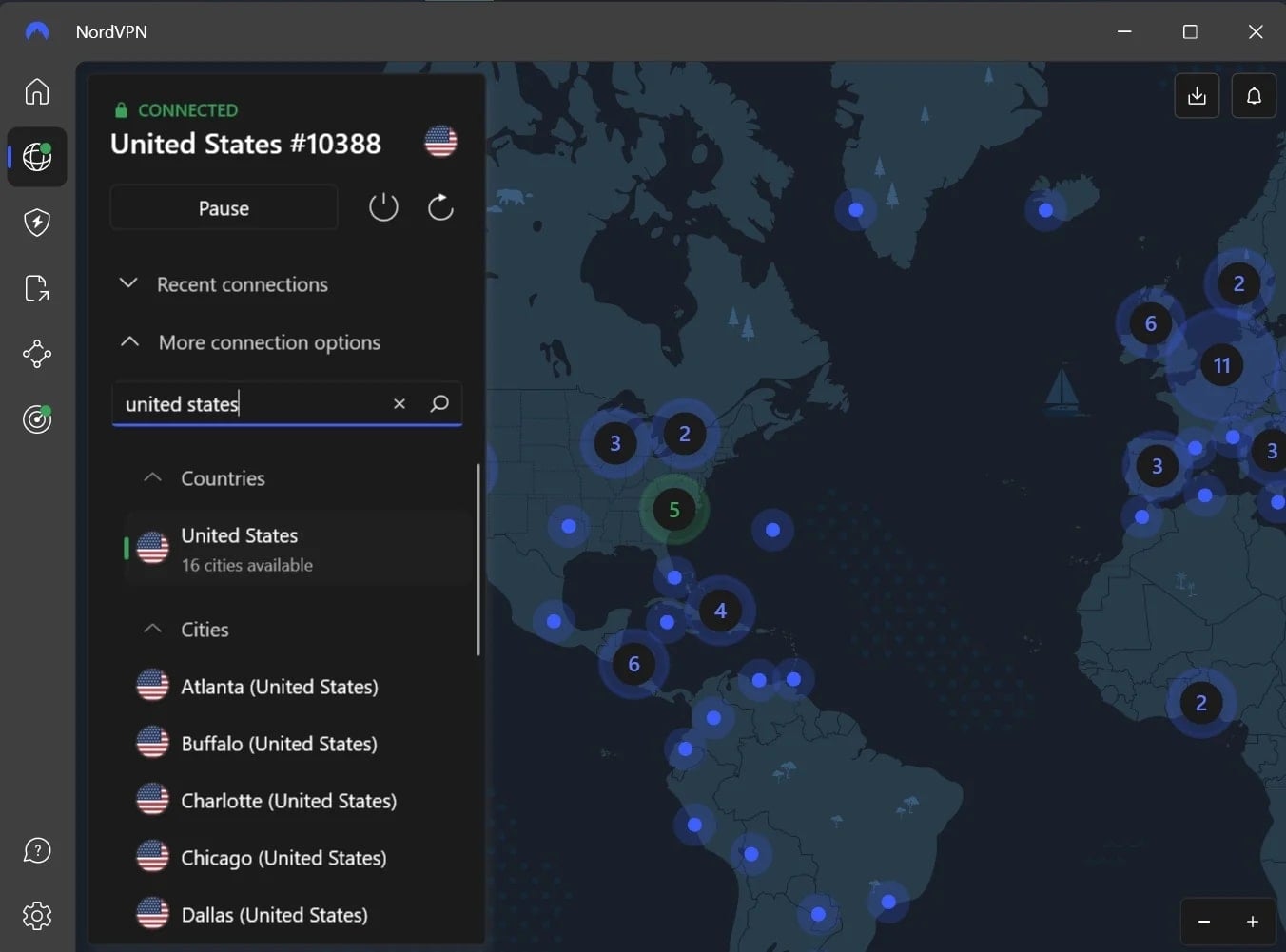
Once installed, open the NordVPN app and connect to a US server. This will assign you a US IP address, making CBS think you’re in the United States.
Otherwise, with your Singaporean IP address, you won’t be able to watch any content.
Step 3: Access the US streaming platform
With your VPN connected to an American server, head over to the CBS website or app. Now that your IP address appears to be US-based, you’ll have full access to all the content on CBS, from local news to live shows and on-demand programming.
Step 4: Watch American television freely in Singapore
Enjoy streaming CBS content from Singapore, completely hassle-free. NordVPN’s NordLynx protocol brings high-speed performance, so you can watch your favorite shows without buffering or interruptions.
If you ever travel to the UK, know that you can also use this trick to watch CBS in the UK.
Best VPNs to Watch American TV in Singapore in 2026
When it comes to streaming US TV from Singapore, choosing the right VPN can make all the difference. The best VPNs with servers in the USA provide fast, reliable connections, bypass geo-restrictions, and for a smooth, buffer-free viewing. Here are the top options:
1. NordVPN
When it comes to streaming US TV in Singapore, NordVPN sets itself apart with its exceptional performance, speed, and ease of use. NordVPN offers a wide server network, with over 6,400 servers across 111 countries, including many in the US. This vast server availability means no matter what platform you want to unlock—whether it’s Netflix, Hulu, or live sports on ESPN—you’ll have reliable access with minimal buffering.
One of the things that makes NordVPN stand out is its Quick Connect feature, which automatically finds the fastest available server. This is perfect when you’re trying to stream HD content without interruptions. We tested NordVPN with CBS, and its NordLynx protocol kept the stream stable and high-quality, even during live broadcasts.
NordVPN supports 10 simultaneous connections, so whether you’re streaming on your Fire TV, smartphone, or laptop, you’ll be covered on all devices. Plus, if you’re not sure which server to use for a specific platform, NordVPN has a detailed FAQ section and 24/7 live chat support.
Considering the sheer number of streaming-centric features it offers, NordVPN is easily the best VPN to watch US live TV in Singapore. Starting at around $3 per month for a two-year plan, NordVPN is an affordable choice. It offers additional cybersecurity features for those who need extra protection.
Pros
- Vast server network for US TV streaming
- Quick Connect for optimized performance
- Supports up to 10 devices at once
- Excellent for unblocking major platforms
- Unlimited bandwidth for 4K streaming
- Multi-platform support, even routers
Cons
- Pricing can be inconsistent across plans
2. ExpressVPN
When you’re looking for a fast, reliable, and simple VPN to stream US TV in Singapore, ExpressVPN is one of the top contenders in 2026. With 3,000 servers across 105 countries, including 160 US locations, it grants you seamless access to platforms like Netflix, Amazon Prime, Hulu, etc.
During our tests, ExpressVPN’s MediaStreamer feature stood out. This feature allows us to unblock US content on devices that don’t typically support VPNs, such as smart TVs and gaming consoles. This tool is particularly useful for bypassing geo-blocks, giving you access to American shows, sports, and more without needing any technical expertise.
Connection speeds are consistently fast, making 4K streaming smooth, even on heavily restricted platforms like CBS. In one case, we had to switch servers to access certain Netflix locations, but ExpressVPN still maintained high speeds and reliability. ExpressVPN’s Lightway protocol ensures a secure and fast connection, ideal for uninterrupted HD streaming.
For those new to VPNs, ExpressVPN’s apps are beginner-friendly and identical across all devices, making setup quick and easy no matter which platform you use.
While the price point is slightly higher at around $6 per month, you get 24/7 customer support, 8 simultaneous connections, and the peace of mind knowing your connection is fast and secure for uninterrupted viewing.
The icing on the cake is that you can use this VPN for free on Android thanks to a 7-day free trial.
Pros
- Fast streaming speeds with Lightway
- MediaStreamer for unsupported devices
- 24/7 live chat support
- Easy-to-use apps on all devices
- Top-notch security features
Cons
- Slightly higher pricing
- Limited to 8 simultaneous connections
3. Private Internet Access (PIA)
Private Internet Access (PIA) stands out as a highly configurable VPN, offering servers in every US state. This expansive network is perfect for users in Singapore looking to unblock US TV channels like Netflix, Amazon Prime, etc.
One of its biggest strengths is the ability to tweak settings such as server location, encryption level, and even port forwarding for optimal streaming performance. Combined with a total of 29,000+ servers across 91 countries, Private Internet Access is easily among the best VPNs for watching US TV channels in Singapore and other regions.
What sets PIA apart is its split tunneling feature, allowing you to route specific apps or websites outside of the VPN connection. So your streaming traffic flows smoothly while your other online activities stay local, avoiding any interruptions or slowdowns.
During our testing of PIA VPN, it performed well with major streaming platforms, but it struggled with niche services like Amazon Prime US. However, it handled geo-blocks well and maintained stable connections for the vast majority of US content.
Starting at around $2 per month, it’s one of the most affordable VPNs available, making it a great choice for long-term use if you don’t mind slightly slower speeds compared to competitors like NordVPN.
Pros
- Split tunneling for optimized streaming
- Huge server network across the US
- Proven no-log policy for privacy
- Very affordable pricing
Cons
- Slightly slower speeds compared to others
- Not as beginner-friendly
How to Pick the Best VPN to Watch American TV in Singapore
Choosing the right VPN isn’t just about unblocking US TV channels—it’s about getting the best streaming experience possible in Singapore. Here are the key factors to consider:
- Server Locations in the US: If you’re after regional content, make sure the VPN has multiple US server locations. The closer the server is to your target content, the better the speed and performance. NordVPN is a great example with server coverage across various states, with more than 1900 servers in the US alone.
- Speed for Streaming: The last thing you want is buffering in the middle of a live event. Look for VPNs with speed-boosting protocols like NordLynx or Lightway to keep your stream smooth, even in HD or 4K.
- Device Compatibility: A good VPN should work on multiple devices—from smartphones to smart TVs. Opt for services like NordVPN and PIA that offer dedicated apps for a range of devices and allow several simultaneous connections.
- Smart Streaming Features: VPNs with streaming-optimized features like SmartPlay (NordVPN) or MediaStreamer (ExpressVPN) automatically bypass geo-restrictions, so you don’t have to fiddle with settings. These make it easy to access US platforms like CBS or Peacock.
- No Bandwidth Limits: For a seamless US TV streaming experience from Singapore, make sure your VPN doesn’t impose bandwidth caps. Premium services like NordVPN and ExpressVPN guarantee unlimited data, which is vital for extended streaming sessions.
Focusing on these factors can help you find a VPN that unblocks US TV and provides a smooth and enjoyable streaming experience in Singapore.
Conclusion
When choosing the best VPN to watch American television live in Singapore, it really depends on your specific needs.
NordVPN is the best VPN in Singapore for those who prioritize streaming speeds and stability across all major platforms.
On the other hand, ExpressVPN delivers ultra-fast speeds and is particularly strong on devices that don’t natively support VPNs, thanks to its MediaStreamer feature.
Finally, Private Internet Access (PIA) stands out with its affordability and wide server coverage, perfect for users who want customizability on a budget, even if it means slightly slower speeds.
Each VPN offers unique strengths, so pick the one that matches your streaming and security needs the best.
Watch American TV with NordVPN
FAQs
Before you make your decision, here are some frequently asked questions to help clear up any remaining doubts.
Do I need a US subscription to stream US TV with a VPN?
Yes, a VPN only bypasses the geo-restriction. You’ll still need a valid US subscription for platforms like Hulu or CBS All Access. However, some free US-based streaming services, such as Pluto TV or The CW, don’t require a subscription, just a US IP address, which a VPN can provide.
Will a VPN affect the video quality of live US TV streams?
Video quality largely depends on the VPN’s speed. Services like NordVPN are optimized for streaming, allowing for high-definition video even during live broadcasts. PIA, while stable, might have minor slowdowns in peak hours but is still efficient for standard HD streams.
Can I share my VPN account for streaming US TV across multiple devices?
Yes, most VPNs allow multiple device connections. NordVPN supports up to 10 devices, while PIA offers unlimited device connections, making it convenient for sharing across different platforms like smart TVs, phones, and laptops.
Will streaming US TV with a VPN protect my data?
Absolutely. All three VPNs—NordVPN, ExpressVPN, and PIA—offer strong encryption (AES-256), keeping your data secure, even when using public Wi-Fi networks. However, make sure to enable features like the kill switch to avoid accidental data exposure during connection drops.