Getting Tubi unblocked outside the US and other working countries is tedious, especially without a VPN. When you venture abroad, Tubi becomes inaccessible, so it’s easy to lose access to all the content. Tubi TV works in Australia, Canada, the US, the UK, New Zealand, and Mexico in 2026.
But these are only a few countries among 200+ globally. Is there a way to watch Tubi TV outside the US and other regions? Yes, there is, and because it’s free, you just need to sign in to your account. The only way to get Tubi unblocked abroad is with a VPN. Here’s exactly how to do it.
Tubi Unblocked: How to Access Tubi TV Abroad in October 2026?
- Subscribe to a VPN that works with Tubi TV. We recommend NordVPN at 73% off and with 3 free months on all 2-year plans.
- Set up the VPN on your device(s).
- Open the VPN app and sign in to your account.
- Connect to a VPN server in the USA.
- Go to Tubi TV, sign in or sign up, and start watching. Tubi now works without issues, and all of its content is accessible abroad.
Why is Tubi Not Working Abroad?
Tubi TV is a US streaming service with broadcasting rights exclusive to the USA, Canada, the UK, Australia, Mexico, and New Zealand. Being outside these regions will produce the error message that politely informs you that Tubi TV is unavailable in your area. While it may look different where you are, the message is clear as day. You can’t watch Tubi outside the USA or other accepted regions because you don’t have the required IP address.
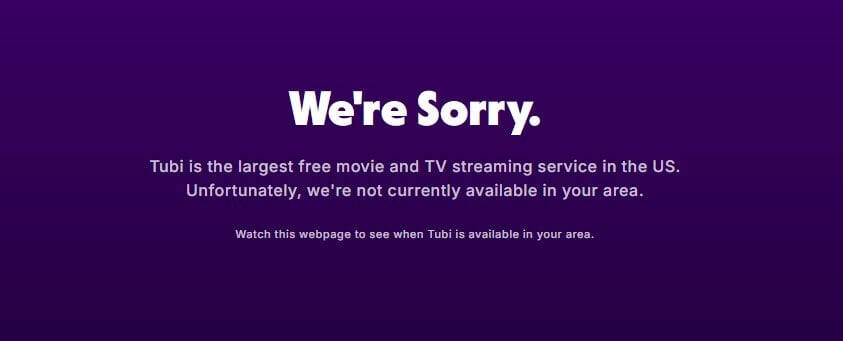
Tubi uses a straightforward IP-checking system to enforce its broadcasting rights. When you visit the website, Tubi will pick up your IP and check its location. Is it in the United States or, say, Mexico? The website will work well. If it’s in an unsupported country, you’ll see the error from above (or below).

Now that we know how this geo-restriction works, let’s explain how to watch Tubi abroad. You need to have the right IP, and you can do this by traveling abroad. You can also use a VPN like other people. A VPN, such as NordVPN or ExpressVPN, is enough for this case. These VPNs can trick Tubi TV into providing access to the site, as long as you obtain an IP from the USA, the UK, Mexico, or other countries where it works.
How to Get Tubi Unblocked With a VPN?
Our experts agree that NordVPN is the top option thanks to 3,300+ US servers, unlimited data, fast speeds, and apps for all major devices. Above everything, it has a 30-day money-back guarantee for a fuss-free refund if you’re unsatisfied. NordVPN connects you to a server in the US and routes your traffic to it. As a result, your IP is masked and replaced with a US IP address, which lets you watch Tubi TV abroad. Click below to subscribe to NordVPN.
Try NordVPN Risk-Free for 30 Days
It’s the most reputable VPN for the US, although it will work well in all global locations. Once subscribed, download and install NordVPN on your device. After that, launch the app and sign in with your credentials.
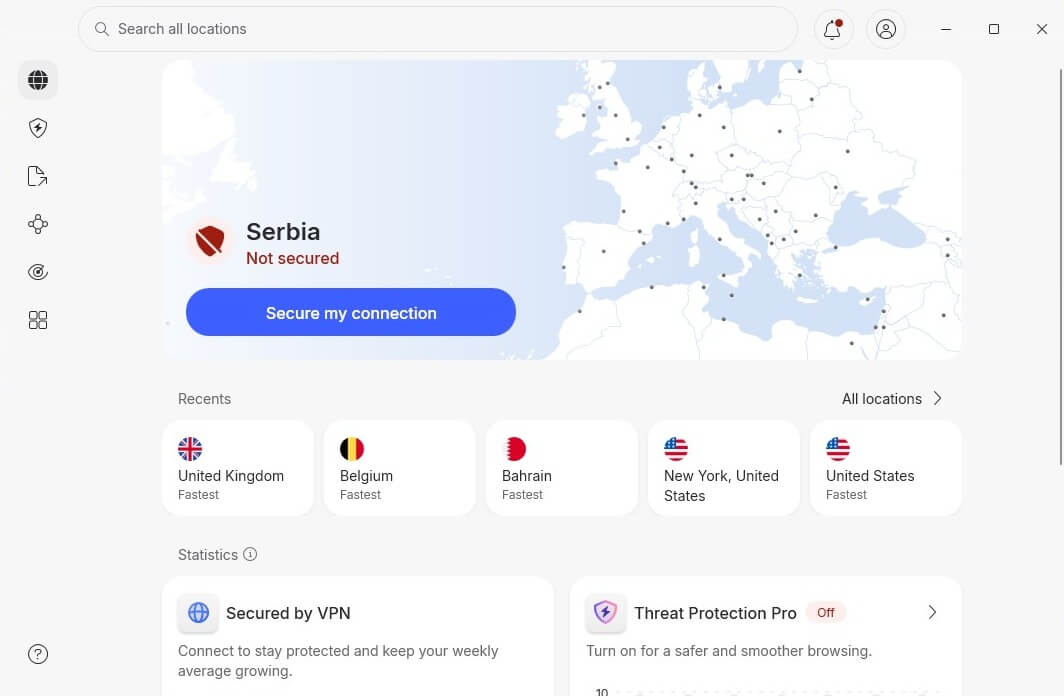
To watch Tubi outside the UK, the US, or anywhere else, you need to change your IP address. We recommend using a US IP because it’s the safest way to get Tubi unblocked. Find the USA on the server list and click on it.
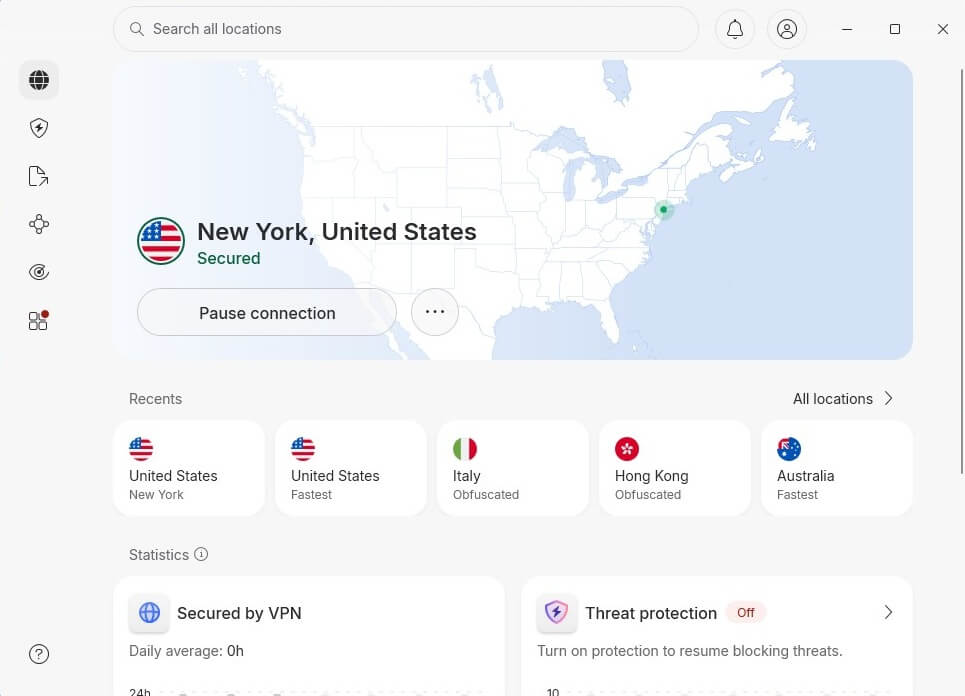
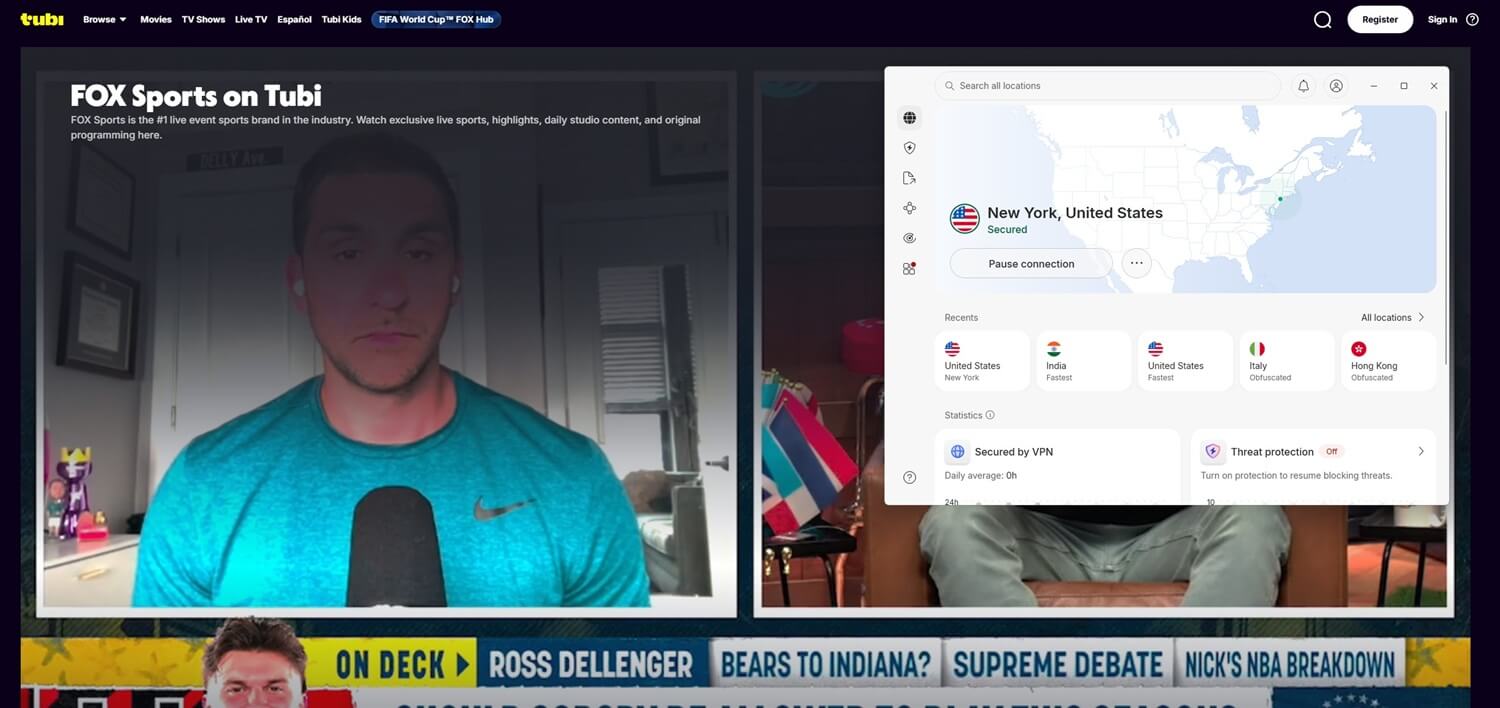
Once you see the Secured message in the app, you can watch Tubi abroad without the geo-block message. To prove that, we unblocked Tubi ourselves:
Tubi Not Working With a VPN: Possible Solutions
While VPNs are handy for overcoming geo-blocks, we can’t say they’re 100% reliable all the time. Even our favorite VPN services have occasional problems, which can usually be solved in a minute or with their customer support team. When using a few, let’s call them low-grade VPNs, we encountered a strange error.
For example, we found that the page wouldn’t load. There was just a blank, greyish screen with nothing on it, so we still couldn’t get things working, despite the US IP address. If this or other similar issues happen, try this:
- Clear your cookies and cache. These leftovers contain information about your location, which can be transmitted to the site you’re trying to visit. To prevent that, delete your browser data, restart the browser, and try again.
- Check for DNS and IP leaks. Use any leak-test website you find online and see if your original IP and DNS addresses are leaking. This is one of the reasons you can’t watch Tubi outside the US.
- Enable the kill switch. If you find leaks, turn the kill switch on. It shields you from leaks by disabling the internet connection if there are issues.
- Use another VPN server. Another one might work better; try some of them from the UK, Canada, and other countries where Tubi works.
- Turn off your ad-blocker. Sometimes, ad-blockers interfere with the VPN, so it’s good to have them off at least when trying to watch Tubi abroad.
- Use a VPN extension. NordVPN has a good one with location spoofing, making it ideal to get Tubi unblocked outside the US or even enjoy ESPN Plus abroad.
Can You Get Tubi Unblocked for Free?
First of all, Tubi TV is free and doesn’t require a subscription. However, to get unblocked Tubi, you must use a premium VPN. There’s no way to get Tubi unblocked without spending at least some money. You can, however, try a free VPN for Tubi, but that’s where you’ll hit a roadblock. Technically, it may work if the VPN has servers in the USA. However, free VPN servers aren’t optimized for streaming, and they’ll not work for overcoming geo-blocks on streaming sites.
That’s why you won’t find many free VPNs that work with Netflix (only a few work, but with limited data). Free providers often or almost always limit your speed and data. As such, it’s difficult to watch several episodes of a TV show or movie. While some are unlimited, like Proton VPN, most have data restricitons of up to 10 GB a month. Free VPNs also earn money by selling your sensitive information. This isn’t great if you use a VPN for privacy while getting Tubi unblocked.
In general, free VPNs bring a subpar experience and won’t allow you to immerse in Tubi and enjoy its shows or even Super Bowl live streams each year. Apart from free VPNs, there’s the option to try NordVPN for free in 2026. This lets you access Tubi outside the US for 30 days without paying. Each NordVPN plan has a money-back guarantee for 30 days (even the monthly one). For us, this is the best and most guaranteed way to unblock Tubi for free.
Best VPN to Get Tubi Unblocked Anywhere
Not all providers are suited to overcoming geo-blocks. You’ll have little luck with free VPNs, making premium alternatives superior. The three below work perfectly. They’re fast, ready to unblock anything, and secure.
1. NordVPN: Best Tubi VPN Overall
Pros
- Fast connection speed
- Robust server network
- SmartDNS for streaming
- Works on all devices
- Ironclad privacy
Con
- Complex UI for beginners
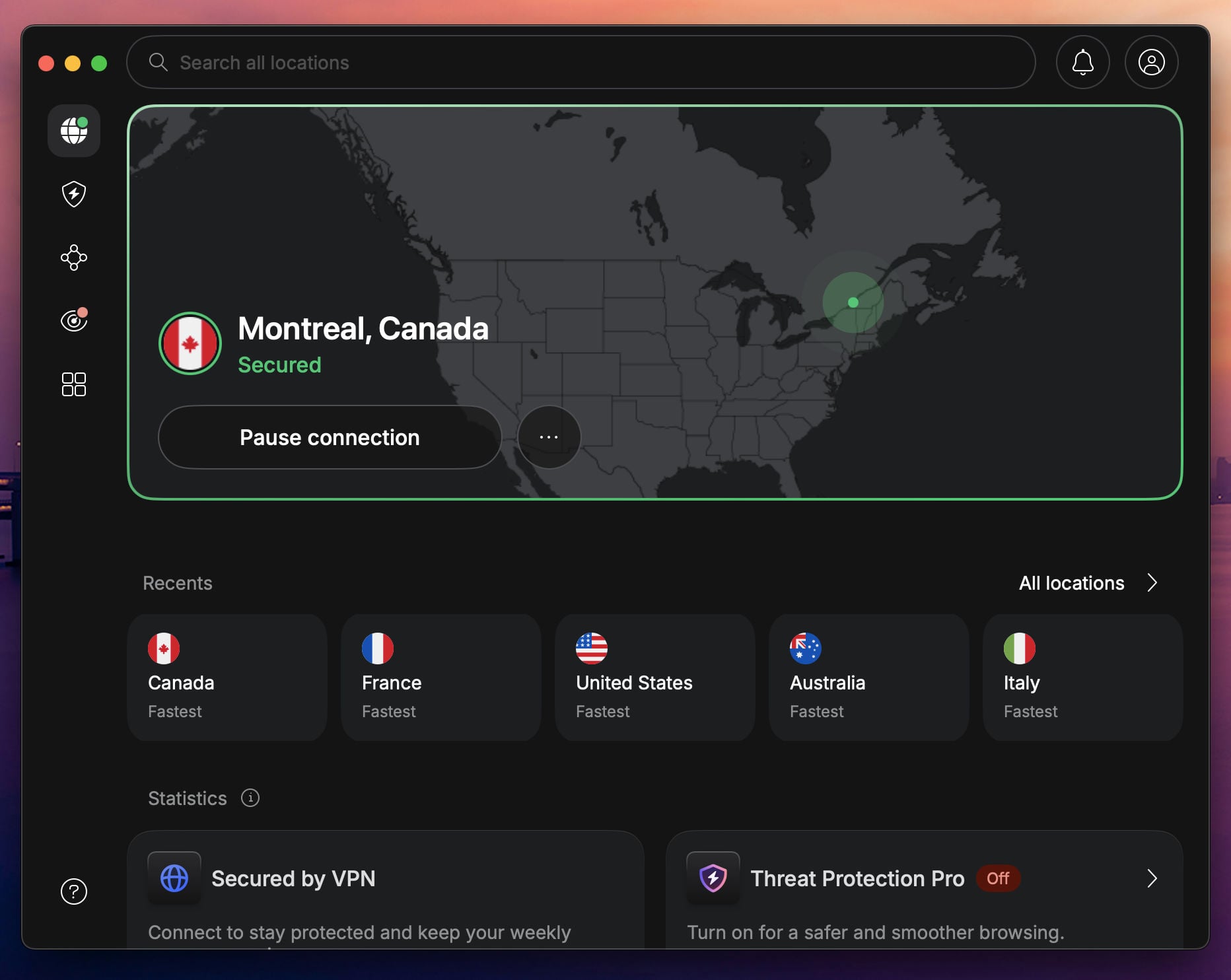
NordVPN tops the list as the #1 option for Americans abroad. In fact, not only Americans abroad use this provider. Many foreigners watch Tubi abroad and enjoy its diverse content. NordVPN packs over 9,400 servers in 137 countries, so you can quickly change your IP address to multiple locations.
Its speeds are unlimited, and all bandwdith restrictions are alleviated. NordVPN uses a special NordLynx protocol and 10 Gbps servers to provide the fastest speeds in 2026. Since it works on Windows, Android, macOS, iOS, Smart TVs, Fire TV, Apple TV, and other devices, you can get Tubi unblocked easily.
Another advantage is Smart DNS, which works with US-based streaming services. It can be used without setting up the VPN. NordVPN also has 10 simultaneous connections, 24/7 support, solid security, and a no-logging policy. It starts at $3.49 per month, with a 30-day money-back guarantee.
2. ExpressVPN: Fastest VPN to Get Tubi Unblocked

Pros
- Fast VPN for streaming
- Easy-to-use apps
- Blocks ads and trackers
- Built-in obfuscation
- Cheap 2-year plans
Cons
- Not many features
- Higher renewal cost
ExpressVPN also works with Tubi outside the UK, the US, Mexico, and other locations. It offers speed-optimized servers in 105 countries and over 22 locations on American soil. People worldwide enjoy ExpressVPN’s ease of use. Its sleek apps span all devices, and the VPN supports 14 concurrent connections.
A great Apple TV VPN service is here as well, plus, you can equip your Firestick TV to enjoy Tubi abroad on a large screen. ExpressVPN uses Lightway, a VPN protocol built for speed. With unlimited data and robust servers, its performance is more than sufficient even for 4K, buffer-free streaming.
ExpressVPN offers Threat Manager to block ads and trackers, and even its Parental Control is useful for preventing access to porn sites if you have children. ExpressVPN has built-in obfuscation for dodging censorship. The VPN is now one of the least expensive, with a price of $2.49 per month for the Basic plan.
3. Private Internet Access: Best Cheap VPN for Streaming
Pros
- Unlimited devices
- Cheapest Tubi TV VPN
- Streaming servers
- Robust security
Cons
- No native Fire OS app
- Confusing app UI
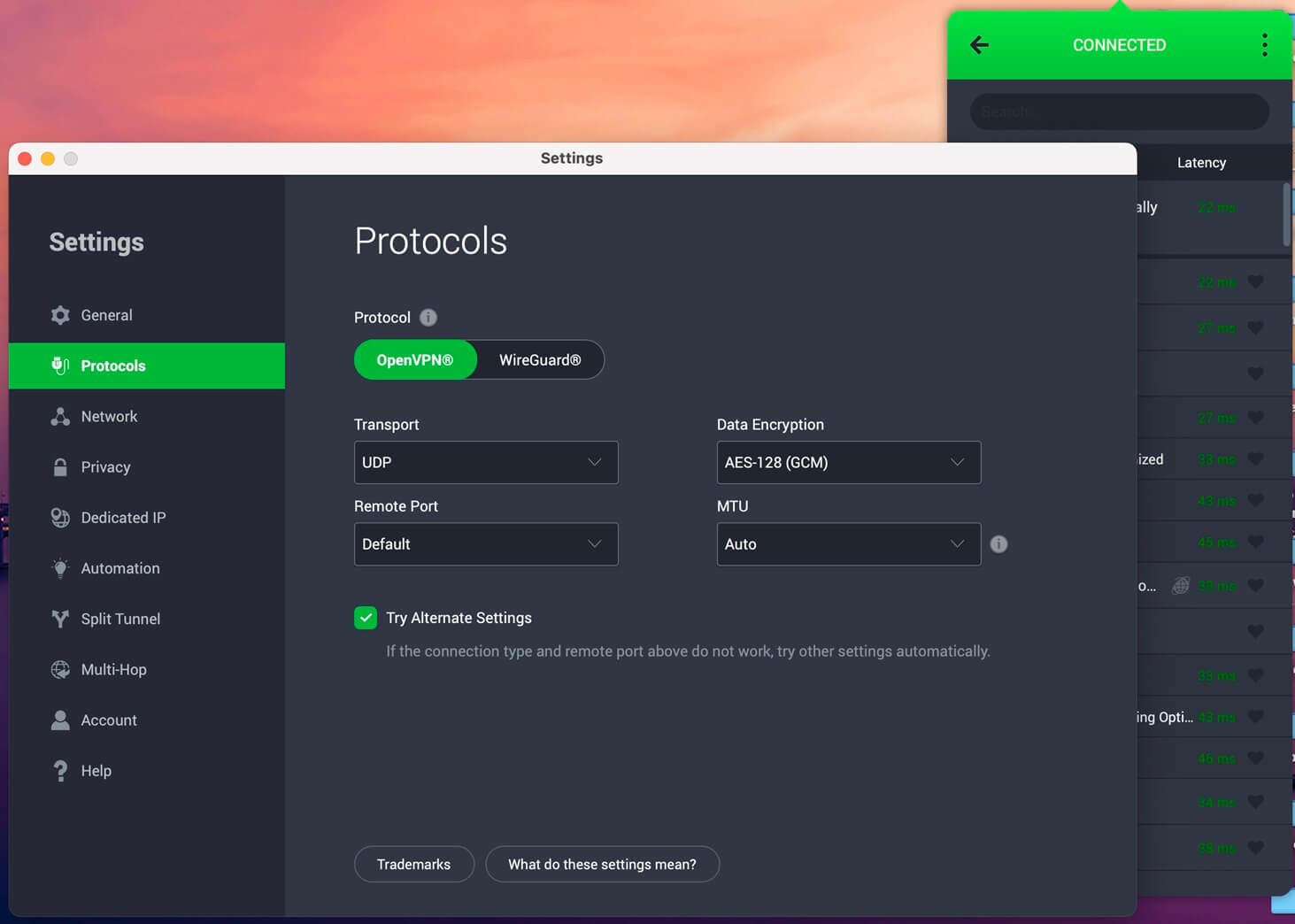
Americans love Private Internet Access because it’s the best VPN in this country. This isn’t the only reason because PIA also offers servers in all states, so those abroad can get Tubi unblocked in seconds. PIA’s streaming optimization is great, especially with WireGuard, which eliminates connection issues.
What about its apps? You can install PIA on all devices, except for the Fire TV Stick. However, it allows unlimited simultaneous connections that you won’t get in other Tubi TV VPNs. Another aspect is privacy, where PIA excels due to its proven-in-court zero-logging policy. Security is above-average.
You get 256-bit GCM encryption, Multi-hop, RAM servers, and a capable ad blocker. We invite you to our full PIA VPN test for more information. Before you click off, we’ll tease you with an 83% discount on its 2-year plan. PIA includes 2 or 4 free months, dropping the price to just about $2/mo.
Try Private Internet Access Now
Conclusion
Tubi’s rich library of movies, TV shows, live TV entertainment, and sports leaves no one unimpressed. If you’re struggling to get Tubi unblocked outside the USA or other locations, change your IP address to the USA for swift access. If you do this with the right VPN, such as NordVPN, ExpressVPN, or Private Internet Access, the streaming service will work. The workaround is risk-free and, more importantly, less expensive than traveling to the USA to get a glimpse of Tubi TV.
Frequently Asked Questions
🪷 Is Tubi available in India?
No, Tubi is unavailable in India right now. However, if you're in India, you can unblock it by using a VPN and connecting to a country where it's available. Recommended regions include the USA, the UK, Canada, and Mexico.
⚽ Is Tubi TV available in Brazil?
No, it's not officially supported in Brazil. Brazilians can use a VPN and connect to a server in a location where it works. Canada, the US, Australia, and the UK work well.
🔓 Can I get Tubi unblocked abroad?
Yes, you can, but only with a VPN. Unless you use one, you'll see a geo-restriction message. When you connect to the right server, you can unblock and use it uninterrupted. On top of that, you won't need to register or sign in to your account.
📍 Is Tubi available in Singapore?
No, it isn't. If you're in Singapore, you still need a VPN to access Tubi movies, live TV, and all other content. Connect to a server in the US using NordVPN to get the best, most extensive content library.