Getting a US IP address costs nothing, because almost every free VPN lists the United States among its locations. Hosting is cheap there, and even a free plan with a handful of countries includes one. What changes from one free USA VPN to the next is what happens after you connect:
- How much data you can use before the month resets.
- Whether you choose the city or the app chooses for you.
- How many devices one account covers.
Then there’s the question of who pays for the servers. Trustworthy free VPNs are funded by the people on their paid plans, while others earn money from what their free users do online. So we tested five ways to use American servers without paying: four free plans, and one paid VPN that refunds you if you cancel within a month.
Top 5 Free VPNs With US Servers
- NordVPN: Best overall, with servers in every state and a full refund if you cancel within a month
- Proton VPN: Best free and paid option, with no data limit on its free US servers
- PrivadoVPN: Best free VPN for torrenting, with a choice of US cities
- Windscribe: Best for a whole household, with one free account on every device
- Hide.me: Best for unlimited free data on a US server you choose
Free US VPNs Compared
The speed column shows how much download speed each VPN lost on a US server, compared with our connection without a VPN.
| VPN | How it’s free | Free data | US server choice | Devices at once | US speed loss |
|---|---|---|---|---|---|
| NordVPN | 7-day trial or 30-day refund | Unlimited | 55 cities, all 50 states | 10 | 4.7% |
| Proton VPN | Free plan, or paid VPN Plus | Unlimited | Assigned by the app (free) | 1 | 31.2% |
| PrivadoVPN | Free plan | 10 GB a month | 4 US cities | 1 | 13.6% |
| Windscribe | Free plan | 10 GB a month (2 GB without email) | United States, chosen by you | Unlimited | 15.6% |
| Hide.me | Free plan | Unlimited | United States, chosen by you | 1 | 40.9% |
Best Free VPNs for the USA in 2026
1. NordVPN: Best Overall Free US VPN
Pros
- Servers in every state
- Free 7-day trial in the US
- Small speed loss on US servers
- Independently audited no-logs policy
- Malware blocking on higher plans
- 10 devices per account
Cons
- Payment details required up front
- Higher renewal price
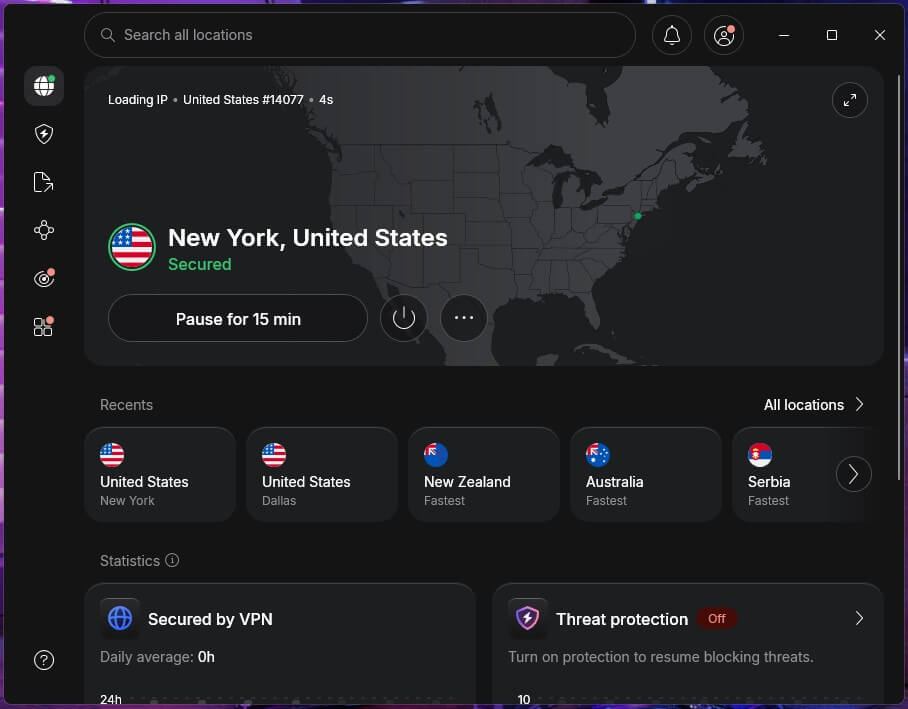
NordVPN covers all 50 states from 55 US cities, so you can connect in your own state or on the other side of the country. A server close to home keeps ping low, and on a US server, NordVPN lost only 4.7% of our download speed.
To use it without paying, start the 7-day trial of the Prime plan on NordVPN’s US website, or the 3-day Android trial through Google Play. Every plan also comes with a 30-day money-back guarantee. Starting the NordVPN free trial requires a card or PayPal, so cancel before it ends if you don’t plan to keep it.
Its no-logs policy is independently audited, and the Complete plan adds next-gen antivirus, which blocks malware and malicious downloads. If you continue, the Basic plan costs about $3.50 a month on the two-year plan. However, the renewal price is several times higher, so compare it before the first term ends.
2. Proton VPN: Best Free and Paid US VPN in One
Pros
- No data limit on the free plan
- US servers for free users
- No account required on Android
- Disguises VPN traffic on every plan
- Open-source apps
- Paid plan unblocks Peacock
- Independently audited every year
Cons
- Free plan chooses the server
- No streaming or torrenting on free
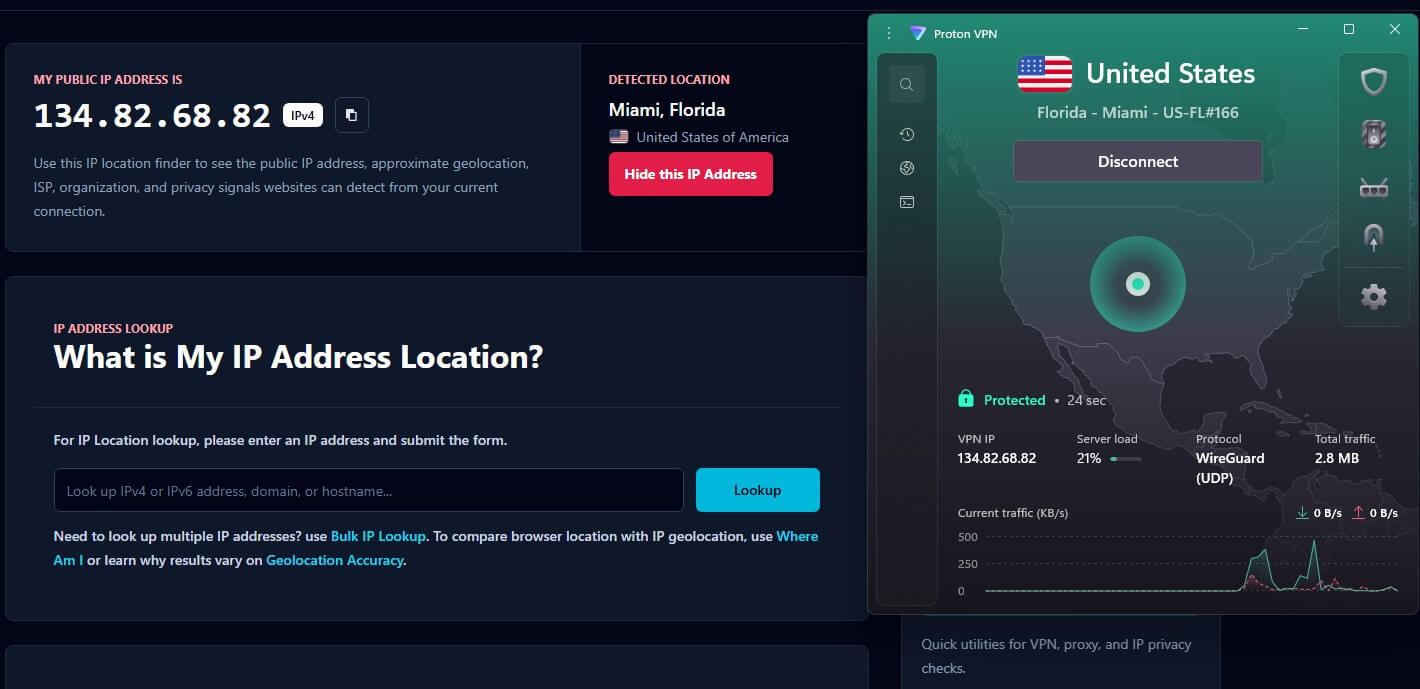
Proton VPN works two ways for US users. VPN Plus covers more than 21,000 servers in 149 countries, including 18 US states plus Washington, DC. In our tests, it unblocked Peacock and the ESPN app, but it couldn’t unblock Hulu.
It costs about $3 a month on the two-year plan. The free plan, however, is why Proton VPN ranks second. Its free countries include the United States, and data has no monthly limit. The trade-off is control, since the app assigns the server, and its free US server lost 31.2% of our download speed.
On Android, Guest mode works without an account. Proton VPN is also based in Switzerland, publishes its app source code, and has its no-logs policy audited every year. The free plan allows one device and no streaming or torrenting, so keep it for browsing, banking, and public Wi-Fi.
3. PrivadoVPN: Best Free VPN for Torrenting

Pros
- Choice of US cities for free
- Torrenting allowed on free servers
- Kill switch and split tunneling for free
- Disguises VPN traffic for free
- Free speed close to the paid plan
Cons
- Monthly data limit
- Allowance renewed by hand
- No independent audit
PrivadoVPN lets free users choose their own server, which few free VPNs allow. Its 13 free locations span 10 countries, and four of them are in the US. Speed is another strength. In our tests, its free US server lost 13.6% of our download speed, close to what the paid plan achieved.
Unlike Proton VPN’s free plan, PrivadoVPN allows torrenting on its free servers. On top of that, free accounts receive the kill switch, which passed our tests, and split tunneling, which lets chosen apps bypass the VPN. Scramble is included too, an option that disguises VPN traffic on networks that block VPNs.
The limits are the data and the upkeep. Free use is capped at 10 GB every 30 days on one device. Even so, the bigger annoyance is that the allowance has to be renewed by hand in the app each month, which I found tedious. Renew it the first time you connect each month, so it doesn’t expire mid-download.
Its no-logs policy also hasn’t been independently audited, so keep banking and other sensitive accounts on Proton VPN.
4. Windscribe: Best Free VPN for a Whole Household
Pros
- Unlimited devices on one free account
- Ad and malware blocking for free
- Independently audited servers
- No user data found in a court case
- Open-source apps
Cons
- Monthly data limit
- Disconnects at the limit
- Settings can confuse beginners
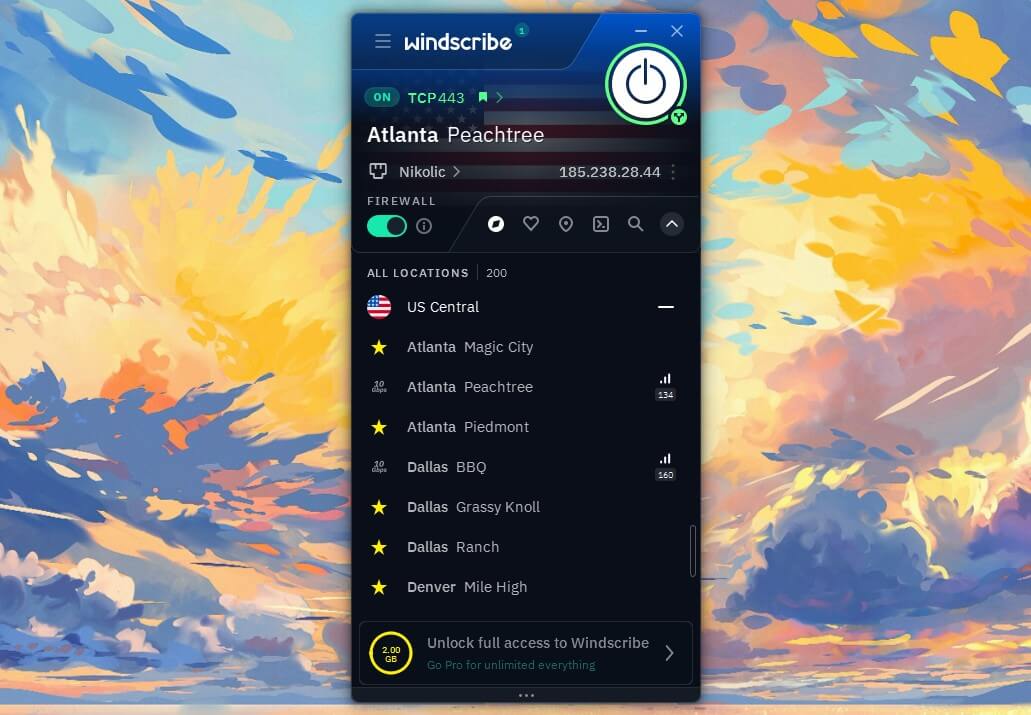
Windscribe sets no limit on simultaneous connections, including on free accounts, and we confirmed it with five devices connected at once. The United States is one of its 10 free countries, and its free US server lost 15.6% of our download speed, and Windscribe doesn’t slow free accounts down on purpose.
Beyond devices, its built-in blocker, R.O.B.E.R.T., removes ads, trackers, and malware domains using lists you can edit, and it covers every device on the account. Data is the limit. A free account starts at 2 GB a month and moves to 10 GB once you confirm your email address.
After that, the connection stops until the next month, so save Windscribe for phones and laptops that mostly browse. Windscribe is based in Canada, a Five Eyes member, but its record makes up for it. An independent firm audited its server setup, and a Greek court case ended without any user data to hand over.
Every app is also open source. On the other hand, its settings menu is long, and beginners may struggle to find options. Even so, the defaults work without changes.
5. Hide.me: Best for Unlimited Free Data on a US Server You Choose
Pros
- No data limit on the free plan
- Choose the US server yourself
- No ads in the free version
- Independently audited no-logs policy
Cons
- Slow on its free US server
- No streaming or torrenting on free
- One device at a time
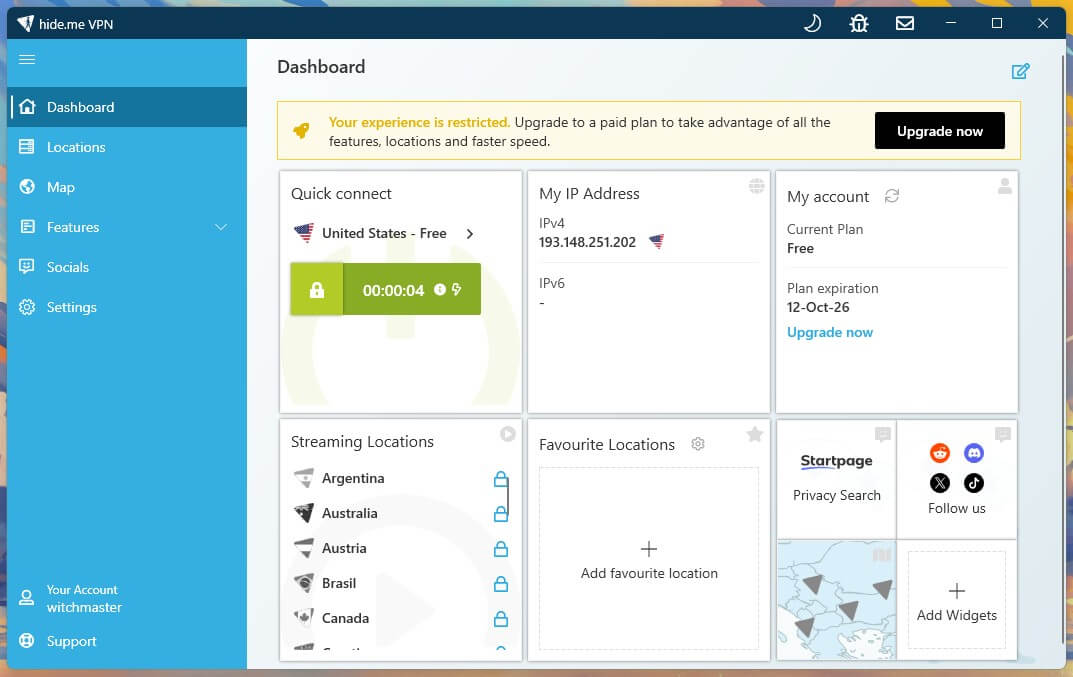
Hide.me combines two things the other free plans split up: unlimited data and a server you choose yourself. The United States is one of its seven free countries, alongside six in Europe, and the free version shows no ads. Signup requires an email address, but no payment details. The trade-off is speed.
Its free US server lost 40.9% of our download speed, which is enough for browsing, though large downloads take noticeably longer. On top of that, the free plan blocks torrenting and doesn’t unblock streaming services, and it covers one device at a time. So keep Hide.me for long browsing sessions where a monthly allowance would run out.
As for privacy, Hide.me is based in Malaysia, and its no-logs policy has been independently audited. The paid plan adds more countries and devices, as our Hide.me review details. On Windows, the free app also includes SoftEther, a protocol that helps on networks that block VPNs.
Can You Watch US Streaming Services With a Free VPN?
Partly, and only for a few hours a month. In our tests, Windscribe’s and PrivadoVPN’s free plans unblocked Peacock and Netflix US, but neither could unblock Hulu. By contrast, Proton VPN’s free plan doesn’t support streaming and couldn’t unblock Netflix US.
Even so, data is the bigger limit: 10 GB of HD video lasted about five hours on WireGuard. Once it’s used up, PrivadoVPN switches to emergency servers at about 1 Mbps, too slow for video, while Windscribe stops connecting until the month resets.
For that reason, travelers watching US TV channels abroad are better off with a paid VPN for a month than with any free plan. NordVPN unblocked Hulu and Peacock in our tests, with no data limit, and you can cancel within 30 days for a refund.
Are Free US VPNs Safe?
These five are. All five publish no-logs policies, and NordVPN, Proton VPN, Windscribe, and Hide.me have also had theirs verified by independent auditors.
PrivadoVPN hasn’t yet. In each case, the free plan is paid for by subscribers, so the VPN can remain free without selling what its users do. Other free VPNs work differently.
- Hola sends traffic through other users’ devices instead of its own servers, so somebody else’s browsing can leave through your IP address.
- Urban VPN’s privacy policy, for example, describes its parent company as a data broker, and in our Urban VPN review, its free app leaked DNS requests on a US server.
- Betternet and Turbo VPN, meanwhile, rely on ads to fund their free versions.
Before installing a free VPN, read its privacy policy and look for an independent audit. In practice, a company with no paid plan has to make money from its free users some other way.
Final Thoughts
How you plan to use the US IP address decides whether free is enough. Overall, a free account is good for privacy and weak for entertainment.
For browsing, banking and public Wi-Fi, Proton VPN’s free plan has no data limit to plan around, and honestly, that’s the free VPN we’d keep. PrivadoVPN and Windscribe, by contrast, make more sense for a household or a torrent client than for an evening of TV, while Hide.me covers long browsing sessions at a slower pace.
For Hulu, live TV, or a full season of anything, NordVPN is the stronger choice, and you receive a refund if you cancel within a month. Ready to pay? Our ranking of the best VPNs for the USA compares six paid VPNs on state coverage and US speed.
Frequently Asked Questions
Is there a free VPN with unlimited data on US servers?
Yes. Proton VPN's and Hide.me's free plans include US servers with no data limit. Proton VPN assigns the server automatically, while Hide.me lets users choose the United States.
Which free VPN lets you choose a US city?
PrivadoVPN lets free users choose among several US cities. Windscribe's free plan lets users pick the United States as a country, while Proton VPN's free plan assigns the server automatically.
Can a free VPN unblock Hulu?
No. The free plans from Windscribe, PrivadoVPN, Hide.me and Proton VPN can't unblock Hulu. NordVPN unblocks it, and new subscribers can request a refund under its money-back guarantee.
Can you use a free VPN when visiting the US?
Yes. Using a VPN is legal in the United States, and Proton VPN's free plan protects traffic on hotel and airport Wi-Fi without a monthly data limit.
Is there a free USA VPN for PC?
Yes. Proton VPN, Hide.me, Windscribe and PrivadoVPN offer free Windows and Mac apps with US servers. Proton VPN and Hide.me have no data limit, while Windscribe and PrivadoVPN cap free data monthly.