YouTube TV only works in the US. Abroad, it requires a VPN with US servers, and its local channels require a US browser location. We tested five VPNs on YouTube TV’s 20-minute free preview in October 2026. ExpressVPN, Surfshark, and Proton VPN unblocked live cable channels on New York servers.
Local stations such as ABC 7 played only after YouTube TV accepted a New York location from the browser. ExpressVPN and Surfshark handled that step with their own browser extensions. Proton VPN required a location override in the browser’s developer tools.
YouTube TV VPNs Ranked for 2026
- ExpressVPN: Best overall, with cable and local channels unblocked through its app and extension.
- Surfshark: Best for phones and large households, with GPS Override on Android.
- Proton VPN: Best for privacy, with cable channels that started within seconds.
YouTube TV VPN Test Results
Our tests used a Windows 11 PC in Europe, a Chromium browser, and each VPN’s New York server. Cable channels included Bravo, ESPN, and VH1. Cable channels included Bravo, ESPN, and VH1. Download speeds were measured on each VPN’s US server, against a 190.36 Mbps connection without the VPN.
| VPN | Cable channels | Local ABC 7 | Location method | US download |
|---|---|---|---|---|
| ExpressVPN | Unblocked | Unblocked | Extension spoofing | 177.03 Mbps |
| Surfshark | Unblocked | Unblocked | Extension spoofing | 170.38 Mbps |
| Proton VPN | Unblocked | Unblocked | DevTools override | 173.68 Mbps |
How to Watch YouTube TV Outside the US
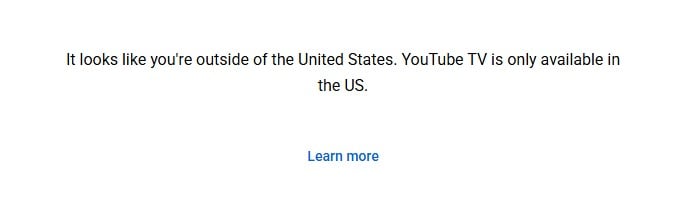
Connect to a US server, spoof your browser location to the same city, and sign in. Without a US IP address, YouTube TV shows a location error before any channel loads.
- Subscribe to ExpressVPN and install its app and browser extension.
- Connect the app to a US city, such as New York.
- Turn on location spoofing in the extension and pick the same city.
- Open tv.youtube.com and start the free preview or sign in.
The 20-minute preview requires no payment, so it’s a quick way to check a VPN before subscribing. A YouTube TV subscription requires a US payment card and a home ZIP code. The same VPN step unblocks other US services, as our US IP address guide explains.
Watch YouTube TV With ExpressVPN
Local Channels and the Home Area Check
Cable networks play on a US IP address alone, while local stations require YouTube TV to verify your home area through the browser. When we selected ABC 7, a “Verify your home area” prompt asked for browser location access. Allowing it without spoofing was a mistake. The browser reported our real location in Europe, and every live stream stopped with “This video is unavailable,” cable channels included.
Setting the site’s location permission back to Block and clearing its cookies restored the cable channels. Spoofing fixes it. With ExpressVPN’s or Surfshark’s extension set to New York, ABC 7 accepted the location and played. Proton VPN’s extension has no spoofing, so we used DevTools instead.
Spoof Your Location With DevTools
This works in Chrome, Brave, and Edge, on any VPN that YouTube TV doesn’t block:
- Open tv.youtube.com and press F12 to open DevTools.
- Press Ctrl+Shift+P, type sensors, and select Show Sensors.
- Under Location, choose Other and enter latitude 40.7128 and longitude -74.0060, with America/New_York as the time zone and en-US as the locale.
- Set the site’s Location permission to Allow, keep DevTools open, and reload the page.
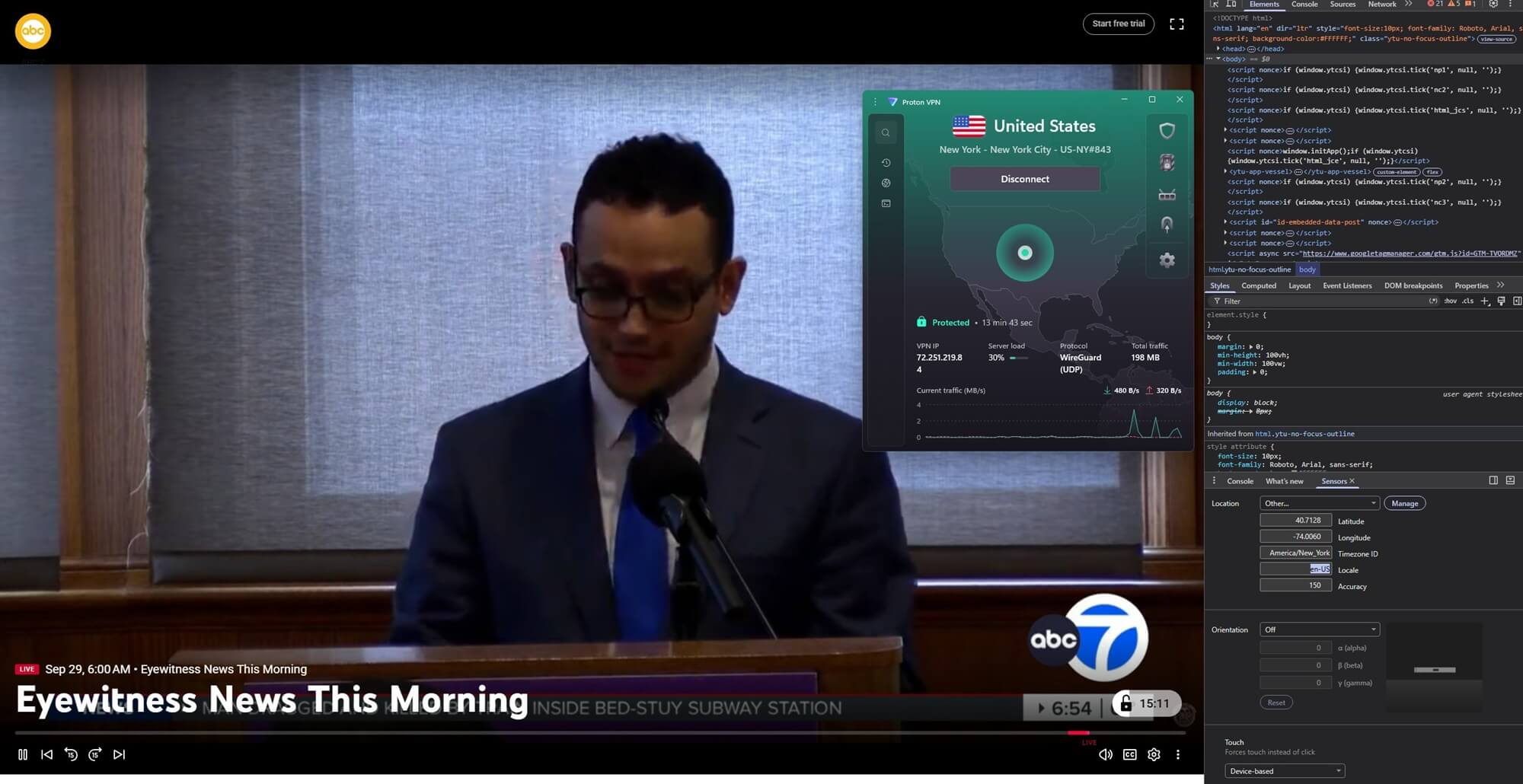
On Proton VPN’s New York server, ABC 7 played after these steps, and Bravo and ESPN kept playing. The override only works while DevTools stays open, and it doesn’t apply to the YouTube TV apps on phones and TVs, which read the device’s location.
The 3 VPNs That Worked With YouTube TV
1. ExpressVPN: Best for US Server Choice
Pros
- Extension spoofing unlocked local ABC 7
- 63 US locations to match a home area
- Fastest US download of the three
- MediaStreamer Smart DNS for TVs
Cons
- App settings are split across menus
- Much higher price at renewal
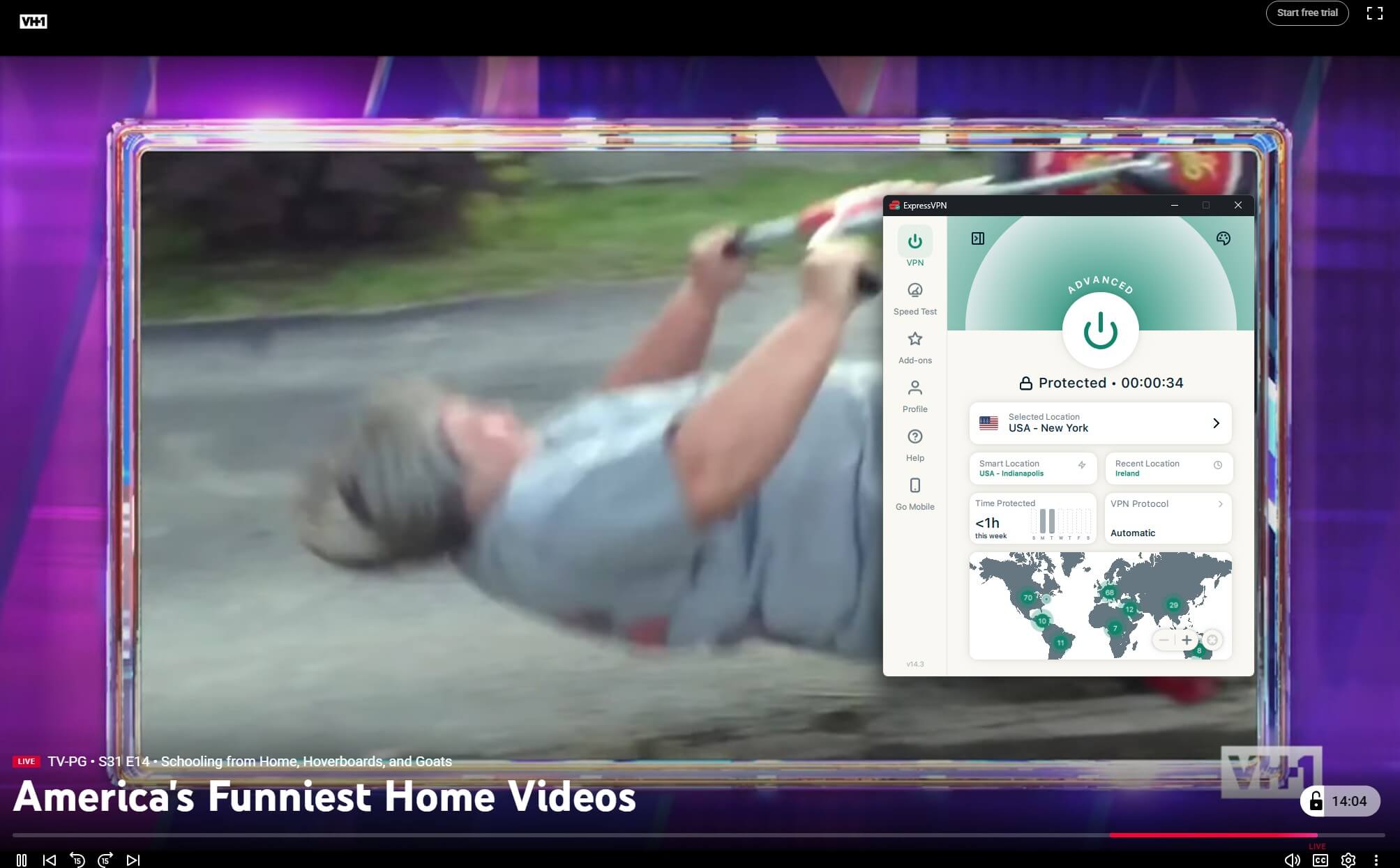
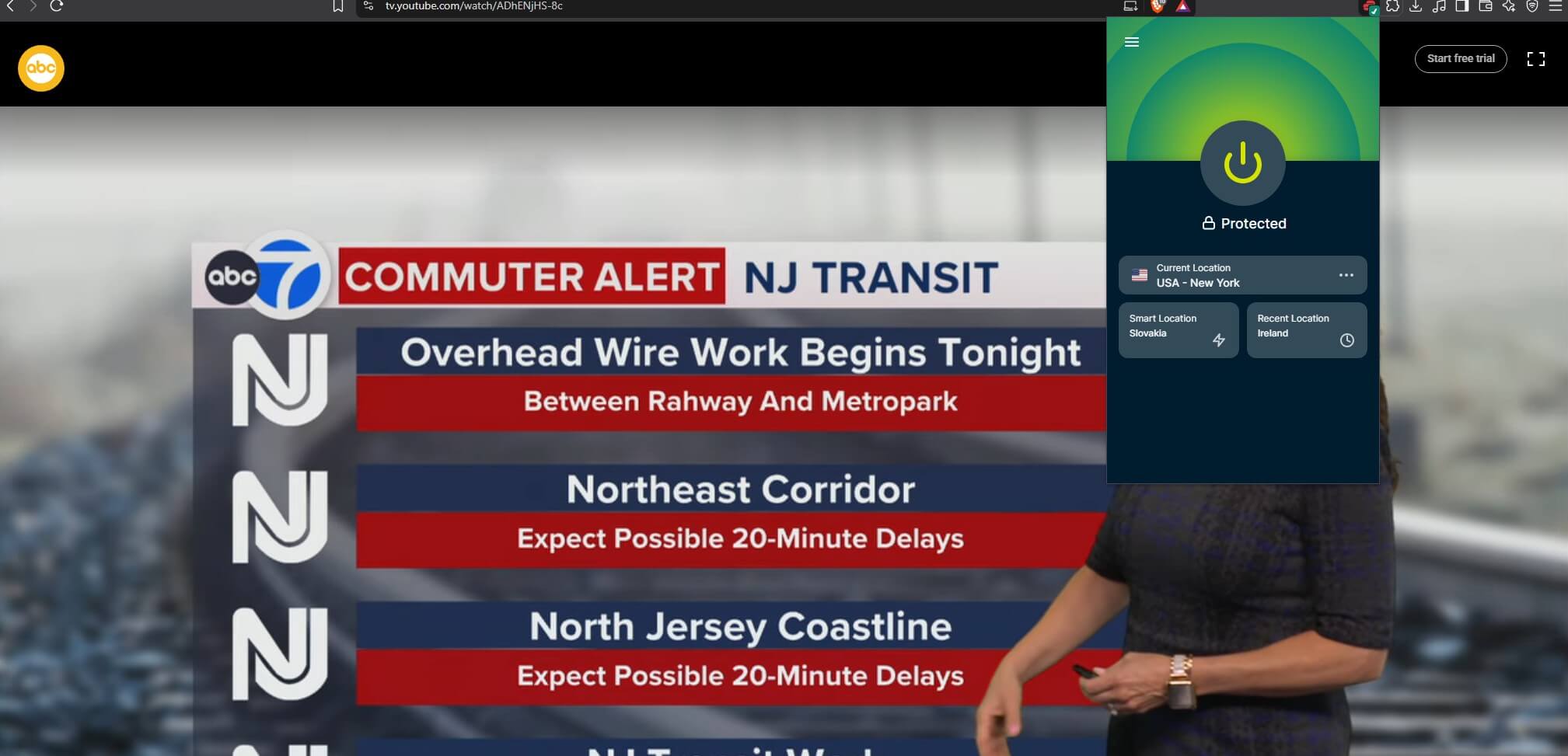
ExpressVPN unblocked live VH1 through its app on a New York server, and its browser extension got ABC 7 past the home area check with location spoofing alone. The spoofed location worked flawlessly, with no DevTools required.
It lists 63 US locations, so you can match the city of your YouTube TV home area, and it recorded 177.03 Mbps on a US server. The redesigned app has no Settings menu, so protocol and kill switch settings are under Profile. The Basic plan works out to about $3 a month when you prepay 28 months.
2. Surfshark: Best for Phones and Large Households
Pros
- Extension spoofing passed the home area check
- GPS Override for Android phones
- No limit on connected devices
- Quantum-safe WireGuard by default
Cons
- Fewer US cities than ExpressVPN
- Connections sometimes take longer
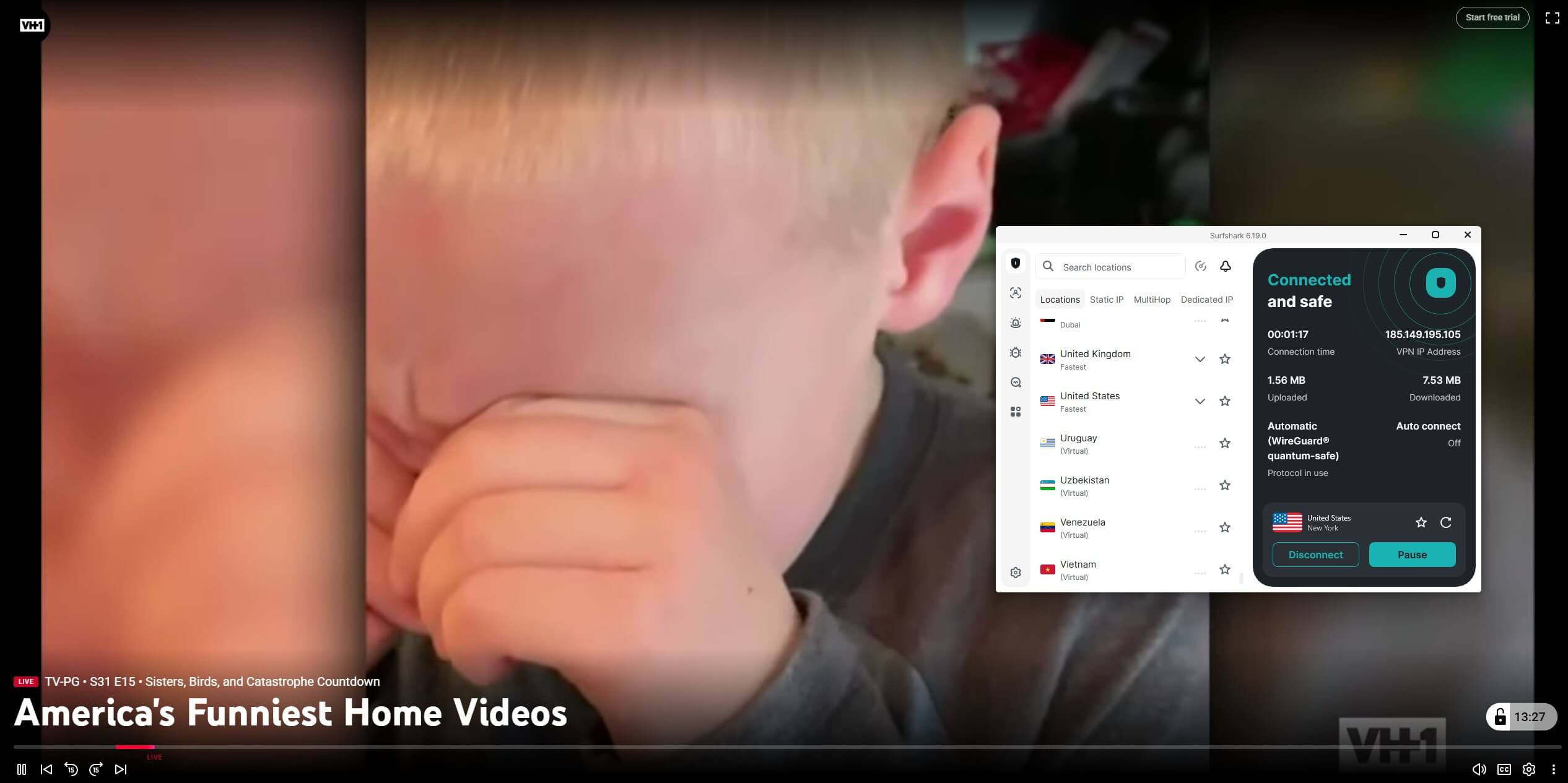
Surfshark matched ExpressVPN’s result. Its app unblocked live VH1 in New York, and the browser extension’s location spoofing got ABC 7’s Good Morning America playing without DevTools. The VH1 and ABC 7 streams were very smooth. The YouTube TV app checks the phone’s location, and Surfshark’s GPS Override changes it on Android.
We confirmed it changes GPS coordinates in another app but haven’t tested it with YouTube TV. It covers 25 US cities and measured 170.38 Mbps in the US. Surfshark is the cheapest of the three, at roughly $2.50 a month on its 27-month Starter plan.
3. Proton VPN: Best for Privacy
Pros
- Cable channels started within seconds
- US servers in 18 states and DC
- Swiss company with yearly no-logs audits
- DevTools override unlocked ABC 7
Cons
- No location spoofing in its extension
- No Smart DNS for consoles or TVs
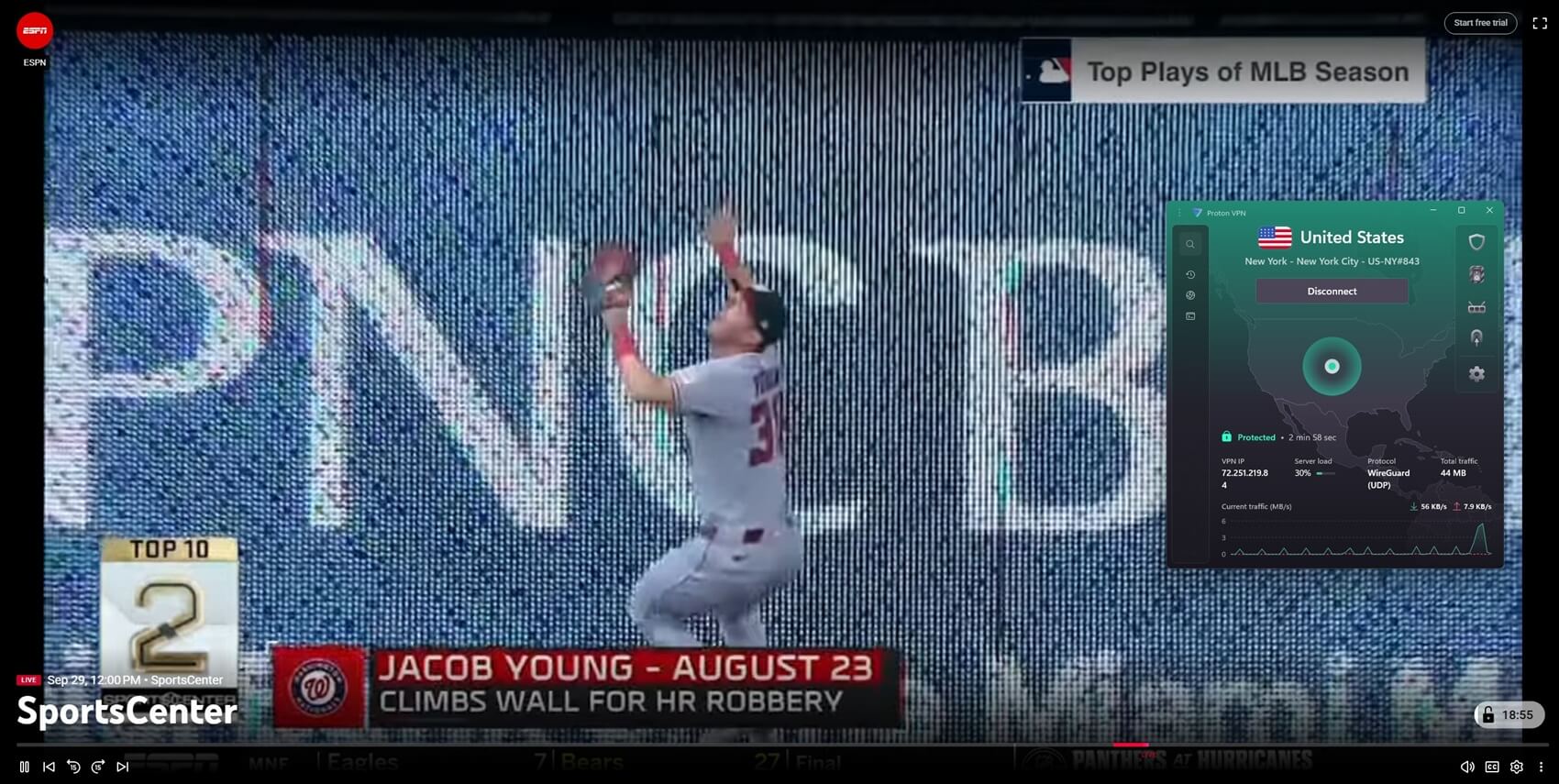
On Proton VPN‘s New York server, Bravo and ESPN started within seconds, and the streams were perfect. Its US download was 173.68 Mbps. Local channels require one extra step. Proton VPN’s extension can’t spoof location, so ABC 7 required the DevTools override. Smart DNS is missing too, leaving TVs without a VPN app unsupported.
VPN Plus starts near $3 a month on a two-year term and renews at about $84 a year. Its audits and Swiss base are detailed in our Proton VPN review.
Does NordVPN Work With YouTube TV?
No, not in our test. YouTube TV blocked NordVPN on several US servers. Its browser extension with location and time zone spoofing turned on didn’t help either: every channel showed a black screen. PIA failed too, showing the same unavailable-video error whether its extension blocked location access or not.
YouTube TV Price and Plans
- Base plan: about $83 a month for the full channel package, including local stations.
- Sports Plan: about $65 a month for a smaller, sports-focused package.
- Free preview: 20 minutes of live TV with no payment.
New subscribers often get a discount for the first months. YouTube TV sells NFL Sunday Ticket as a paid add-on, and ABC’s coverage of Super Bowl LXI should require the same home area check as ABC 7. Fubo, another US live TV service, is covered in our Fubo abroad guide.
Verdict
A US IP address unblocks YouTube TV’s cable channels, and a spoofed browser location unlocks the local stations. ExpressVPN and Surfshark handle cable and local channels with their own apps and extensions, so they’re the simplest to use. ExpressVPN has more US cities to pick from, while Surfshark adds GPS Override for Android and covers every device in a household.
Proton VPN started cable channels within seconds, and its local channels require the DevTools method. Test a VPN on the free preview before paying for YouTube TV. For changing your home area within the US, see our guide to changing your YouTube TV location.
FAQs
Does YouTube TV work internationally?
No. YouTube TV works only in the US and shows a location error elsewhere. A VPN on a US server unblocks cable channels, and local stations also check the browser's location.
Why does YouTube TV ask for my location?
Local stations like ABC and NBC depend on the account's home area, so YouTube TV checks browser location before playing them. Cable networks such as ESPN and Bravo play without that check.
Why does YouTube TV say
Either the browser shared a real location outside the US, or YouTube TV detected the VPN. Blocking location for the site and clearing cookies fixed the first case in our tests.
Can I try YouTube TV for free outside the US?
Yes, on a US IP address. YouTube TV offers a 20-minute free preview that requires no payment, which is enough to check whether a VPN unblocks it.
Can I change my YouTube TV home area with a VPN?
Partly. A VPN changes the IP address, but YouTube TV also reads browser or device location, so that location has to be spoofed to the same US city as well.
Is it legal to use a VPN with YouTube TV?
Yes. No US law bans VPNs, and most countries allow them. YouTube TV's terms limit the service to the US, and breaking them can get a stream or an account blocked.